
- Age rating4+
- CategoryUtilities
- DeveloperYohei Tamura
- LanguagesJapanese
- Size2.7 MB
Links to the official App Store page
Download.org hosts no file of Rearrange Copy Paste. The button opens its official App Store page, published by Yohei Tamura. Listing last checked on Nov 17, 2026.
Screenshots
About
Simplify your text copying and pasting with our innovative iOS app!
Free Features:
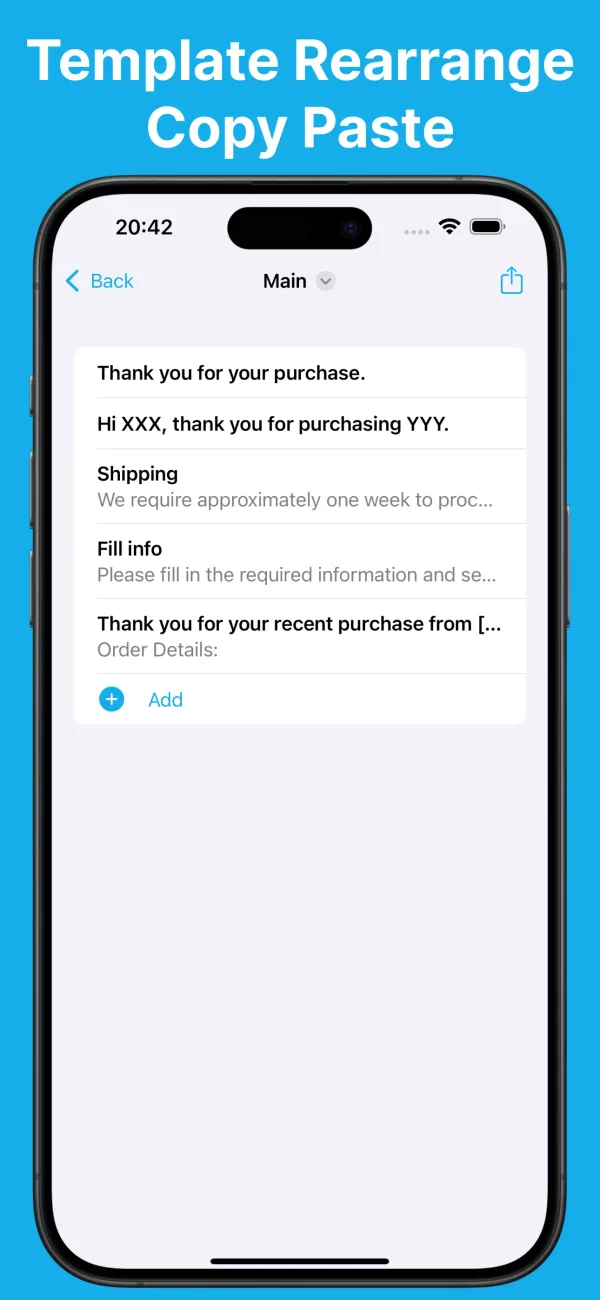
- Easy text management: Register multiple text snippets for quick access
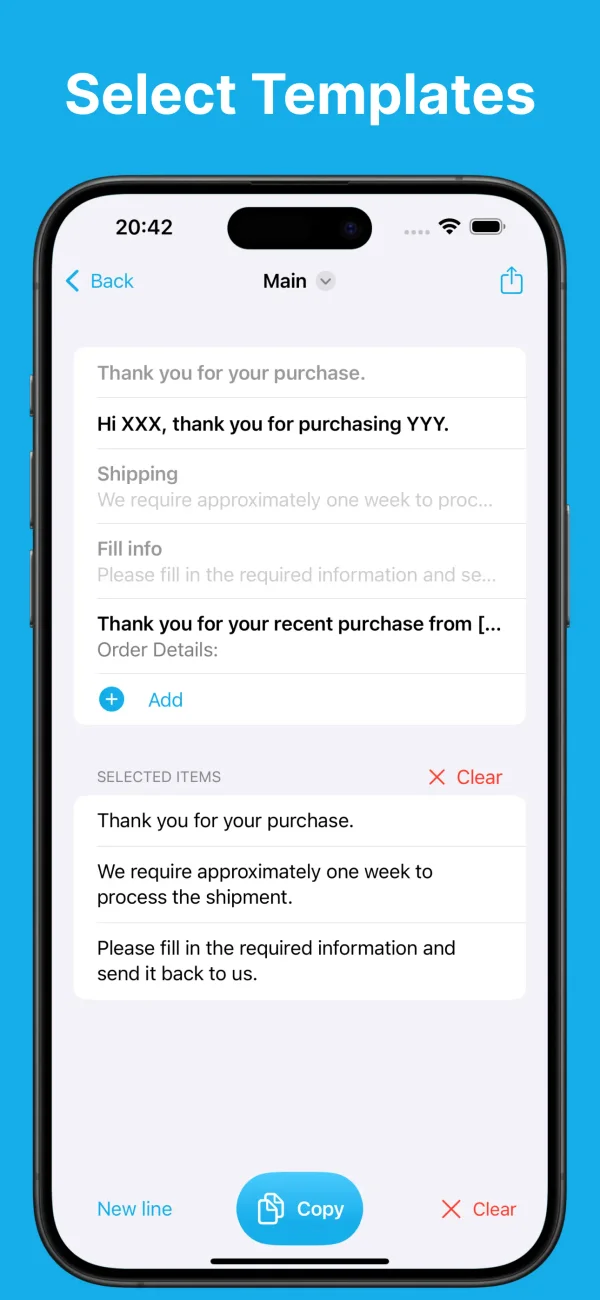
- Flexible rearrangement: Select and reorder your chosen texts before copying
- iCloud sync: Safely store and automatically sync your data across all your Apple devices
- User-friendly interface: Intuitive design for effortless navigation and use
Paid Features:
- Multiple groups: Organize your registered texts into groups for easy management
- Data import: Import group data across devices
How It Works:
1. Register Your Texts: Add frequently used text snippets
2. Select and Customize: Choose one or multiple texts from your collection
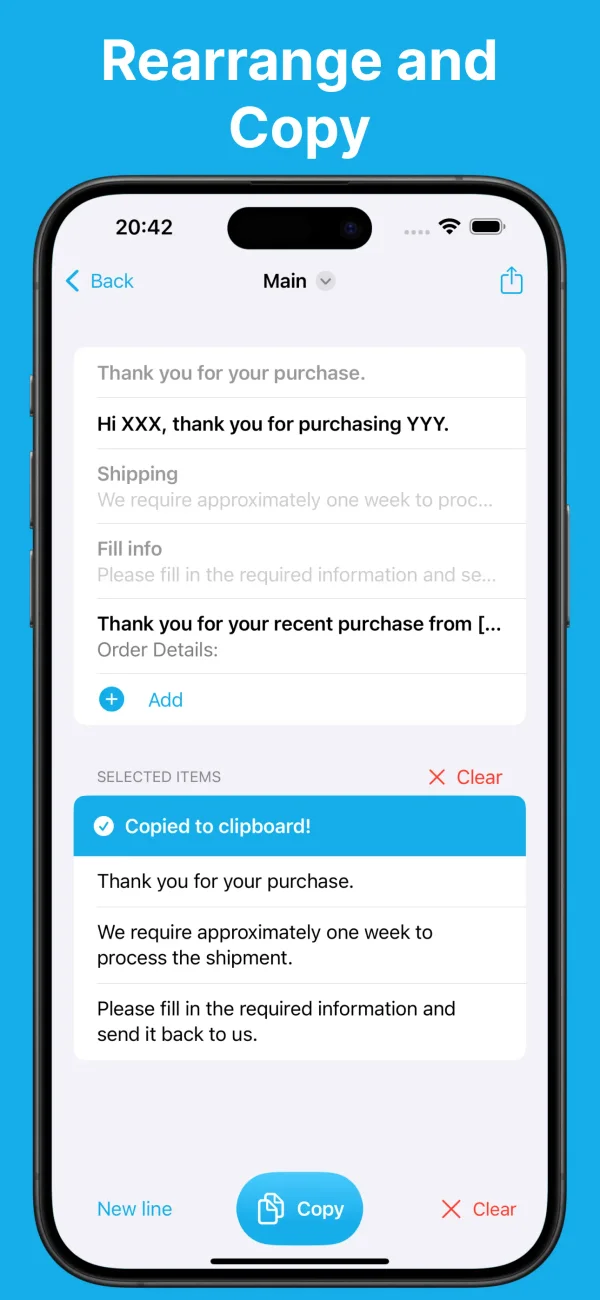
3. Rearrange with Ease: Drag and drop to reorder selected texts as needed
4. One-Touch Copy: Tap the copy button to send your customized text to the clipboard
5. Paste Anywhere: Insert your perfectly arranged text wherever you need it
Perfect for:
- Social media enthusiasts: Easily manage and rotate Instagram hashtags
- Professionals: Create and modify email templates on the go
- Writers: Collect and arrange ideas, quotes, or paragraphs
- Anyone who frequently uses repetitive text!
Why Choose Template Rearrange Copy Paste?
- Save Time: No more switching between apps or retyping the same content
- Increase Productivity: Streamline your workflow with quick access to your most-used texts
- Enhance Creativity: Mix and match your text snippets for endless combinations
- Stay Organized: Keep all your important text snippets in one place
- Cross-Device Convenience: Access your text library from your iPhone, iPad, or Mac
Use Cases:
- Social Media Management: Create the perfect post by combining captions, hashtags, and mentions
- Email Communication: Quickly assemble professional emails using saved greetings, closings, and body text
- Content Creation: Combine and rearrange content blocks for articles, blog posts, or scripts
- Personal Organization: Manage to-do lists, shopping lists, or daily affirmations
Privacy and Security:
Your data is important to us. All your text snippets are securely stored in iCloud, ensuring your information remains private and protected.
Compatibility:
Works seamlessly on iOS devices. Sync feature available on iPadOS and macOS through iCloud.
Download Template Rearrange Copy Paste today and revolutionize the way you work with text on your iOS device!
Note: This app requires an iCloud account for cross-device syncing.
#CopyPaste #Productivity #TextManagement #iOSApp #iCloudSync
What’s new
Version 1.5 · Feb 27, 2025
* bug fix
App privacy
What Yohei Tamura declares on the App Store about how this app handles data.
-
Data not collected
The developer does not collect any data from this app.
Privacy practices may vary, for example with the features you use or your age.
Information
- Seller
- Yohei Tamura
- Category
- Utilities
- Version
- 1.5
- Updated
- Feb 27, 2025
- Released
- Jul 11, 2024
- Size
- 2.7 MB
- Requires
- iOS 17.0 or later
- Age rating
- 4+
- In-app purchases
- Yes
- Languages
- Japanese
- Copyright
- © Yohei Tamura, 2024
You might also like
-
 ClipStack - Save & Reuse TextClipboard history & templates
-
 Copy gentlemanCopy saved texts with one tap
-
 フリマ定型文:取引コメントをかんたん管理&即コピーUtilities
-
 PromptClipUtilities
-
 Easy Copy Paste & Memo ListOne-tap copy, plus a memo list
-
 CopyAndPaste ManagerA simple copy-and-paste app.
-
 コピペ帳 ウィジェットでコピー&ペーストUtilities
-
 タグメモコピーUtilities
-
 タグメモ - 「メモしたい瞬間」を逃さないアイデアメモアプリUtilities
-
 和電卓~桁数が多くても簡単計算~Utilities