
Rectifi: Card Inspector
Pregrade Centering & Condition
Designed for iPhone
Free · In-app purchases
- Age rating4+
- CategoryUtilities
- DeveloperEchan Ventures, LLC
- LanguagesEnglish
- Size71.8 MB
Links to the official App Store page
Download.org hosts no file of Rectifi: Card Inspector. The button opens its official App Store page, published by Echan Ventures, LLC. Listing last checked on Nov 23, 2026.
Screenshots
About
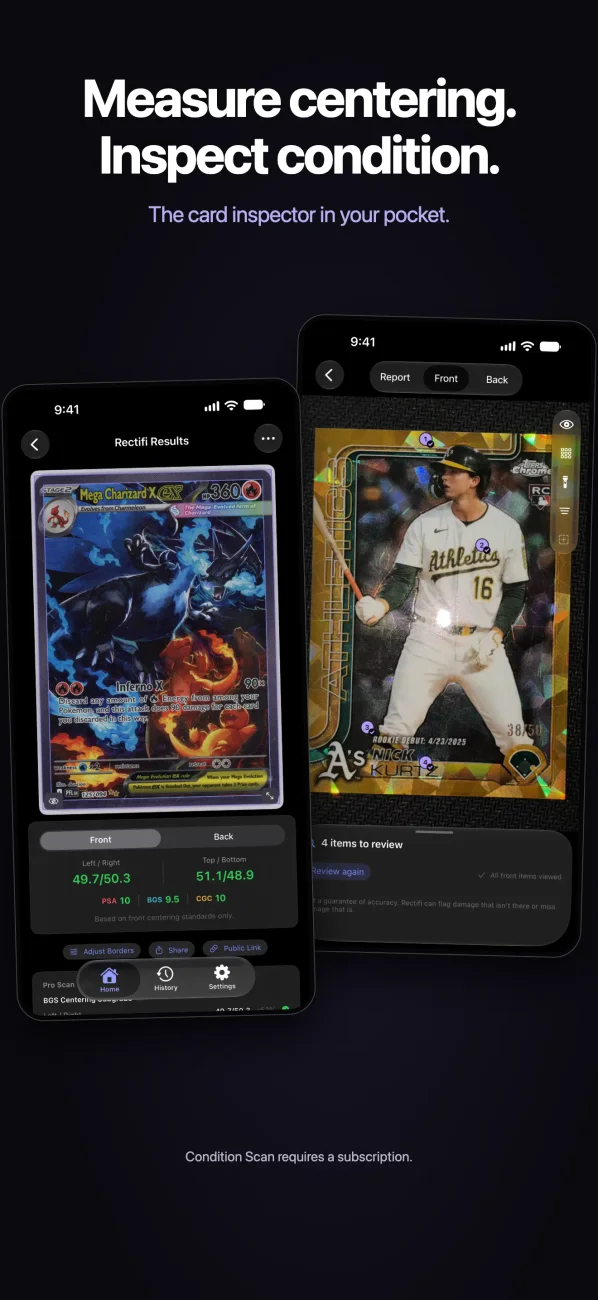
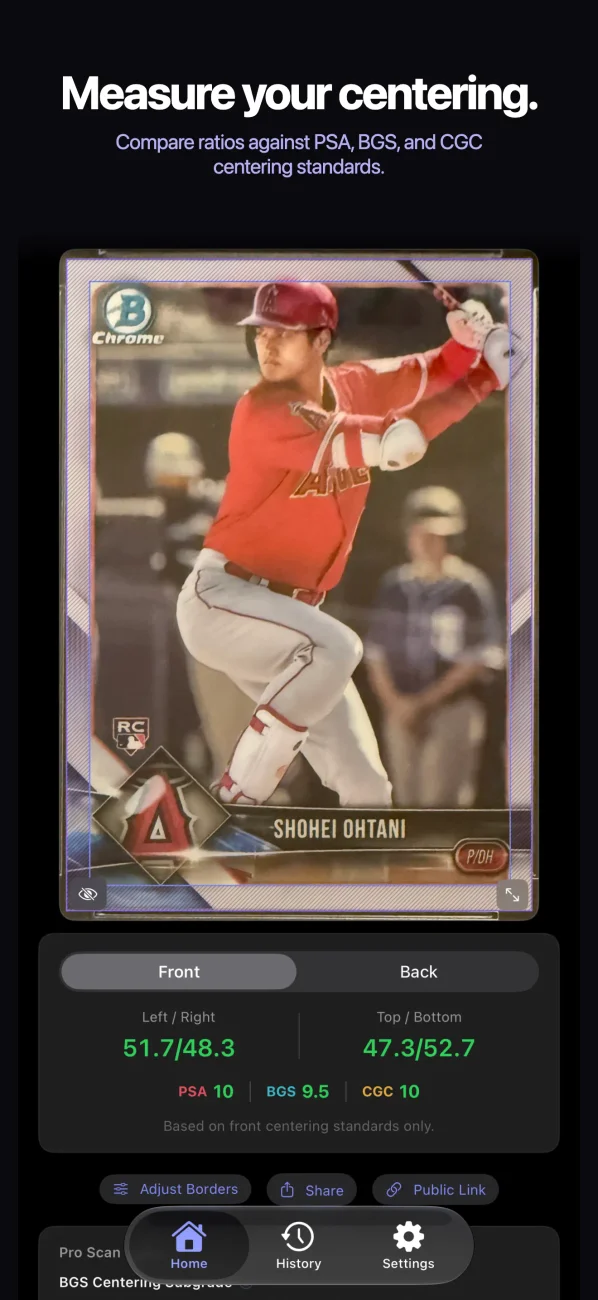
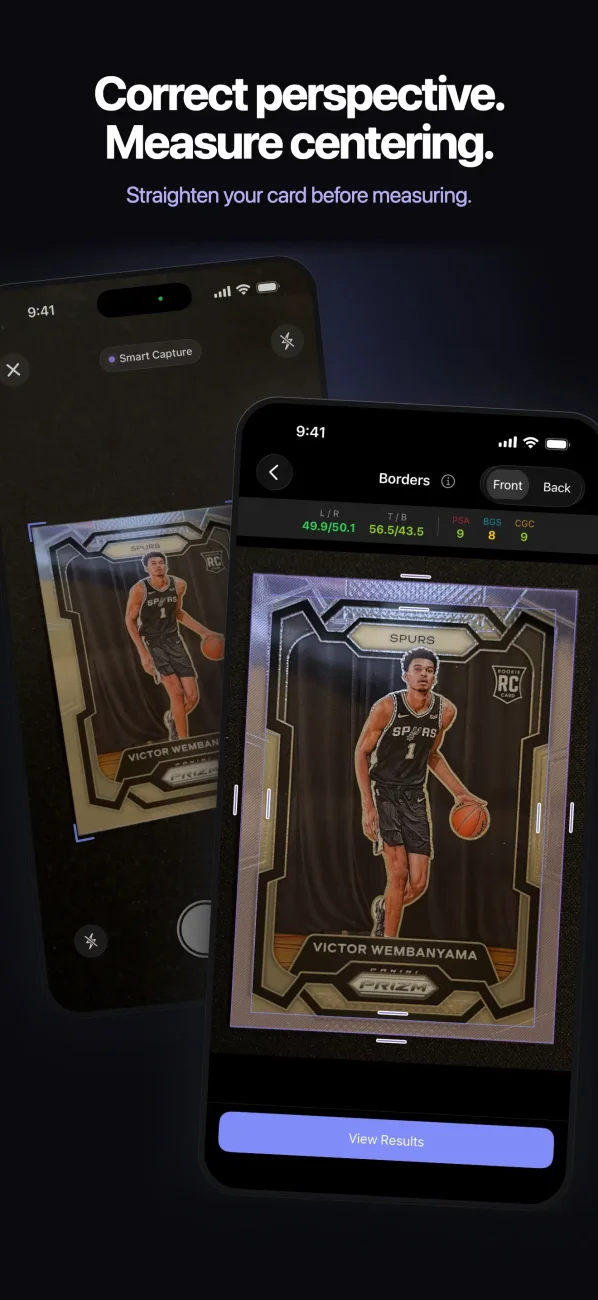
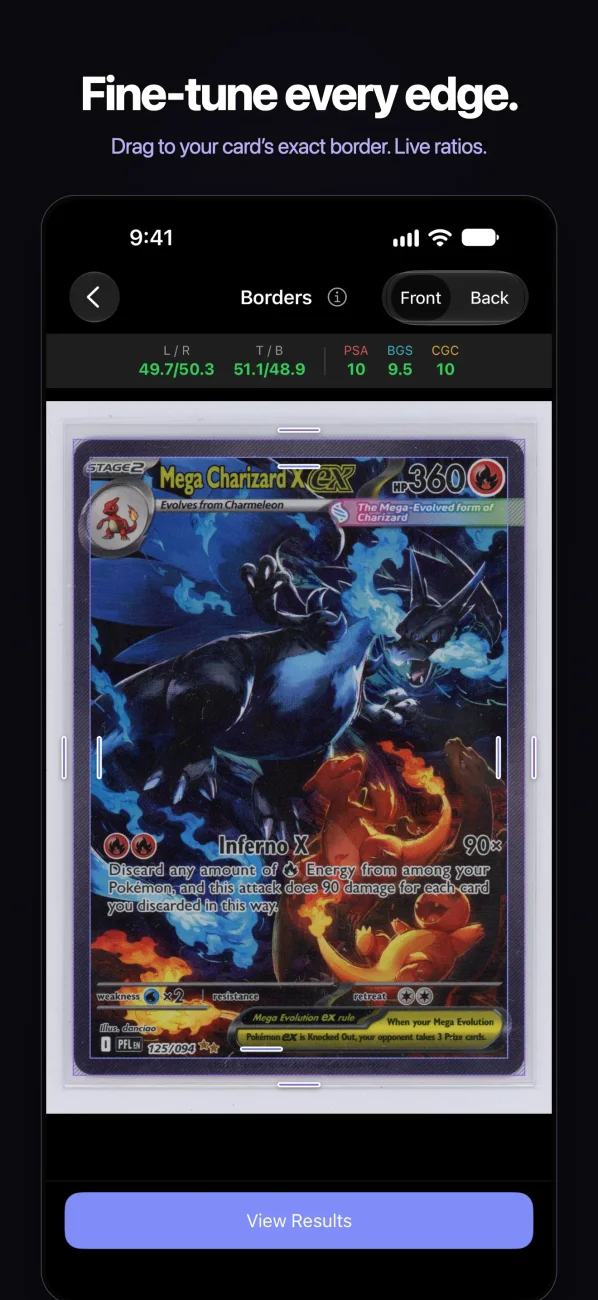
The card inspector in your pocket. Measure centering against PSA, BGS, and CGC from any photo, and run a Condition Scan to see where scratches and dings are hiding.
CONDITION SCAN: SEE WHAT ONE PHOTO MISSES
Condition Scan is included with Rectifi Pro and requires an iPhone. On iPad, Rectifi offers centering.
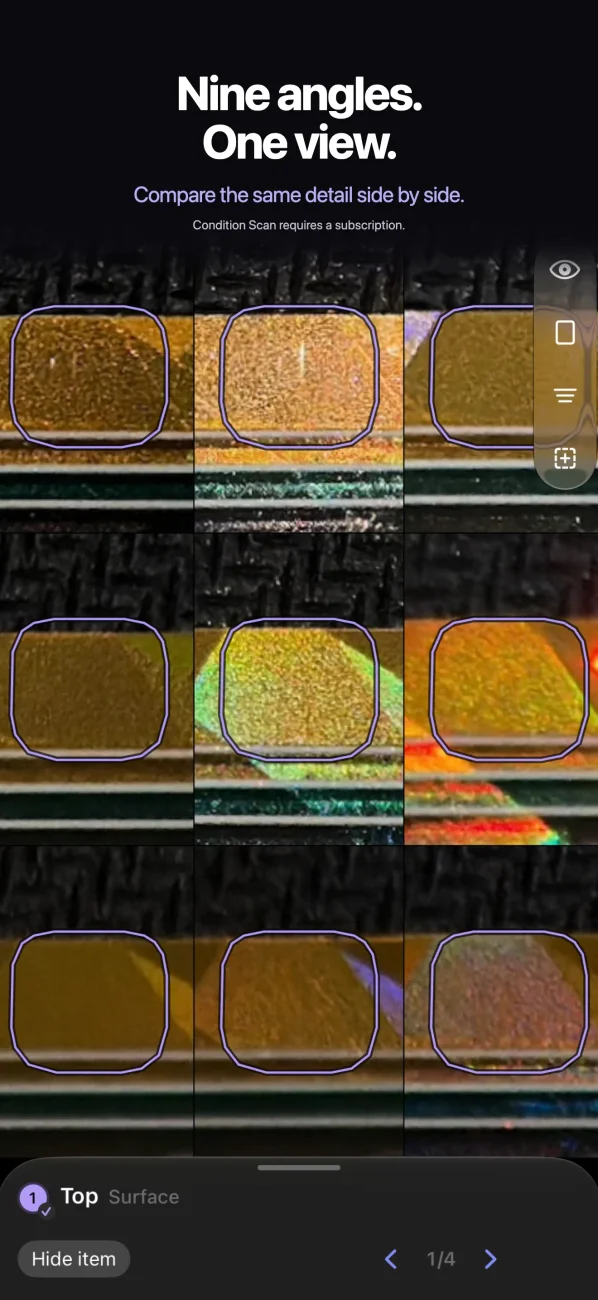
Set your card down and scan it with your phone. Rectifi guides you through nine captures under controlled lighting, then analyzes your card's surface, edges, and corners. Multiple views give the analysis more to work with than a single flat photo.
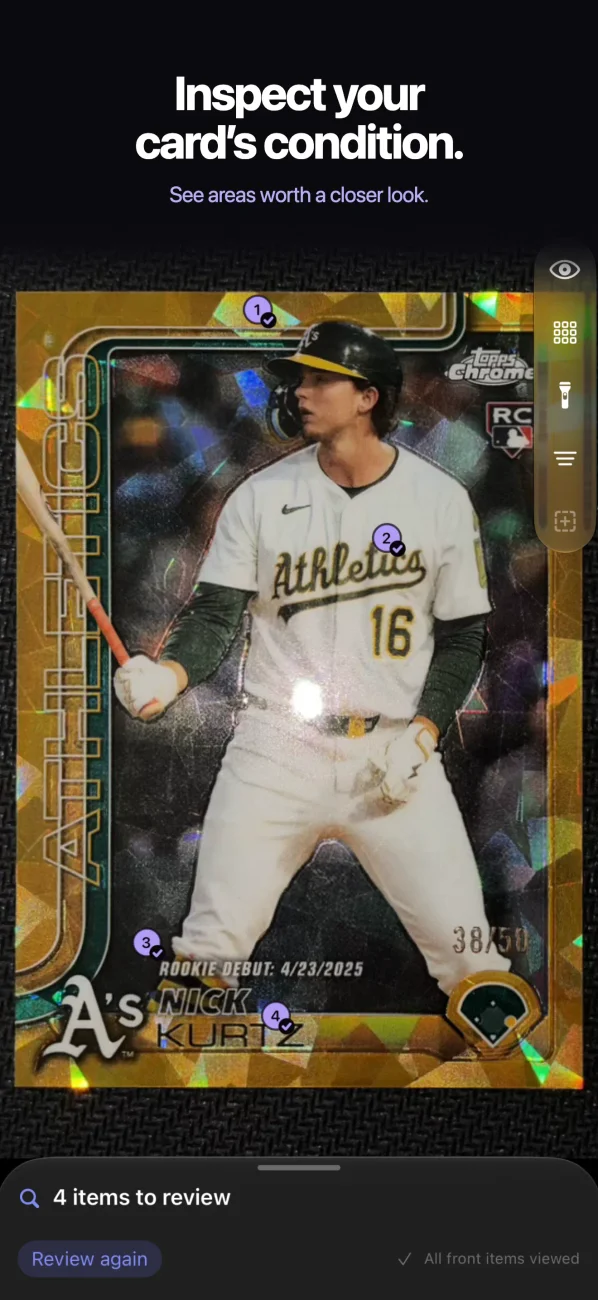
The result points out areas worth reviewing. Tap a flagged area to inspect it across the captured views, or drag across the card to move through the lighting. You can look at the photos behind the findings and check them yourself.
This is disclosure, not a grade. Rectifi does not predict a PSA number. It documents what the capture found, so you can describe a card with evidence instead of writing "looks clean" and hoping.
Condition Scan uploads your card photos to Rectifi's servers for analysis, so it needs a connection. The entry screen explains that photos are uploaded; Condition Photos in Settings provides the details.
CENTERING: FAST, ON DEVICE, STILL FREE
Scan any card against PSA, BGS, and CGC centering standards in seconds, even from an awkward angle. Rectifi straightens your photo before measuring, so your ratios hold no matter how you held the phone. Centering analysis runs entirely on your device, and the card can stay in its sleeve or toploader.
HOW CONDITION SCAN WORKS
1. Take the card out of its sleeve and lay it flat
2. Follow the guide through nine captures under controlled lighting
3. Inspect your captures and retake a view if you want, then send for analysis
4. Review the findings and check flagged areas across the captured views
5. Do the back now or add it later. Both sides count as one card
Condition Scan works with standard-sized trading cards. Die-cut and non-standard sizes are not supported.
FREE FEATURES
• Unlimited standard scans with centering analysis
• 5 perspective-corrected Pro Scans every week, a pooled allowance you can spend all at once
• Works with Pokémon, Magic, sports cards, and all other standard-sized cards
• Grade qualifications for PSA, BGS, and CGC
• Guided Mode: place corners one at a time in a zoomed-in viewport
• Smart Capture: fires automatically when your card is stable and in focus
• Automatic card detection and cropping
• Level-guided capture for accurate flat photos
• Share your scan results with a public link
RECTIFI PRO
• Condition Scan: 5 cards per monthly renewal period, front and back included in every card
• Unlimited Pro Scans with perspective correction
• Cloud-synced scan history across devices
• Exact ratios and grade qualifications for every past scan
• Side-by-side comparison to find the better card
• Fullscreen zoom and pan on scan images
• Border re-adjustment on saved scans without rescanning
Stop writing "looks clean." Show them.
Terms of Use: https://getrectifi.com/terms
Privacy Policy: https://getrectifi.com/privacy
What’s new
Version 2.0.1 · Nov 18, 2026
Try Condition Scan free. From November 19 through December 13, every user on a supported iPhone gets three free Condition Scan cards, front and back included. They are added when you open Rectifi and expire December 13. One set per device.
• Two new plans: Pro 25 and Pro 50, beside Pro. Every plan includes unlimited Pro Scans, Scan History, Cloud Backup, and Condition Scan cards each month.
• Change Plan in Settings > Subscription moves you up to a larger plan.
• Your plan's name now shows in Settings and on the Home tab.
• On iPad, the upgrade and welcome screens now describe centering, the part of Rectifi that runs there.
App privacy
What Echan Ventures, LLC declares on the App Store about how this app handles data.
-
Data linked to you
May be collected and linked to your identity.
- Purchases
- Contact info
- User content
- Identifiers
- Usage data
- Diagnostics
-
Data not linked to you
May be collected but is not linked to your identity.
- Purchases
- Identifiers
Privacy practices may vary, for example with the features you use or your age.
Information
- Seller
- Echan Ventures, LLC
- Category
- Utilities
- Version
- 2.0.1
- Updated
- Nov 18, 2026
- Released
- Mar 11, 2026
- Size
- 71.8 MB
- Requires
- iOS 18.0 or later
- Age rating
- 4+
- Price
- Free
- In-app purchases
- Yes
- Languages
- English
- Copyright
- © 2026 Echan Ventures, LLC.
You might also like
-
 Centering Check: TCG Card ToolBorder Calculator for Grading
-
 Card Centering Calculator AppSports Cards & TCG Grading
-
 Card Grader AIAI Card Grader: Sports & TCG
-
 Centered CardboardTCG Pre-grade
-
 CenterGrade AppCard Centering & Grade Predict
-
 MintySlab® | Card CenteringSports & TCG Card Scanner
-
 Card Centering Tool - CCTTCG, CCG & Sports Card Scanner
-
 Card Centering & Card GraderPre-Grade PSA 10, BGS & CGC
-
 Card Centering Calculator: CCCGrading Tool for Trading Cards
-
 Centering50: Card Grading ToolGrade TCG Cards & Check Value