- Age rating4+
- CategoryProductivity
- DeveloperJim McGowan
- LanguagesEnglish
- Size7.2 MB
Links to the official App Store page
Download.org hosts no file of Reference Tracker. The button opens its official App Store page, published by Jim McGowan. Listing last checked on Nov 10, 2026.
Screenshots



About
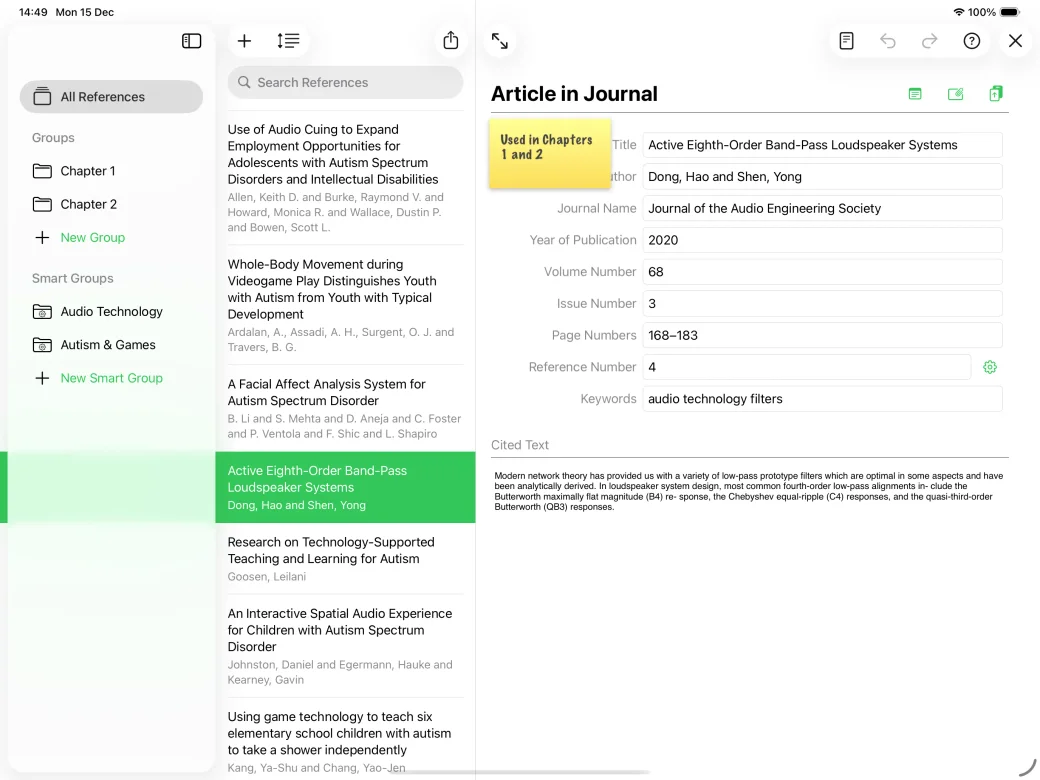
Reference Tracker is an indispensable tool for writers, researchers or students. Reference Tracker helps you keep track of publications you cite or make reference to in an essay or research project, and creates formatted reference lists and bibliographies.
- Enter Full Publication Details In A Single Step
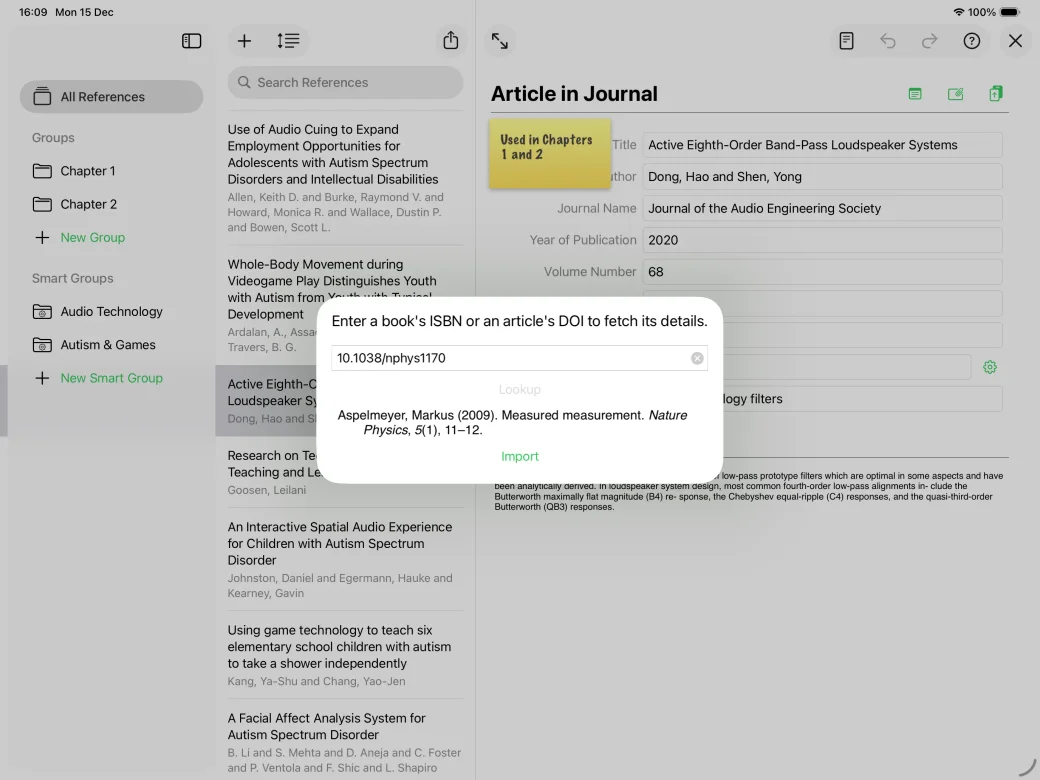
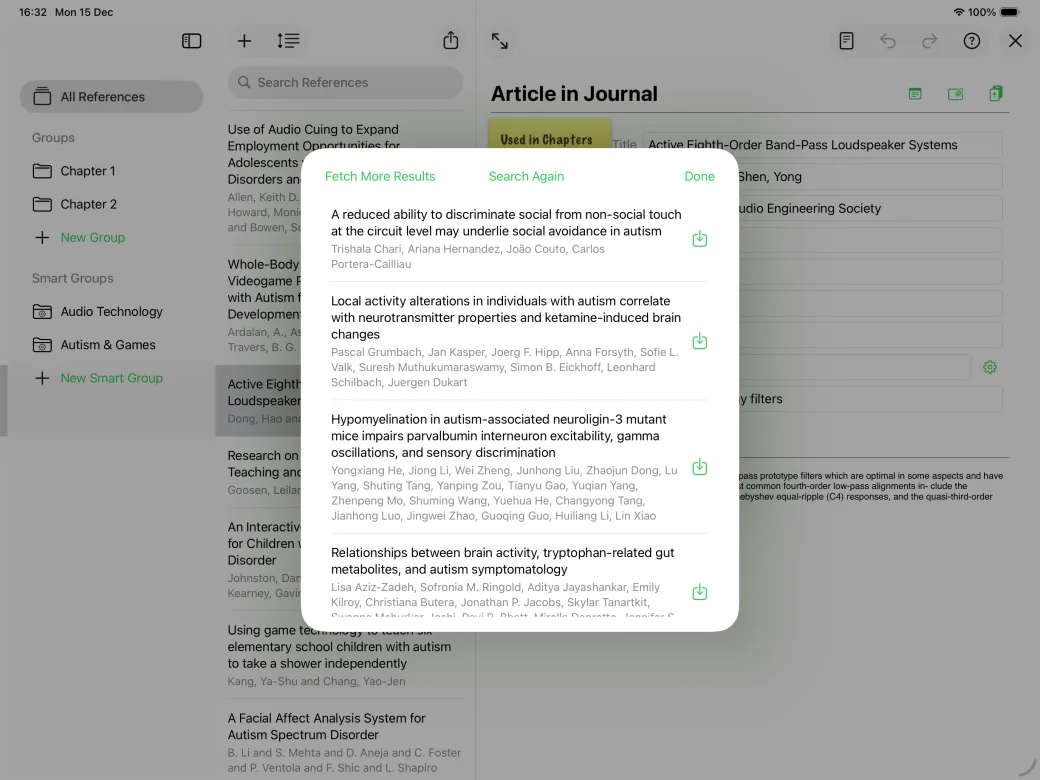
With Reference Tracker's Publication Lookup, all you need is an ISBN or DOI to create a full publication reference in your documents. If you don't have the ISBN or DOI to hand, Reference Tracker's Publication Search will find books and articles by title, author and other key terms.
- Generate Formatted Reference Lists
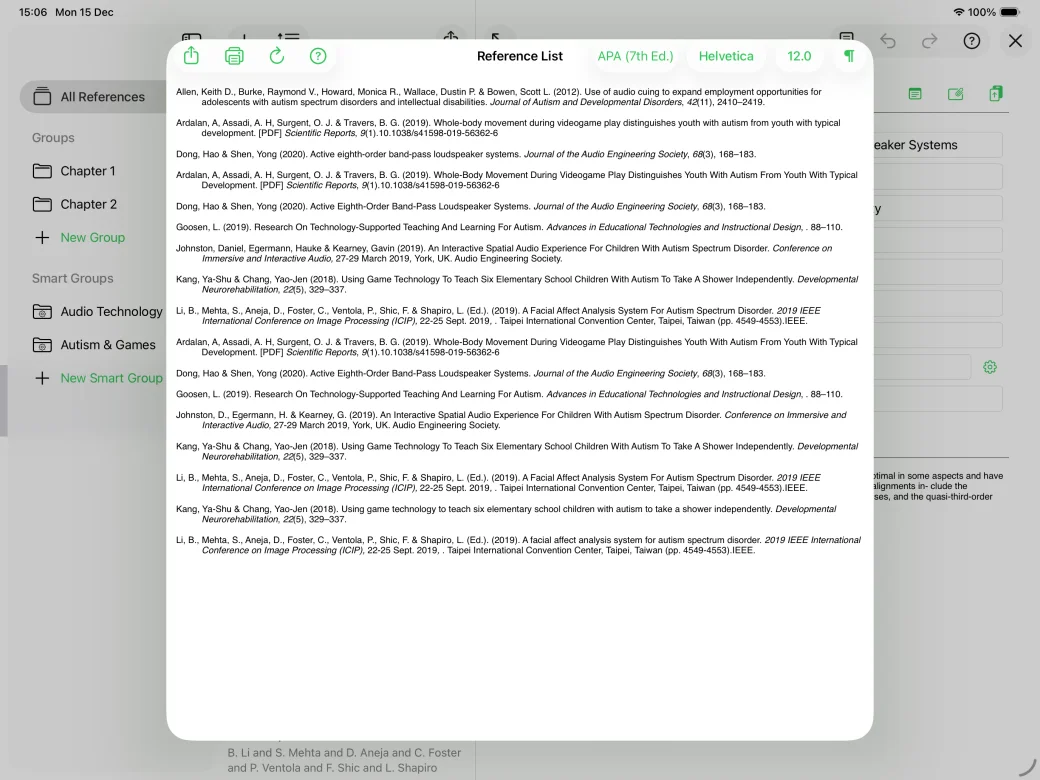
Generate a formatted reference list with a single tap. Reference Tracker has the latest versions of the most popular styles, including Harvard, APA, Chicago, MLA, ACM and Vancouver. Formatted lists are fully editable in Reference Tracker's rich text editor and you can export your lists to Rich Text, Plain Text, HTML, BibTex and RIS formats.
- Store Reference Materials
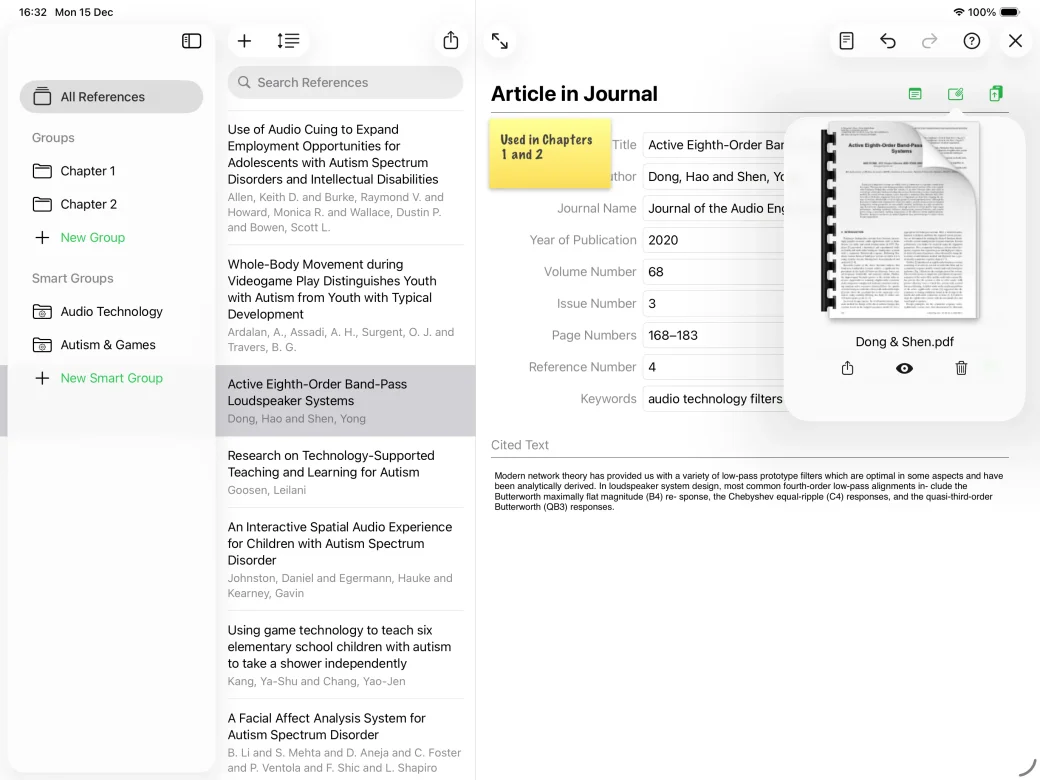
You can attach documents, such as articles, journals and ebooks to you Reference Tracker documents to keep all your reference materials in one convenient place.
- Create and Share Custom Reference Styles
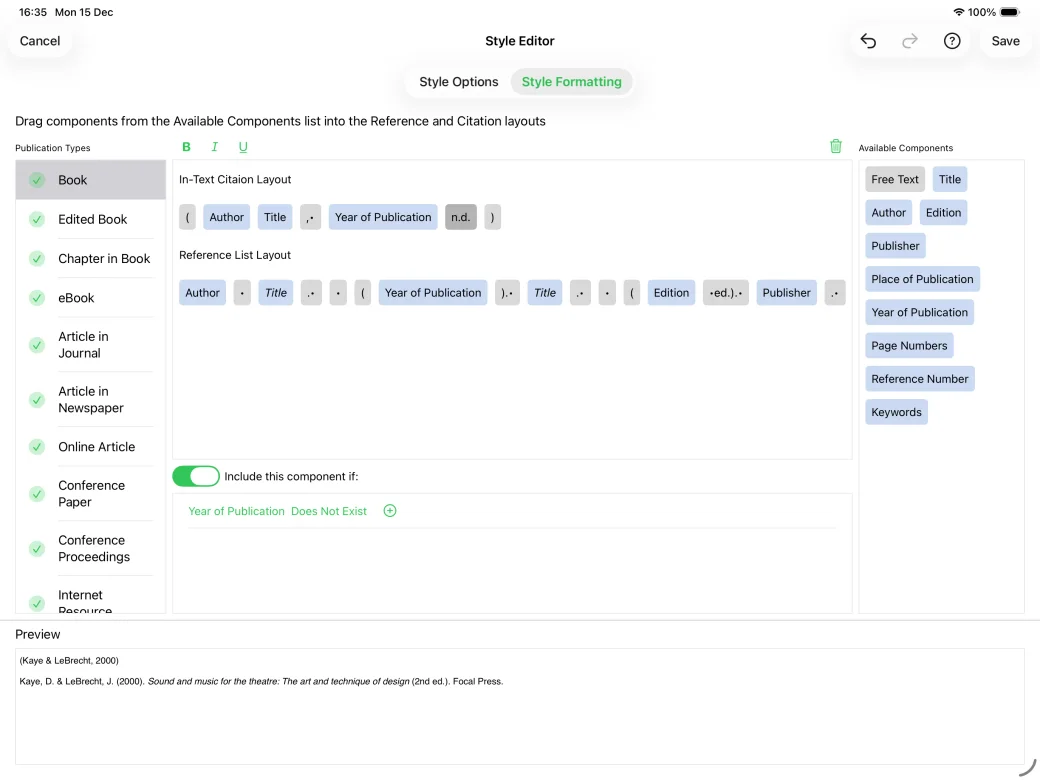
Reference Tracker has a really easy to use styles editor so you can create your own custom styles, or modify any existing styles. Even better, you can share your styles with one tap, meaning you can also download and use styles shared by other users.
What’s new
Version 3.5.2 · Dec 16, 2025
- New app icon
- Improved UI for iOS26
- Fixed a bug that could prevent some documents from the document browser from being opened on iOS26
- Fixed a bug that could cause some cited text to appear in the wrong colour in Dark Mode
App privacy
What Jim McGowan declares on the App Store about how this app handles data.
-
Data not collected
The developer does not collect any data from this app.
Privacy practices may vary, for example with the features you use or your age.
Information
- Seller
- Jim McGowan
- Category
- Productivity
- Version
- 3.5.2
- Updated
- Dec 16, 2025
- Released
- Oct 28, 2013
- Size
- 7.2 MB
- Requires
- iOS 16.0 or later
- Age rating
- 4+
- Price
- $19.99
- Languages
- English
- Copyright
- © Jim McGowan
You might also like
-
 Right Way to WriteAI Coach to Write Your Book
-
 Metext | Text scanner | OCRExtract text from pictures
-
 Qrafter Pro: QR Code ReaderCreate and Design QR Codes
-
 Writing Tracker - Word CountWriter Journal & Goal Planner
-
 Citer: Paper Format & CitationScholarly Academic Writing App
-
 MyNote -Simple note app-Suitable for memo pad,list pad
-
 URL to QR for SafariConvert URL to QR Code
-
 Uploader for ZoteroUpload articles to Zotero
-
 SketchMapDraw your ideas on the map!
-
 BookendsReference management on the go