- 対象年齢4+
- カテゴリ仕事効率化
- 開発元Jim McGowan
- 言語英語
- サイズ7.2 MB
App Storeの公式ページにリンクしています
Download.orgはReference Trackerのファイルを一切ホストしていません。ボタンを押すと、Jim McGowanが公開しているApp Storeのアプリページが開きます。ページの最終確認:2026/11/10。
スクリーンショット



概要
開発元はこのテキストをお使いの言語で提供していません。
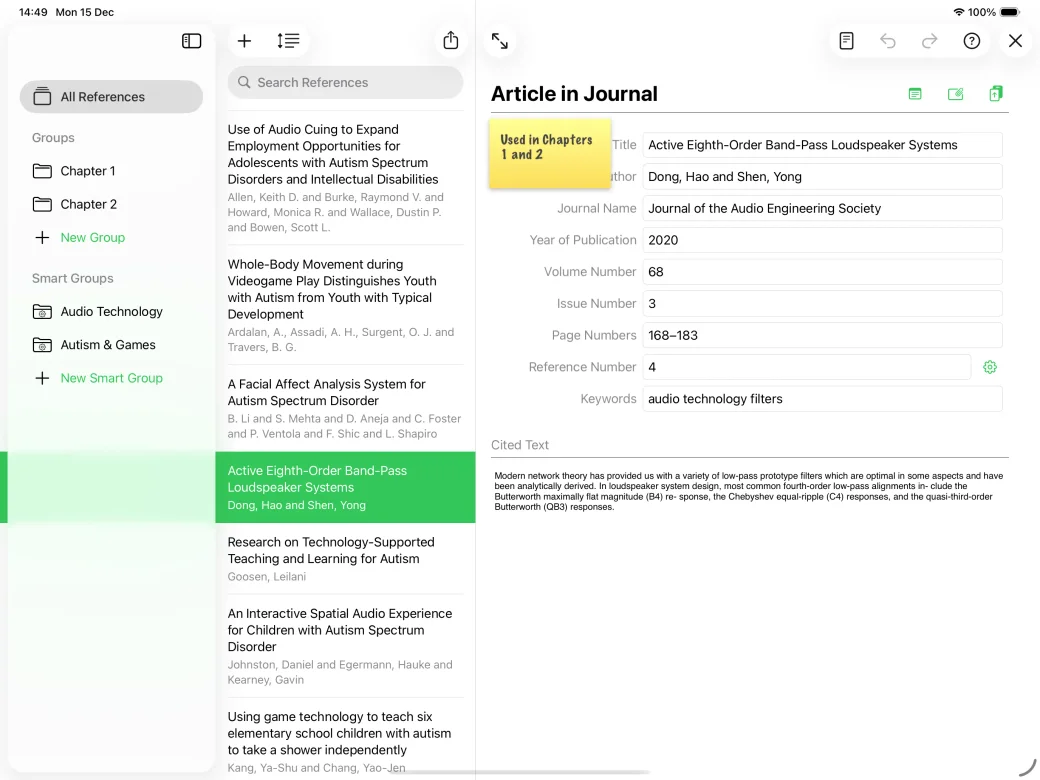
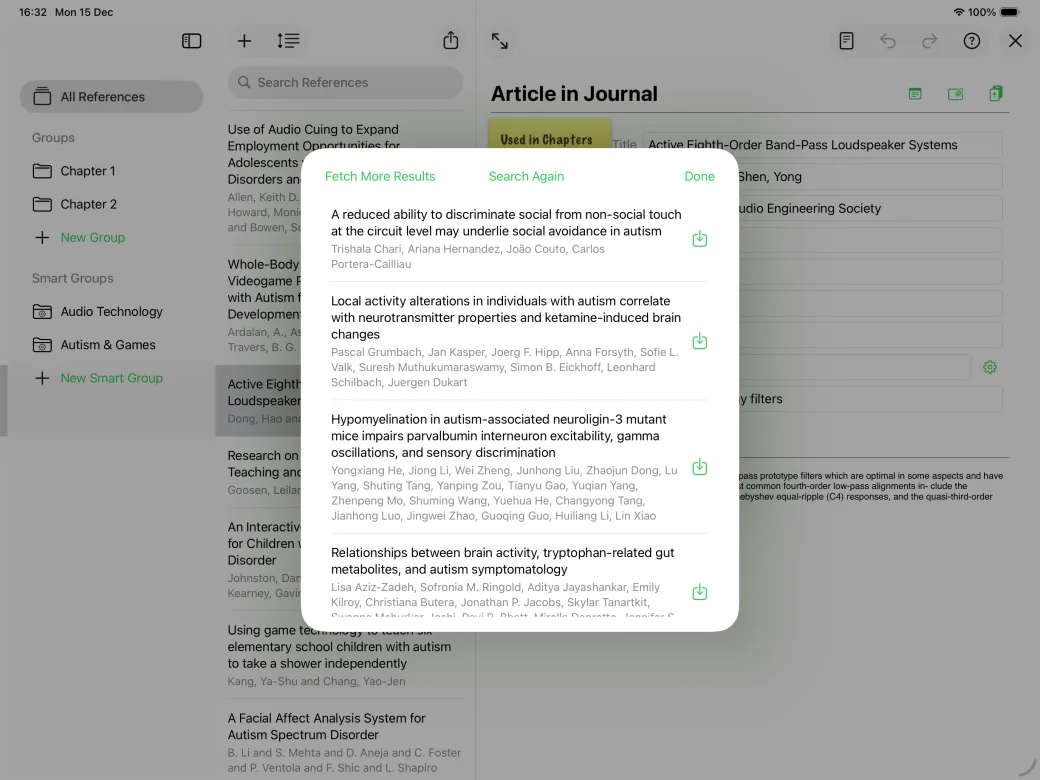
Reference Tracker is an indispensable tool for writers, researchers or students. Reference Tracker helps you keep track of publications you cite or make reference to in an essay or research project, and creates formatted reference lists and bibliographies.
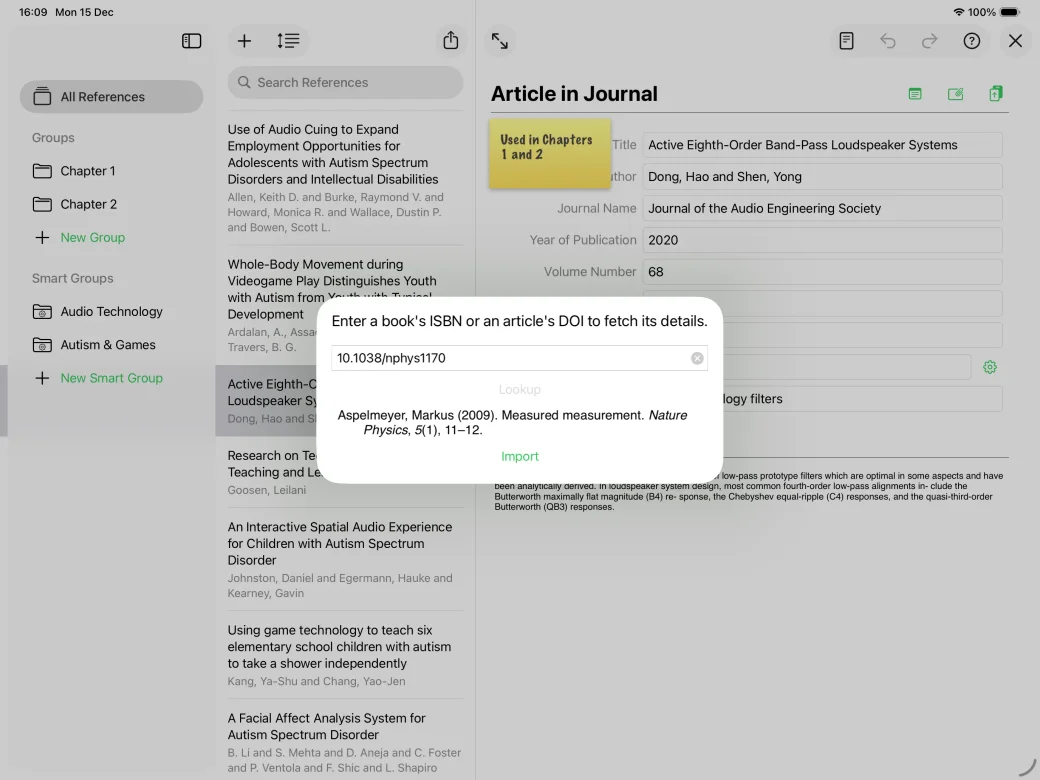
- Enter Full Publication Details In A Single Step
With Reference Tracker's Publication Lookup, all you need is an ISBN or DOI to create a full publication reference in your documents. If you don't have the ISBN or DOI to hand, Reference Tracker's Publication Search will find books and articles by title, author and other key terms.
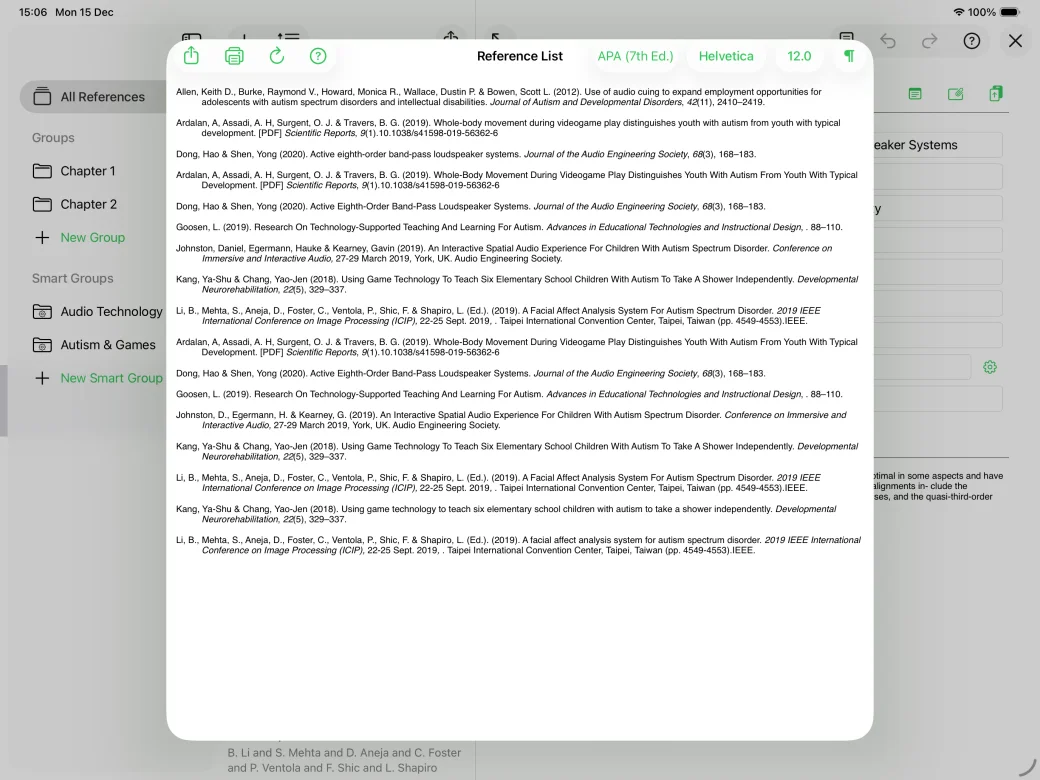
- Generate Formatted Reference Lists
Generate a formatted reference list with a single tap. Reference Tracker has the latest versions of the most popular styles, including Harvard, APA, Chicago, MLA, ACM and Vancouver. Formatted lists are fully editable in Reference Tracker's rich text editor and you can export your lists to Rich Text, Plain Text, HTML, BibTex and RIS formats.
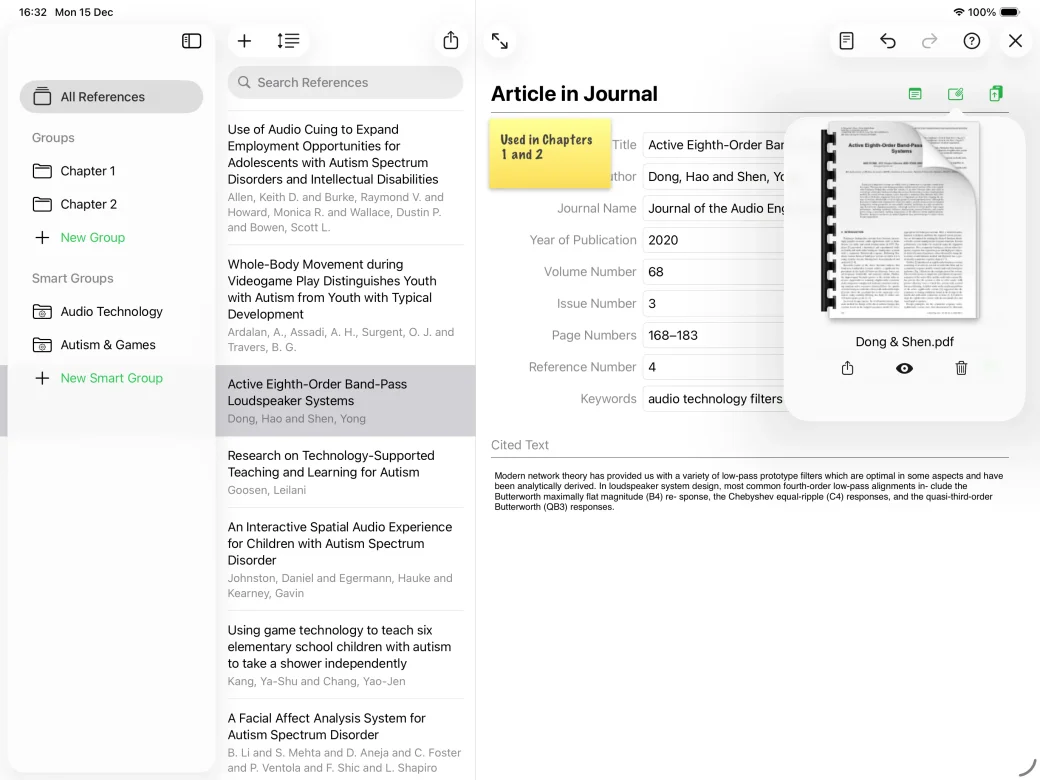
- Store Reference Materials
You can attach documents, such as articles, journals and ebooks to you Reference Tracker documents to keep all your reference materials in one convenient place.
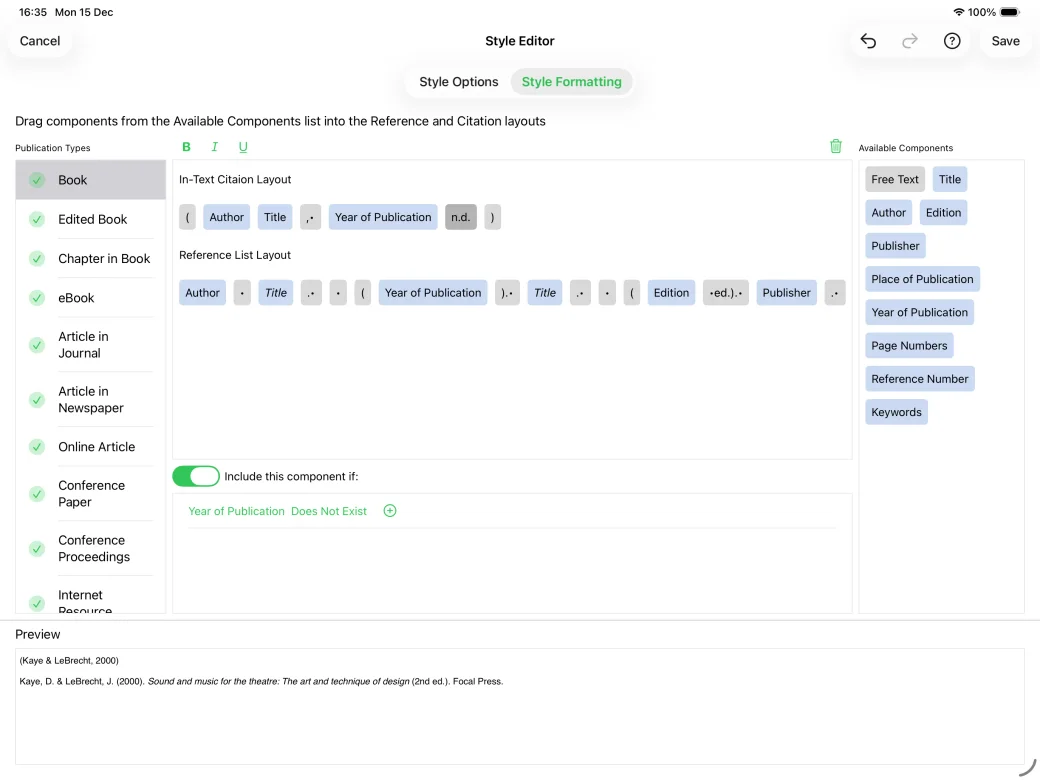
- Create and Share Custom Reference Styles
Reference Tracker has a really easy to use styles editor so you can create your own custom styles, or modify any existing styles. Even better, you can share your styles with one tap, meaning you can also download and use styles shared by other users.
新機能
バージョン 3.5.2 · 2025/12/16
- New app icon
- Improved UI for iOS26
- Fixed a bug that could prevent some documents from the document browser from being opened on iOS26
- Fixed a bug that could cause some cited text to appear in the wrong colour in Dark Mode
アプリのプライバシー
このアプリのデータの取り扱いについて、Jim McGowanがApp Storeで申告している内容です。
-
データの収集なし
開発元はこのアプリからデータを収集しません。
プライバシーの取り扱いは、ご利用の機能やお客様の年齢などに応じて異なる場合があります。
情報
- 販売元
- Jim McGowan
- カテゴリ
- 仕事効率化
- バージョン
- 3.5.2
- 更新日
- 2025/12/16
- リリース
- 2013/10/28
- サイズ
- 7.2 MB
- 必要条件
- iOS 16.0以降
- 対象年齢
- 4+
- 価格
- ¥3,000
- 言語
- 英語
- 著作権
- © Jim McGowan
こちらもおすすめ
-
 Right Way to Write仕事効率化
-
 Metext | Text scanner | OCR仕事効率化
-
 Qrafter Pro・QRコードリーダーQRコードを作成&デザイン
-
 Writing Tracker:文字数管理執筆ログと日々の計画
-
 Citer: Paper Format & Citation仕事効率化
-
 マイノート -簡単メモ帳アプリ-ちょっとしたメモやチェックリストの作成に簡単で最適
-
 QRコード変換 for Safari閲覧中のURLをQRコードに変換
-
 Uploader for Zotero仕事効率化
-
 SketchMap地図に自由なアイデアを描こう!
-
 Bookends仕事効率化