
- Age rating12+
- CategoryProductivity
- DeveloperVitaly Radchik
- LanguagesEnglish
- Size26.8 MB
Links to the official App Store page
Download.org hosts no file of ReFloat. The button opens its official App Store page, published by Vitaly Radchik. Listing last checked on Nov 18, 2026.
Screenshots
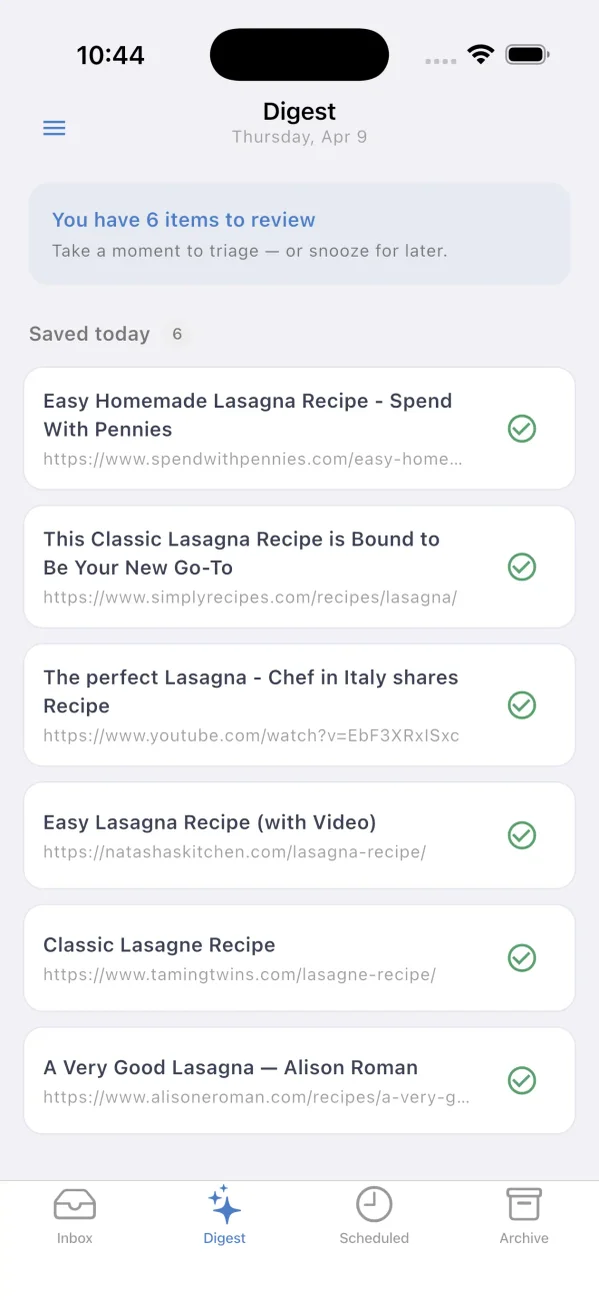
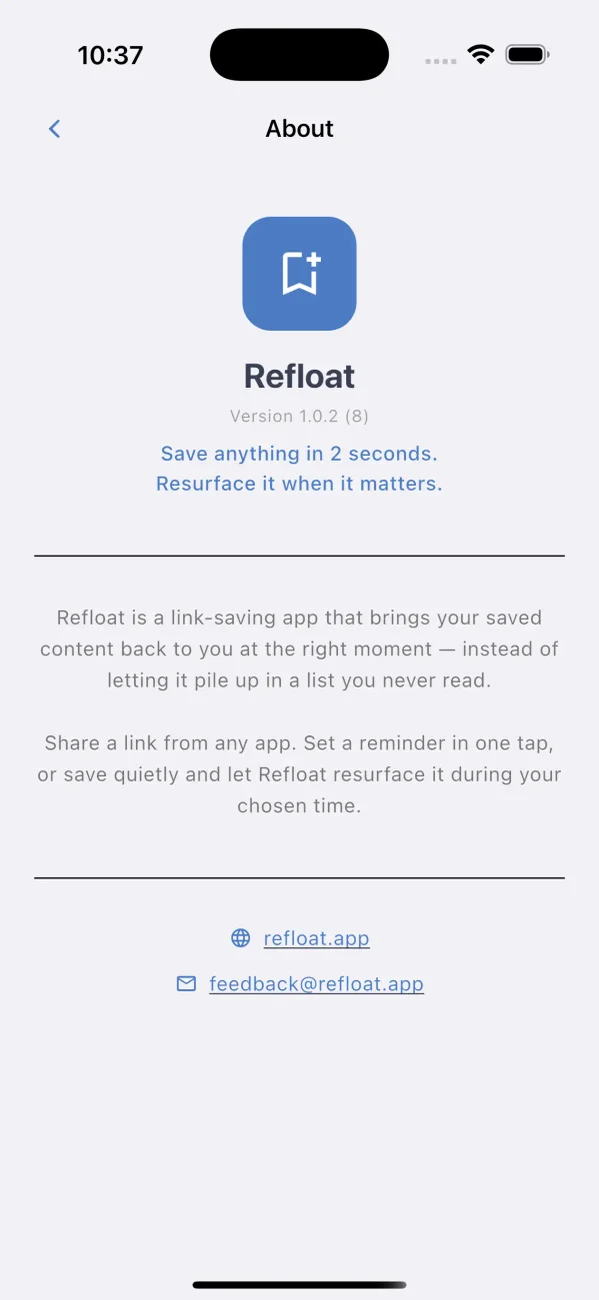
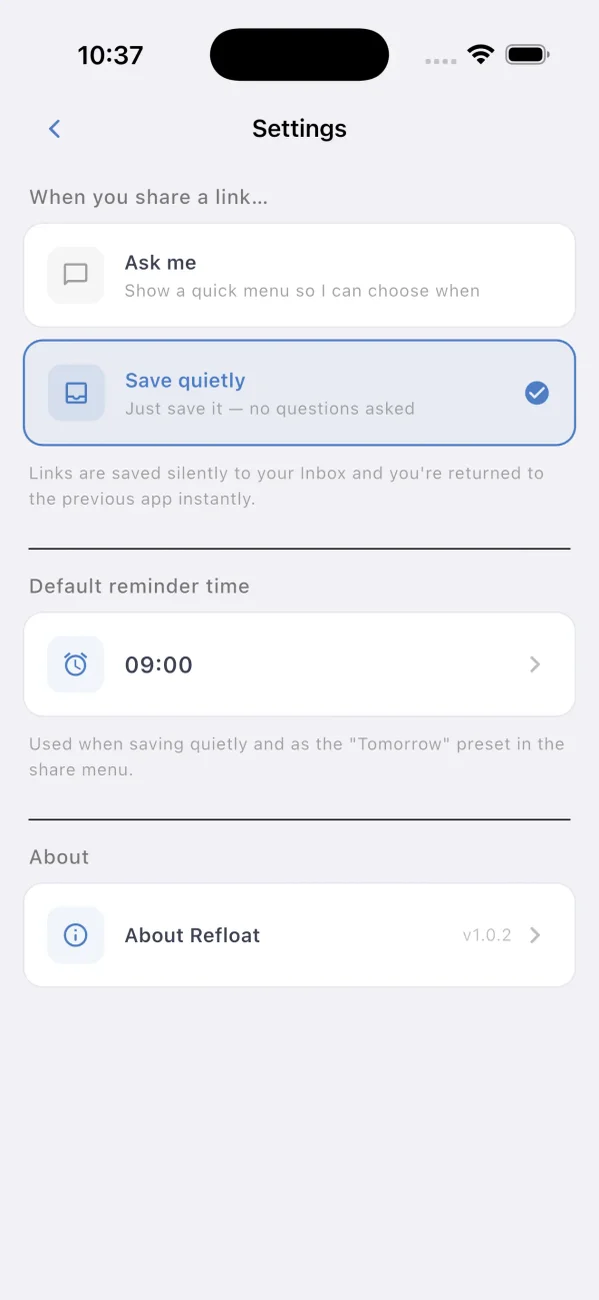
About
You save articles, recipes, videos, and links all the time. From group chats, newsletters, social feeds — you see something interesting and think "I'll get to that later." But later never comes.
Your read-later list grows. You feel guilty every time you open it. Eventually you stop opening it at all.
Sound familiar? That's exactly why we built Refloat.
Refloat is a different kind of read-later app. It's built around two ideas: saving should take no effort, and your links should come back to you — not the other way around.
HOW IT WORKS
1. Share from any app — Safari, Chrome, WhatsApp, Slack, Instagram, email, wherever you find something worth saving. Tap Share, pick Refloat, choose when you want to see it again. Done. Two taps, under 3 seconds.
2. Refloat holds your links quietly — no overflowing inbox, no guilt-inducing counters. Your saved content waits until the right moment.
3. Your daily digest arrives on your schedule — set a reading window (morning commute, lunch break, evening wind-down) and Refloat delivers your links exactly when you said you'd be available. One tap to open, one swipe to move on.
WHAT MAKES IT DIFFERENT
Most read-later apps are just lists. You add things, the list gets longer, and nothing resurfaces unless you go digging. Refloat flips that. It actively brings your saved content back during the times you actually have space to read.
No algorithms trying to maximize your screen time. No social features. No feeds. Just your links, delivered when you asked for them.
KEY FEATURES
- Save from any app in 2 taps — no typing, no organizing required
- Automatic title extraction — Refloat grabs the page title so you don't have to
- One-tap reminder presets — Tonight, Tomorrow, This Weekend, In 1 Hour
- Daily digest notification — your links grouped and delivered at your chosen time
- Reading window — tell Refloat when you're free, it respects that boundary
- Quiet mode — save and return to what you were doing instantly, no interruptions
- Works offline — your content is stored on your device, always accessible
- No account needed — open the app and start saving, nothing to sign up for
BUILT FOR YOUR PRIVACY
All your saved links, titles, and preferences stay on your device. Refloat doesn't require an account and doesn't upload your content anywhere. We collect anonymous usage analytics to improve the app — that's it. No ads, no tracking, no data selling. Read our privacy policy for the full details.
WHO IT'S FOR
Anyone who saves more than they read. Professionals juggling work and personal content. Commuters with a 30-minute window they'd love to fill with that article they saved last Tuesday. People who are tired of their Pocket backlog hitting 300+ items.
If you've ever thought "I wish I'd actually read the things I save" — that's what Refloat is for.
Free. No account required.
What’s new
Version 1.1.3 · Sep 7, 2026
Copy feature hotfix
App privacy
What Vitaly Radchik declares on the App Store about how this app handles data.
-
Data not linked to you
May be collected but is not linked to your identity.
- Contact info
- Identifiers
- Usage data
- Diagnostics
Privacy practices may vary, for example with the features you use or your age.
Information
- Seller
- Vitaly Radchik
- Category
- Productivity
- Version
- 1.1.3
- Updated
- Sep 7, 2026
- Released
- Apr 13, 2026
- Size
- 26.8 MB
- Requires
- iOS 15.6 or later
- Age rating
- 12+
- Price
- Free
- Languages
- English
- Copyright
- © IT Optima Solutions
You might also like
-
 PARKit: Reminder for TonightDaily Ritual to Rest Your Mind
-
 MCP NotesProductivity
-
 NoteScrap: Note, Memo, OCRHandwriting scan & organize
-
 notebook-transcriber-aiTranscribe Audio, Video & Docs
-
 PromptSense - Smart AI LibrarySave, organize & reuse prompts
-
 Sure — Did I Turn It Off?Photo Proof Checklist
-
 goals.ai - AI Goal PlannerTurn Goals Into Daily Action
-
 Grape: AI NotesVoice, handwriting, flashcards
-
 NotamifyNOTAM summaries and briefings
-
 Just Tasks: To-Do ListProductivity