
Relmap - Relationship Map
Visualize Your Relationships
Designed for iPhone, iPad
Free · In-app purchases
- Age rating4+
- CategoryLifestyle
- DeveloperRyoma Yanagimoto
- LanguagesEnglish+ 11 more
- Size10.5 MB
Links to the official App Store page
Download.org hosts no file of Relmap - Relationship Map. The button opens its official App Store page, published by Ryoma Yanagimoto. Listing last checked on Nov 23, 2026.
Screenshots

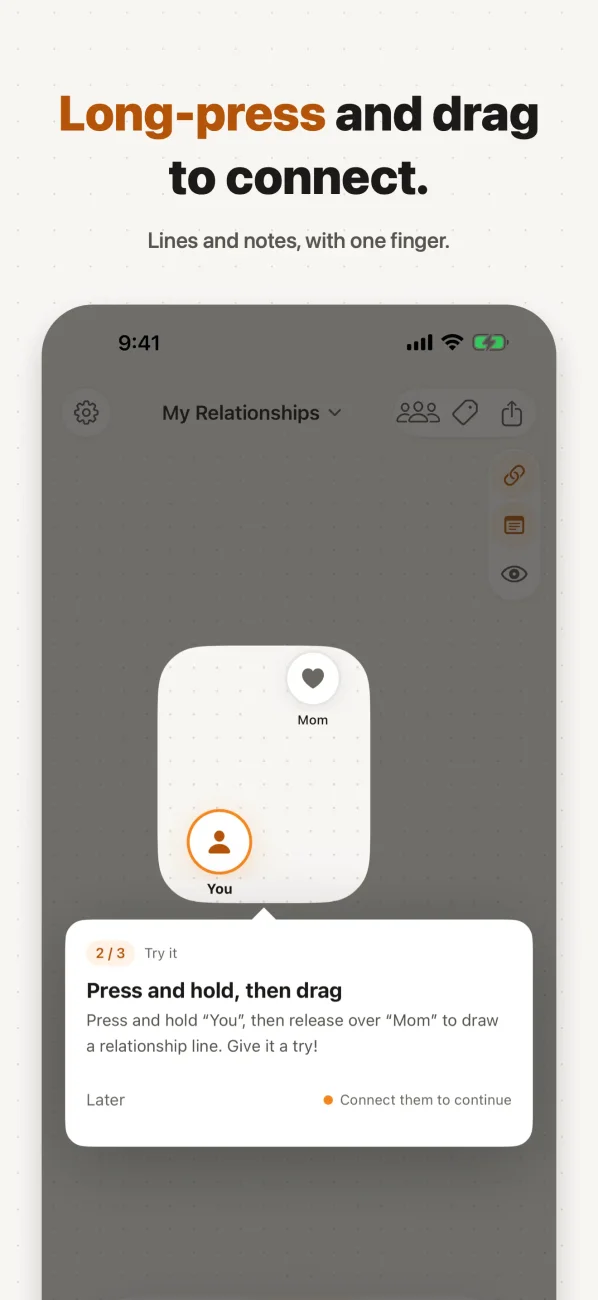

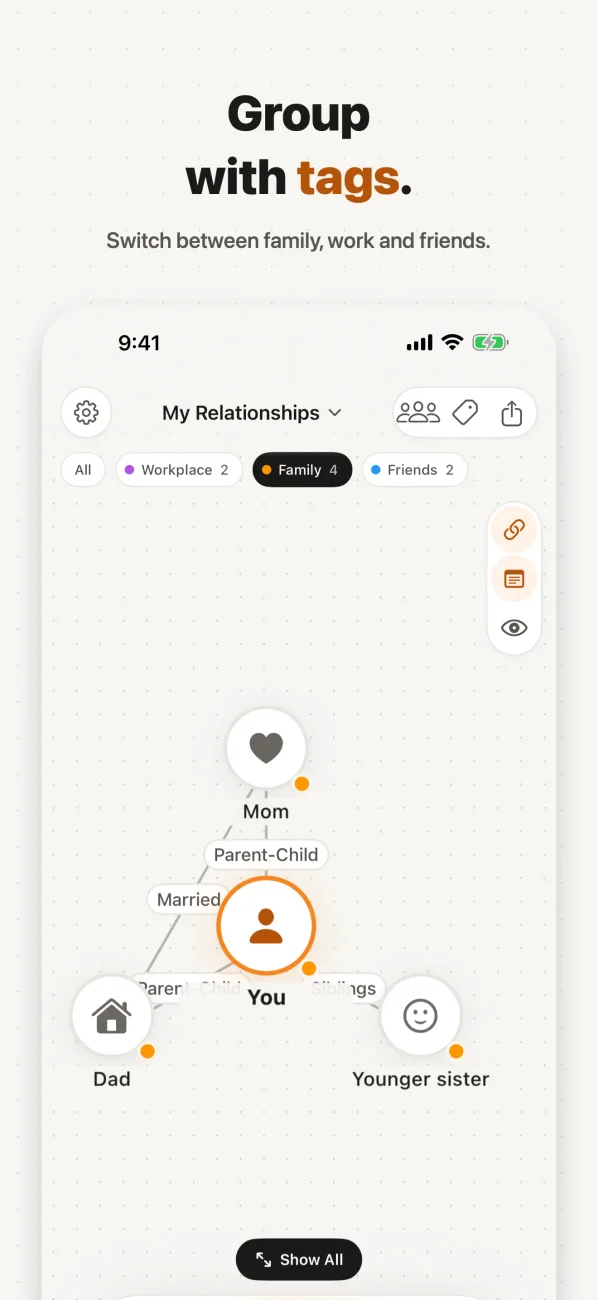
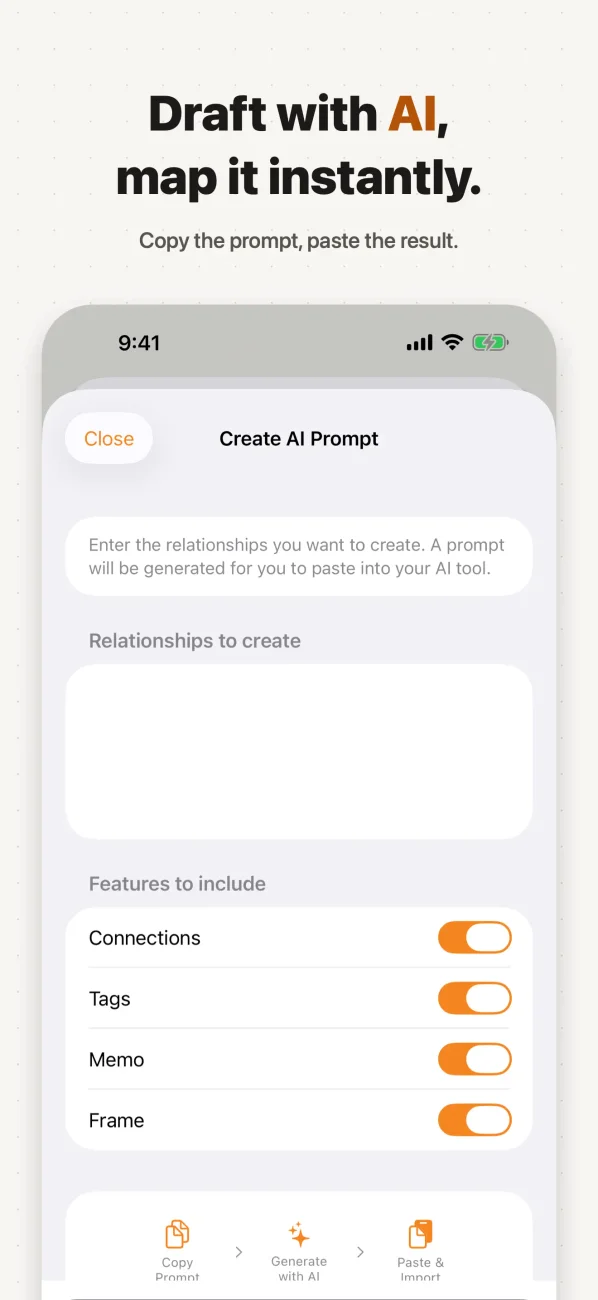
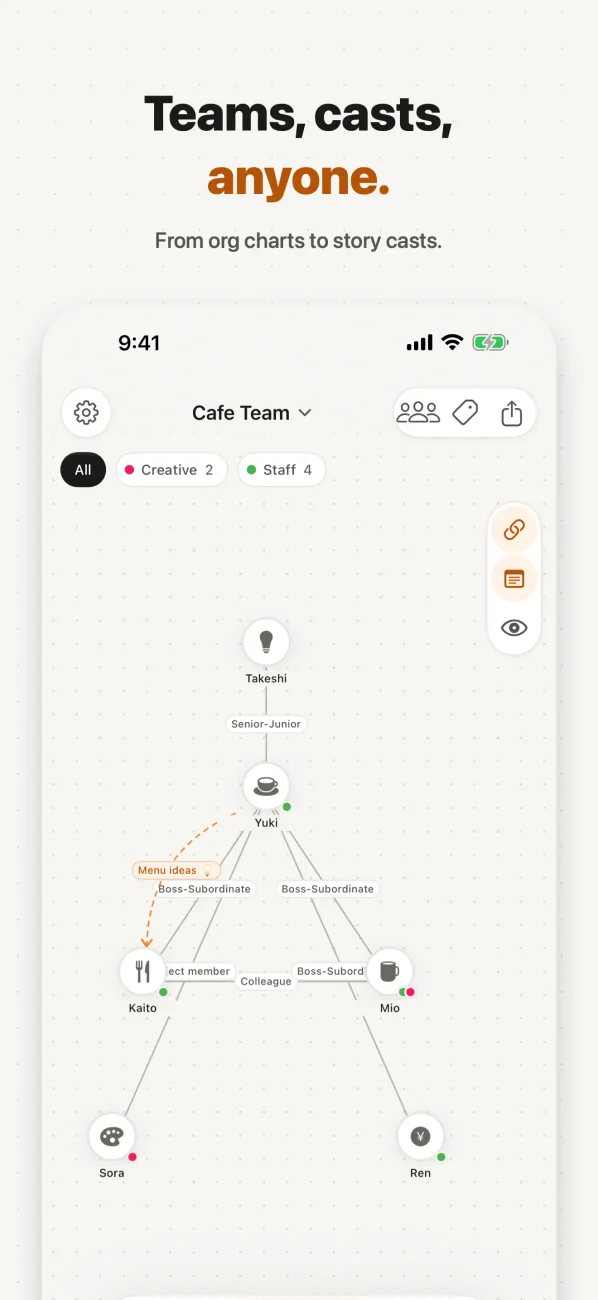
About
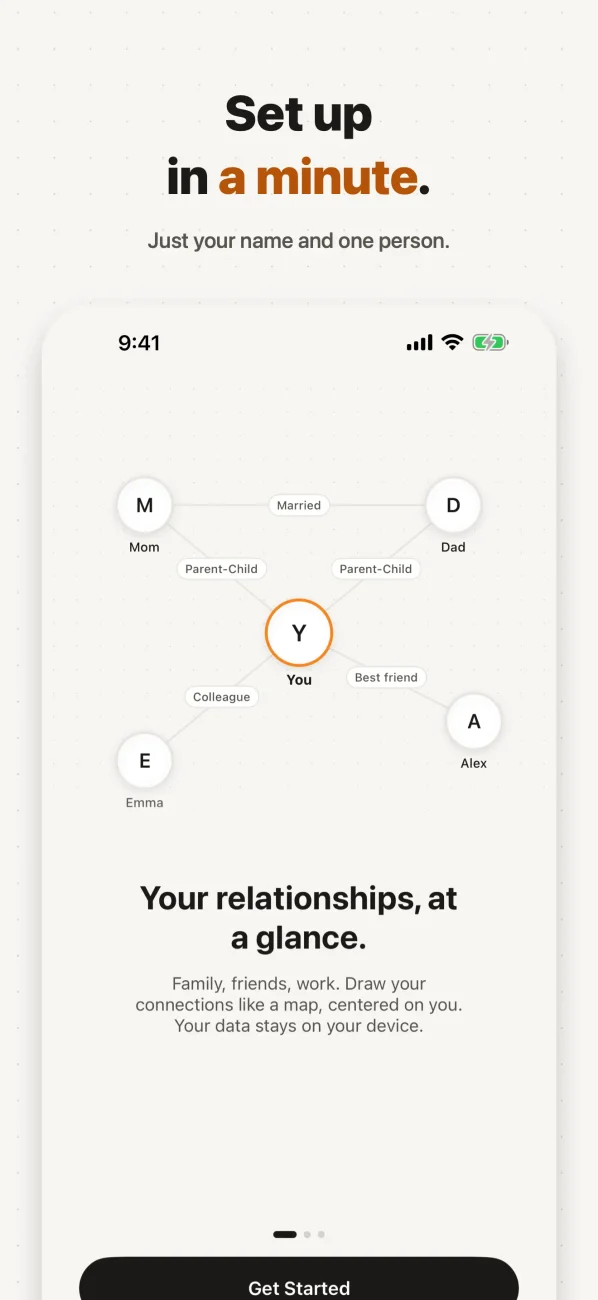
Relmap turns your personal relationships into a beautiful, interactive visual map. See the connections between the people in your life at a glance — family, friends, school, work, and community.
VISUAL RELATIONSHIP MAP
Create stunning relationship graphs on an intuitive canvas. Drag and drop to add people, pinch to zoom, and pan to explore your network. Build a map that reflects how your world is truly connected. The refreshed design pairs a calm background with clean white nodes, and a dock at the bottom of the screen puts Add Person and Undo/Redo right at your fingertips. You can also copy a ready-made prompt for an AI assistant of your choice, then paste its answer back into Relmap to get a first draft of your map.
29 RELATIONSHIP TYPES
Choose from 29 carefully designed relationship types across 6 categories:
- Family: Parent, child, sibling, spouse, grandparent, cousin, and more
- Friends: Best friend, childhood friend, hobby buddy, and more
- School: Classmate, senior/junior, teacher/student, and more
- Work: Boss, colleague, client, business partner, and more
- Community: Neighbor, local group member, and more
- Other: Custom relationship types
MEMOS
Attach memos to any relationship. Record how you met, shared memories, important dates, or anything you want to remember. Never forget the details that matter.
TAGS
Organize people with custom tags like "College Friends," "Soccer Team," or "Project A." Tags make it easy to filter and find exactly who you're looking for.
FOCUS MODE
Tap on any person to enter Focus Mode and see only their direct connections. Cut through the complexity and focus on what matters.
MAKE IT YOUR OWN
Change the look from Appearance in Settings. With Relmap Pro, you get 5 themes (Note, Blueprint, Pastel, Monochrome, and Forest) plus adjustments to colors, background, fonts, and spacing.
EASY TO START, NEVER LOST
Setup takes just 3 screens: enter a name and start mapping. On first launch, a usage guide walks you through the basics in 3 steps, and you can replay it anytime from Settings. Small tips about tapping a line, tags, and Focus appear once, only when they are useful.
10 LANGUAGES SUPPORTED
Available in Japanese, English, Korean, Simplified Chinese, Spanish, Portuguese, French, German, Indonesian, and Thai.
FREE TO START
The core features are free. Relmap Pro (one-time purchase) removes the map limit and ads, and adds iCloud sync and theme customization.
Perfect for:
- Keeping track of relationships in a new school or workplace
- Mapping your family tree and extended relatives
- Visualizing team structures and organizational charts
- Managing your professional network
- Anyone who wants to understand their social connections better
Download Relmap and start mapping the relationships that matter most.
What’s new
Version 1.5.3 · Nov 19, 2026
1.5.2:
- New "Style" for each map: choose Standard, Pop, or Classic from "Style…" in the map name menu. Classic is available with Pro
- Arrowheads are no longer hidden behind a person's icon, and lines now run through the center of the icon
- New "Snap to Grid": turn it on with the button on the right, and people, photos, and frames line up in rows and columns as you move them. A grid appears while you drag
- Select a frame to use "Arrange": line up the people inside in a row, a column, or a grid. You can undo it anytime
- Exported images and PDFs now include frames and photos
- Dragging a person now keeps it where you grabbed it
- The choice shown right after you connect two people now appears next to the person you connected to
- The getting-started card can now be closed
- Fixed colors from behind showing through open sheets
App privacy
What Ryoma Yanagimoto declares on the App Store about how this app handles data.
-
Data not linked to you
May be collected but is not linked to your identity.
- Location
- Identifiers
- Usage data
Privacy practices may vary, for example with the features you use or your age.
Information
- Seller
- Ryoma Yanagimoto
- Category
- Lifestyle
- Version
- 1.5.3
- Updated
- Nov 19, 2026
- Released
- Mar 25, 2026
- Size
- 10.5 MB
- Requires
- iOS 18.0 or later
- Age rating
- 4+
- Price
- Free
- In-app purchases
- Yes
- Languages
- English, French, German, Indonesian, Japanese, Korean, Portuguese, Simplified Chinese, Spanish, Thai, Traditional Chinese, Vietnamese
- Copyright
- © 2026 RYC
You might also like
-
 Social Brain: Relationship MapPrivacy-first ADHD Memory Aid
-
 RelaTree - Family Tree MakerChinese Kinship & Birthdays
-
 TieLoop: Personal CRMDigital Business Card
-
 学習プラン管理Lifestyle
-
 DriveScape: Drive LogRoutes and photos to share
-
 Stampo — Postcard MapLifestyle
-
 Inner Orbit: Relationship MapRelationship map & reminders
-
 Friend Check: Keep in TouchStay close to people you love
-
 Curio · 私人图鉴Lifestyle
-
 Plan4Life: Life Plan & GoalsValues, clarity & direction