
- Age rating4+
- CategoryProductivity
- DeveloperMarco Tini
- LanguagesEnglish+ 33 more
- Size1.5 MB
Links to the official App Store page
Download.org hosts no file of Renamer. The button opens its official App Store page, published by Marco Tini. Listing last checked on Nov 20, 2026.
Screenshots


About
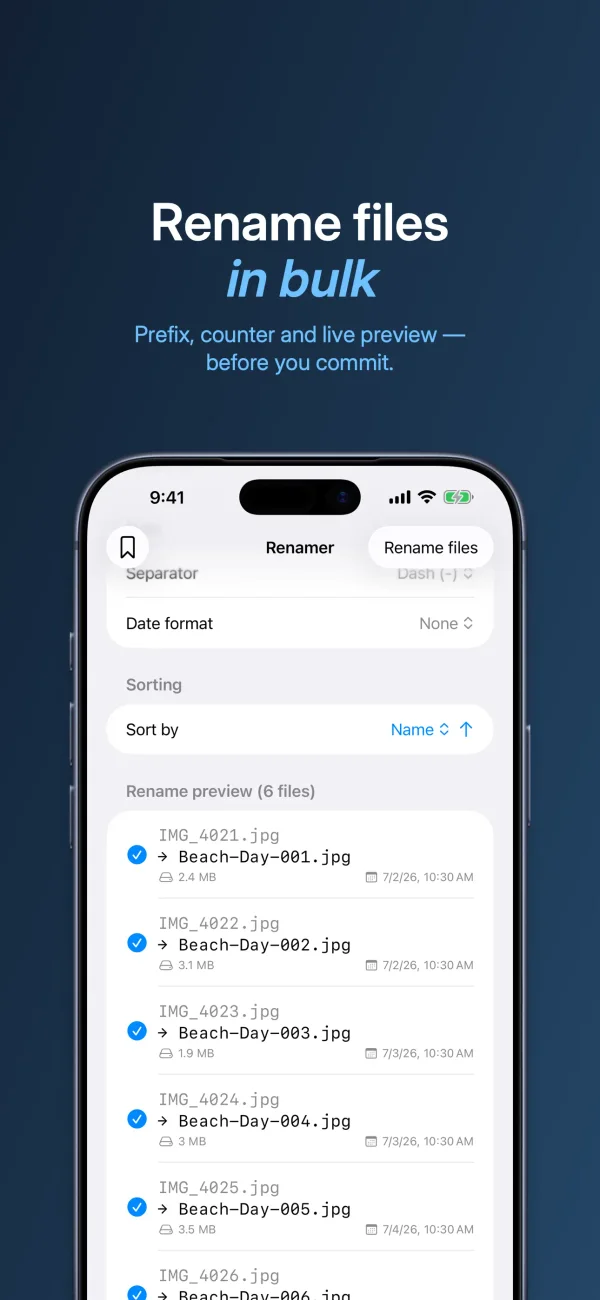
Batch rename files, folders and extensions on iPhone, iPad and Mac. Pick a folder in Files, set your rules, check the live preview and rename hundreds of files in one tap. Made a mistake? Undo restores the original names.
WHAT YOU CAN DO
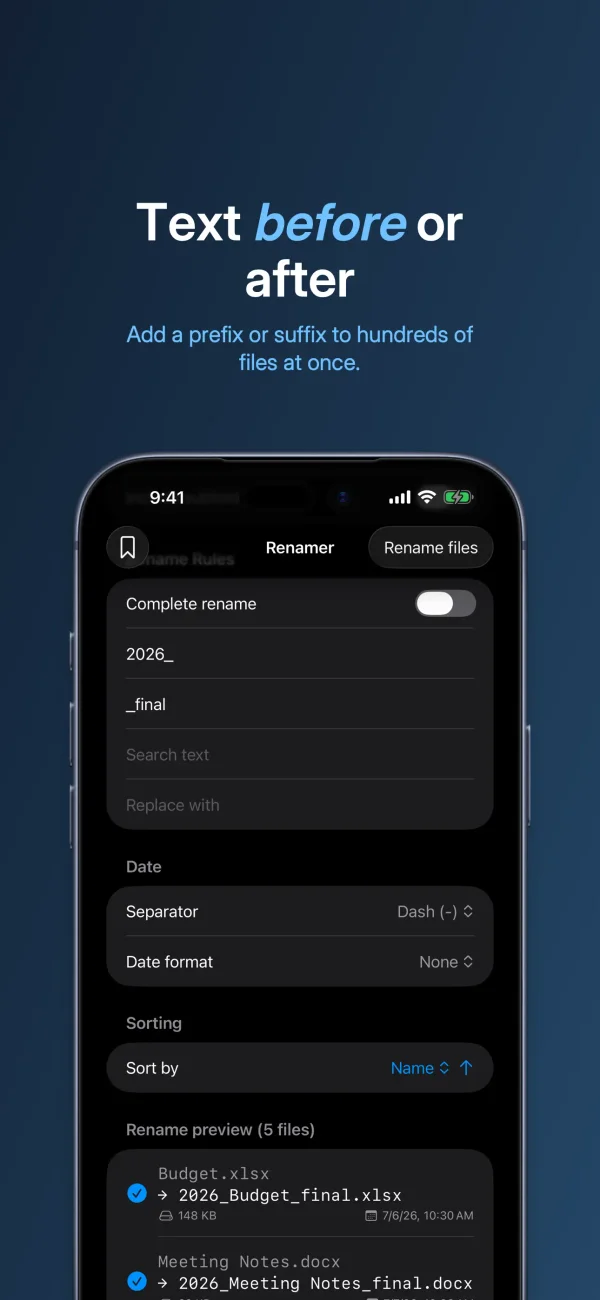
- Add a prefix or suffix to every name
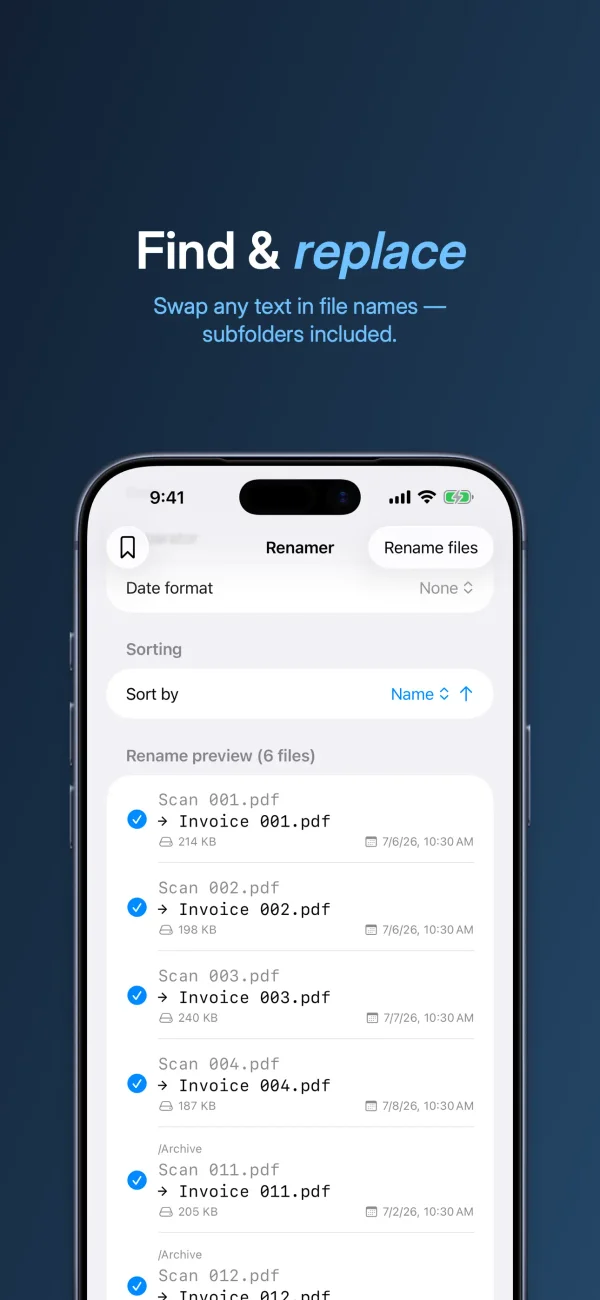
- Find and replace text in file names
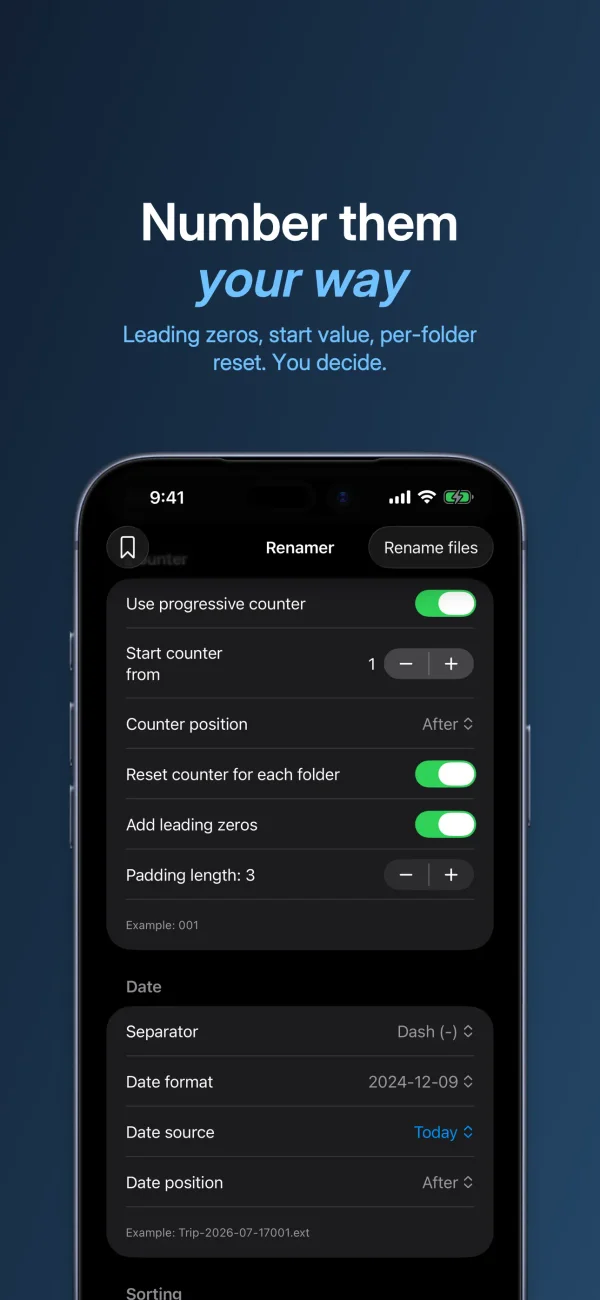
- Rename from scratch with a counter: leading zeros, start value, reset per folder
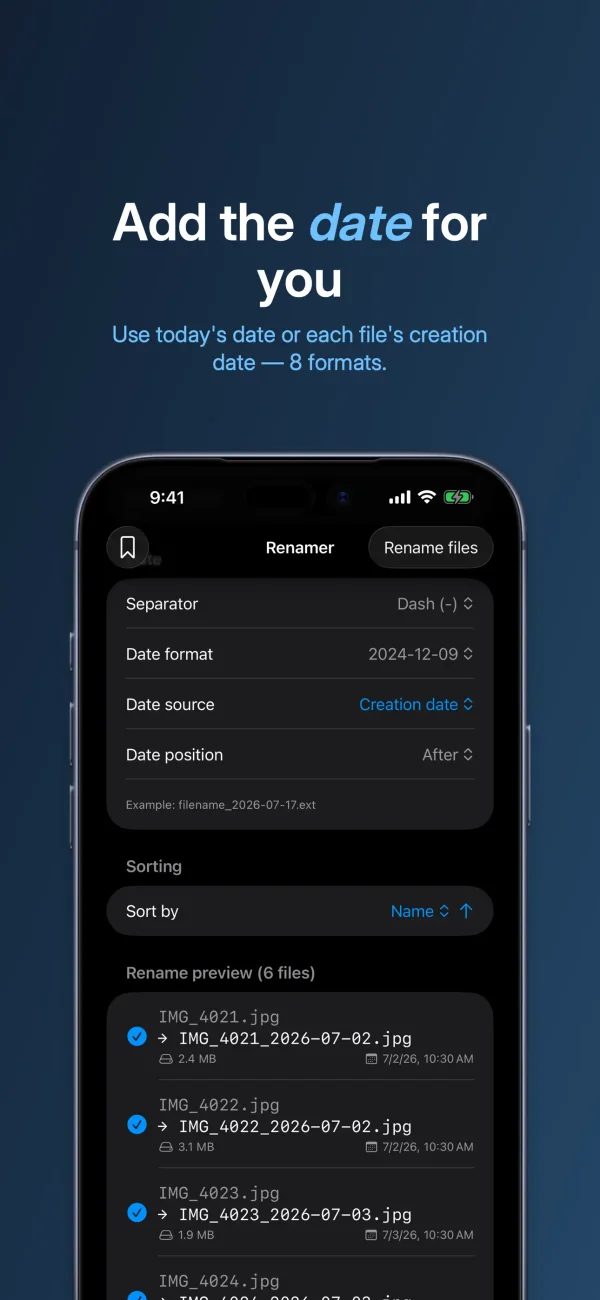
- Insert the date: today, creation or modification date, 8 formats, before or after the name
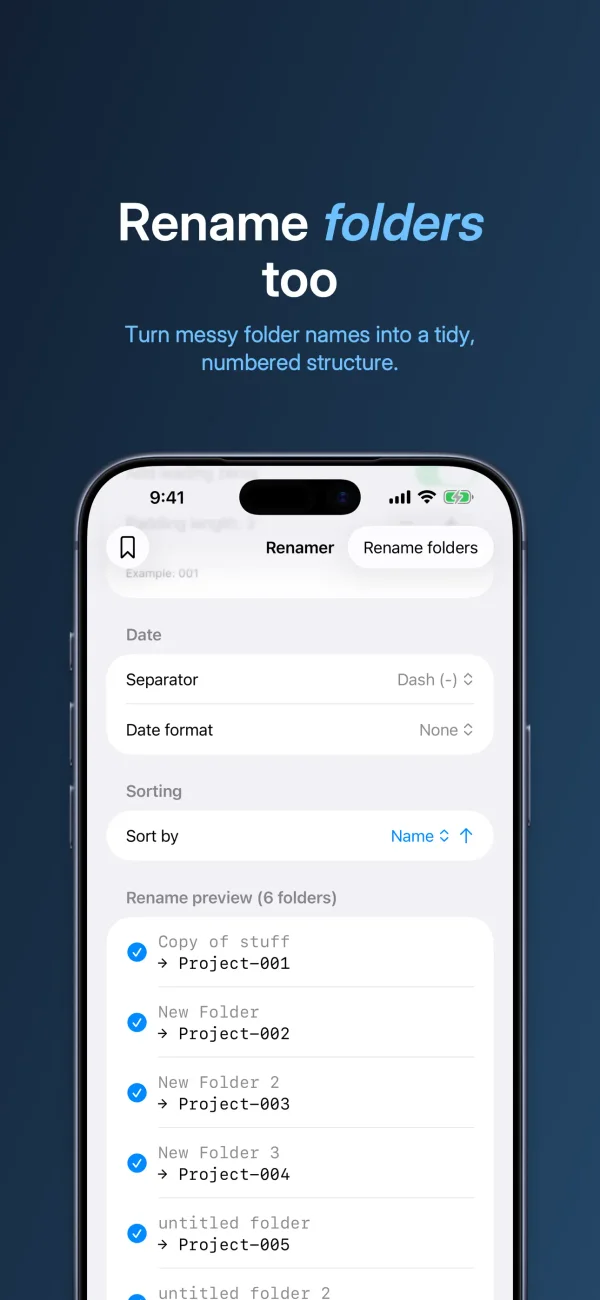
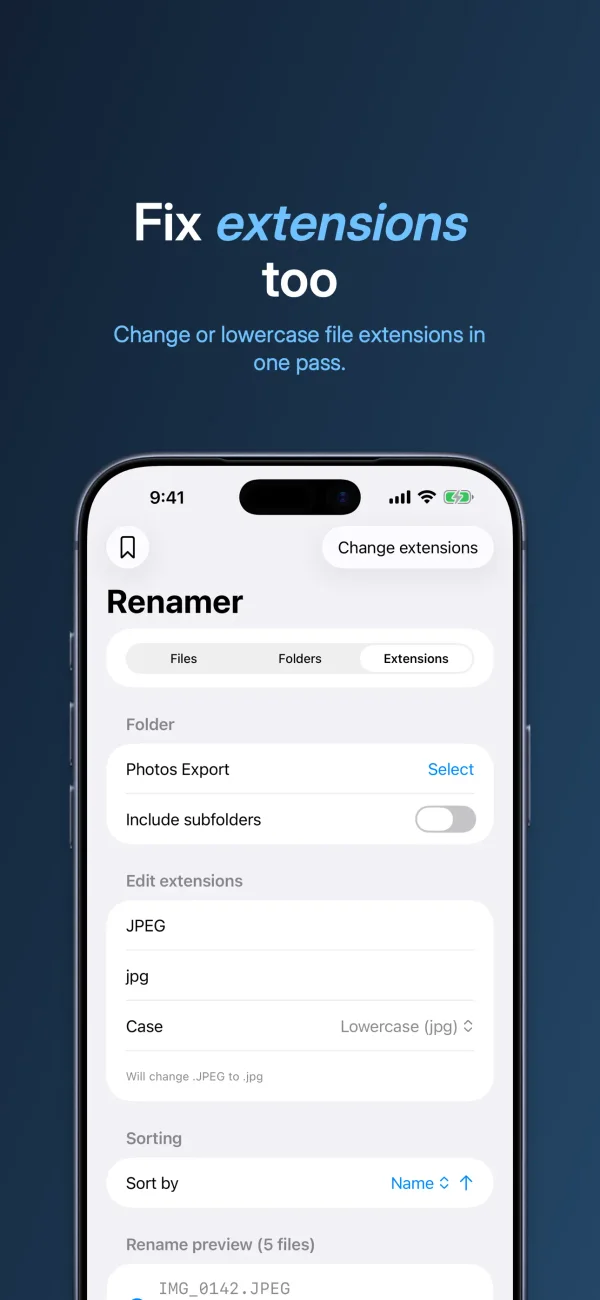
- Rename folders, and change or lowercase file extensions
- Include subfolders (recursive mode)
- Sort by name (natural order), kind, date, size or depth
SAFE BY DESIGN
- Live preview of the new names before you commit
- Conflict detection: duplicates, existing names, invalid characters
- Exclude single files from the batch
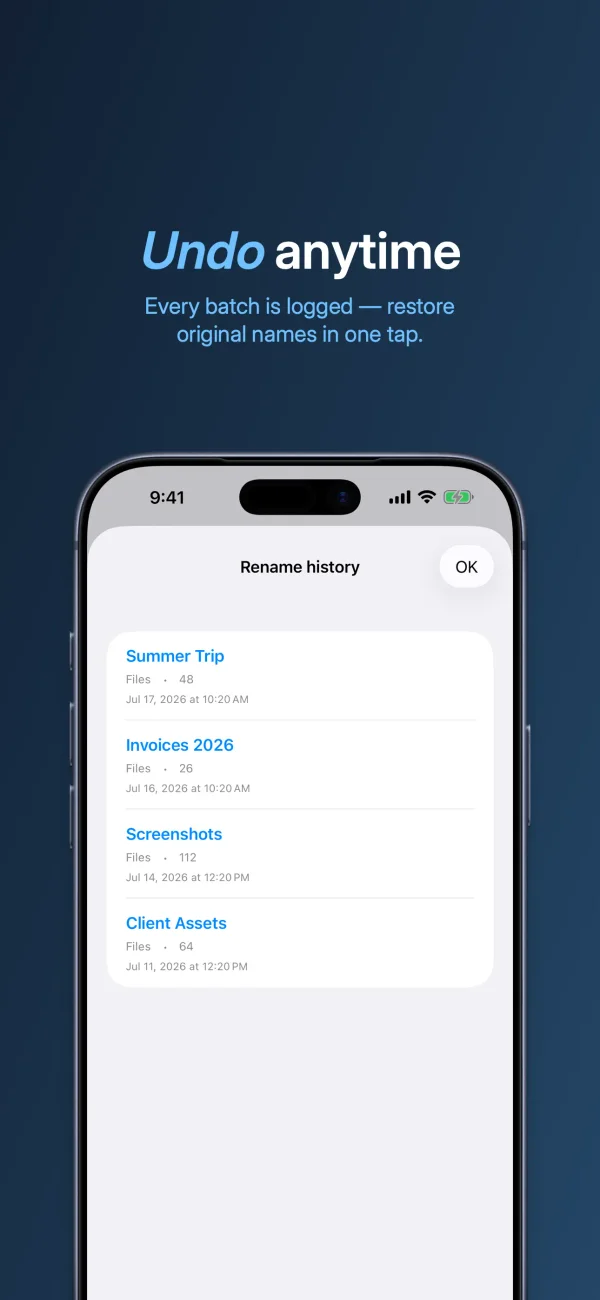
- Undo a rename in one tap, even after closing the app
- History of every batch, exportable as a text file
FAST
- Presets: save your rules once, reuse them on any folder
- Thousands of files without freezing
- Works with any folder you can open in the Files app: on your device, in iCloud Drive or on external drives
RENAMER PRO
Try Renamer with 3 full renames: every feature, no limit on how many files. Renamer Pro is an optional one-time purchase, no subscription and no account, and it removes every limit for good.
Already bought Renamer? Renamer Pro is already yours, automatically and forever.
Undo stays free for everyone, even once the trial is over.
WORKS ON
- iPhone, iPad, Mac with Apple silicon and Apple Vision
- Available in more than 30 languages
- No account, no ads, no data collected
GOOD TO KNOW
Renamer renames files inside folders you open from the Files app. Photos in your Photos library must first be saved to a folder in Files.
Download Renamer and put your files in order.
What’s new
Version 2.0.1 · Nov 6, 2026
Support for iPhone Duo
App privacy
What Marco Tini declares on the App Store about how this app handles data.
-
Data not collected
The developer does not collect any data from this app.
Privacy practices may vary, for example with the features you use or your age.
Information
- Seller
- Marco Tini
- Category
- Productivity
- Version
- 2.0.1
- Updated
- Nov 6, 2026
- Released
- Jan 2, 2025
- Size
- 1.5 MB
- Requires
- iOS 16.0 or later
- Age rating
- 4+
- Price
- Free
- In-app purchases
- Yes
- Languages
- English, Arabic, Catalan, Croatian, Czech, Danish, Dutch, Finnish, French, German, Greek, Hebrew + 22 more
- Copyright
- © Marco Tini
You might also like
-
 BatchRename: Bulk File RenamerPhotos, PDFs, Media & Metadata
-
 TVAirScreenPhotos from iPhone to your TV
-
 RenPyLinterA Ren'Py Visual Novel Reader.
-
 ImageZip: Photo, Video, PDFCompress, Convert & Edit
-
 Due Pal: ADHD Visual TimerTime Blindness Countdown Clock
-
 Civil Site Engineer AppCivil all calculators
-
 Stellata: Save Links & ReelsBookmark Manager & Moodboard
-
 Notepad CalculatorSmart Notepad & Calculator
-
 OneScan: PDF & ID ScannerScan, Save & Find Documents
-
 LiLiCalMenu bar calendar & reminders