- Age rating4+
- CategoryProductivity
- DeveloperJesse Brookins
- LanguagesEnglish
- Size49.1 MB
Links to the official App Store page
Download.org hosts no file of Resecta: Redact PDFs. The button opens its official App Store page, published by Jesse Brookins. Listing last checked on Nov 15, 2026.
Screenshots

About
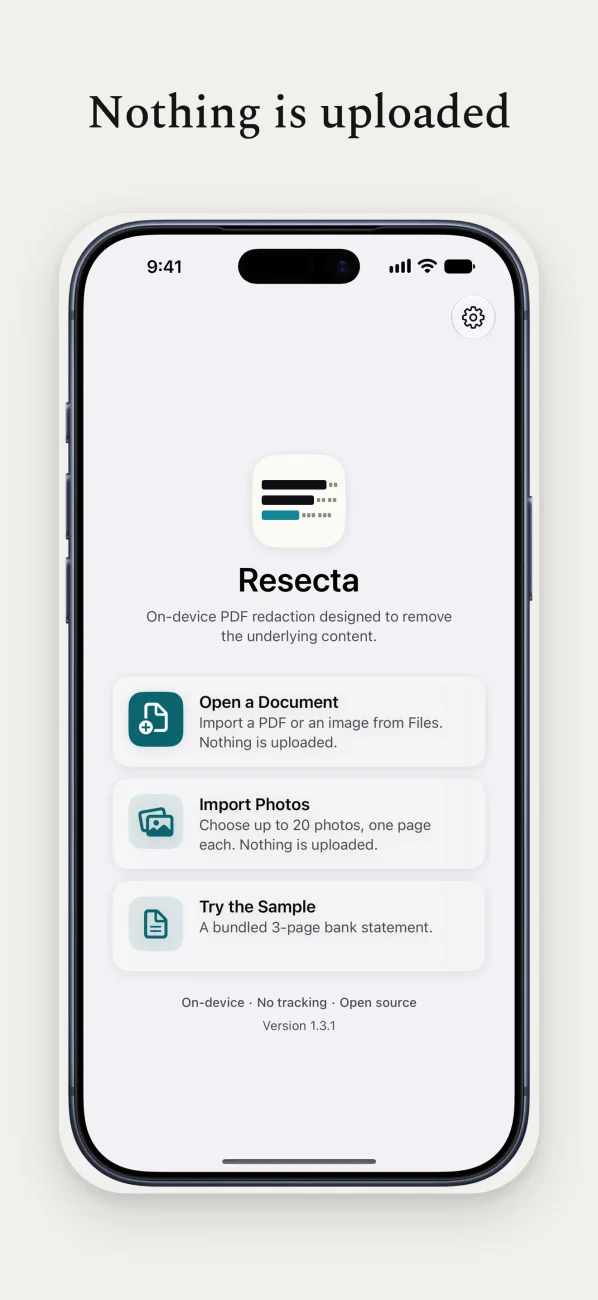
Resecta is a free, open-source iPhone app that redacts PDFs on-device and verifies the output. A black box drawn over text can leave the text underneath readable; Resecta is designed to remove the text in the regions you mark, not just cover it, then checks the redacted PDF before you share. There is no subscription and no account.
What to redact
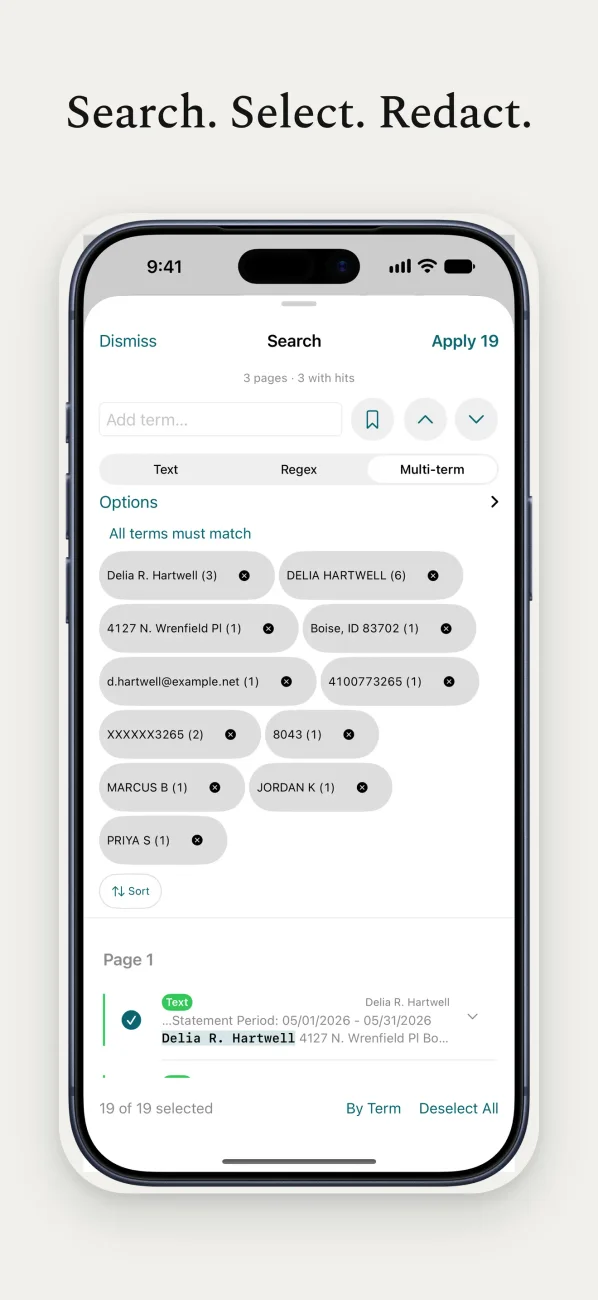
• Search by text, regular expression or a list of terms, and save the searches you reuse.
• Scan looks for 17 kinds of personal information, including names, addresses, phone numbers, email addresses, Social Security numbers, and card and account numbers (many are US formats).
• Draw a rectangle by hand over anything else, or cover a page with Mark Whole Page.
Search and Scan results arrive unselected; nothing is redacted without your selection.
Redact
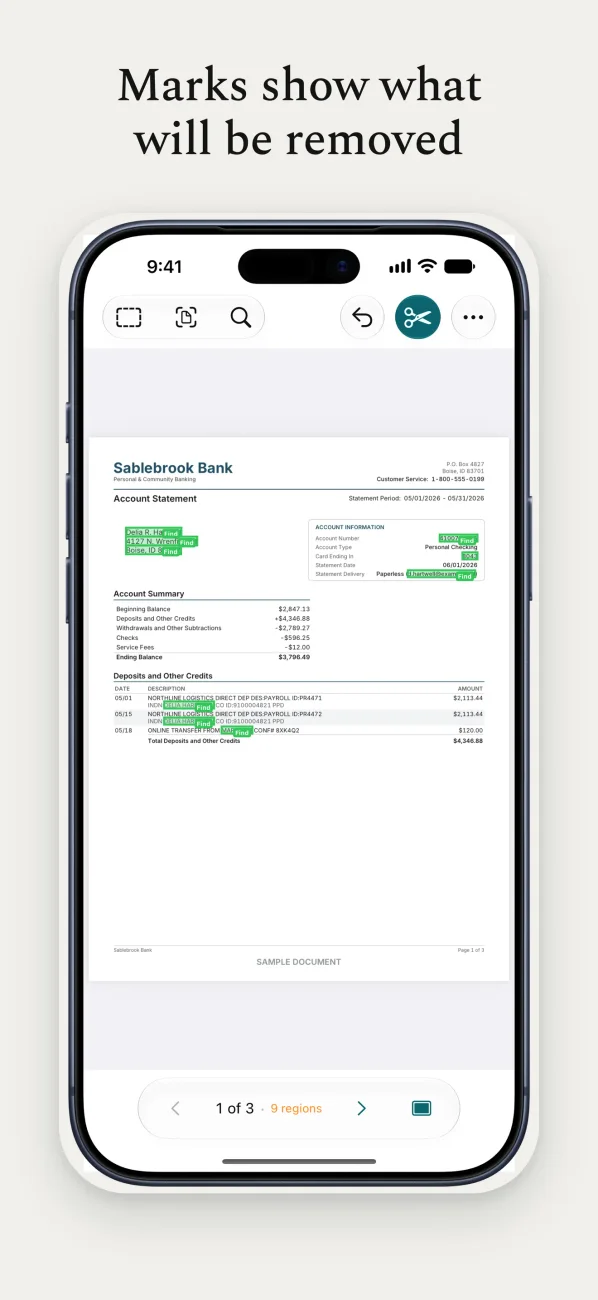
Marks show what will be removed. Tap Redact and Resecta rebuilds the PDF from page images, with the marked regions overwritten in the pixels. Secure Rasterization produces image-only output. Searchable Redaction keeps the text outside your redactions searchable, for PDFs that have a text layer.
Check before you share
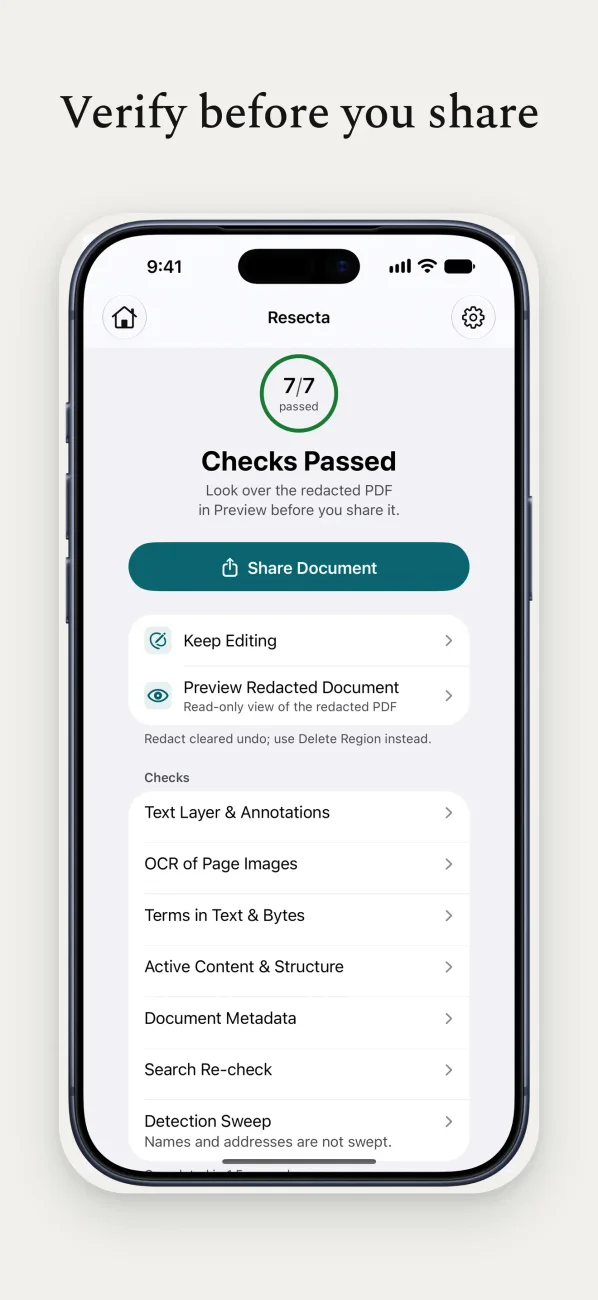
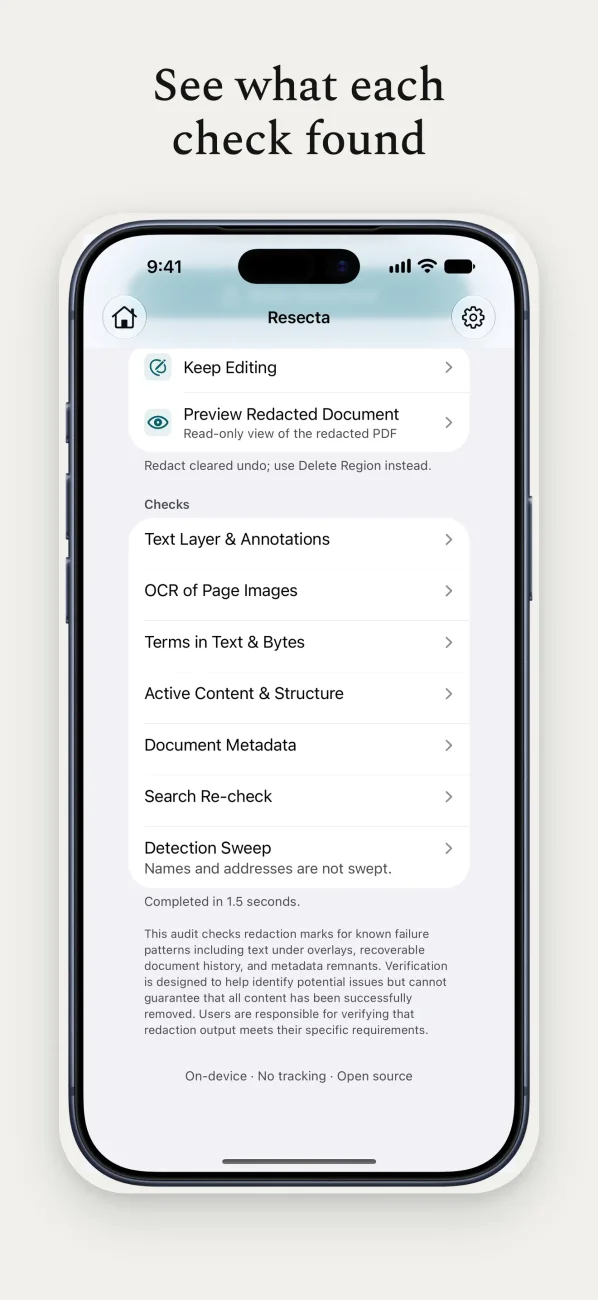
Verification runs 7 checks on Secure Rasterization output and 12 on Searchable Redaction output, including text extraction, OCR, a search of the file's bytes, a metadata check, a re-run of the searches you applied, and a detection sweep. What they report is listed, and sharing a file with reported issues asks you to confirm. Verification is a check, not a substitute for your review.
Private by design
No accounts, no analytics, no data collection. The app makes no network requests of its own, and you can use it in airplane mode.
Good to know
• PDFs up to 50 MB and 500 pages. A password-protected PDF opens with its password; the redacted copy is not password-protected.
• JPEG, PNG and HEIC images open too, up to 20 at a time from Photos, or one at a time from Files or by dropping it onto an open document. Each becomes one page of a new PDF; the photo's metadata, such as location, is not carried into it, and the redacted copy is always a PDF.
• A file the app cannot read in full, or one that carries document JavaScript or a launch action, is refused at import, and the app says why.
• Resecta doesn't store your documents or edits; share or save the redacted copy to keep it.
• Name detection uses an on-device language model from iOS. Where it is unavailable, name results are reduced and the app says so.
Free and open source under Apache-2.0. Source: github.com/Merlin1A/resecta
What’s new
Version 1.3.1 · Nov 3, 2026
Fixes a crash on iOS 27 when touching or scrolling a document. On iOS 27, exported files now carry the fixed creation date again. Search on scanned pages and photos on iOS 27 now matches text it could miss, such as phone numbers. Also fixes zoom, toolbar and VoiceOver issues on iOS 27.
App privacy
What Jesse Brookins declares on the App Store about how this app handles data.
-
Data not collected
The developer does not collect any data from this app.
Privacy practices may vary, for example with the features you use or your age.
Information
- Seller
- Jesse Brookins
- Category
- Productivity
- Version
- 1.3.1
- Updated
- Nov 3, 2026
- Released
- Aug 12, 2026
- Size
- 49.1 MB
- Requires
- iOS 26.0 or later
- Age rating
- 4+
- Price
- Free
- Languages
- English
- Copyright
- © 2026 Jesse Brookins
You might also like
-
 FolikPDFPrivate PDF Reader & Editor
-
 HikkiNotes that stay yours
-
 Sift — Notes You Can FindMarkdown notes, found fast
-
 AuraUINative client for Open WebUI
-
 Clipy - Clipboard SyncHistory & Quick Sharing
-
 smalltype – Markdown NotesPlain .md files, real folders
-
 Re/memberYour Second Brain
-
 Revision ScreenwriterBecause Writing Is Revision
-
 Dazzy: Day Planner & To-DoTasks, timeline and habits
-
 Stilo - Typewriter NotesOffline Journal & Writing