Photo Resizer & Converter
Compress Images & Add Borders
Designed for iPhone
Free · In-app purchases
- Age rating4+
- CategoryGraphics & Design
- DeveloperOsawa Shunsuke
- LanguagesEnglish+ 8 more
- Size15.6 MB
Links to the official App Store page
Download.org hosts no file of Photo Resizer & Converter. The button opens its official App Store page, published by Osawa Shunsuke. Listing last checked on Nov 23, 2026.
Screenshots


About
Resize photos and images on your iPhone by pixels or percentage, shrink their file size, and convert between JPEG, PNG, HEIC, and WebP. Batch processing is supported.
Fit a whole photo into a square by adding borders instead of cropping it, for social posts and marketplace listings. All image processing happens on your iPhone.
ADD BORDERS OR CROP
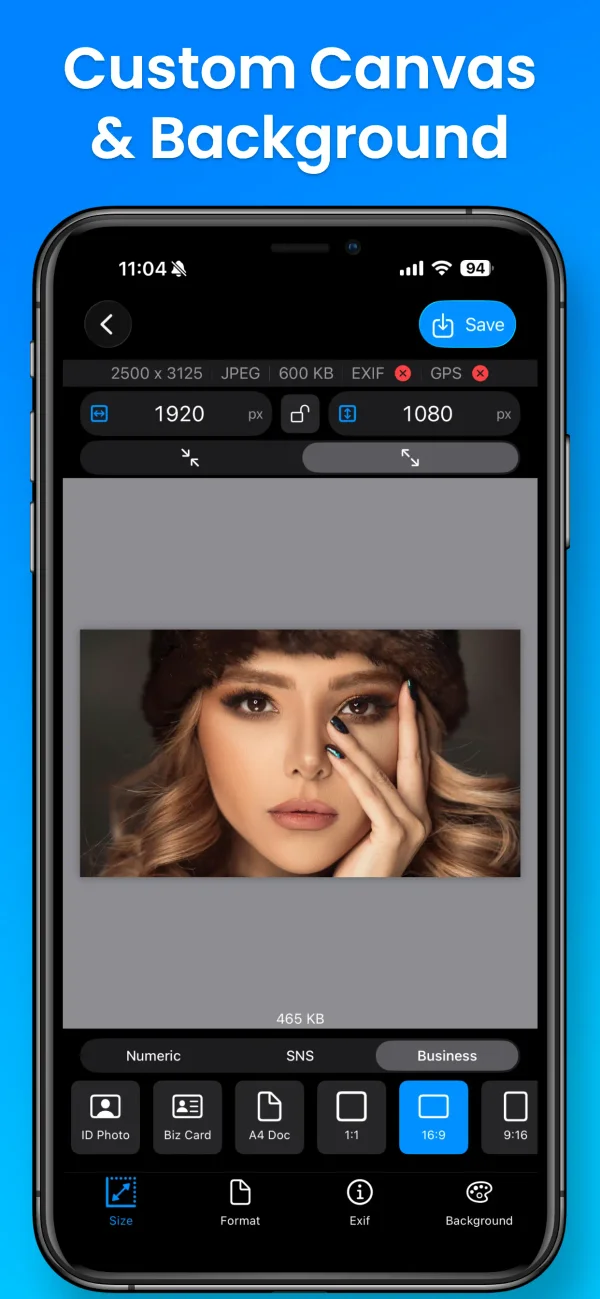
• Add borders: keep the whole photo and fill the empty space with any background color, such as white borders that make a photo square
• Crop: zoom and move the photo to choose the area to keep
RESIZE TO ANY SIZE
• Long edge: 320, 640, 800, 1024, 1280, or 1920 px
• Percentage: 1–100%
• Width × height in pixels, up to 10,000 px, with the aspect ratio locked or unlocked
• Save the settings you use often as custom presets
CONVERT AND COMPRESS
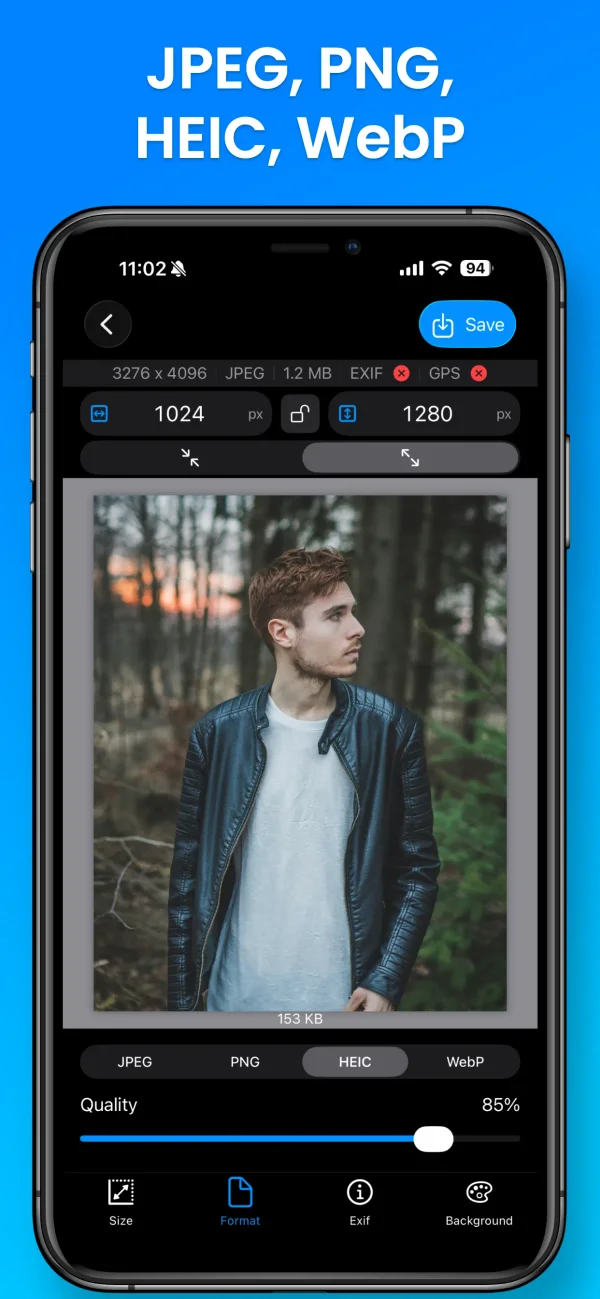
• Output formats: JPEG (.jpg), PNG, HEIC, WebP. Convert HEIC to JPEG, JPEG to WebP, and more
• Quality from 10% to 100% for JPEG, HEIC, and WebP. Lower quality means a smaller file
• When editing a single photo, shows the new file size and the percentage saved before you save
• Compress to a file size: pick 500 KB, 1 MB, 2 MB, or 5 MB, or enter 10 KB–50 MB. The app saves at the highest quality that fits and can shrink the photo if needed. Works in batches too (not for PNG)
BATCH, SHARE SHEET, SHORTCUTS
• Batch: select up to 100 photos and resize, convert, and save them together
• Share sheet: choose this app from the share sheet in Photos and other apps to save resized copies with your last-used settings, without opening the app
• Shortcuts: automate resizing and conversion with the "Resize Image" action
EXIF AND LOCATION METADATA
• Keep or remove Exif (camera settings, date) and GPS (location) separately, so you can strip where a photo was taken before posting it
• WebP files do not keep Exif or location data
PRIVACY
• Photos are processed on your iPhone and are not sent to an external server for processing
• Originals are never overwritten. The result is saved as a new photo
PRESETS AND OUTPUT SIZES (PX)
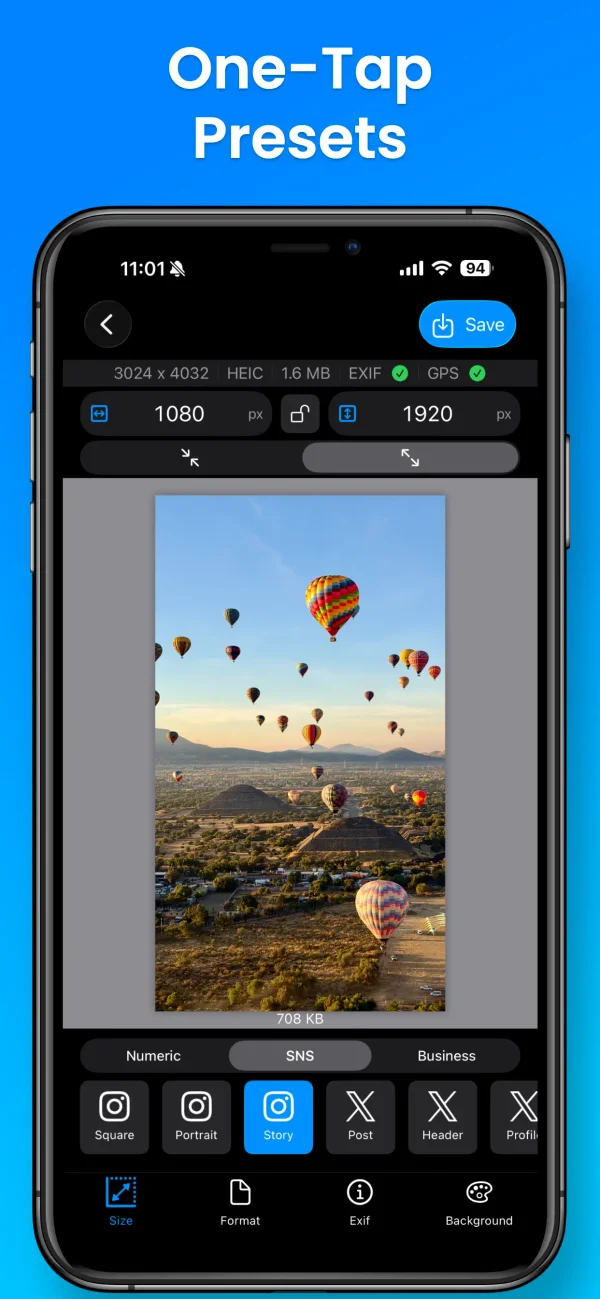
• Instagram: Square 1080×1080 / Portrait 1080×1350 / Story 1080×1920
• X: Post 1200×675 / Header 1500×500 / Profile 400×400
• TikTok: 1080×1920
• LINE: Profile 480×480 / Header 720×320
• YouTube: Thumbnail 1280×720 / Banner 2560×1440
• Threads: 1080×1350
• Facebook: Post 1200×630 / Cover 820×312
• LinkedIn: Post 1200×627 / Square 1080×1080 / Cover 1584×396
• Pinterest: 1000×1500
• Selling online: Mercari 1200×1200 / Amazon 2000×2000 / Shopify 2048×2048
• Documents: ID photo (3:4) 1200×1600 / Business card 1075×650 / A4 2480×3508
• Aspect ratios: 1:1, 16:9, 9:16, 4:3, 3:4, 3:2, 2:3
• Apple Watch wallpaper: 42mm 374×446 / 46mm 416×496 / Ultra 410×502
The sizes each service recommends may change.
FAQ
Q. Can I reduce a photo's file size (KB or MB)?
A. Yes. In Format & MB, choose By File Size and set a limit such as 2 MB or 500 KB. The app saves at the highest quality that fits. You can also start from Compress to File Size on the home screen.
Q. Can I convert HEIC photos to JPEG?
A. Yes. Choose JPEG as the output format. Set the percentage to 100% to change only the format.
Q. Can I make a photo square without cropping it?
A. Yes. Choose 1:1 or the Instagram Square preset. The whole photo stays visible and the borders take the color you pick.
Q. Can I make ID or passport photos?
A. The ID Photo preset outputs a 3:4 image at 1200×1600 px. For a square 2×2 inch photo, choose the 1:1 ratio. For other formats, enter the width and height. The app does not change backgrounds or create print sheets.
Q. Is it free?
A. Resizing, conversion, compressing to a file size, and presets are free, with ads. The free version saves up to 2 photos per batch.
PRO VERSION (ONE-TIME PURCHASE, NOT A SUBSCRIPTION)
• Remove ads
• Batch save 3 or more photos (including in Shortcuts)
• Keep your settings (size, format, etc.)
• Save up to 20 custom presets (1 in the free version)
• Customize the album name
What’s new
Version 2.4 · Nov 20, 2026
■ NEW: Compress to File Size
In Format & MB, choose By File Size to save at the highest quality that fits a limit such as 2 MB or 500 KB. You can also enter any limit from 10 KB to 50 MB. If a photo still doesn't fit, the app can shrink it automatically. Works with batch editing too, and you can start right from the home screen.
■ IMPROVEMENT
• The batch save summary now shows how many photos were saved, and how many weren't saved for each reason.
App privacy
What Osawa Shunsuke declares on the App Store about how this app handles data.
-
Data used to track you
May be used to track you across apps and websites owned by other companies.
- Location
- Identifiers
- Usage data
- Diagnostics
-
Data linked to you
May be collected and linked to your identity.
- Location
- Identifiers
- Usage data
- Diagnostics
Privacy practices may vary, for example with the features you use or your age.
Information
- Seller
- Osawa Shunsuke
- Category
- Graphics & Design
- Version
- 2.4
- Updated
- Nov 20, 2026
- Released
- Sep 24, 2024
- Size
- 15.6 MB
- Requires
- iOS 18 or later
- Age rating
- 4+
- Price
- Free
- In-app purchases
- Yes
- Languages
- English, French, German, Japanese, Korean, Portuguese, Simplified Chinese, Spanish, Traditional Chinese
- Copyright
- © Shunsuke Osawa
You might also like
-
 SizeFit : Easy Resize PhotoNo Crop Image for Social Media
-
 Resize Photo : Compress ImageMake picture file size smaller
-
 Resize Photos·Picture Resizer, Image Size
-
 Image Resizer & Text EditorResize Images and Add Text
-
 Image resizer, converter iSizePhoto resize, crop, fit, print
-
 No Crop Resize: RepicturePhoto Editing for Ratio Change
-
 Vidu AI: Photo Video GeneratorTrendy AI Video Editor,Effects
-
 Object Removal Photo EraserRemove Objects People Remover
-
 AI Video Eraser: Remove ObjectRemove People & Text in Video
-
 Background Remover - PNG MakerPhoto background changer