Retro Notes - Notetaker
Journal, Tasks & Daily Planner
Designed for iPhone, iPad
Free · In-app purchases
- Age rating4+
- CategoryUtilities
- DeveloperEGE AYBEK
- LanguagesEnglish+ 6 more
- Size18.7 MB
Links to the official App Store page
Download.org hosts no file of Retro Notes - Notetaker. The button opens its official App Store page, published by EGE AYBEK. Listing last checked on Nov 12, 2026.
Screenshots


About
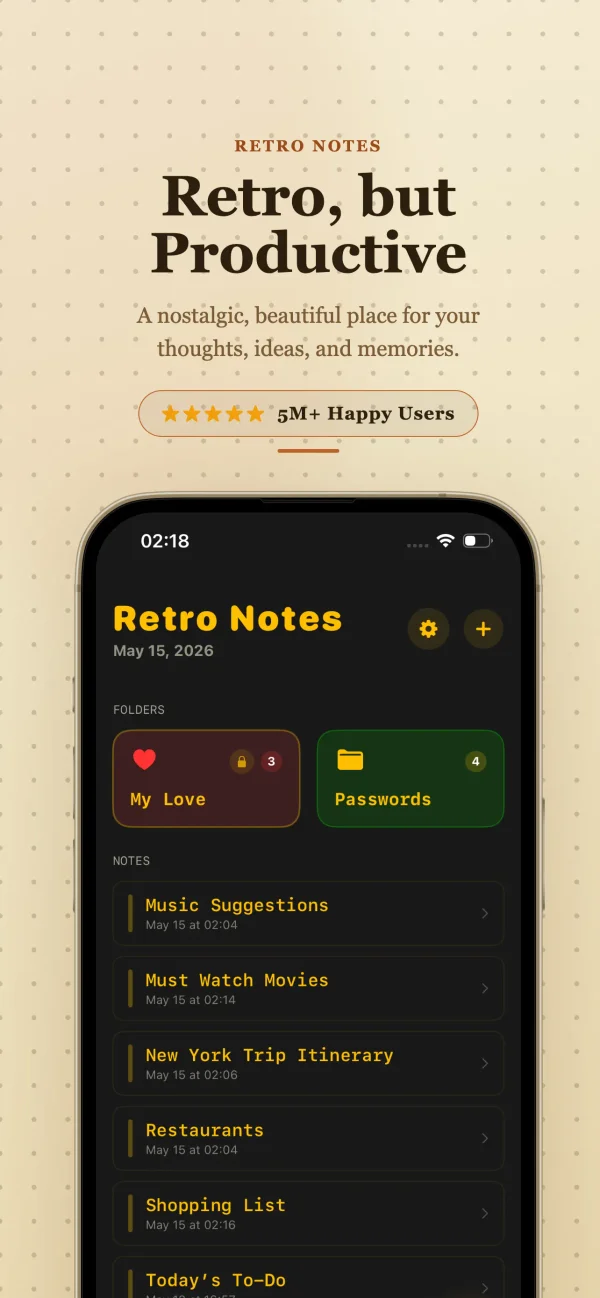
Retro Notes turns everyday note-taking into something you actually enjoy. Beautifully designed with vintage-inspired themes, it combines the simplicity of classic journals with the power of a modern organizer — all on your iPhone and iPad.
WRITE FREELY, ORGANIZE EFFORTLESSLY
Create notes with rich text blocks, checklists, and tags. Organize everything into folders and nested subfolders. On iPad, use full notebooks for long-form journaling and creative projects. Pin your favorites for quick access, and find anything instantly with powerful global search across all your notes, folders, tasks, and blocks.
A BLOCK FOR EVERYTHING
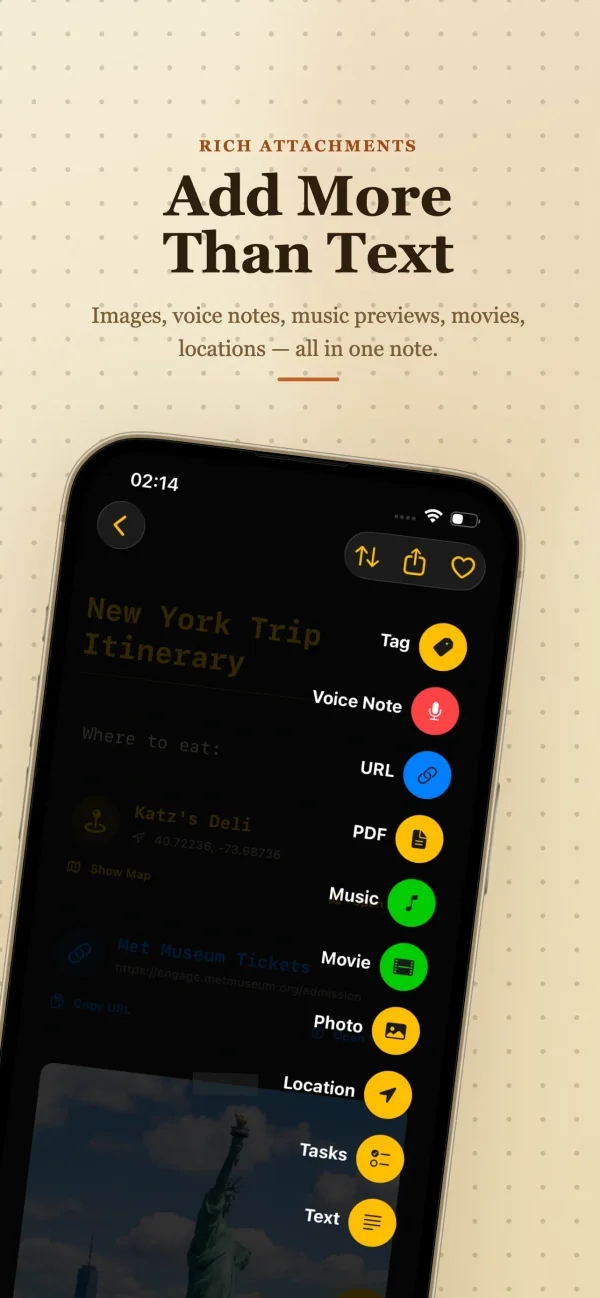
Retro Notes goes beyond plain text. Each note is built from blocks you mix and match:
• Text — Write with customizable per-note fonts. Choose from 15 beautiful typefaces including Typewriter, Georgia, Baskerville, Futura, and more.
• Tasks — Interactive checklists to track your to-dos right inside your notes.
• Photos & Videos — Capture memories with images and video clips. Trim videos before adding them.
• Voice Memos — Record audio notes when typing isn't an option.
• Locations — Pin places to your notes with interactive maps.
• URLs — Save and preview web links with one tap.
• Scanner — Scan documents directly into your notes using your camera.
• PDF — Attach and view documents natively.
• Countdown — Set visual countdown timers for events, deadlines, and milestones.
• Music — Search and embed your favorite tracks from a massive catalog.
• Movies — Log films with posters, ratings, runtime, and director info.
• Books — Track your reading with covers, authors, and page counts.
• Flights — Look up real flights with route maps, terminals, aircraft details, and live status.
IMPORT FROM ANYWHERE
Use the Share Extension to send text, links, images, and checklists from Browser, Mail, Messages, or any app directly into Retro Notes. Content is automatically parsed into the right blocks — URLs become link blocks, bullet points become tasks, and images get their own photo blocks. No copy-pasting needed.
RETRO THEMES THAT FEEL JUST RIGHT
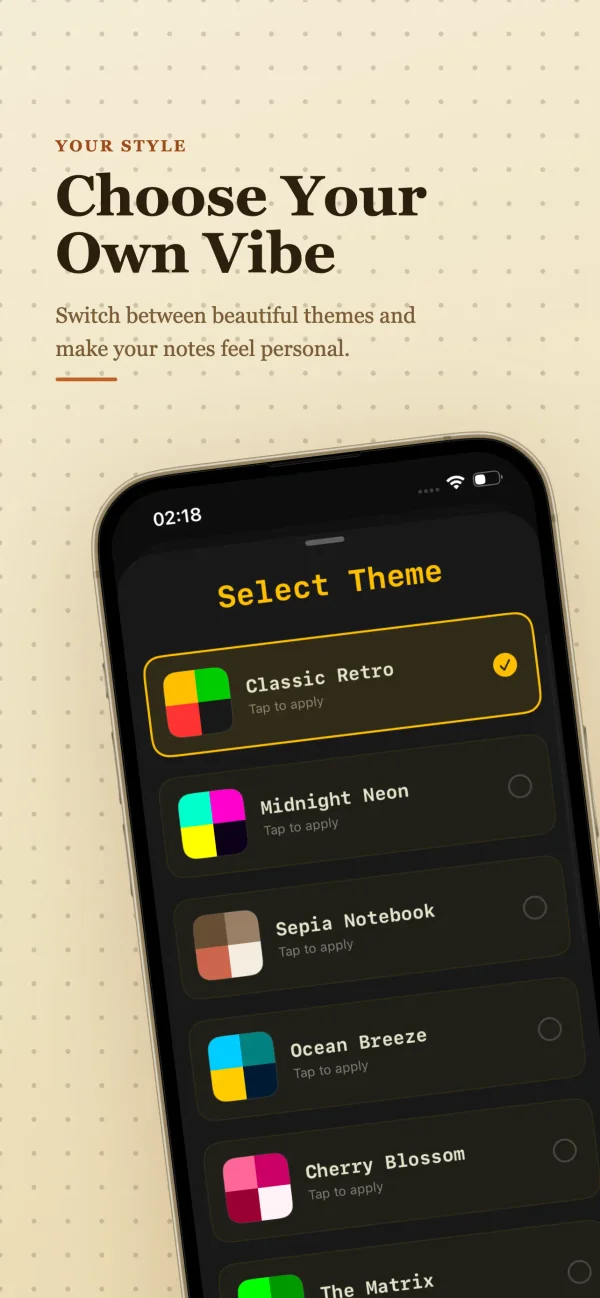
Customize your experience with handcrafted themes that give your notes real personality. Switch between classic, dark, and colorful palettes — every element from the toolbar to the blocks adapts to your chosen theme.
WIDGET SUPPORT
Pin your most important note to a home screen widget for instant access. See your content at a glance without even opening the app.
TIME CAPSULE
Seal a note and lock it until a future date — a week, a month, or a year from now. When the time comes, it unlocks automatically. Write letters to your future self, save birthday messages, or preserve memories for later.
PRIVACY FIRST
Your notes stay on your device. Retro Notes uses no cloud accounts, no sign-ups, and no tracking. What you write is yours alone.
BUILT FOR iPHONE AND iPAD
Fully optimized for both platforms. On iPad, take advantage of larger screens with the notebook editor for long-form writing, side-by-side organization, and an expanded block canvas.
AVAILABLE IN 7 LANGUAGES
Use Retro Notes in English, German, Spanish, French, Japanese, Turkish, or Simplified Chinese. The entire interface adapts to your language preference.
Privacy Policy: https://retro-notes-privacy-ege-aybek-dev.netlify.app/
Terms of Use: https://www.apple.com/legal/internet-services/itunes/dev/stdeula/
What’s new
Version 1.7 · Aug 30, 2026
Retro Notes 1.7 is here!
• Quickly access notes, templates, and folders with the new create menu.
• Start new notes faster with ready-made templates.
• Long-press a note to select and delete multiple notes at once.
• Search is now conveniently located in the top-right corner.
• Pro upgrades, exports, and widget flows are now smoother.
• Refreshed empty folders, plus general UI and performance improvements.
App privacy
What EGE AYBEK declares on the App Store about how this app handles data.
-
Data not collected
The developer does not collect any data from this app.
Privacy practices may vary, for example with the features you use or your age.
Information
- Seller
- EGE AYBEK
- Category
- Utilities
- Version
- 1.7
- Updated
- Aug 30, 2026
- Released
- Apr 30, 2026
- Size
- 18.7 MB
- Requires
- iOS 18.0 or later
- Age rating
- 4+
- Price
- Free
- In-app purchases
- Yes
- Languages
- English, French, German, Japanese, Simplified Chinese, Spanish, Turkish
- Copyright
- © Ege Aybek
You might also like
-
 Records - Mark the momentYears, days & seconds since
-
 BNotesUtilities
-
 Smart Lists - Only ListsBest Programming LLC
-
 Notist – Beautiful NotesCapture Every Thought
-
 Renter ToolkitRenter Rights, Records & Help
-
 eTrackPad: Wireless TrackpadGestures, keyboard & remote
-
 Orbis AI: Hide Photos VaultSecret, Private, Disguise Lock
-
 To Do List: Task ManagerDaily Accessible AI Checklists
-
 LoopSoundSimple audio looping