- Age rating4+
- CategoryUtilities
- DeveloperRyan Hopkins Inc
- LanguagesEnglish
- Size327.0 KB
Links to the official App Store page
Download.org hosts no file of Retro Numpad. The button opens its official App Store page, published by Ryan Hopkins Inc. Listing last checked on Nov 10, 2026.
Screenshots
About
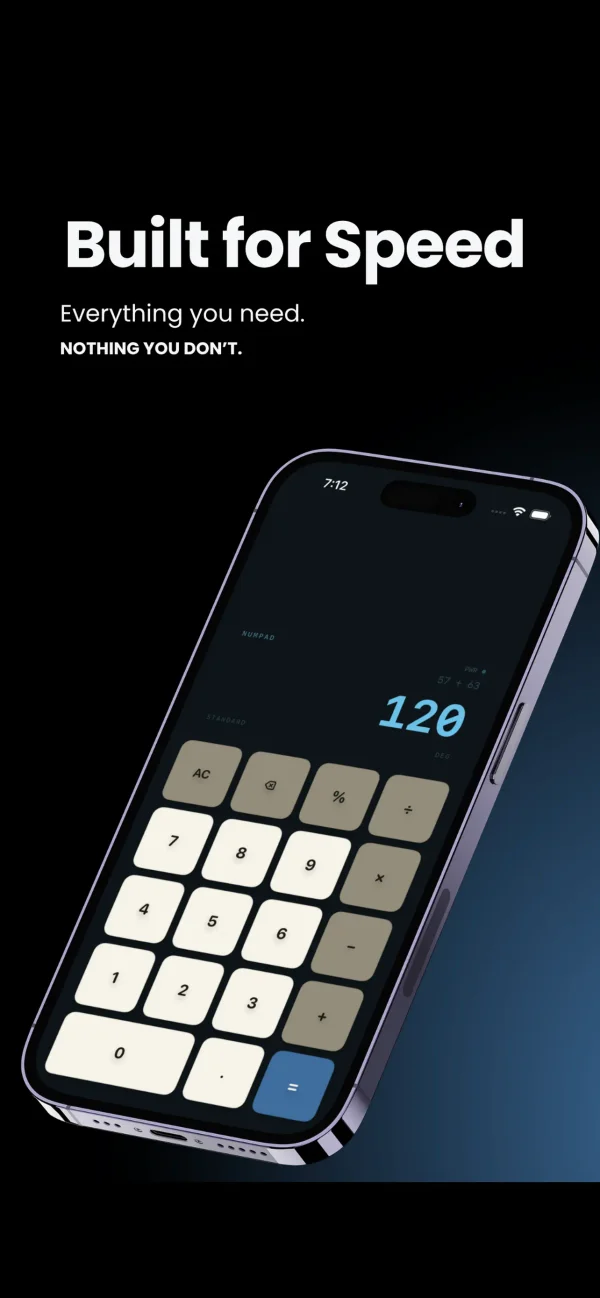
Retro Numpad brings back the feel of a real desktop calculator — a warm,
matte case, a glowing LCD readout, and number keys that actually click
when you press them.
Built for fast, everyday math: addition, subtraction, multiplication,
division, and percentages, with chained operations so you can work
through a full expression without losing your place. The display keeps
your last expression in view above the current result, just like a
physical calculator's tape.
FEATURES
— Full arithmetic: +, −, ×, ÷, %
— Chained operations (2 + 3 × 4, entered left to right)
— Decimal entry, backspace, and all-clear
— Clear "Error" state instead of a crash on divide-by-zero
— Light and dark mode, each with its own tuned palette
— Haptic feedback and a physical key-press animation
— No accounts, no ads, no tracking
App privacy
What Ryan Hopkins Inc declares on the App Store about how this app handles data.
-
Data not collected
The developer does not collect any data from this app.
Privacy practices may vary, for example with the features you use or your age.
Information
- Seller
- Ryan Hopkins
- Category
- Utilities
- Version
- 1.0
- Updated
- Aug 26, 2026
- Released
- Aug 26, 2026
- Size
- 327.0 KB
- Requires
- iOS 17.0 or later
- Age rating
- 4+
- Languages
- English
- Copyright
- © 2026 Ryan Hopkins
You might also like
-
 Just DigitsA simple number pad keyboard
-
 Tenki26Crucial controls, within reach
-
 Calc - MinimalistMinimalist Calculator
-
 CalcLink - Calculator for PCSend results to Windows
-
 NumPad Pro: Number KeyboardCustom Numeric Keypad & Tools
-
 Padme - Custom keypad for MacTHE macro keypad for your Mac
-
 eTrackPad: Wireless TrackpadGestures, keyboard & remote
-
 Remotype: Remote for Mac & PCKeyboard, trackpad & remote
-
 Mak Commander-Input ControllerUtilities
-
 Keyboard Math: Symbols & UnitsUtilities