
- Age rating4+
- CategoryProductivity
- DeveloperKirill Trifonov
- LanguagesEnglish+ 1 more
- Size77.4 MB
Links to the official App Store page
Download.org hosts no file of Rhythm: Live in sync. The button opens its official App Store page, published by Kirill Trifonov. Listing last checked on Nov 16, 2026.
Screenshots

About
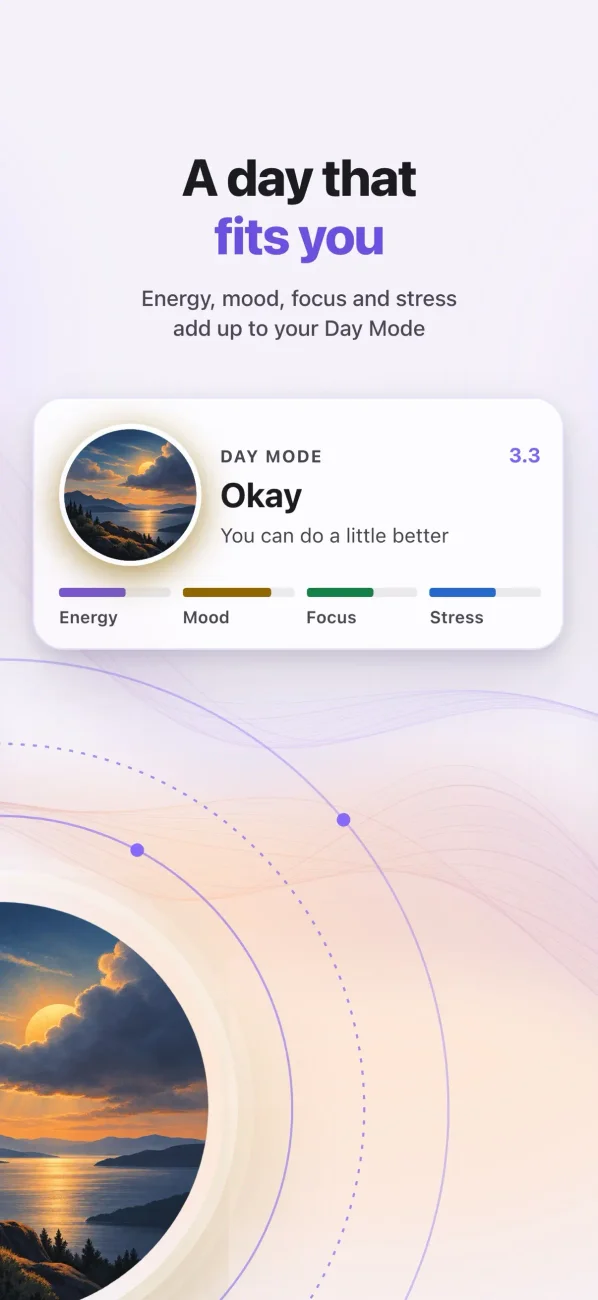
A day that fits you. Ten seconds in the morning: energy, mood, focus, stress. Rhythm takes as much of your plan as you can actually carry today. On a hard day the list gets shorter, not redder.
SAY HOW YOU ARE
Four scales from 1 to 5. No journaling, no "why". Check in at any point in the day, and your answers become today's state.
A DAY THAT FITS
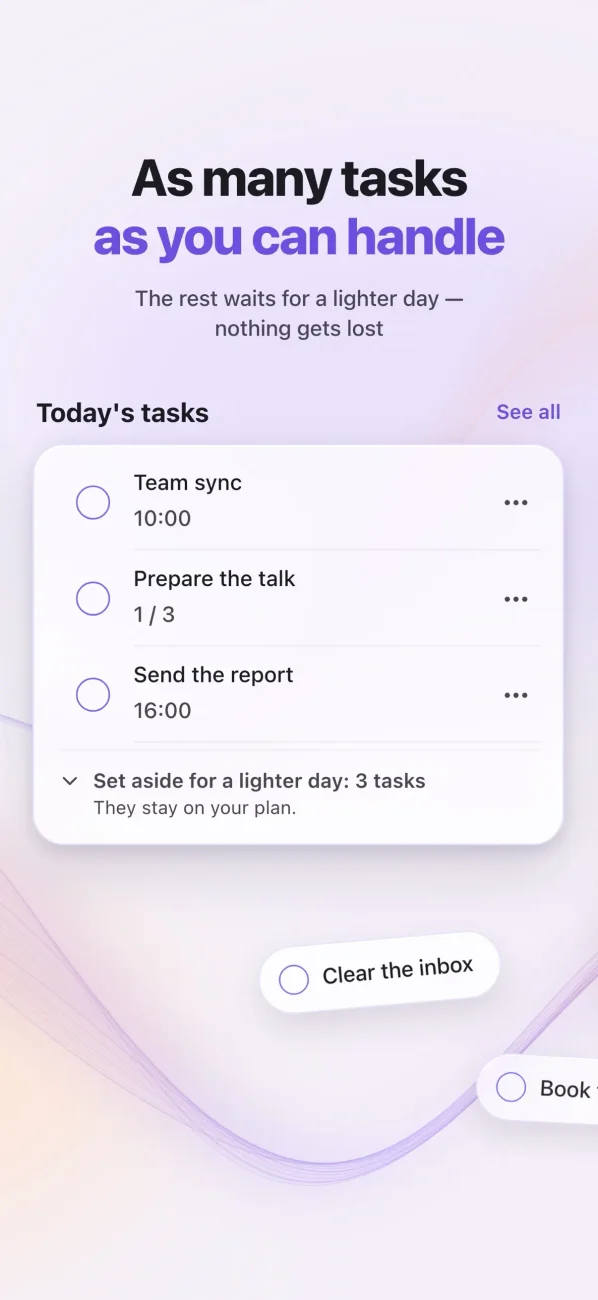
Today's state decides how much to take on. The rest is set aside for a lighter day and stays on your plan, one tap away. Rhythm never deletes anything or moves things behind your back. Skip the check-in and you simply see the whole day.
ONE THING AT A TIME
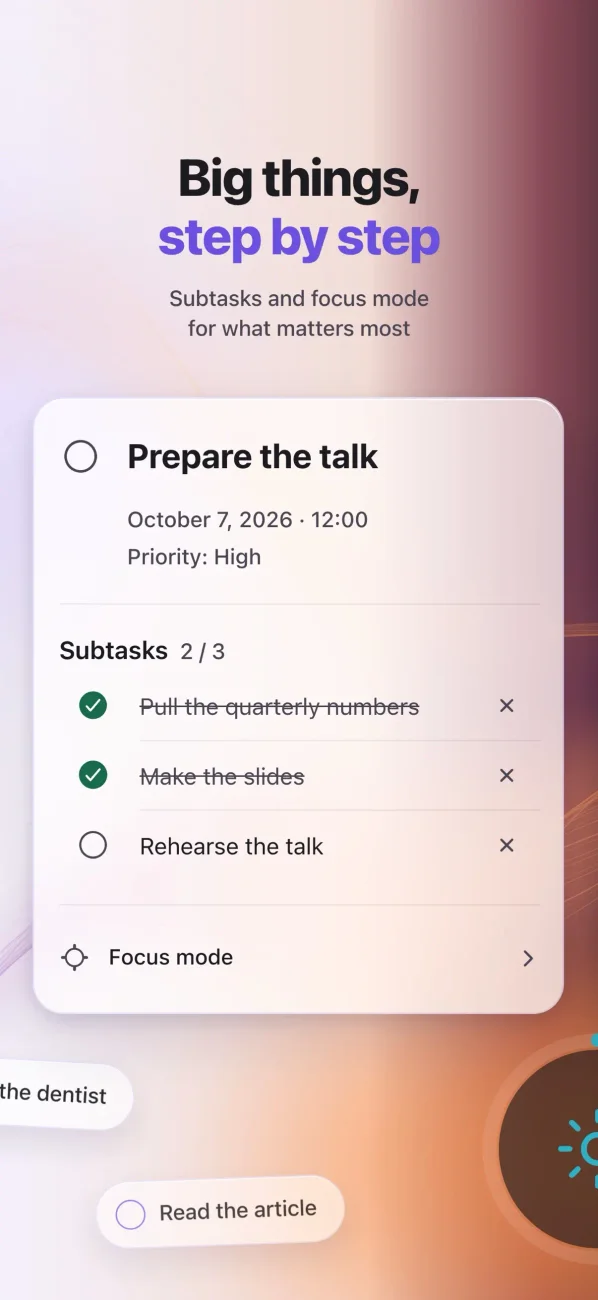
Focus mode shows tasks one by one, with subtasks and progress. On a hard day that's a single task. And that's fine.
TASKS FOR ANY DAY
At a set time or all-day, with a reminder as many minutes ahead as you like. Keep them simple, or add progress and subtasks when a job is big. Anything left open from past days sits under "Earlier", not "Overdue".
HABITS
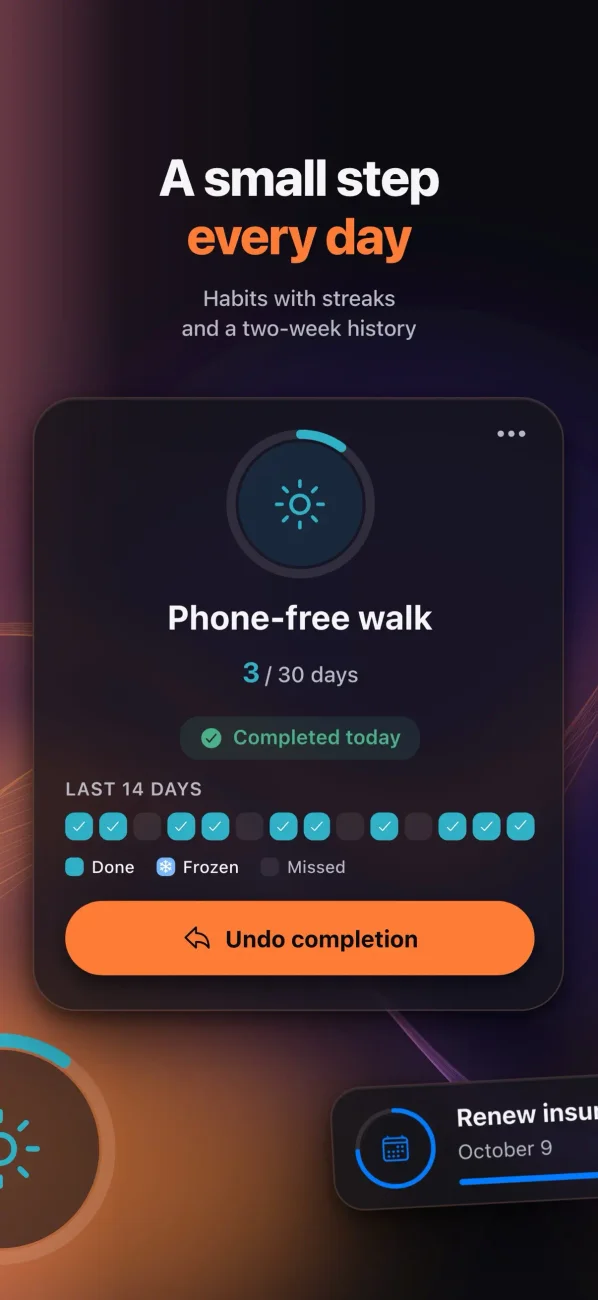
Daily check-offs, streaks and the last two weeks of history. The ones that matter most sit right on the home screen.
REMINDERS
Deadlines and dates with a notification ahead of time: renew the insurance, pay the bill, book the doctor. Pin them to the home screen.
YOUR WEEK
The home screen shows how each day of this week went by check-in. Statistics show what got done over the last seven days.
WHAT RHYTHM WON'T DO
• Touch your calendar. Rhythm suggests the shape of the day; you decide.
• Move things on its own. Rolling an unfinished task to tomorrow is a per-task switch, off unless you turn it on.
• Hold a missed day against you. No red numbers, no overdue count.
• Push you for more. When today's list is done, the session simply ends.
Sign in with Apple or with a code sent to your email. Your data belongs to your account, and you can delete the account from your profile at any time.
Rhythm works in English and Russian. It isn't a medical app and doesn't diagnose or treat anything: the check-in reflects your own ratings.
Tomorrow will be a different day. Let the plan be different too.
What’s new
Version 1.1.0 · Nov 8, 2026
What's new in Rhythm 1.1
• Home Screen widget. Daily Rhythm shows how your day is going at a glance, and the medium size adds your week. Tap it to check in or open your day.
• Light or dark icon. Choose the one that suits your Home Screen in Profile → App icon.
• Habit milestones. After 21 days in a row a habit is marked "Established", and after 66 days it becomes "Part of life".
• Check-in reminder. Turn it on and pick a time right on the Day Mode screen.
• A friendlier start. Rhythm asks what to call you and greets you by name.
• Easier rescheduling. A future task can move to today or a day later, and anything under "Earlier" comes back to today in one tap.
• Small fixes. Plans moves to the new day if Rhythm stays open past midnight, tapping a reminder opens that reminder, and Habits and Reminders remember list or grid view.
• Ready for iOS 27, with a roomier layout on the unfolded iPhone Duo.
App privacy
What Kirill Trifonov declares on the App Store about how this app handles data.
-
Data linked to you
May be collected and linked to your identity.
- Health and fitness
- Contact info
- User content
- Identifiers
Privacy practices may vary, for example with the features you use or your age.
Information
- Seller
- Kirill Trifonov
- Category
- Productivity
- Version
- 1.1.0
- Updated
- Nov 8, 2026
- Released
- Oct 28, 2026
- Size
- 77.4 MB
- Requires
- iOS 16.4 or later
- Age rating
- 4+
- Price
- Free
- Languages
- English, Russian
- Copyright
- © 2026 Kirill Trifonov
You might also like
-
 Khallast: To Do List, ReminderDaily Planner & Task Manager
-
 Habit Tracker - HabitScriptDaily Habits & Goals Planner
-
 Smart Air Printer Pro & ScanPrint Photos and Scanner App
-
 Bluedot AI Note TakerAI Meeting Notes & Summaries
-
 Inventory with barcodeStock Management System
-
 Inventory Control with ScannerInventory Tracker, Barcode, QR
-
 Wheeldone - Daily PlannerLists, Habits, Schedules
-
 Singularity To Do List, TasksPlanner: projects & calendar
-
 Torrent File SaverSave files from direct URL
-
 Password Manager: SafePasskeys & 2FA