
RhythmForge: Rhythm Trainer
The metronome that listens
Designed for iPhone
Free · In-app purchases
- Age rating4+
- CategoryMusic
- DeveloperFlorian Preknya
- LanguagesEnglish+ 3 more
- Size31.2 MB
Links to the official App Store page
Download.org hosts no file of RhythmForge: Rhythm Trainer. The button opens its official App Store page, published by Florian Preknya. Listing last checked on Nov 23, 2026.
Screenshots



About
Most metronomes just count. RhythmForge listens back.
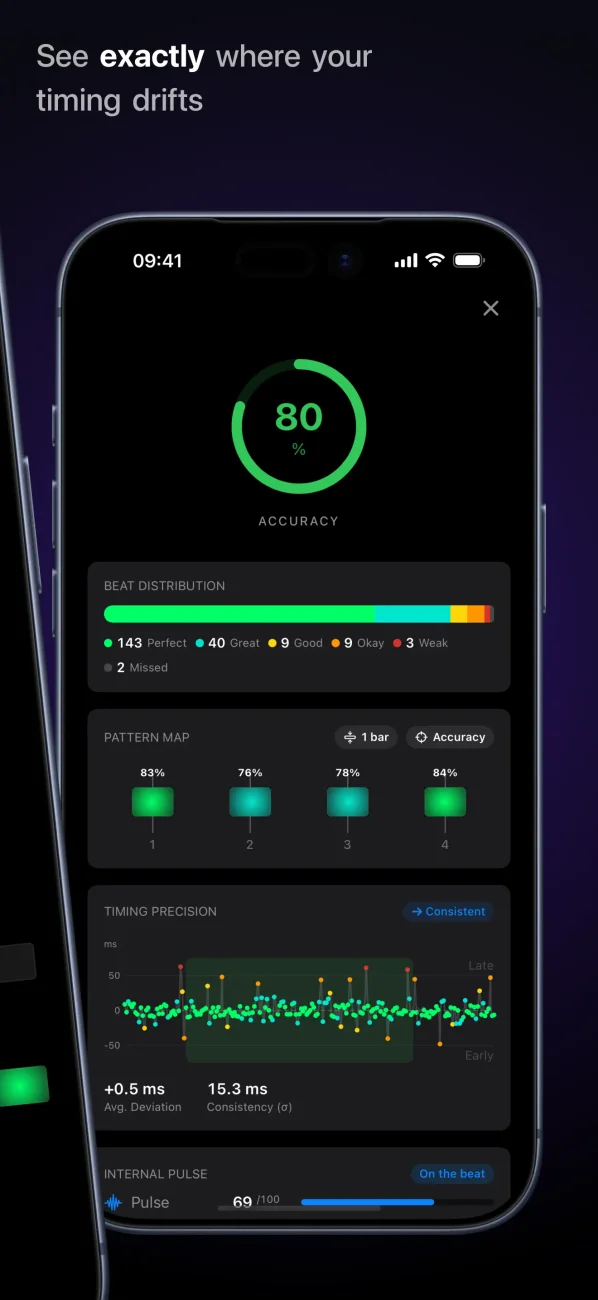
Play along to the click and the app hears every stroke through the microphone. You see each hit land early or late, by how many milliseconds, and after the session where your timing held and where it drifted. Rushing or dragging, you'll know which.
HOW IT WORKS
Practice: turn on listening, play, and watch the timeline. The metronome plays one subdivision, you play another: eighths over a quarter click, triplets, offbeats.
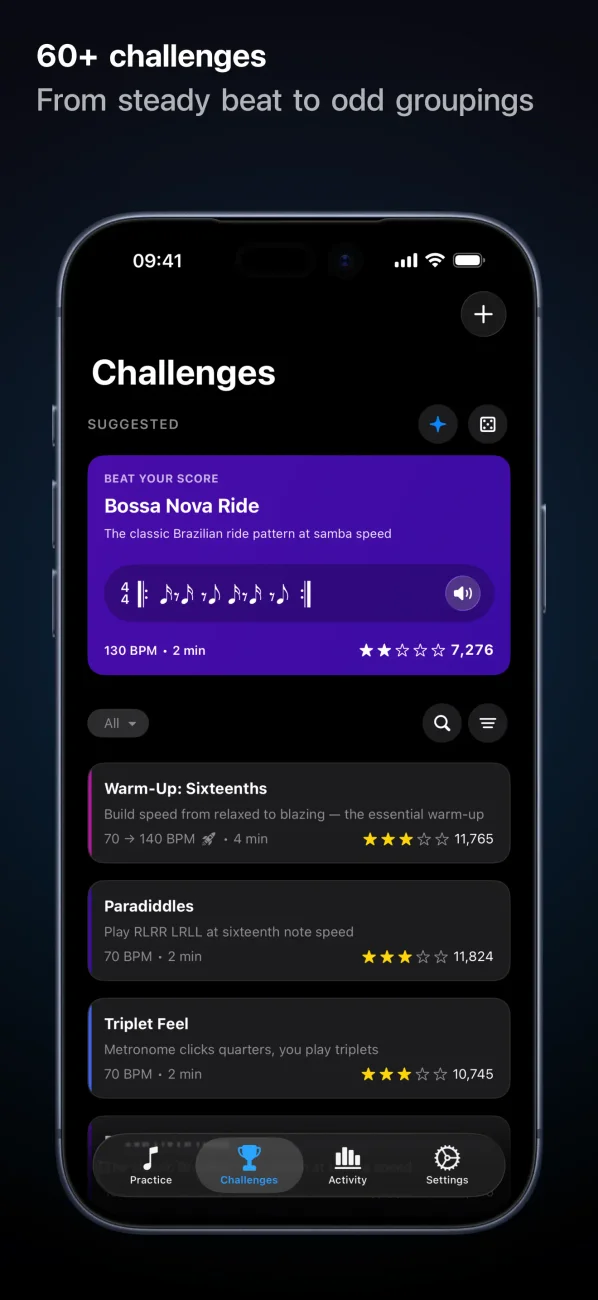
Challenges: pick one, set your tempo, play. Every beat is scored across six tiers, from Perfect (within 10 ms) to Missed. Consecutive Perfects build a combo. Your best score is kept with the tempo you set it at.
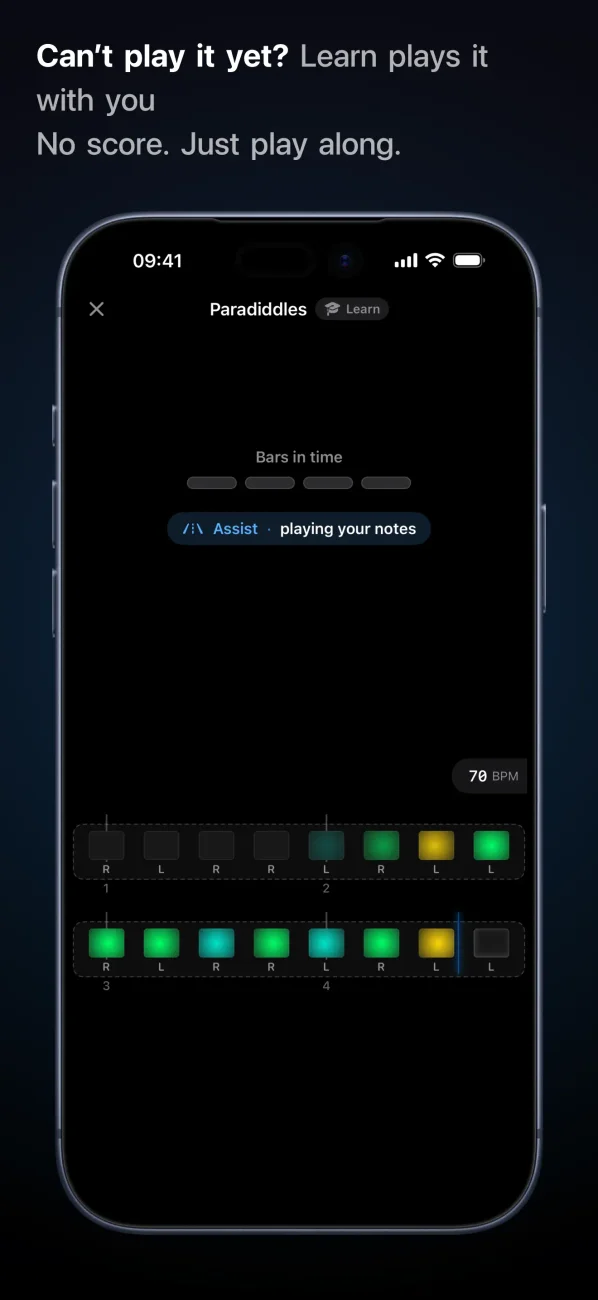
Learn: can't play a challenge yet? Learn plays the notes the click doesn't cover, steps back as you lock in, and ends once you've played enough clean bars. Then start the challenge for real. Learn is free, costs no energy and saves nothing.
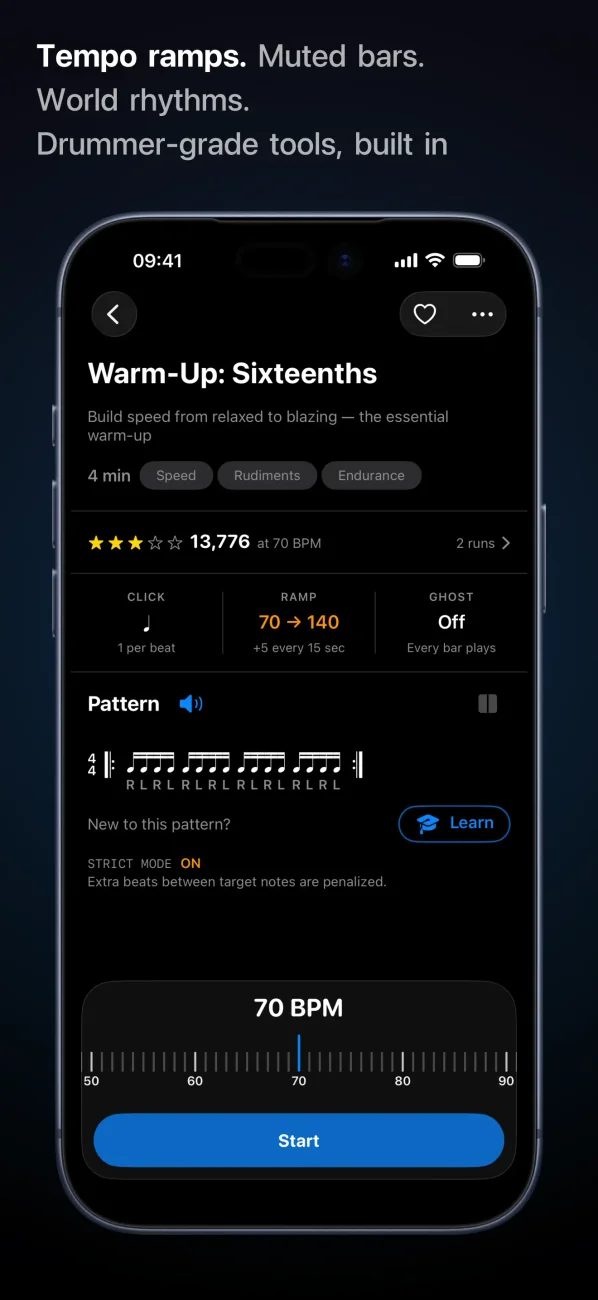
60+ challenges: rudiments (singles, doubles, paradiddles, rolls, gallops), grooves, world rhythms (tresillo, son clave, rumba, cáscara, mozambique, bossa nova, samba, baião, bembé), compound and odd meters, tempo ramps and silent bars.
WHAT YOU GET
• Live feedback on every stroke, measured in milliseconds
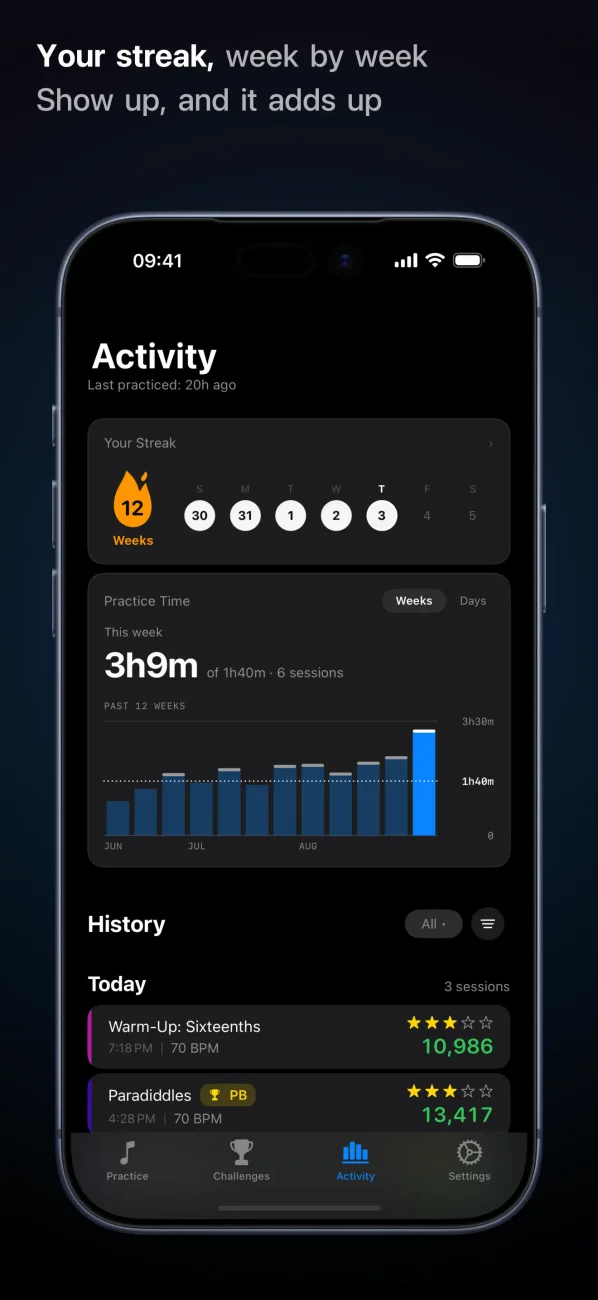
• Rushing and dragging per session, timing spread, beat distribution
• Assist: playing a different part than the click and lose it for two bars? The click steps back and your notes play until you're back. Those bars stay out of your accuracy
• Tempo ramp and ghost measures (silent bars, the clock keeps running)
• Per-device latency calibration, with AirPods drift corrected as you play
• Works with a practice pad, snare, hand percussion, claves, djembe
• 20 to 360 BPM, every standard subdivision, accents, odd meters
• Hold the tempo to type it, tap it, or slide a ruler
• Dark design, true black for OLED
FREE
• The full metronome, tempo ramp and ghost measures included
• Every click sound
• Unlimited practice with live feedback and every analysis screen, nothing blurred
• Learn, on every challenge
• Every challenge playable, nothing locked: 6 minutes of challenge time a day, refilling as the day goes, four times faster while you practice. Out of time, any challenge still gives you a free 25-second run
• Your last 7 sessions
RHYTHMFORGE PRO
Try it free for 7 days:
• Unlimited challenge time, no meter
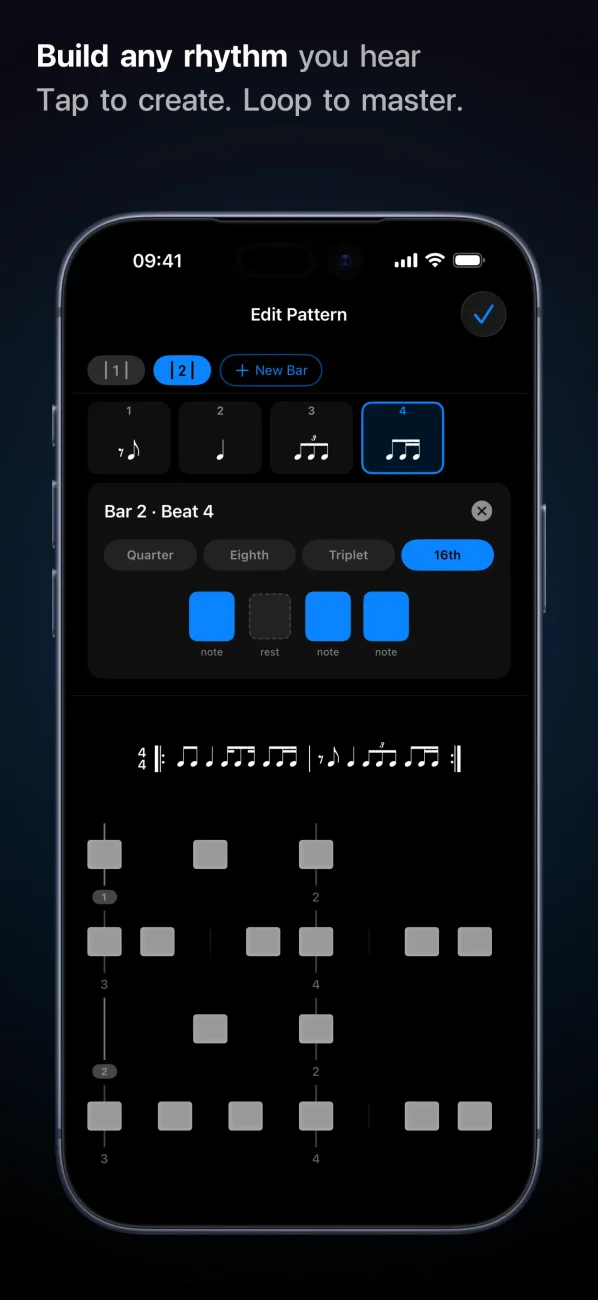
• Pattern builder: tap in your own rhythms, loop them, score them
• Triplet and sixteenth targets over any click, plus per-beat patterns
• Full session history
WHO IT'S FOR
Drummers and percussionists practicing on a pad, a snare or hand drums. Guitarists, bassists and producers who want tighter time. Students and teachers.
It isn't a drum-kit transcriber: it doesn't tell toms from cymbals. It grades your time, not your kit.
Privacy: your audio never leaves the phone. Timing detection runs on-device. Analytics are anonymous.
Requires iOS 17 or later. Microphone access is needed for timing feedback.
Terms of Service: https://rhythmforge.app/terms
What’s new
Version 1.10.0 · Nov 16, 2026
Getting started, and how RhythmForge listens.
• Getting started: four first steps on the Practice screen, from letting the app listen to finishing a challenge. The current step says what to tap, and Show me points at the control. Steps tick as you do them, in any order, and if you've already done all four the list doesn't appear. Hide it any time; Settings brings it back.
• How RhythmForge listens: five short cards on what the mic hears, how rushing and dragging are measured, playing what the click doesn't (and where Assist comes in), challenges, and the progress the app keeps. Find them in Settings and in the ⋯ menu on the Practice screen.
• The app opens straight to the Practice screen, with no splash. If it has never asked for the mic on this phone, it asks once when it opens, and Just the metronome is always an answer.
• The tempo ring no longer tilts as you move the phone.
• Small fixes and improvements.
App privacy
What Florian Preknya declares on the App Store about how this app handles data.
-
Data linked to you
May be collected and linked to your identity.
- Purchases
-
Data not linked to you
May be collected but is not linked to your identity.
- Usage data
- Diagnostics
Privacy practices may vary, for example with the features you use or your age.
Information
- Seller
- Florian Preknya
- Category
- Music
- Version
- 1.10.0
- Updated
- Nov 16, 2026
- Released
- May 19, 2026
- Size
- 31.2 MB
- Requires
- iOS 17.0 or later
- Age rating
- 4+
- Price
- Free
- In-app purchases
- Yes
- Languages
- English, French, German, Spanish
- Copyright
- © 2026 Florian Preknya
You might also like
-
 RHYTHM CHALLENGE – MetronomeTiming Trainer, Live Feedback
-
 StickPulseDrum Timing Analysis
-
 RHYTHM DELAYRhythm Memory Training
-
 RudimentalistDrum rudiments with timing
-
 Gecko DrumsRudiment trainer & Metronome
-
 Drumloom: Drum PracticeGrooves, rudiments & timer
-
 metronome for practiceMetronome, tuner & practice
-
 Rhythm Change MetronomeMusic
-
 Taptum: Rhythm Ear TrainingImprove Pulse Skills Via Quiz
-
 Ghost Beat - Timing TrainerMetronome & Practice Tracker