
Riffer Madness
Record, clip, & arrange audio
Designed for iPhone, iPad
$0.99 · In-app purchases
- Age rating4+
- CategoryMusic
- DeveloperJoseph Granados
- Size4.9 MB
Links to the official App Store page
Download.org hosts no file of Riffer Madness. The button opens its official App Store page, published by Joseph Granados. Listing last checked on Nov 18, 2026.
Screenshots



About
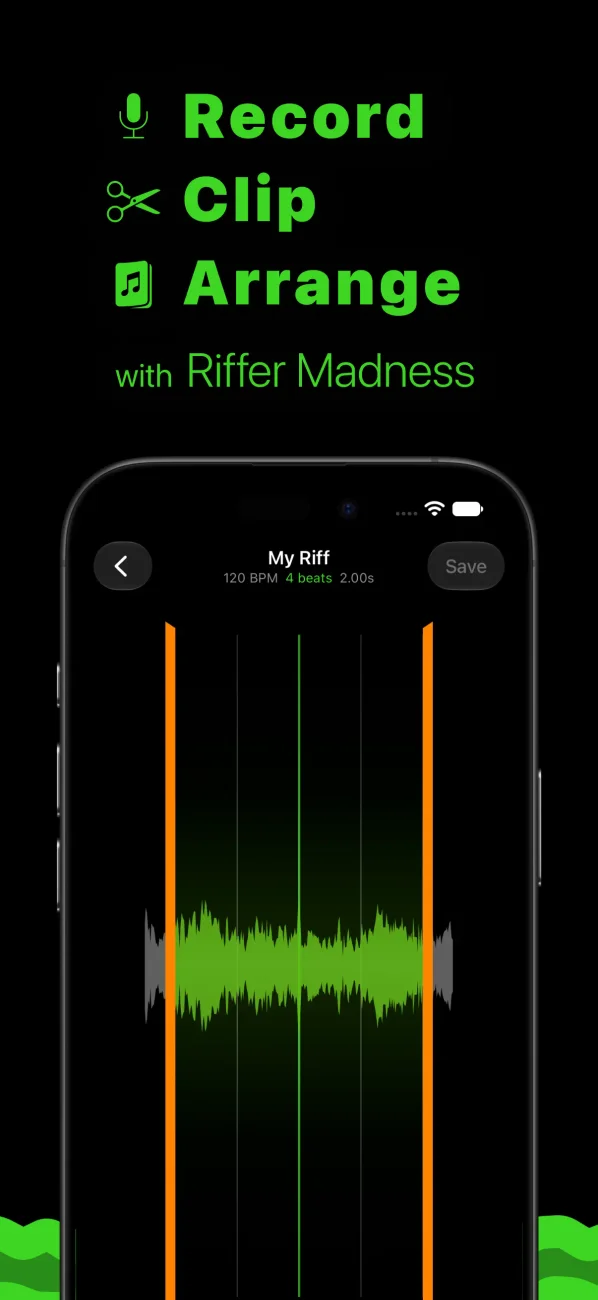
Capture your instrument or voice as ideas come and explore how they fit together with an efficient tempo based approach. Record, clip, arrange, and listen, with ease.
Explore:
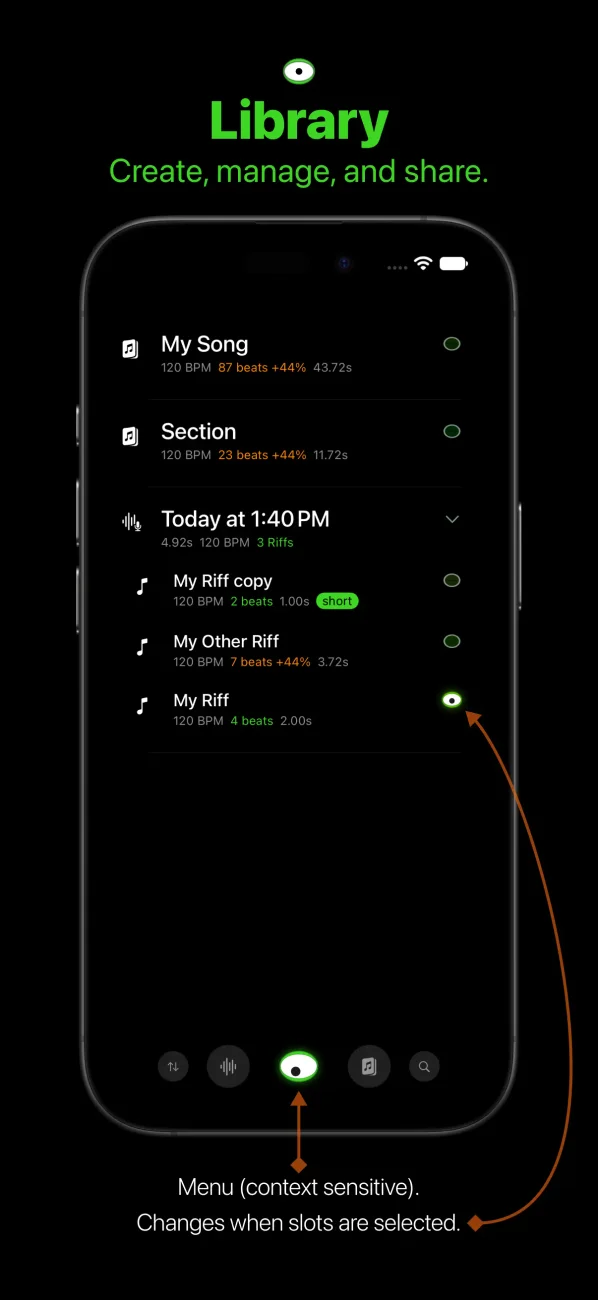
• Library: import, filter, sort, manage, share, and preview all your creations
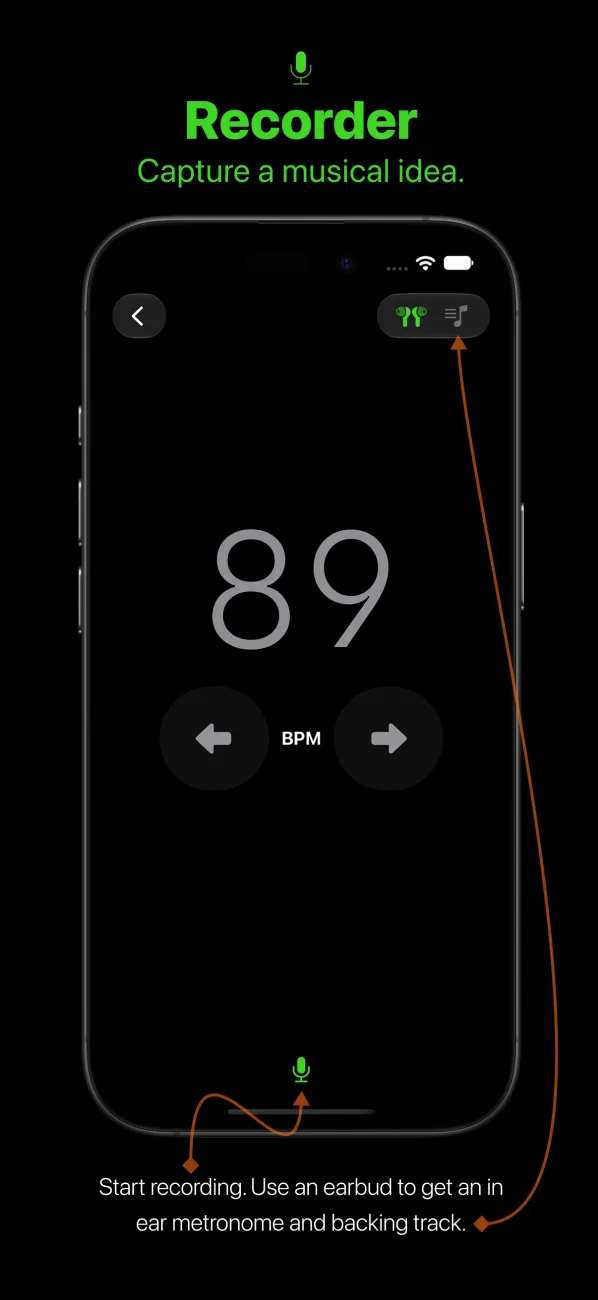
• Recorder: capture unprocessed audio from the bottom mic while metronome clicks play in headphones
• Editor: clip audio to make Riffs
• Canvas: arrange Riffs and Arrangements over beat lines
Concepts:
• Audio: imported or recorded to be used in Riffs
• Riff: clipped audio
• Madness: the Lovecraftian kind
• Arrangement: musical slots arranged on a 10 minute canvas of beat lines (Arrangements can also be nested within other Arrangements)
• Slot: either a Riff or an Arrangement
• Low Cut: removes low frequency noise that makes mixes muddy, also know as a high pass filter
• BPM: beats per minute, the tempo
• BPB: beats per bar, the first beat of each bar draws bolder in the Editor and Canvas
Features:
• Low latency playback - preview anything you create, quickly
• Single audio source - make multiple Riffs from a single recording without storage penalties
• Tools for metadata management - use tags to stay organized
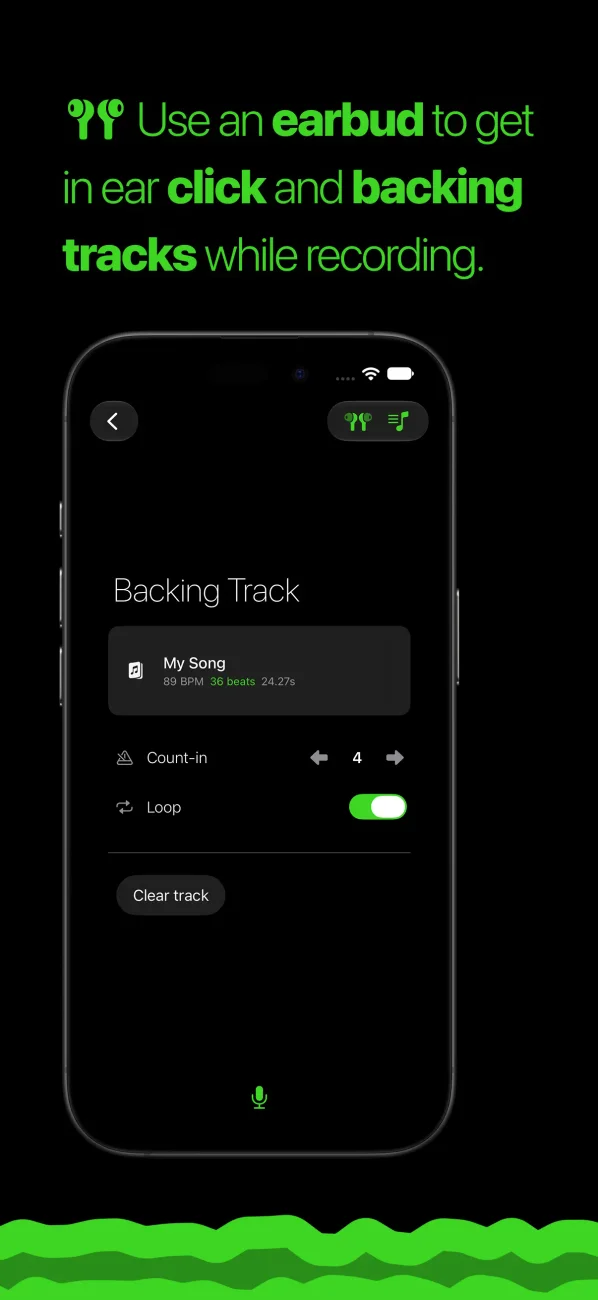
• Metronome clicks in headphones while recording - get your timing right
• Backing track in headphones while recording - follow an Arrangement or practice a song
• Auto level of recording gain by default, with a target of −23 LUFS
• Default recording low cut of 30 Hz
• Configurable theme colors
• Siri AI controls for hands free jamming and practicing:
+ "Record with Riffer Madness" (Siri asks "What BPM?", then opens the app and records)
+ "Tag Audio in Riffer Madness" (Siri asks "With what tags?", then adds them to the latest created audio)
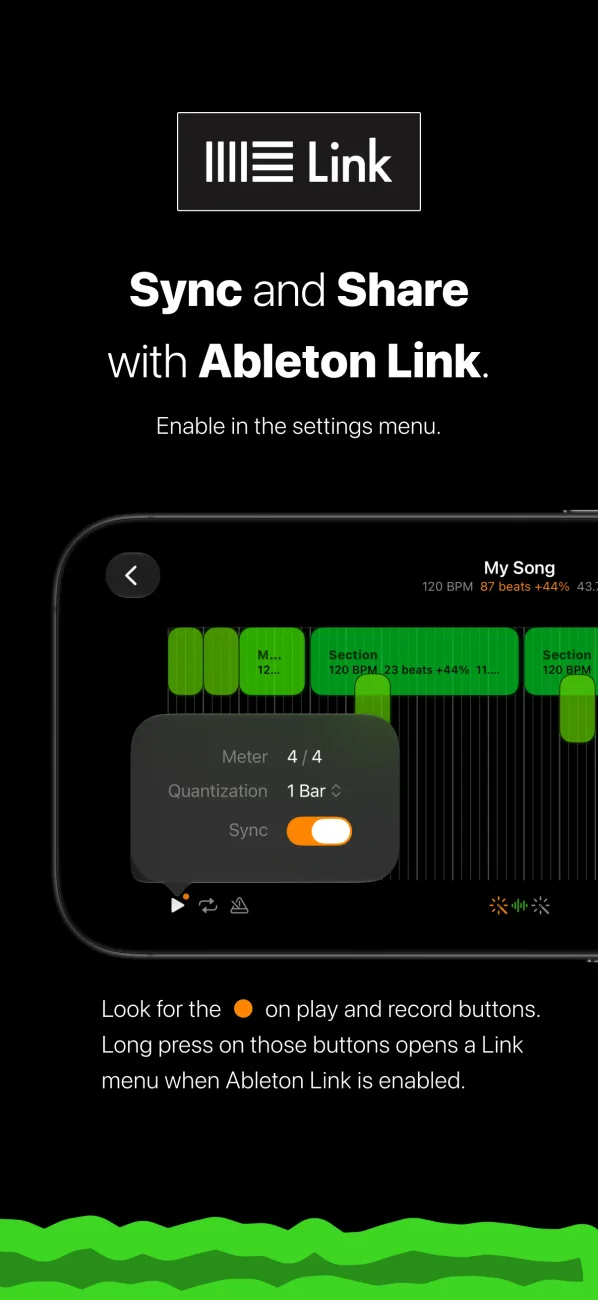
• Ableton Link - join a Link session, sync start/stop, and share audio
TOOLS
Library:
• Sort
• Audio filter
• Eye Button (context sensitive):
- (No slots selected)
+ Create Empty Arrangements
+ Create Riffs
+ Settings
- (One or more slots selected)
+ Arrange: start a new Arrangement with the selected slot(s)
+ Duplicate
+ Share
+ Tag
+ Delete
• Arrangements filter
• FIlter
Recorder:
• Set BPM
• Toggle headphones
• Configure backing track with count-in and loop settings
• Record from bottom mic with no audio processing
Editor:
• Adjust Clip Boundaries
• Play
• Loop (toggle)
• Metronome (toggle): BPM can be changed in the Book tool
• Snap to Leading Beat (toggle): leading clip edge snaps to beat lines
• Snap to Trailing Beat (toggle): trailing clip edge snaps to beat lines
• Focus: zoom to the region of selected slots
• Adjust BPM, Gain, and Low Cut
• Book: edit metadata: name, start, end, gain, low cut, BPM, BPB, color, and tags
Canvas:
• Rectangle Select (long hold on the Canvas will trigger it)
• Play
• Loop (toggle)
• Metronome (toggle): BPM can be changed in the Book tool
• Snap to Leading Beat (toggle): slots snap their leading edge to the nearest beat when dragged
• Snap to Trailing Beat (toggle): slots snap their trailing edge to the nearest beat when dragged
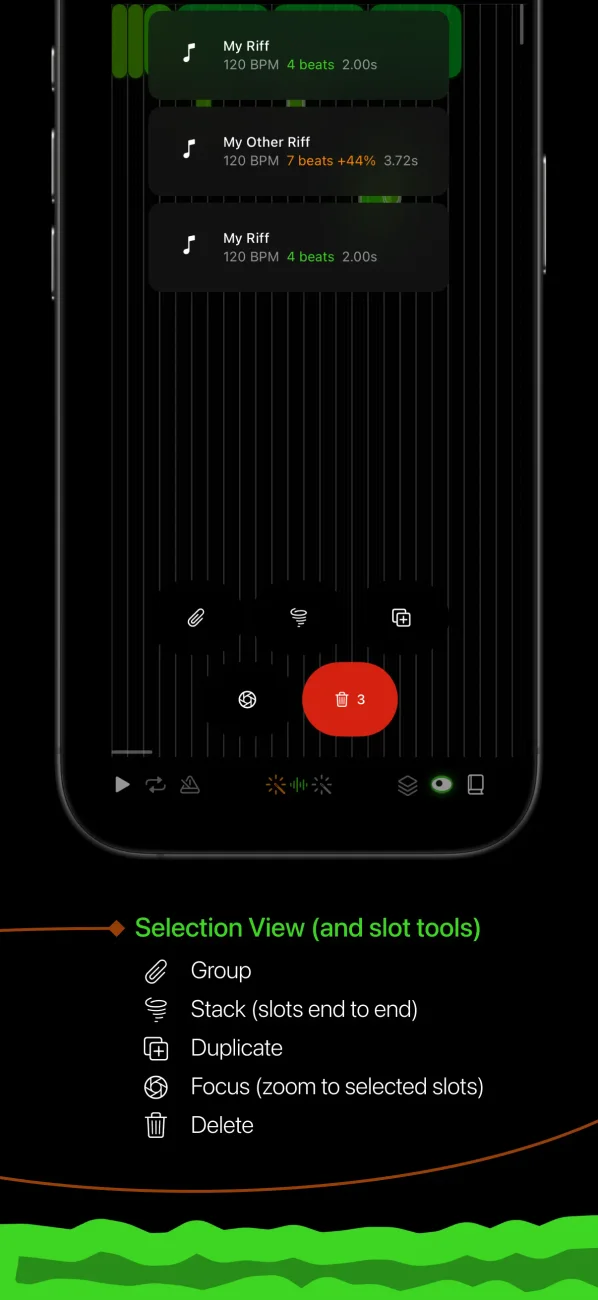
• Slot Tools:
+ Group (toggle): treat selected slots as a single unit
+ Tornado: arrange selected slots end to end
+ Duplicate: copy selected slots and place copies
+ Focus: zoom to the region of selected slots
+ Delete: remove selected slots from the canvas
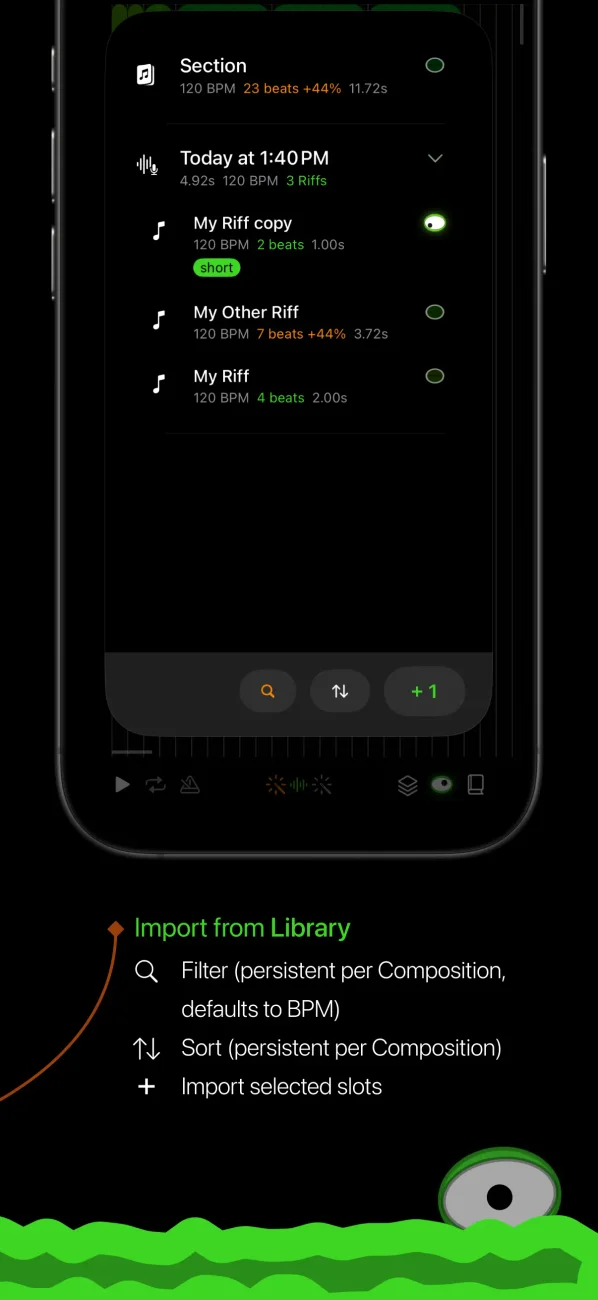
• Library: import Riffs and Arrangements
• Book: edit metadata: name, BPM, BPB, color, and tags
Ableton Link:
• Enable/disable in settings
• Play/record buttons display a dot when Link is enabled - long press on the button opens a menu for meter, quantization, and Sync
CONTACT
Questions or feedback? Please contact us at support@riffermadness.app.
What’s new
Version 1.9 · Nov 17, 2026
Ableton Link integration:
• Join a Link session, sync start/stop, and share audio
• Enable/disable in settings
• Recorder, Editor, and Canvas can push BPM changes
• Only the Recorder can receive BPM changes (as well as the App's global default)
• Fractional BPMs are not supported and are ignored
• Play/record buttons display a dot when Link is enabled - long press on the button opens a menu for meter, quantization, and Sync
BPB (Beats per Bar):
• The first beat of each bar draws bolder in the Editor and Canvas
• Set it in the new BPB field in the metadata book, 0 means no bars
BPM slider in Editor tools:
• Dynamically change BPM without interrupting playback
Library controls for opening an Audio menu and expanding/collapsing Riffs have been swapped:
• Tapping the Audio title opens the Audio menu
• Tapping the new chevron expands/collapses Riffs
Misc.:
• Holding the BPM arrows in the Recorder continues to update BPM
• All footer buttons in the Editor and Canvas have a consistent hit box size and are easier to tap
App privacy
What Joseph Granados declares on the App Store about how this app handles data.
-
Data not collected
The developer does not collect any data from this app.
Privacy practices may vary, for example with the features you use or your age.
Information
- Seller
- Joseph Granados
- Category
- Music
- Version
- 1.9
- Updated
- Nov 17, 2026
- Released
- May 8, 2026
- Size
- 4.9 MB
- Requires
- iOS 18.0 or later
- Age rating
- 4+
- Price
- $0.99
- In-app purchases
- Yes
- Copyright
- © 2026 Joseph Granados
You might also like
-
 PanSphere: Digital HandpanImprovise and unwind anywhere
-
 CombustorTime bending resonator effect
-
 KAGARIBI: AUv3 SynthShape, play, understand sound
-
 Cadence music playerStream your own music.
-
 Rockabilly RadioOur Mobile App
-
 ARPJAM StudioAUv3 generative synth, sampler
-
 WavepocketPocket synth, tape & drums
-
 Hi-FiYour music. Simplified.
-
 BeatGlowBeat maker & drum sequencer
-
 Audio Unit PlayerAUv3 host / Export audio