
Ringtone Maker: Edit Sounds
Record, Cut & Set Any Tone
Designed for iPhone, iPad
Free · In-app purchases
- Age rating4+
- CategoryMusic
- DeveloperDajiale
- LanguagesEnglish+ 24 more
- Size26.1 MB
Links to the official App Store page
Download.org hosts no file of Ringtone Maker: Edit Sounds. The button opens its official App Store page, published by Dajiale. Listing last checked on Nov 25, 2026.
Screenshots

About
Ringtone Maker turns a sound you already have into a ringtone, alarm or alert tone for your iPhone. It is free and there is no subscription; an optional one-time purchase removes the ads.
Start from a song in Files, pull the audio out of a video in your Photos library, record your own voice, or pick one of the built-in sound effects. Trim it to the part you actually want, split it, fade it, adjust the volume and speed, then export a ringtone-ready file and follow the guided steps to set it on your iPhone. Or skip the hunt: Discover has ready-made ringtones to preview and set right away.
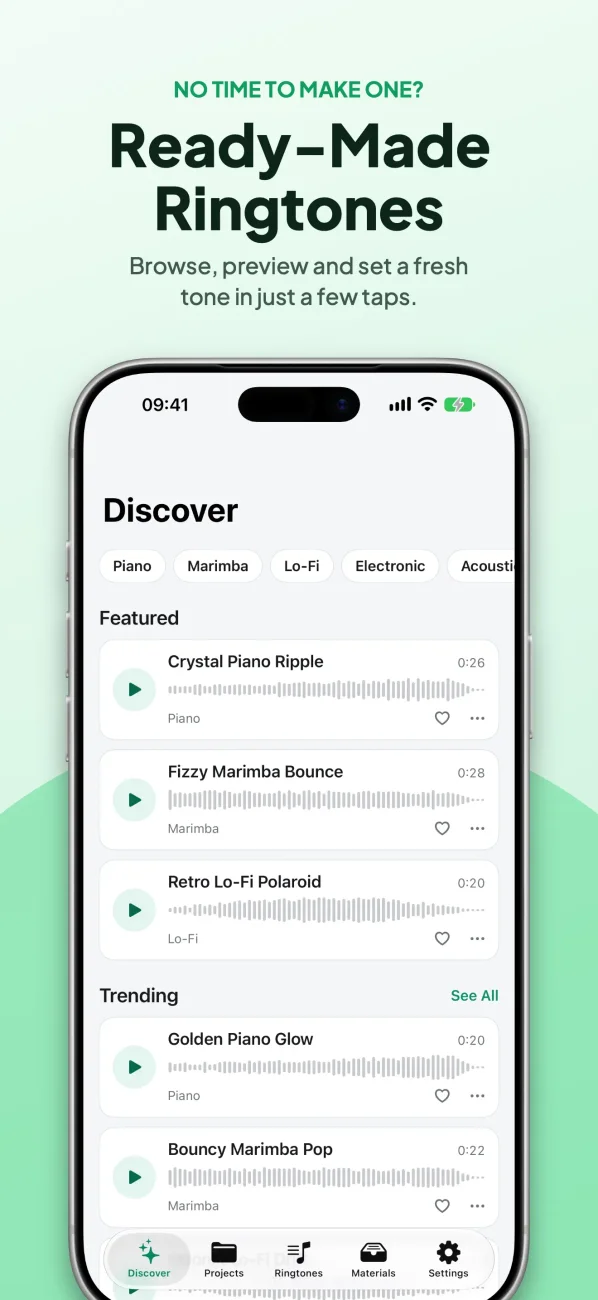
DISCOVER READY-MADE RINGTONES
- Browse Featured, Trending and New ringtones, pick a category, or search.
- Preview any of them and drag along the waveform to jump to the best part.
- Set one as your ringtone in a few taps, or open it in the editor to make it your own.
- Heart the ones you like: favorites are downloaded, so they play offline.
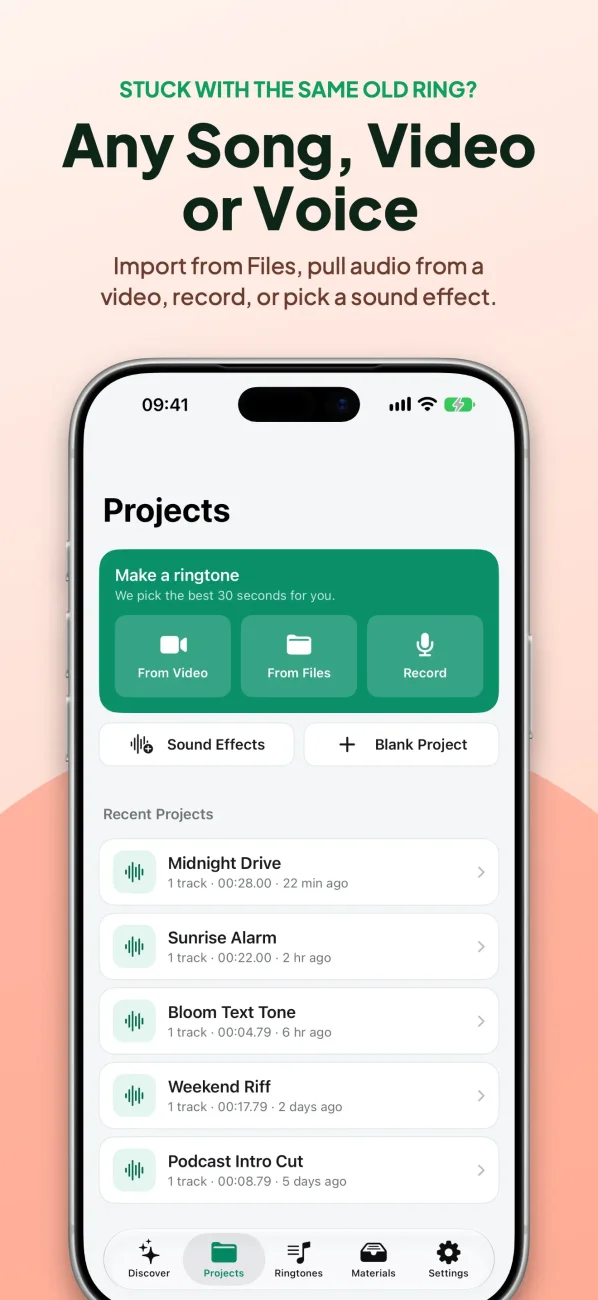
WHERE YOUR SOUND COMES FROM
- Start in one tap from the home screen: From Video, From Files, Record or Sound Effects.
- Import audio from Files: songs, voice memos, anything your iPhone can play.
- Extract the audio from any video in your Photos library.
- Record your own voice or live sound with the microphone.
- Choose from a built-in sound effects library covering notifications, alarms, transitions, game and sci-fi sounds, office cues, percussion, nature and ambient tones, and more.
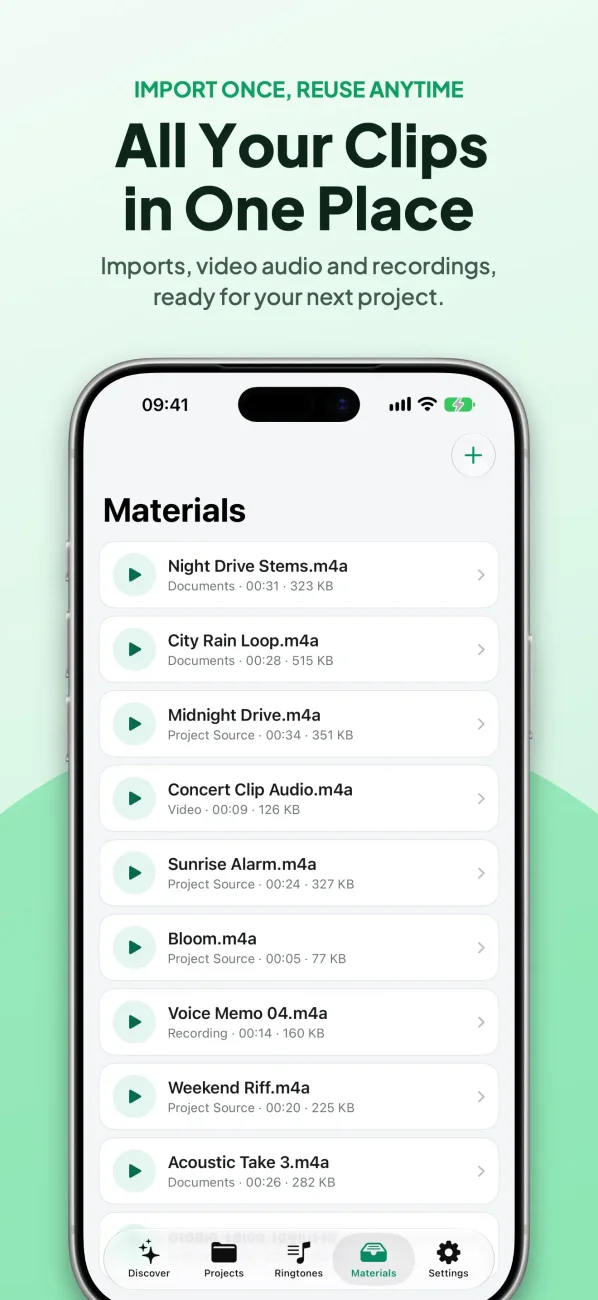
- Keep imports in Materials and reuse them across projects.
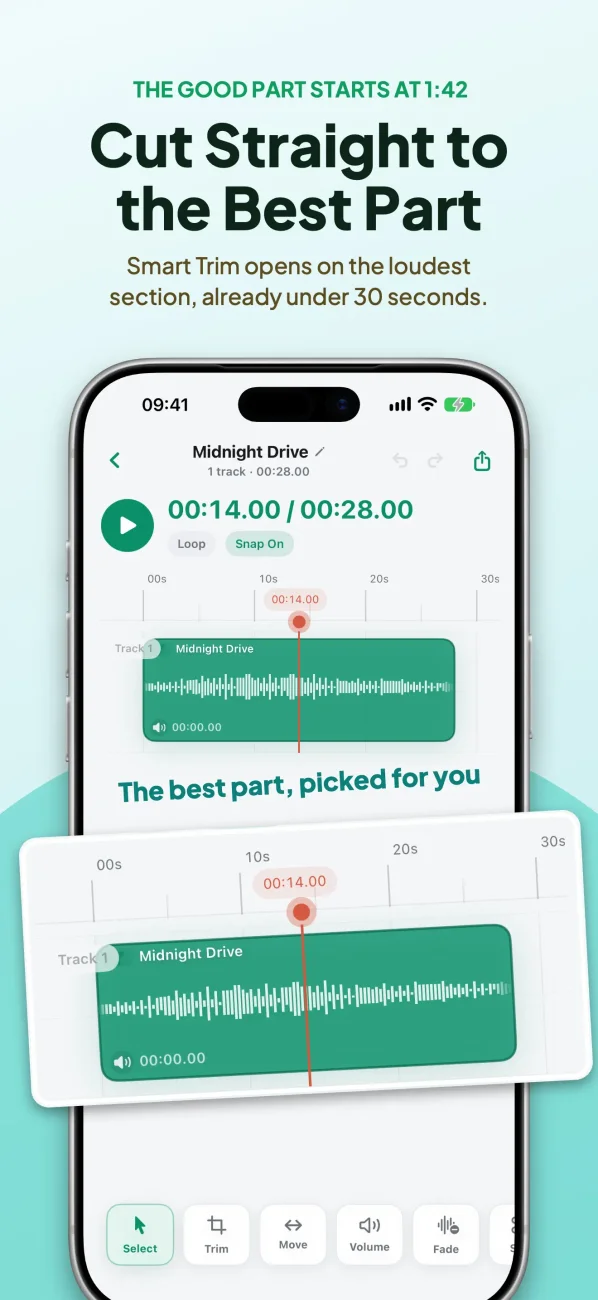
EDIT ON A VISUAL TIMELINE
- Smart Trim: a long song opens on its loudest part, already under 30 seconds, with short fades. Full Length is one tap away.
- Trim to the exact section you want, against a waveform you can see.
- Split a clip at the playhead and delete what you do not need.
- Fade in and fade out.
- Adjust volume and playback speed, from 0.5x to 2x.
- Snap to the timeline, loop the preview, and undo or redo anything.
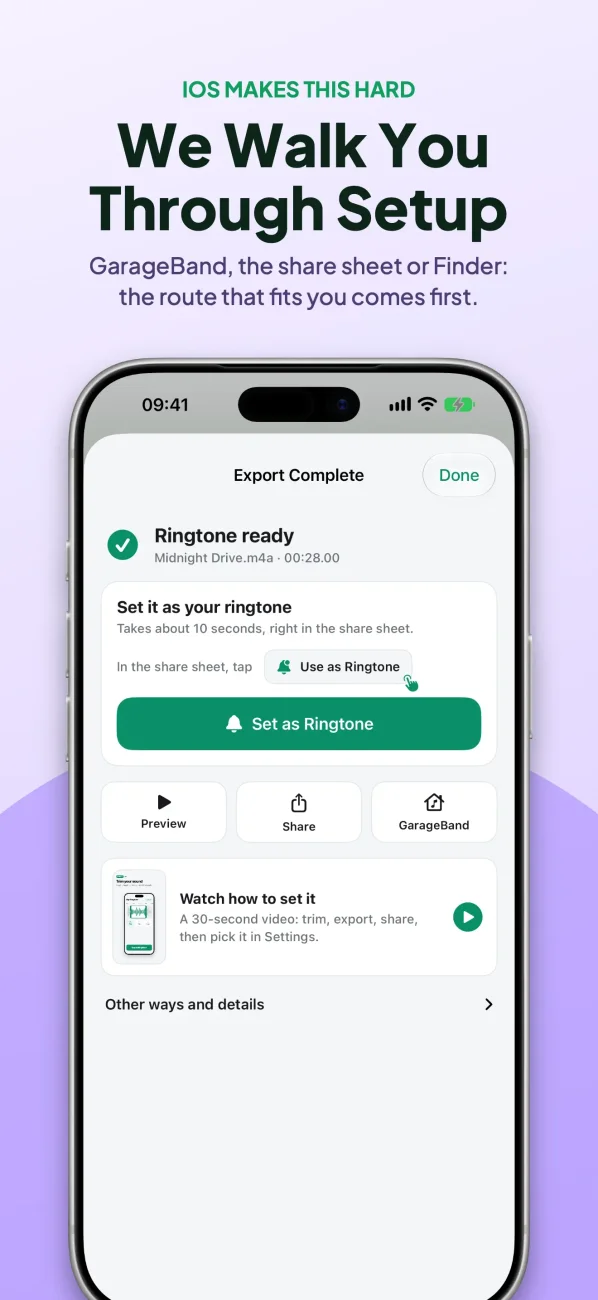
SET IT ON YOUR IPHONE
iOS does not let a third-party app set your ringtone in one tap, so Ringtone Maker walks you through whichever route fits you:
- Open in GarageBand. The app builds the GarageBand project for you.
- Use as Ringtone from the iOS share sheet, on iOS 26 and later.
- Sync from your Mac with Finder.
- After export, the route that works on your iPhone comes first, and a help page is there if it did not work.
STAY ORGANIZED
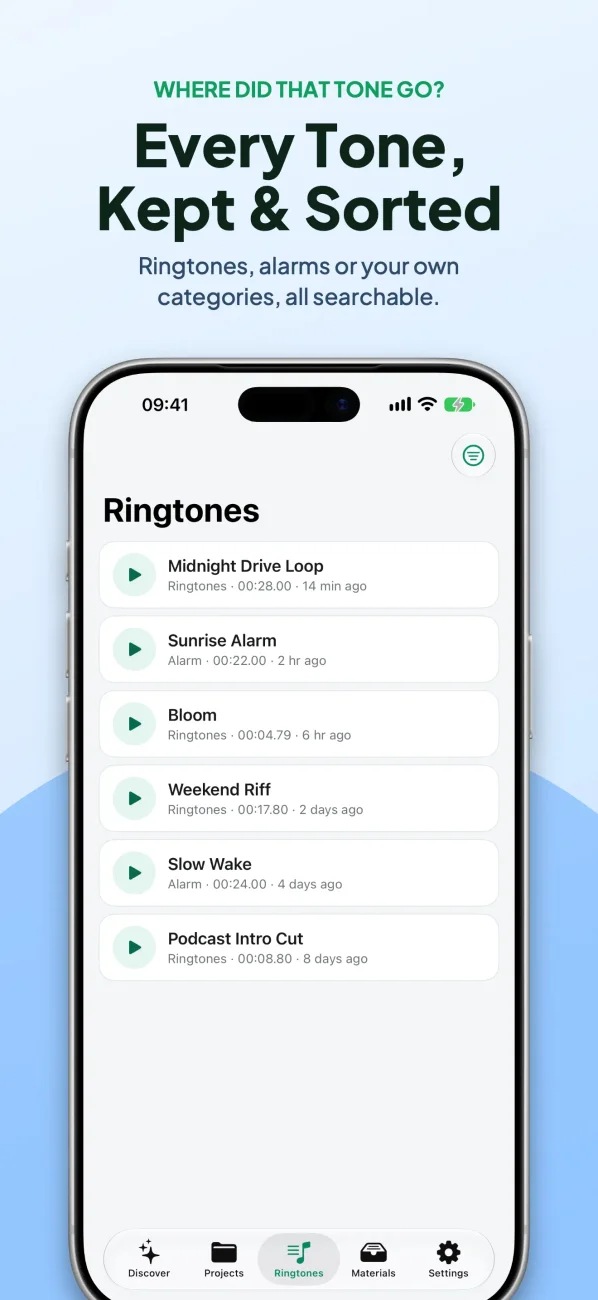
- Every export is kept in the app, searchable, and filed under Ringtones, Alarm or a category you create yourself.
- Projects and audio stay on your device. Your recordings and imports are never uploaded.
FREE, SUPPORTED BY ADS
Ringtone Maker is free to use. A short ad covers each export and each ringtone you set from Discover, and an occasional ad plays between Discover previews. Every editing feature is available to everyone: nothing is locked behind a purchase. Prefer no ads at all? Ringtone Maker Pro is a one-time purchase that removes every ad and adds five color themes and a text tone with each export.
Some setup steps need GarageBand or the iOS Settings app. You are responsible for holding the rights to any audio or video you import.
Support: https://www.mzjpg.com/products/ringtonemaker
Privacy Policy: https://www.mzjpg.com/policy/ringtonemaker
Terms of Use: https://www.mzjpg.com/policy/ringtonemaker-terms-of-use
What’s new
Version 5.0 · Nov 24, 2026
- New Discover tab: browse featured, trending and new ringtones by category or search, preview them, and set one as your ringtone in a few taps.
- Heart a ringtone to keep it in Favorites. Favorites play offline.
- Start faster: From Video, From Files, Record and Sound Effects are right on the home screen.
- Smart Trim: long songs open on their loudest part, already short enough to use as a ringtone.
- A clearer screen after export that puts the right setup route for your iPhone first.
- Ringtone Maker Pro: an optional one-time purchase that removes all ads and adds color themes and a text tone.
- Fixes and improvements.
App privacy
What Dajiale declares on the App Store about how this app handles data.
-
Data used to track you
May be used to track you across apps and websites owned by other companies.
- Identifiers
-
Data not linked to you
May be collected but is not linked to your identity.
- Identifiers
Privacy practices may vary, for example with the features you use or your age.
Information
- Seller
- Yongliang Wang
- Category
- Music
- Version
- 5.0
- Updated
- Nov 24, 2026
- Released
- Jun 22, 2012
- Size
- 26.1 MB
- Requires
- iOS 17.0 or later
- Age rating
- 4+
- Price
- Free
- In-app purchases
- Yes
- Languages
- English, Arabic, Czech, Danish, Dutch, Finnish, French, German, Hebrew, Hindi, Indonesian, Italian + 13 more
- Copyright
- © 2026 MZSoft
You might also like
-
 RinglyCut: Ringtone Maker MP3Cut songs, set tones & alerts
-
 Garage Ringtones Maker: MelodyCustom Ringtone, Alarm Sounds
-
 Ringtone Maker & Extract Audioconvert video to ringtone, mp3
-
 MP3 Cutter & Voice RecorderRingtone maker, audio editor
-
 MP3 Ringtone Maker for iPhoneCustom Alarm Tones From Video
-
 RingPop: Ringtone MakerVideo to ringtone, 173 sounds
-
 Audio Editor | MP3 ConverterMusic Maker & Ringtone Maker
-
 Ringtone Maker - Extract MusicCreate Ringtones with Music
-
 Video to Ringtone - TrimToneAudio Trimmer & mp3 Cutter
-
 RingtoneHub: Best Ringtones#1 Best ringtones 2026