Room Screen: Clock & Weather
Smart Display, Simple Clock
Designed for iPhone, iPad, iPod touch
Free · In-app purchases
- Age rating4+
- CategoryUtilities
- Developerenoiu
- LanguagesEnglish+ 30 more
- Size42.4 MB
Links to the official App Store page
Download.org hosts no file of Room Screen: Clock & Weather. The button opens its official App Store page, published by enoiu. Listing last checked on Nov 15, 2026.
Screenshots



About
A simple clock app with a smart display feel.
It also supports weather forecasts, calendars, and background images and videos.
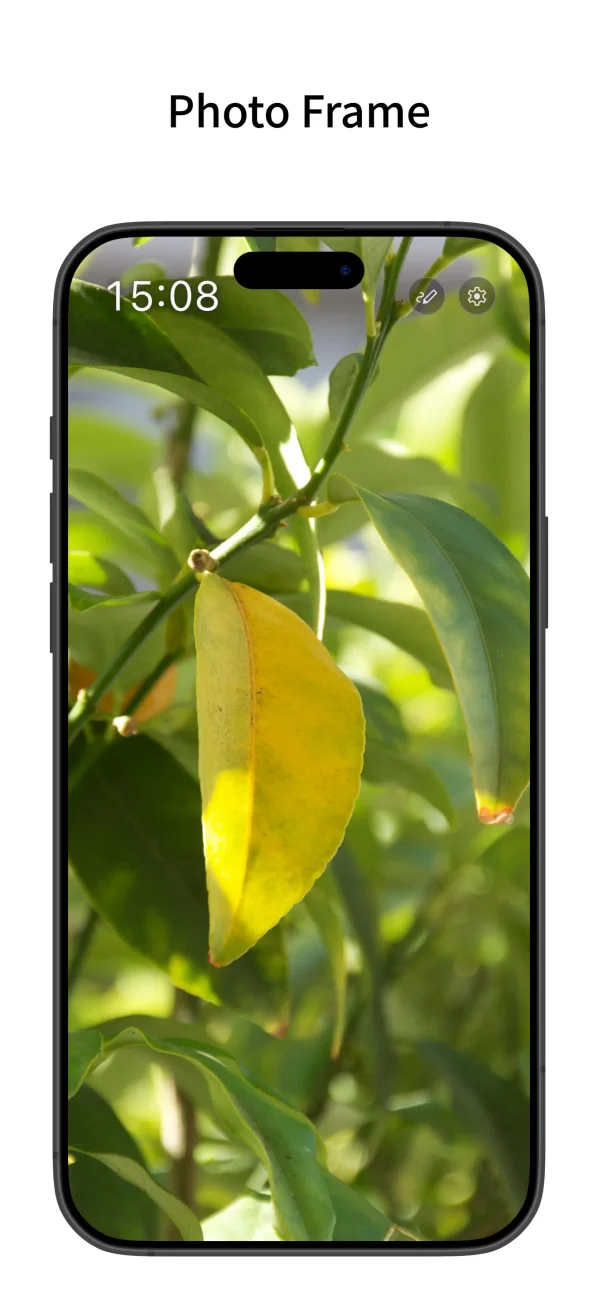
You can also use it as a digital photo frame.
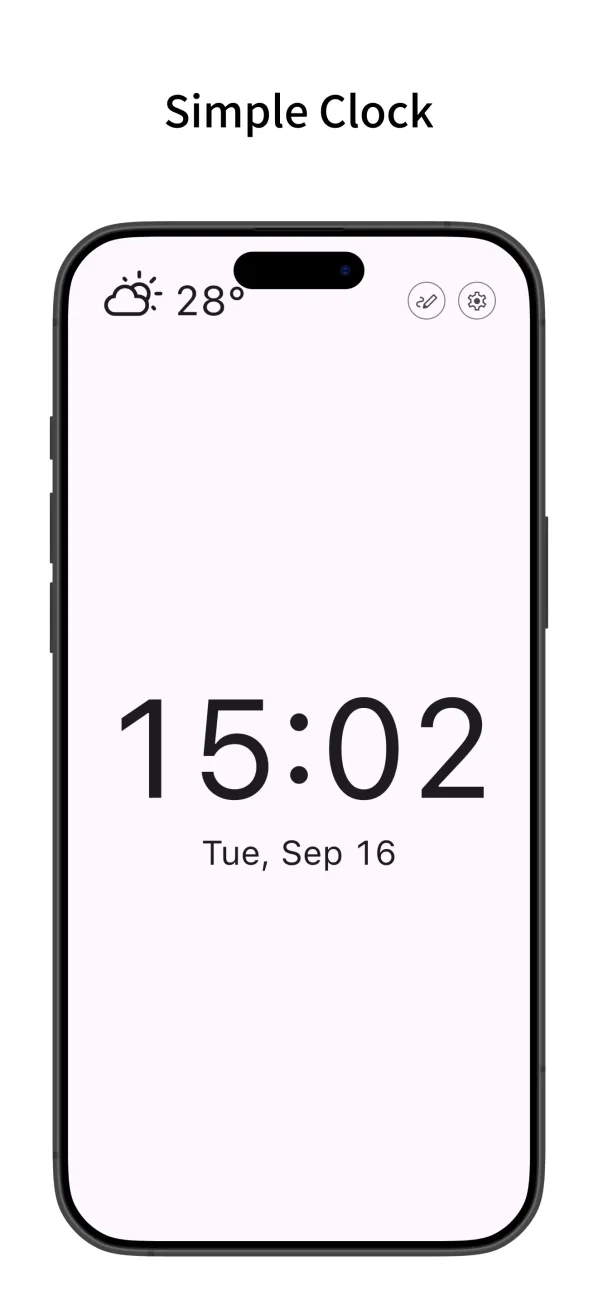
Simple Clock
- Displays the time and date.
- You can change the 12/24-hour display, seconds display, and text size from the settings.
- Can display an analog clock.
- Can display the time in the top bar.
- Auto-scrolls like a smart display.
- You can change the interval for automatic screen switching.
- Supports changing screen transition animations and swiping up, down, left, and right to switch screens.
Photo Frame
- You can display images and videos saved on your device as the background.
- You can select an album and display media from it randomly.
- You can change the background display mode (fit whole, crop fill, etc.) and alignment position.
- You can sync background media switching with screen switching.
- You can change the automatic switching interval.
- By displaying only the time or weather on the top bar, you can use it like a digital photo frame with images and videos as the main focus.
Weather Forecast
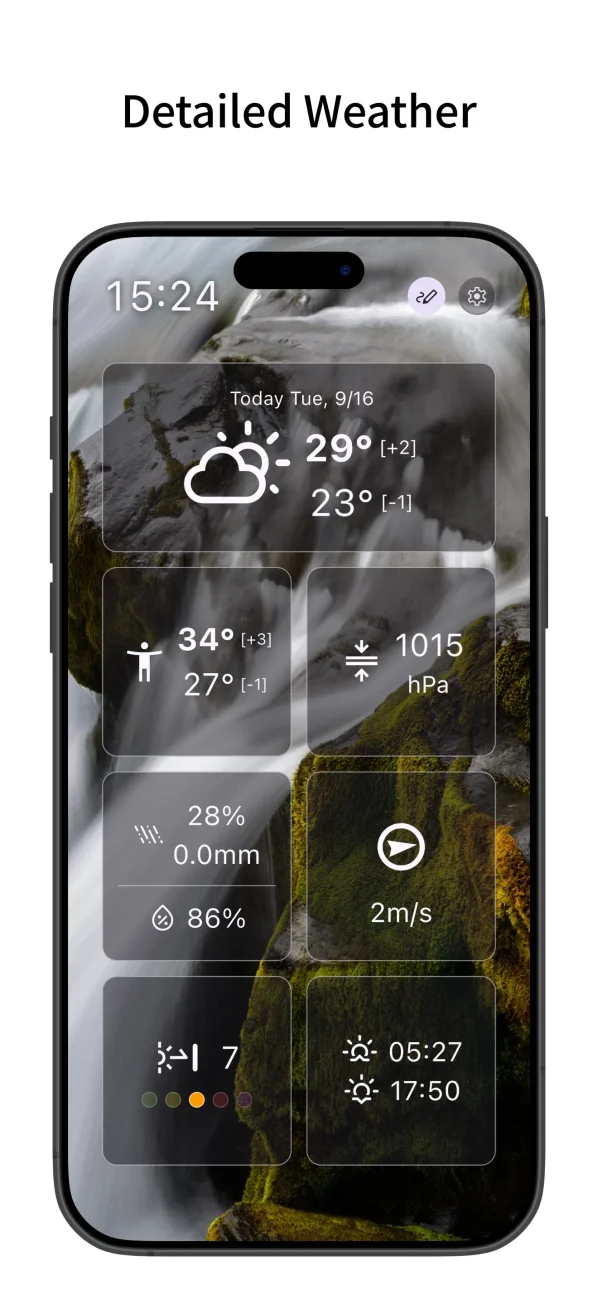
- Can display the current weather and temperature in the top bar.
- Can display hourly and daily weather forecasts.
- You can specify the forecast location by getting your current location or directly entering the latitude and longitude.
- You can change the units for temperature, wind speed, and precipitation.
- Weather forecast data is retrieved from Open-Meteo.com.
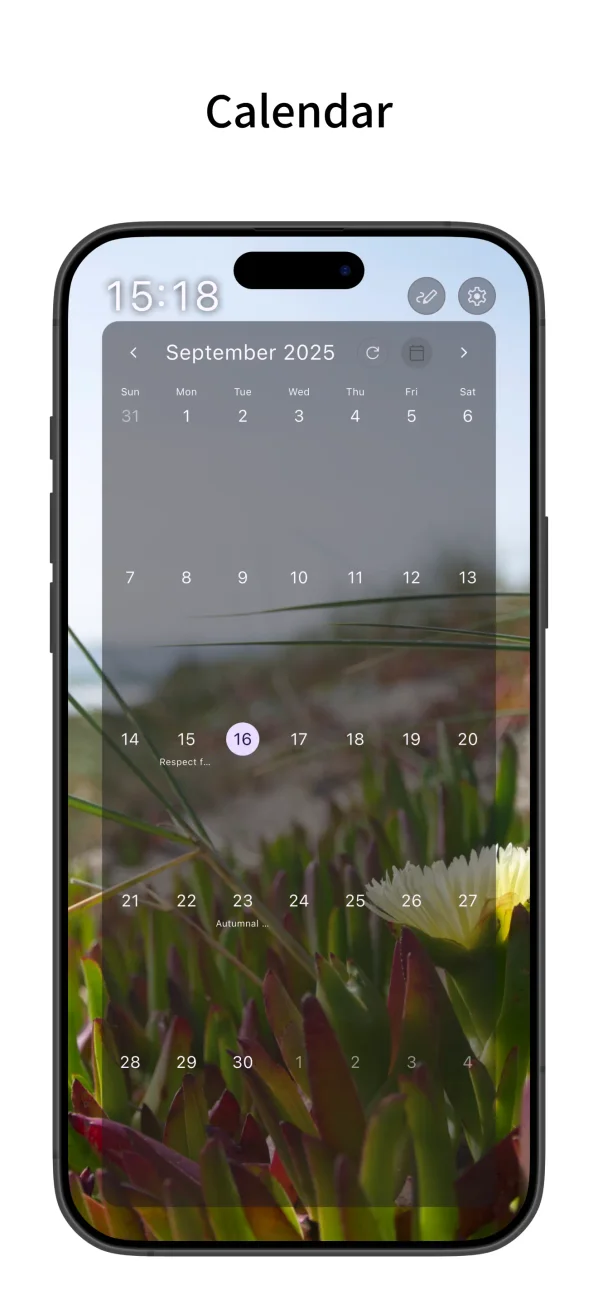
Calendar
- Can display a calendar.
- Can display calendar events from your device.
- You can select which device calendars to display events from.
Whiteboard
- You can draw on the whiteboard by pressing the pen button on the top bar.
- Once you draw on the whiteboard, it will be displayed on the screen.
- You can change color options and toggle pinch-to-zoom from the settings.
- You can hide the pen button on the top bar by removing the whiteboard from the display content.
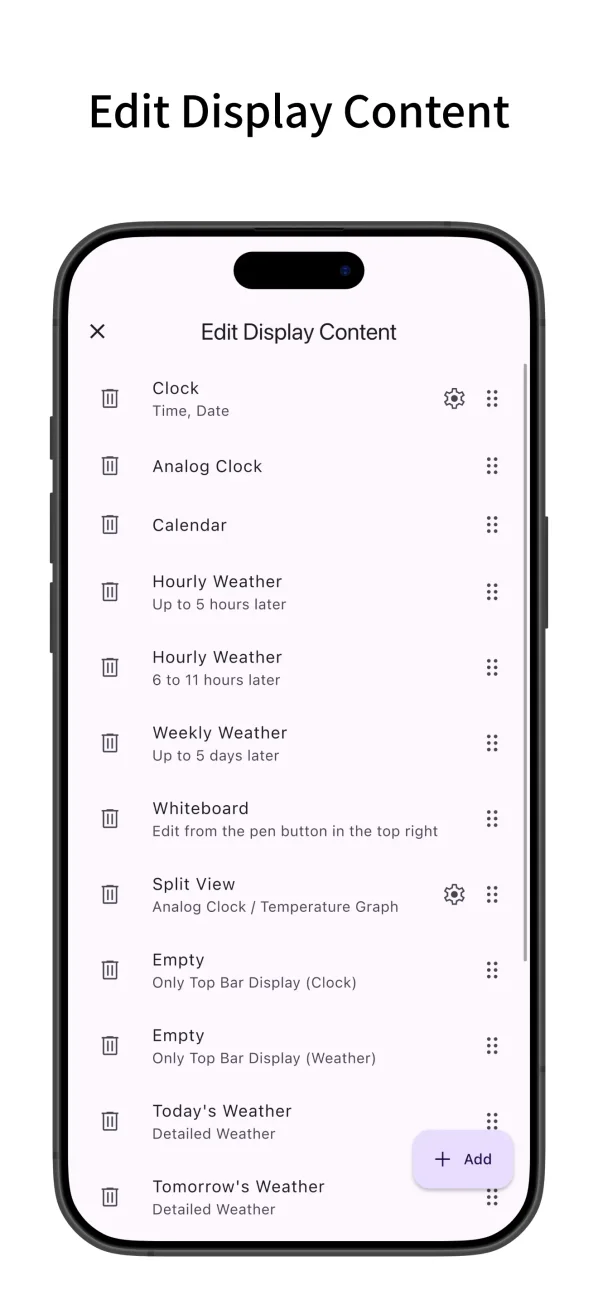
Edit Display Content
- You can add, remove, and reorder the content displayed on the screen from the settings.
- Supports split view. You can select the content to display on the top, bottom, left, or right.
Customization
- Supports Dark Mode.
- You can change the theme color.
- You can change the text and icon colors.
- You can toggle the display of shadows.
- Features a simple design compliant with Material Design.
Sleep Mode
- A mode that displays only the time and date without updating the weather or displaying images.
- By setting a schedule, you can automatically enter Sleep Mode during specified times.
- The screen is black by default, but you can change it to a white screen by turning on "White screen in Sleep Mode". This is recommended when using the app as a room light.
- The time and date sizes in this mode are linked to the clock settings.
Pro Version
- By purchasing the Pro version (in-app purchase), you can use all features, including removing ads, detailed weather displays, shorter weather update intervals (every 3 or 6 hours), screen transition animation changes, and video background settings.
- The Pro version is a one-time purchase (not a subscription).
- When you turn on Detailed Weather in the settings, you can display Today's Weather, Tomorrow's Weather, and various graphs in the display content.
- For Today's Weather and Tomorrow's Weather, you can view the detailed weather for that day all at once. Tapping each item will show the graph for that day.
- For detailed weather graphs (Temperature, Feels Like, Pressure, Precipitation, Humidity, Wind Speed, UV Index), you can view a detailed line graph that allows multi-day comparison. For Temperature, Feels Like, and Pressure graphs, the difference between the current value and the graph from 24 hours ago is displayed.
What’s new
Version 4.2.0 · Oct 19, 2026
- Fixed an issue where the rain icon would appear even when the chance of precipitation was low.
- Added support for 11 new languages.
- Fixed translation errors across multiple languages.
App privacy
What enoiu declares on the App Store about how this app handles data.
-
Data used to track you
May be used to track you across apps and websites owned by other companies.
- Location
- Identifiers
- Usage data
- Diagnostics
-
Data linked to you
May be collected and linked to your identity.
- Location
- Identifiers
- Usage data
- Diagnostics
-
Data not linked to you
May be collected but is not linked to your identity.
- Diagnostics
Privacy practices may vary, for example with the features you use or your age.
Information
- Seller
- enoiu
- Category
- Utilities
- Version
- 4.2.0
- Updated
- Oct 19, 2026
- Released
- Nov 17, 2024
- Size
- 42.4 MB
- Requires
- iOS 15.0 or later
- Age rating
- 4+
- Price
- Free
- In-app purchases
- Yes
- Languages
- English, Armenian, Azerbaijani, Bengali, Czech, Danish, Dutch, Finnish, French, Georgian, German, Hindi + 19 more
- Copyright
- © 2024 enoiu
You might also like
-
 Desket -Weather Calendar ClockPerfect desk mate time weather
-
 SClock - Big Digital ClockUtilities
-
 Smart Digital & Analog ClockCustomizable Clock with Widget
-
 Desktop Flip ClockAlarm Clock,Timer, World Clock
-
 Dashkit - Personal DashboardsAll your data in one place.
-
 Present: Clock, Date + WeatherAlways On Bedside Display
-
 MyClock-Weather and AlarmClock, forecast & world time
-
 Spiffy ClockTell time in style.
-
 SFClockSimple Flip Clock and Calendar
-
 AlwaysOn: Standby ClockNightstand & Ambient Display