Router Setup Page Pro
WiFi Manager & Device Scan
Designed for iPhone, iPad
Free · In-app purchases
- Age rating4+
- CategoryUtilities
- DeveloperMD. NASAR UDDIN REDOY
- LanguagesEnglish+ 13 more
- Size7.9 MB
Links to the official App Store page
Download.org hosts no file of Router Setup Page Pro. The button opens its official App Store page, published by MD. NASAR UDDIN REDOY. Listing last checked on Nov 20, 2026.
Screenshots

About
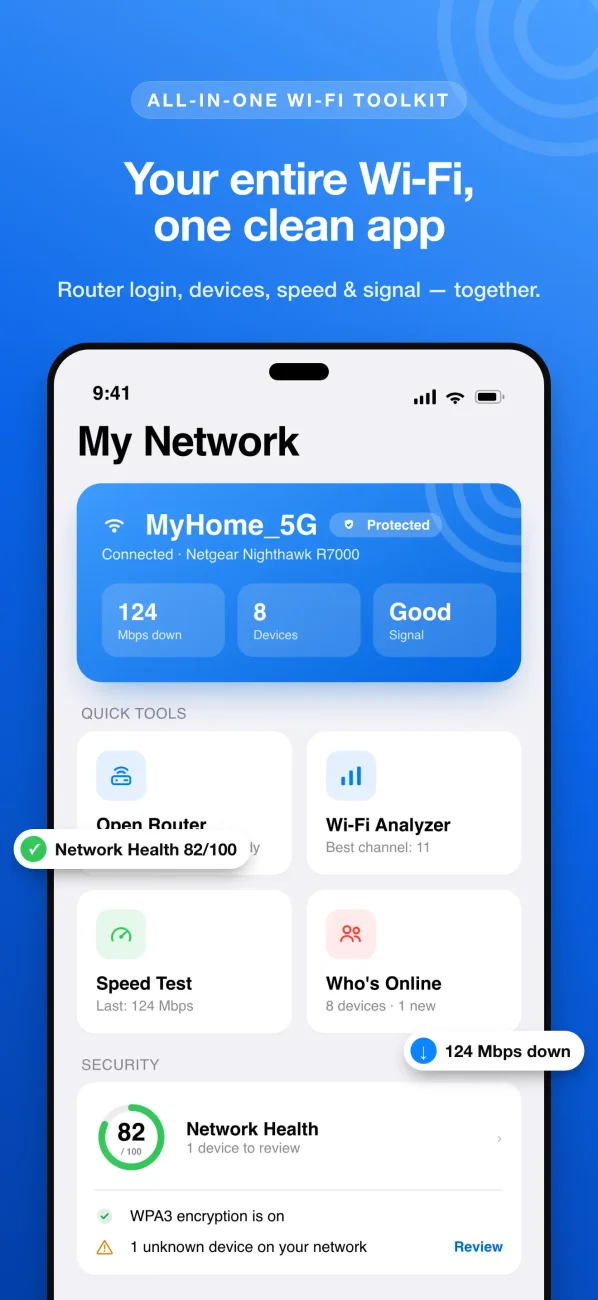
Take control of your Wi-Fi and router — all from one clean, native app. Router Setup Page Pro finds your router's admin page in a single tap, shows every device connected to your network, tests your real internet speed, and helps you fix a weak signal.
WHAT YOU CAN DO
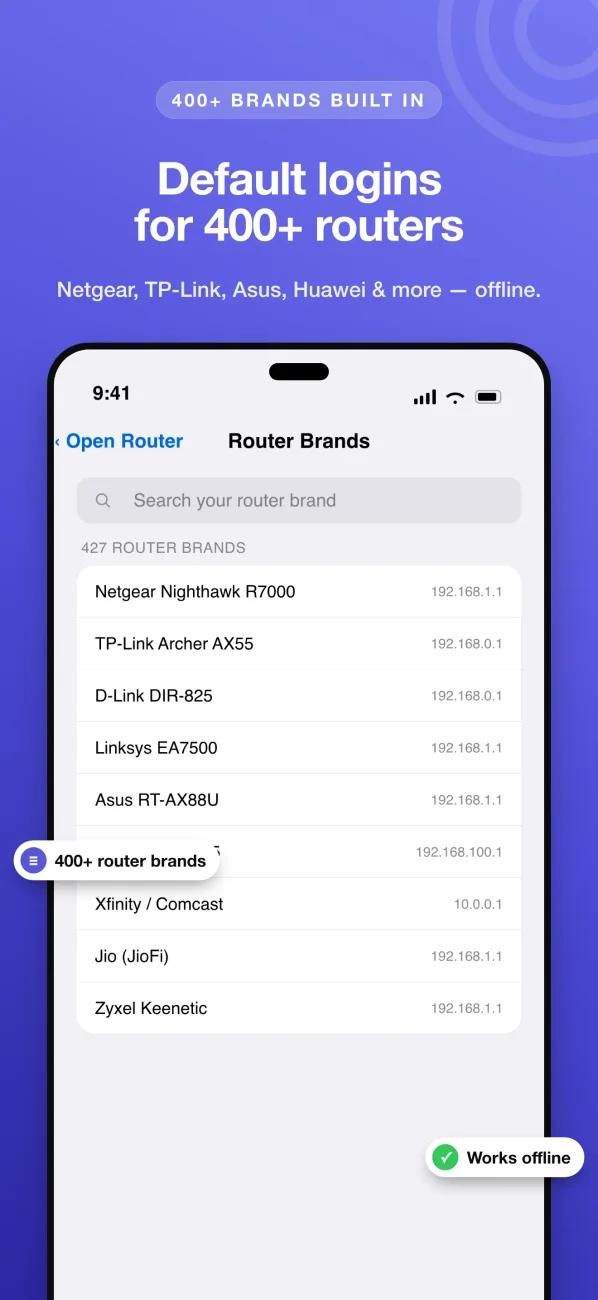
• Open your router's admin page instantly — we auto-detect your gateway IP (like 192.168.1.1) and show the default login
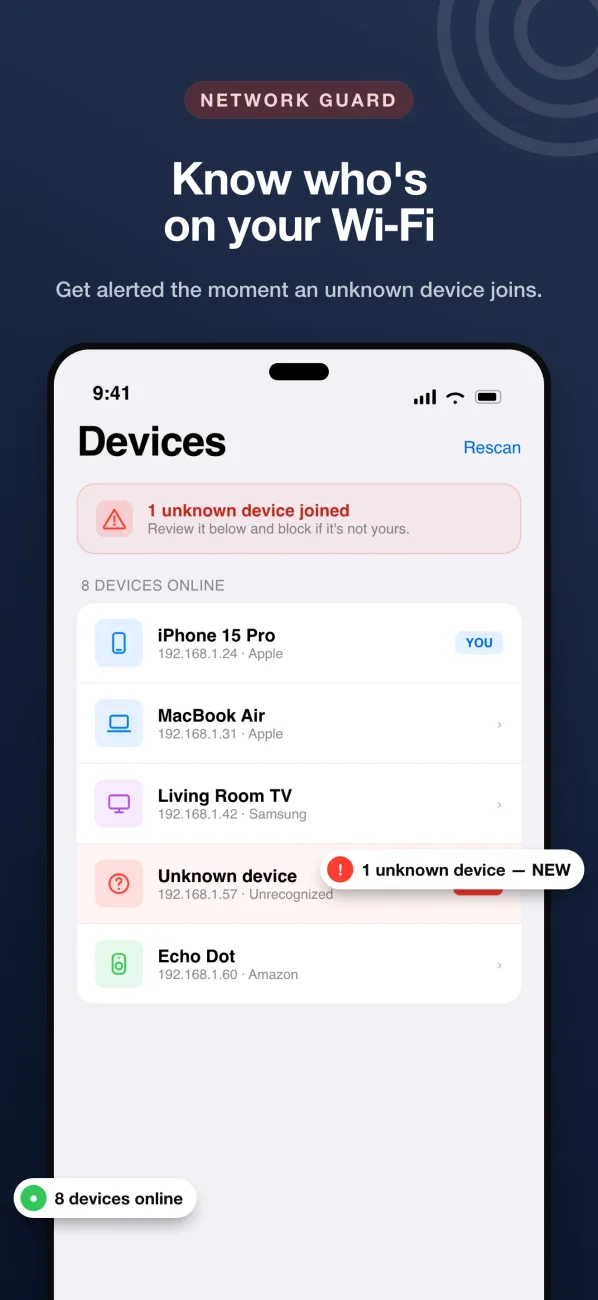
• See every device connected to your Wi-Fi, with its IP and name
• Get alerted when a new, unknown device joins your network
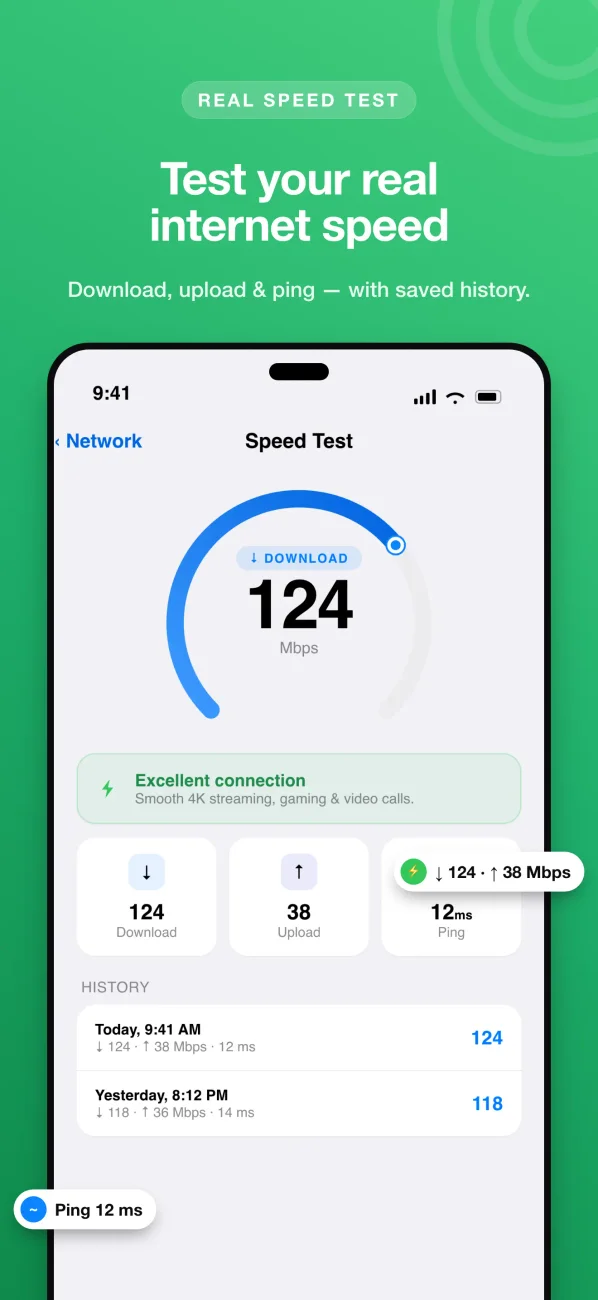
• Test your real download, upload and ping speed, with a live graph and saved history
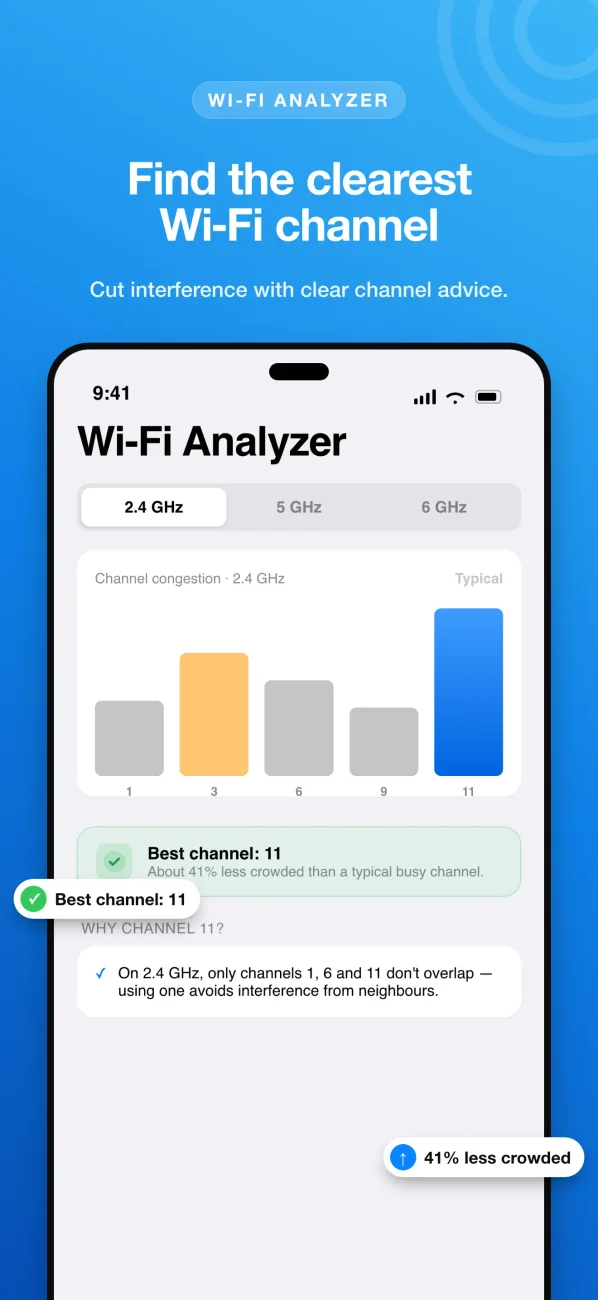
• Get clear guidance on the best Wi-Fi channel to reduce interference
• Share your Wi-Fi with a QR code — guests just scan to join, no typing
• Check your network health at a glance
PRIVATE BY DESIGN
Everything runs on your device. No account, no sign-up, no tracking. Your scans stay on your iPhone; only the speed test contacts a public server to measure your connection.
ROUTER SETUP PAGE PRO
Upgrade to Pro for the full device scanner, new-device alerts, the complete Wi-Fi analyzer, and unlimited speed tests with history. Choose a yearly plan with a 3-day free trial, a one-time Lifetime purchase, or a weekly plan.
A note on Wi-Fi and iOS: Apple limits what apps can see about other nearby networks, so channel guidance is general advice rather than a live survey of your neighbours' signals.
SUBSCRIPTIONS & PRICING
• Payment is charged to your Apple ID at confirmation of purchase.
• Subscriptions automatically renew unless auto-renew is turned off at least 24 hours before the end of the current period.
• Your account is charged for renewal within 24 hours prior to the end of the current period.
• Manage or cancel your subscription anytime in your App Store account settings.
• Any unused portion of a free trial is forfeited when you purchase a subscription.
• Lifetime is a one-time purchase, not a subscription, and does not renew.
Terms of Use (EULA): https://www.apple.com/legal/internet-services/itunes/dev/stdeula/
Privacy Policy: https://sites.google.com/view/privacy-policy-004/home
Questions or feedback? Email developer.nasar416@gmail.com
What’s new
Version 1.0.5 · Nov 8, 2026
Bug fixes.
App privacy
What MD. NASAR UDDIN REDOY declares on the App Store about how this app handles data.
-
Data not linked to you
May be collected but is not linked to your identity.
- Purchases
- Identifiers
Privacy practices may vary, for example with the features you use or your age.
Information
- Seller
- MD. NASAR UDDIN REDOY
- Category
- Utilities
- Version
- 1.0.5
- Updated
- Nov 8, 2026
- Released
- Jul 14, 2026
- Size
- 7.9 MB
- Requires
- iOS 16.0 or later
- Age rating
- 4+
- Price
- Free
- In-app purchases
- Yes
- Languages
- English, Arabic, French, German, Hindi, Italian, Japanese, Korean, Portuguese, Russian, Simplified Chinese, Spanish + 2 more
- Copyright
- © 2026 Md. Nasar Uddin Redoy
You might also like
-
 Who is connected to My WifiWiFi Scanner & Network Tools
-
 Router Admin Setup Wifisolution for router management
-
 NetRadar: Who's On My WiFiIP scanner, ping & speed test
-
 NetGuard: WiFi ScannerWho is on my WiFi, devices
-
 Router Admin PageWelcome to Router Admin Page
-
 Wi-Fi Share: Network ToolkitLAN, speed, Ping + 16 tools
-
 Wifi Router Admin SetupUtilities
-
 CNOC APP TELMEXUtilities
-
 Router Admin Setup Controller.Router Admin - Setup WiFi
-
 Router Admin ControlRouter Admin Setup, Speed Test