- Age rating4+
- CategoryUtilities
- DeveloperARTSEM DARAFEYEU
- LanguagesEnglish+ 1 more
- Size38.1 MB
Links to the official App Store page
Download.org hosts no file of Routing Gate. The button opens its official App Store page, published by ARTSEM DARAFEYEU. Listing last checked on Nov 12, 2026.
Screenshots
About
Your shortcuts deserve a control panel of their own.
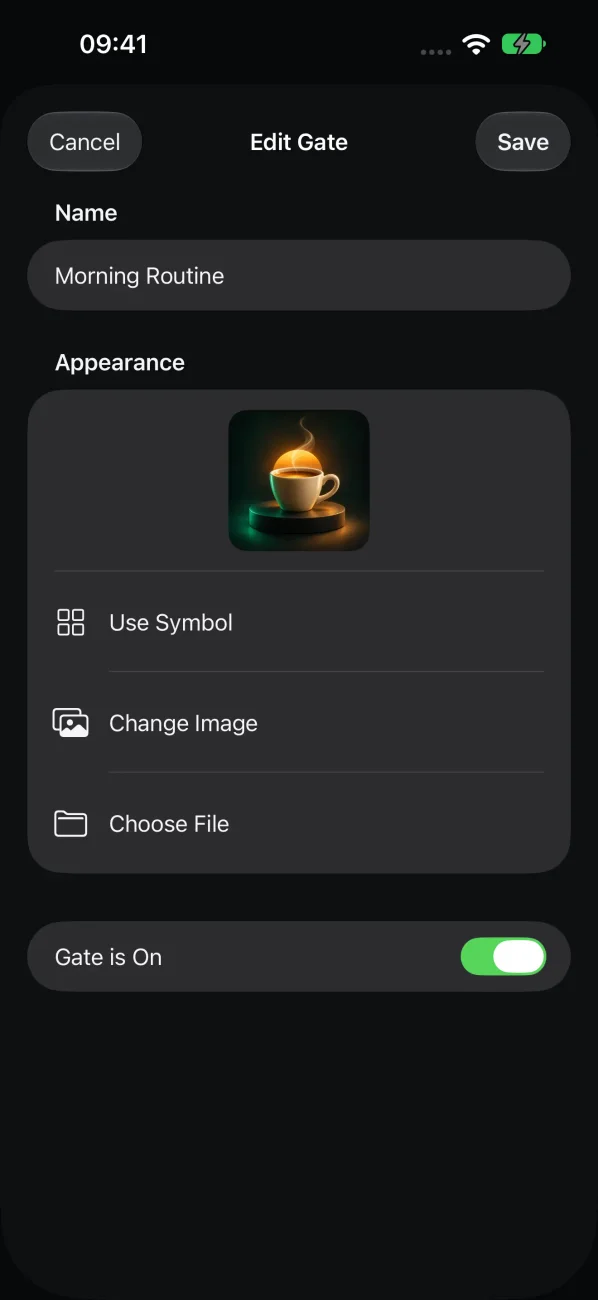
Routing Gate brings the shortcuts you use and the switches that control their actions into one place. Build a remote for your daily routine, work, travel, or performance. Give every button a recognizable icon or photo. Use Gates to decide which actions are allowed to continue.
GATES: SET UP ONCE, SWITCH WHEN YOU NEED
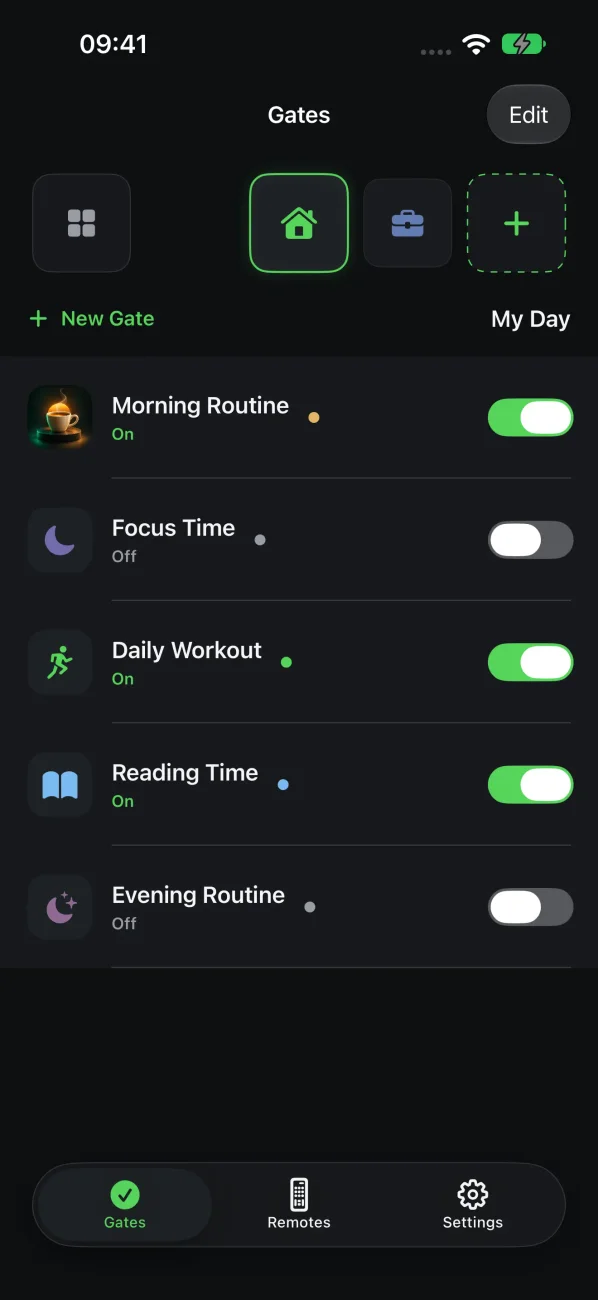
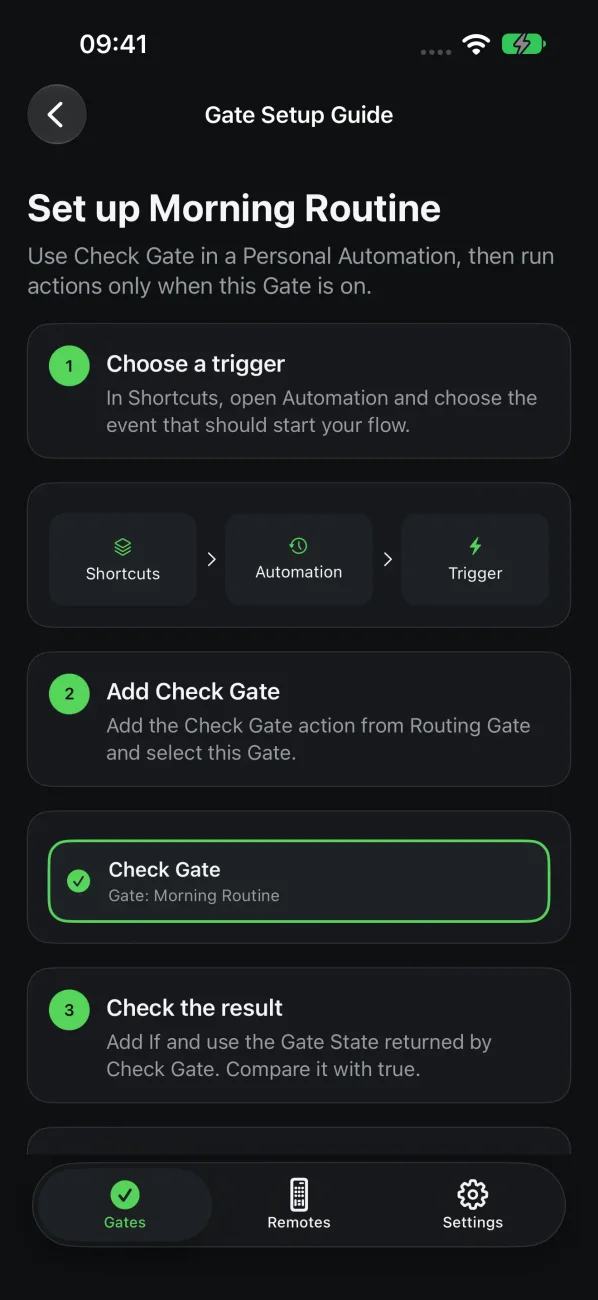
Create a Gate and add Routing Gate's Check Gate action to an Apple shortcut. Use its result in an If condition, then place the actions you want to control inside that branch. Gate on: those actions can run. Gate off: they are skipped. Change the Gate in Routing Gate whenever you need, without editing the shortcut each time.
Gates work with shortcuts you run manually or use in personal automations. You configure the trigger and actions in Apple's Shortcuts app. A Gate controls the conditional actions; it does not turn off the system automation trigger.
SPACES: KEEP RELATED GATES TOGETHER
Organize Gates into Spaces for different parts of your day. See their on/off states at a glance and find the control you need before starting a routine.
REMOTES: YOUR SHORTCUTS WITHIN REACH
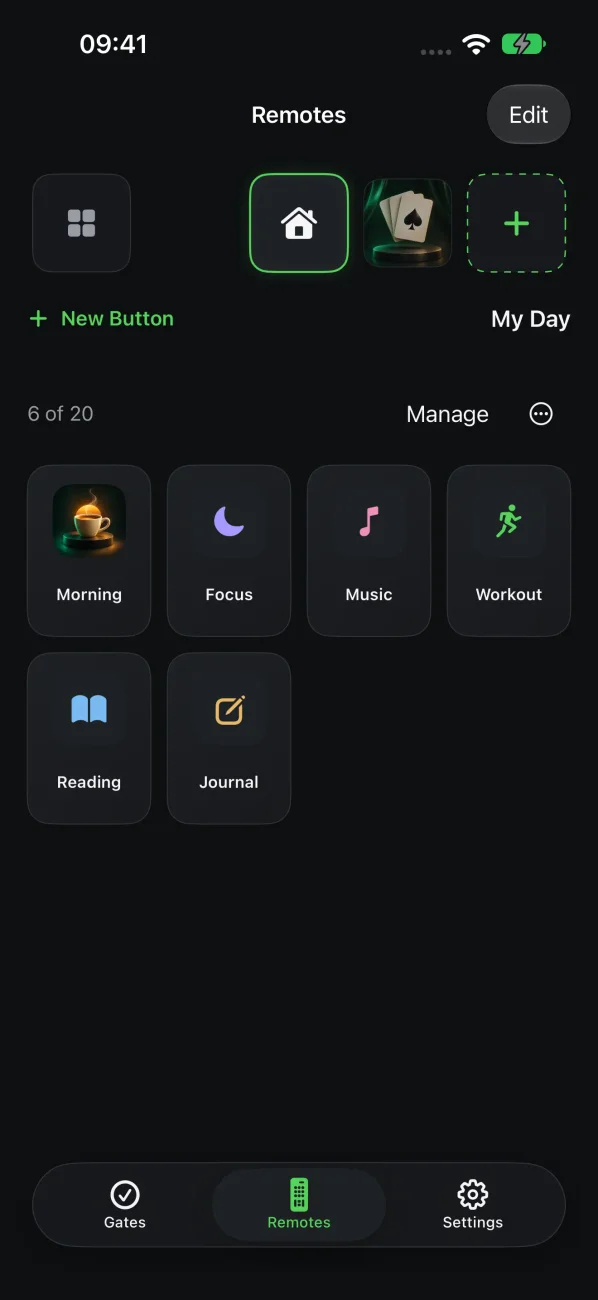
Create personal button panels that run Apple Shortcuts by name or open websites and apps through supported links. Keep separate remotes for different tasks, with the buttons arranged in the order that works for you.
MAKE IT YOURS
Choose icons and colors, or use your own photos and imported images for Spaces, Gates, remotes, and buttons. Crop images in the app and make each control easy to recognize.
LEARN INSIDE THE APP
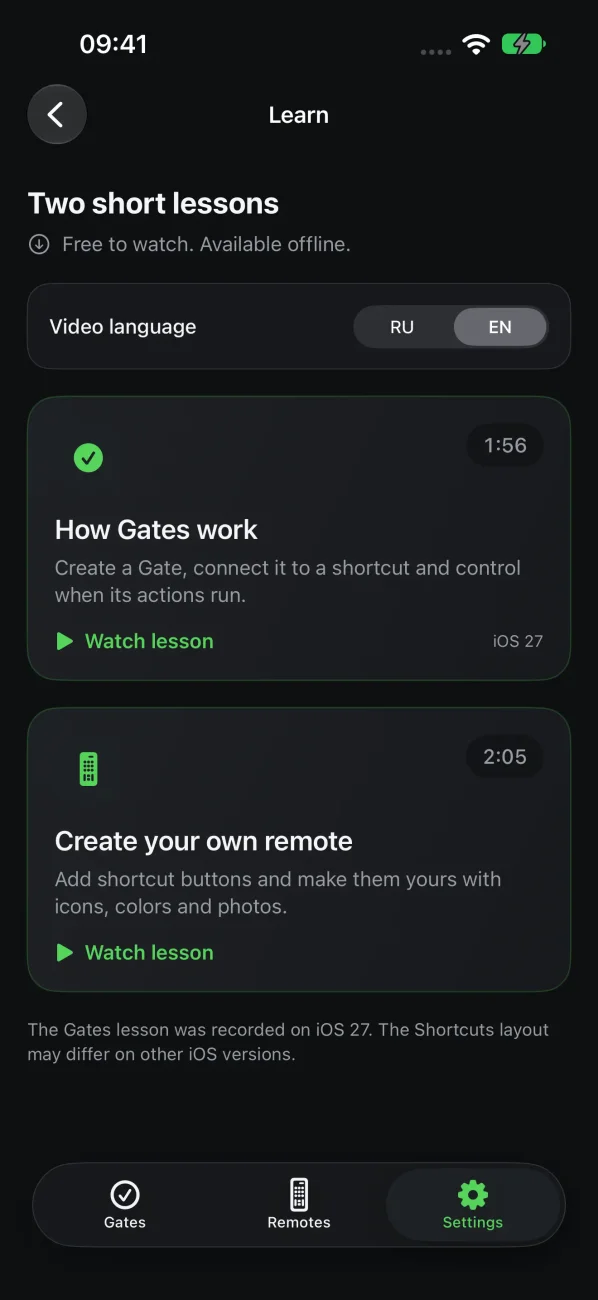
Open Learn at the top of Settings for two video lessons: Gates and Remotes. Both include narration and captions in English and Russian. Watch offline, pause, and seek while following along. The Gate video demonstrates setup in iOS 27; a written setup guide is also available in the app.
FREE REMOTES, OPTIONAL PRO FOR GATES
Remotes and video tutorials are free. Try Gates with a 7-day free trial that does not start a subscription. Continued access to your own Gates requires Pro: choose 30 days without automatic renewal, an automatically renewing Monthly Pro subscription, or Lifetime Pro.
Eligible paid 30-day purchases and paid Monthly Pro periods earn credits toward Lifetime. With 1-9 credits, you can choose a discounted Lifetime upgrade. At 10 eligible credits, Lifetime unlocks without another purchase. Check your progress and available price in the app.
Monthly Pro renews automatically unless canceled. Manage it in your App Store account settings. Activating Lifetime does not automatically cancel an existing Monthly Pro subscription.
Available in English and Russian. No Routing Gate account is required.
Privacy Policy: https://artemdrv.github.io/routing-gate/privacy/
Terms of Use: https://artemdrv.github.io/routing-gate/terms/
What’s new
Version 1.1 · Nov 5, 2026
Meet Routing Gate 1.1.
- Learn right in the app: Gates and Remotes video lessons with English and Russian narration and captions, available offline.
- A refreshed interface with refined cards, smoother transitions, and clearer editing controls.
- Confirmation before deleting a Space or remote, helping prevent accidental removal.
- Improved layouts for larger text and support for Reduce Motion.
- Fixes for navigation, access-state updates, and purchase and restore flows.
Find the new Learn section at the top of Settings. Remotes and tutorials remain free.
App privacy
What ARTSEM DARAFEYEU declares on the App Store about how this app handles data.
-
Data not collected
The developer does not collect any data from this app.
Privacy practices may vary, for example with the features you use or your age.
Information
- Seller
- ARTSEM DARAFEYEU
- Category
- Utilities
- Version
- 1.1
- Updated
- Nov 5, 2026
- Released
- Sep 25, 2026
- Size
- 38.1 MB
- Requires
- iOS 17.0 or later
- Age rating
- 4+
- In-app purchases
- Yes
- Languages
- English, Russian
- Copyright
- © 2026 Artem Dorofeev
You might also like
-
 API Tester(Pro)Test APIs without ads
-
 RealBoard.yaomagicWi-Fi Controller for RealBoard
-
 KeyFX: Keyboard for MagiciansThe mentalist's keyboard
-
 SubVoxFiltered phrases to Magic Apps
-
 MyPasSwordXSmart Password Generator
-
 VirtuozThe magician's smart remote
-
 Digital MaterializationUtilities
-
 Multiverse.Unleash the multiverse magic
-
 Banner DisplayMessage Marquee Banner Display
-
 Fake Call - Exit NowCustom Calls & Smart Reminders