Routing Gate
Control & Organize Shortcuts
Được thiết kế cho iPhone
Miễn phí · Mua hàng trong ứng dụng
- Độ tuổi4+
- Danh mụcTiện Ích
- Nhà phát triểnARTSEM DARAFEYEU
- Ngôn ngữTiếng Anh+ 1 ngôn ngữ khác
- Kích thước38,1 MB
Liên kết đến trang App Store chính thức
Download.org không lưu trữ tệp nào của Routing Gate. Nút này mở trang ứng dụng trên App Store, nơi ARTSEM DARAFEYEU phát hành ứng dụng. Trang được kiểm tra lần cuối: 12/11/2026.
Ảnh chụp màn hình
Giới thiệu
Nhà phát triển chưa cung cấp nội dung này bằng ngôn ngữ của bạn.
Your shortcuts deserve a control panel of their own.
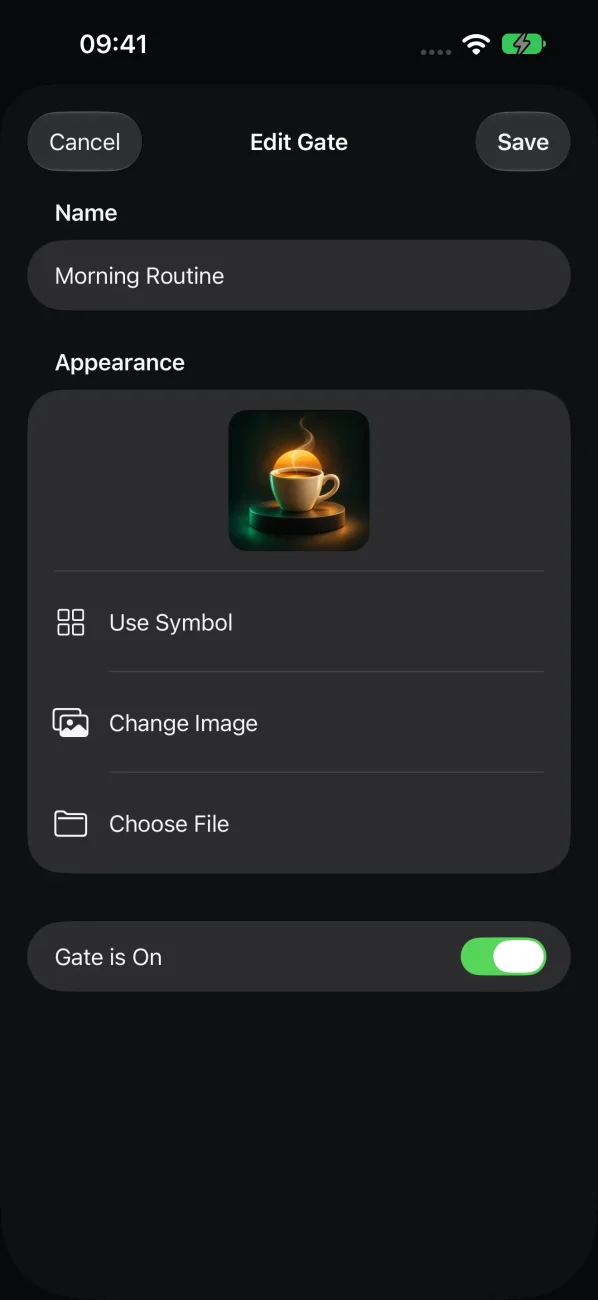
Routing Gate brings the shortcuts you use and the switches that control their actions into one place. Build a remote for your daily routine, work, travel, or performance. Give every button a recognizable icon or photo. Use Gates to decide which actions are allowed to continue.
GATES: SET UP ONCE, SWITCH WHEN YOU NEED
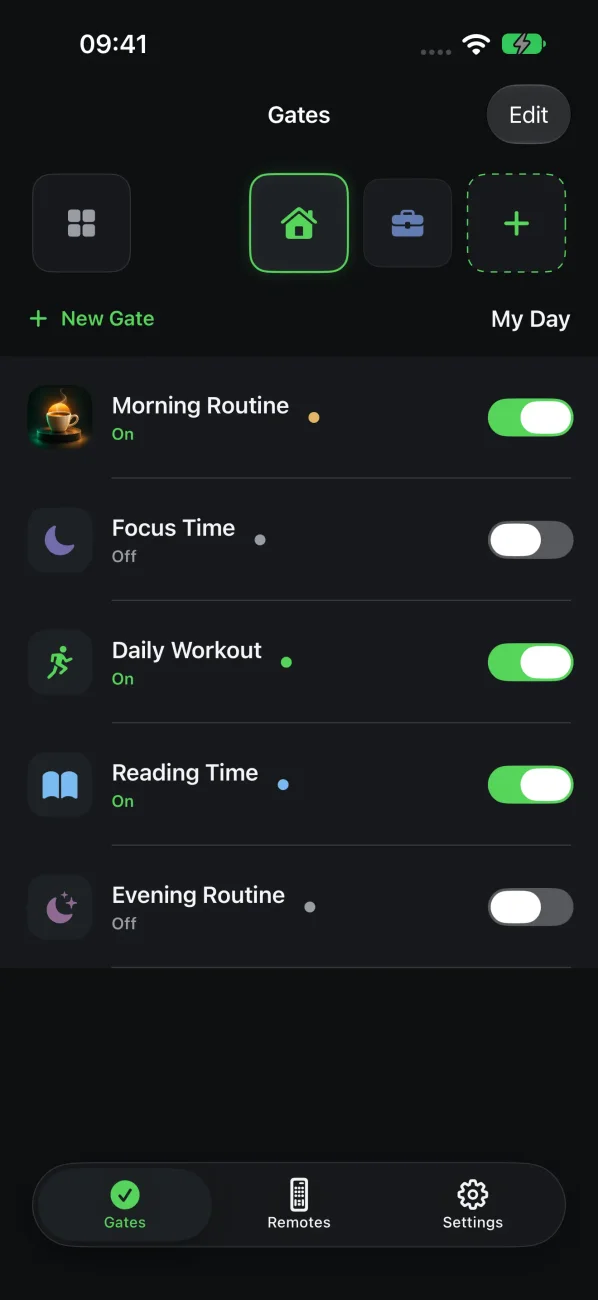
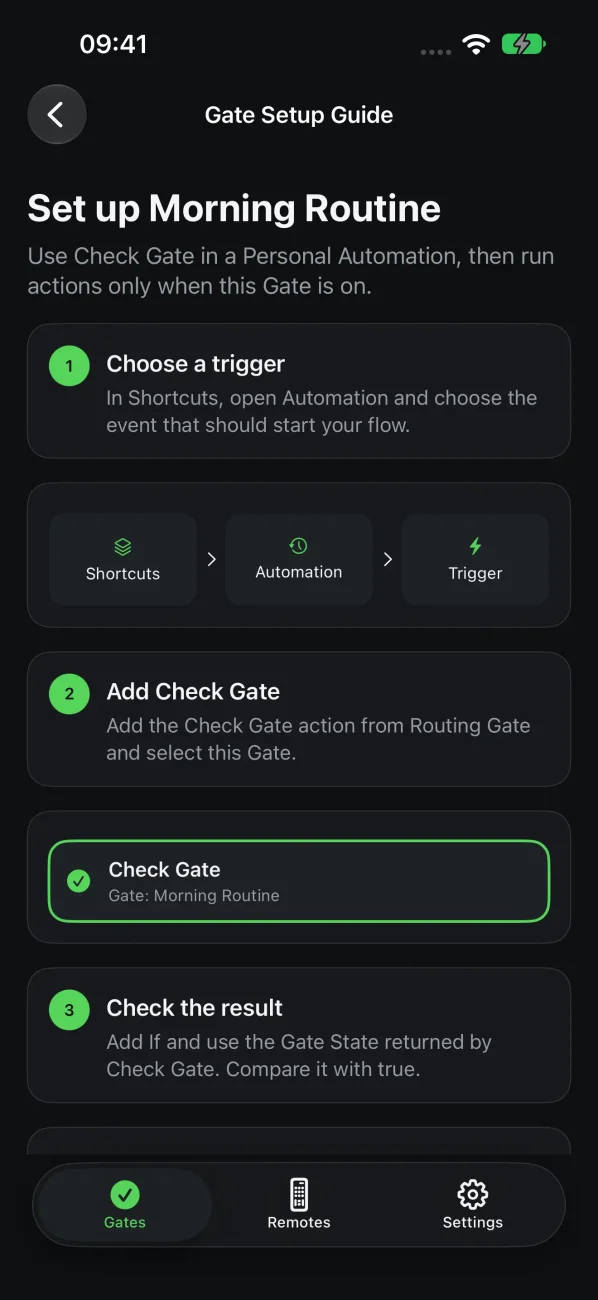
Create a Gate and add Routing Gate's Check Gate action to an Apple shortcut. Use its result in an If condition, then place the actions you want to control inside that branch. Gate on: those actions can run. Gate off: they are skipped. Change the Gate in Routing Gate whenever you need, without editing the shortcut each time.
Gates work with shortcuts you run manually or use in personal automations. You configure the trigger and actions in Apple's Shortcuts app. A Gate controls the conditional actions; it does not turn off the system automation trigger.
SPACES: KEEP RELATED GATES TOGETHER
Organize Gates into Spaces for different parts of your day. See their on/off states at a glance and find the control you need before starting a routine.
REMOTES: YOUR SHORTCUTS WITHIN REACH
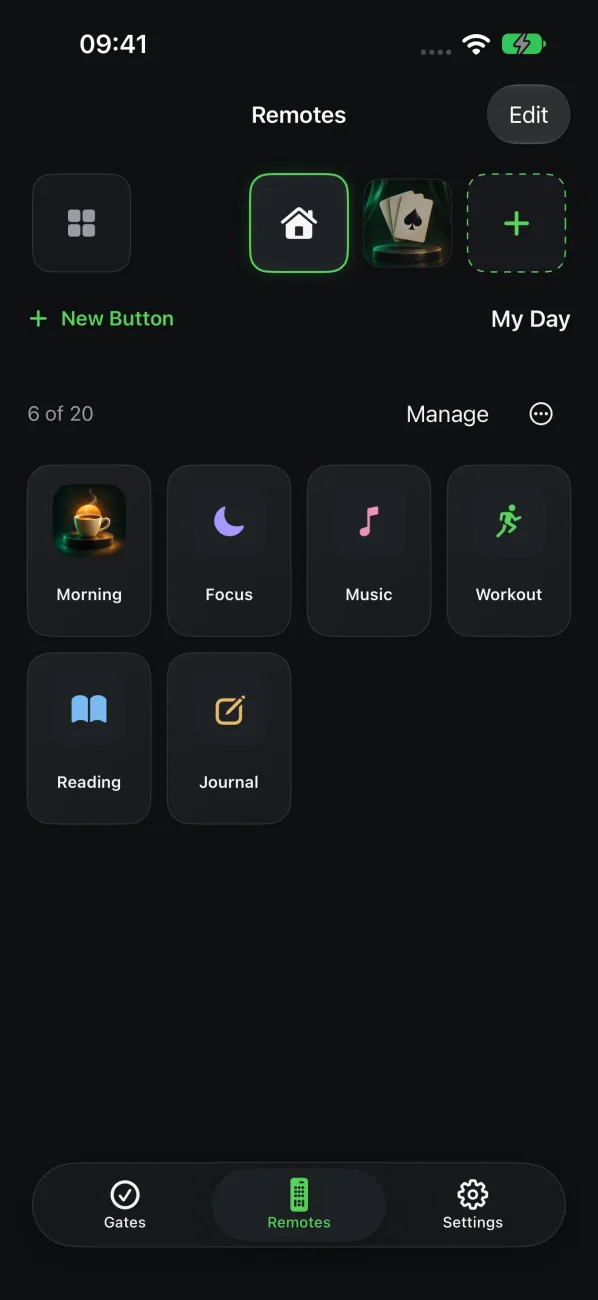
Create personal button panels that run Apple Shortcuts by name or open websites and apps through supported links. Keep separate remotes for different tasks, with the buttons arranged in the order that works for you.
MAKE IT YOURS
Choose icons and colors, or use your own photos and imported images for Spaces, Gates, remotes, and buttons. Crop images in the app and make each control easy to recognize.
LEARN INSIDE THE APP
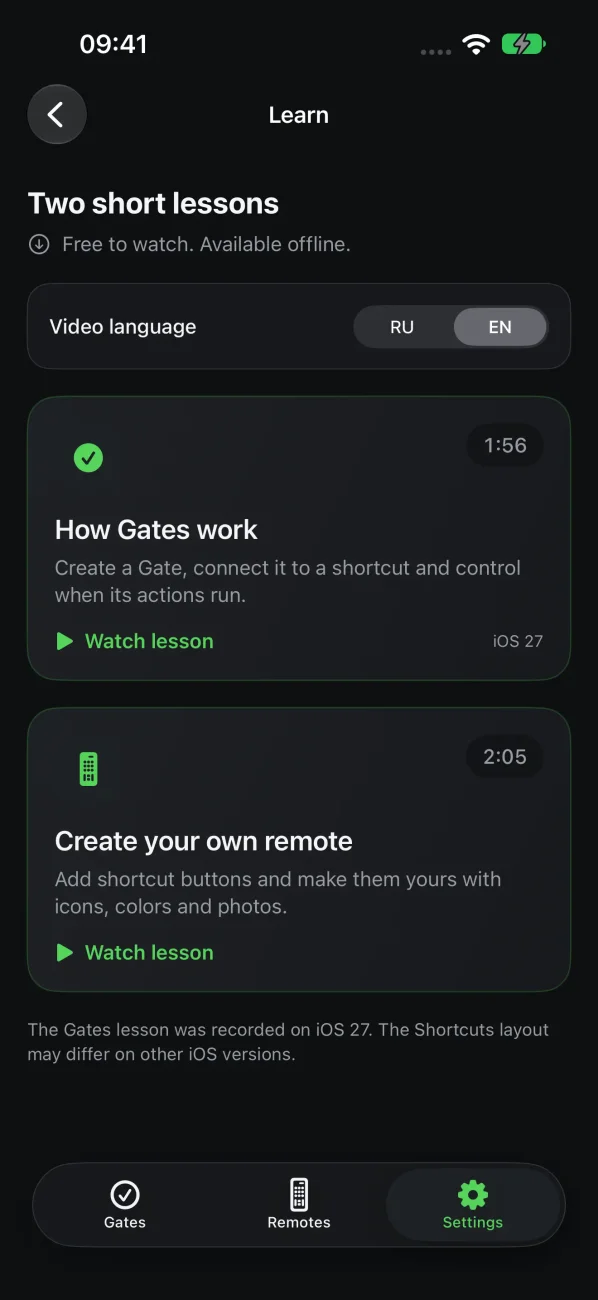
Open Learn at the top of Settings for two video lessons: Gates and Remotes. Both include narration and captions in English and Russian. Watch offline, pause, and seek while following along. The Gate video demonstrates setup in iOS 27; a written setup guide is also available in the app.
FREE REMOTES, OPTIONAL PRO FOR GATES
Remotes and video tutorials are free. Try Gates with a 7-day free trial that does not start a subscription. Continued access to your own Gates requires Pro: choose 30 days without automatic renewal, an automatically renewing Monthly Pro subscription, or Lifetime Pro.
Eligible paid 30-day purchases and paid Monthly Pro periods earn credits toward Lifetime. With 1-9 credits, you can choose a discounted Lifetime upgrade. At 10 eligible credits, Lifetime unlocks without another purchase. Check your progress and available price in the app.
Monthly Pro renews automatically unless canceled. Manage it in your App Store account settings. Activating Lifetime does not automatically cancel an existing Monthly Pro subscription.
Available in English and Russian. No Routing Gate account is required.
Privacy Policy: https://artemdrv.github.io/routing-gate/privacy/
Terms of Use: https://artemdrv.github.io/routing-gate/terms/
Có gì mới
Phiên bản 1.1 · 05/11/2026
Meet Routing Gate 1.1.
- Learn right in the app: Gates and Remotes video lessons with English and Russian narration and captions, available offline.
- A refreshed interface with refined cards, smoother transitions, and clearer editing controls.
- Confirmation before deleting a Space or remote, helping prevent accidental removal.
- Improved layouts for larger text and support for Reduce Motion.
- Fixes for navigation, access-state updates, and purchase and restore flows.
Find the new Learn section at the top of Settings. Remotes and tutorials remain free.
Quyền riêng tư của ứng dụng
Những gì ARTSEM DARAFEYEU khai báo trên App Store về cách ứng dụng này xử lý dữ liệu.
-
Dữ liệu không được thu thập
Nhà phát triển không thu thập bất kỳ dữ liệu nào từ ứng dụng này.
Phương thức đảm bảo quyền riêng tư có thể khác nhau, chẳng hạn như tuỳ theo các tính năng bạn sử dụng hoặc độ tuổi của bạn.
Thông tin
- Người bán
- ARTSEM DARAFEYEU
- Danh mục
- Tiện Ích
- Phiên bản
- 1.1
- Cập nhật
- 05/11/2026
- Phát hành
- 25/09/2026
- Kích thước
- 38,1 MB
- Yêu cầu
- iOS 17.0 trở lên
- Độ tuổi
- 4+
- Giá
- Miễn phí
- Mua hàng trong ứng dụng
- Có
- Ngôn ngữ
- Tiếng Anh, Tiếng Nga
- Bản quyền
- © 2026 Artem Dorofeev