
Runny: Run Effectively
Be more effective runner
Designed for iPhone, iPod touch
Free
- Age rating4+
- CategorySports
- DeveloperFilip Vabrousek
- LanguagesEnglish
- Size37.9 MB
Links to the official App Store page
Download.org hosts no file of Runny: Run Effectively. The button opens its official App Store page, published by Filip Vabrousek. Listing last checked on Nov 15, 2026.
Screenshots



About
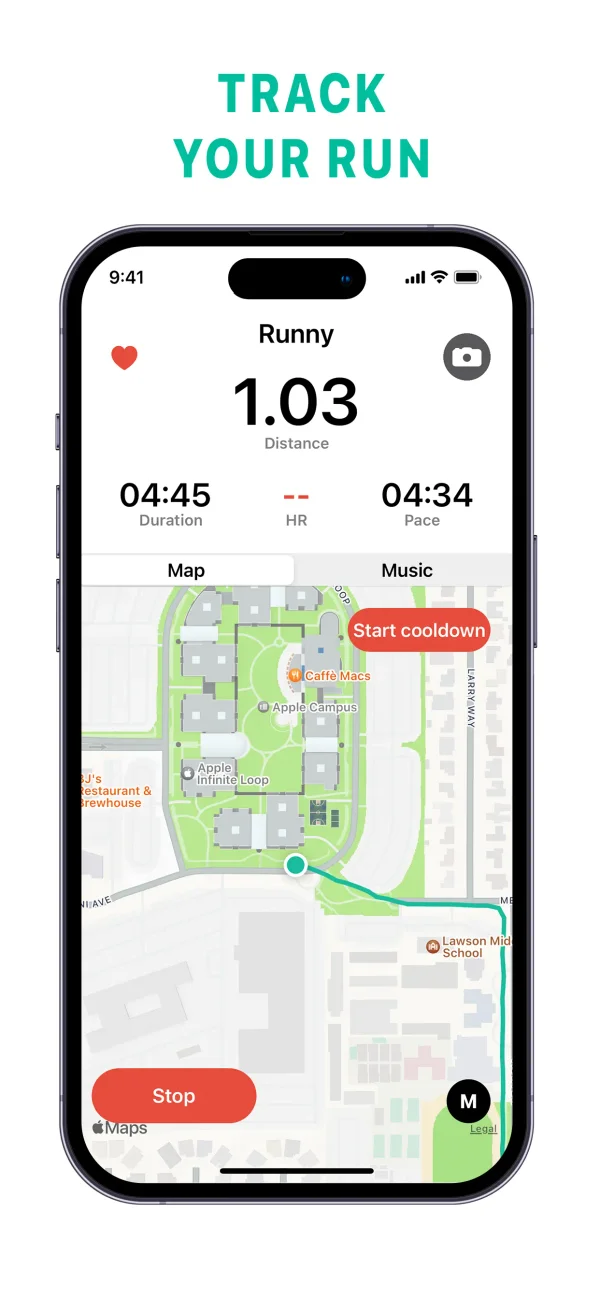
The most effective run tracking app on the market.
We emphasise the importance of warm-up and cool down and provide you with effective pace, which reflects the real core of your session.
We respect your privacy. Nobody will ever see your data, unless you decide to share it yourself.
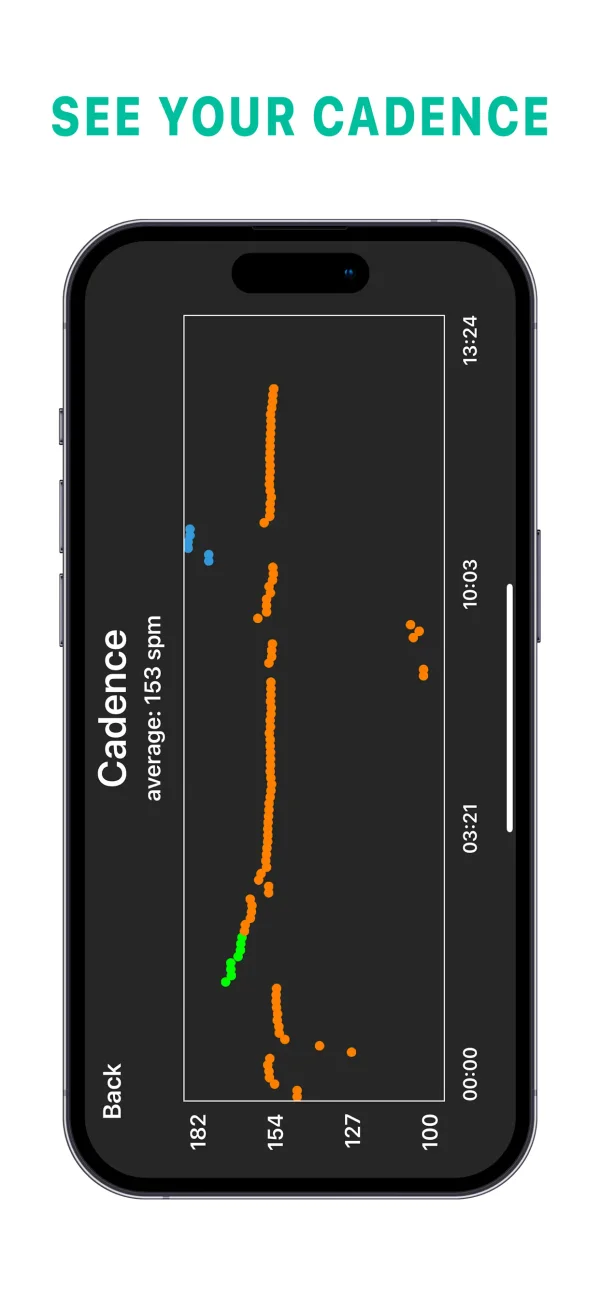
The app uses the HealthKit data to measure the running cadence accurately.
FEATURES:
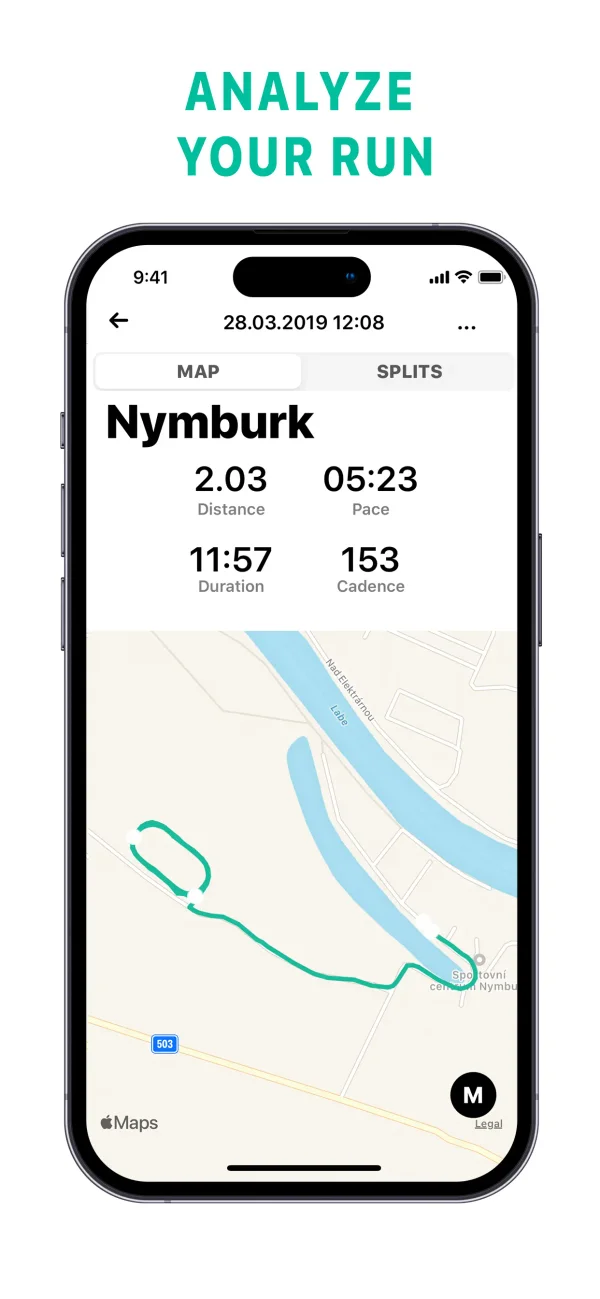
Effective pace, heart rate and cadence (taken purely between warm-up and cooldown)
Cadence included in the app itself
Heart rate with optional Bluetooth compatible HR belt
Custom goal setting
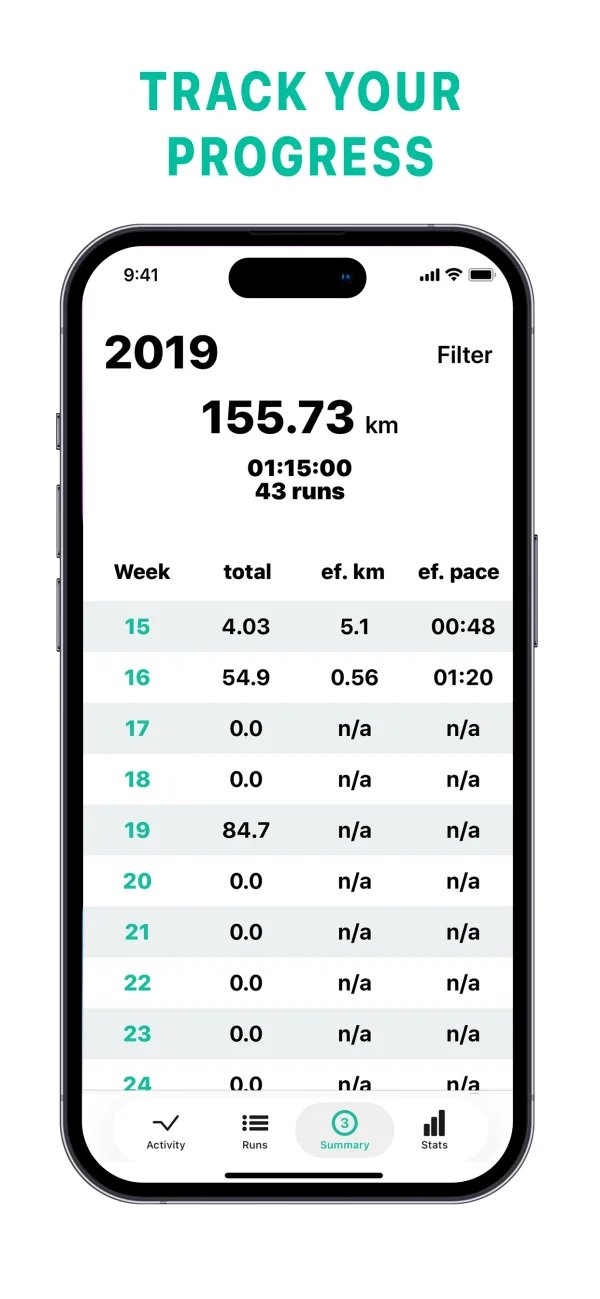
Weekly, monthly, yearly detailed stats
Manual activity entry option
Music player
Desired cadence related playlist
Real-time mapping
Generating image from your activity to share on your social network
This app uses Bluetooth and location updates in background, which can dramatically decrease battery life.
What’s new
Version 4.0 · Oct 14, 2026
Made for iPhone Duo
Runny now fills the iPhone Duo's inner display. Turn it sideways and the tabs and map controls move into the side bar along the edge. On the cover display, map style, camera and heart-rate pairing sit in the side bar too. Fold it and the cover display goes back to portrait, even if you were holding the inner display sideways.
Your run, your way round
On the inner display, hold the phone upright and a run's stats sit above its map. Turn it sideways and the map runs beside them.
Heart rate on the map
Your average heart rate now floats over the route in a Liquid Glass capsule, on every iPhone.
Everything within reach
On the inner display, Map and Music stay in the header, where your thumb can get to them, and the map style button no longer hides behind the tab bar. On the cover display, the back button and the Map | Splits switch stay clear of the screen's corner and the clock, and every stat sits right above its label.
Apple Watch
In a run's details, the laps you marked are now simply called Laps, and the buttons are centred on the screen.
Keep running with us!
App privacy
What Filip Vabrousek declares on the App Store about how this app handles data.
-
Data not linked to you
May be collected but is not linked to your identity.
- Health and fitness
- Location
- User content
- Diagnostics
Privacy practices may vary, for example with the features you use or your age.
Information
- Seller
- Filip Vabrousek
- Category
- Sports
- Version
- 4.0
- Updated
- Oct 14, 2026
- Released
- Apr 23, 2019
- Size
- 37.9 MB
- Requires
- iOS 15.0 or later
- Age rating
- 4+
- Price
- Free
- Languages
- English
- Copyright
- © Filip Vabrousek
You might also like
-
 Runscope — Running AnalyticsTraining plan & AI coach
-
 CrushThisCourse: Race StrategyPredict it. Plan it. Crush it.
-
 loipeSports
-
 A-List Dance & AcrobaticsSports
-
 Golfcount: Simple golf countCount and score for golfers
-
 HuntTrailHunt Map · Blood Trail · Calls
-
 XTERRAYour Global Event Companion
-
 Pushlapp: Lap AnalysisTrack days with AiM & RaceBox
-
 TriPace Triathlon CalculatorPace, Splits & Race Planner
-
 TrackdaysplannerTrackdays, Bikes & Gear