
Samsung TV Remot Control ™
Smart Things & Smart TV Remote
Designed for iPhone, iPad
Free · In-app purchases
- Age rating4+
- CategoryUtilities
- DeveloperSumit Zalavadiya
- LanguagesEnglish+ 13 more
- Size31.7 MB
Links to the official App Store page
Download.org hosts no file of Samsung TV Remot Control ™. The button opens its official App Store page, published by Sumit Zalavadiya. Listing last checked on Nov 23, 2026.
Screenshots

About
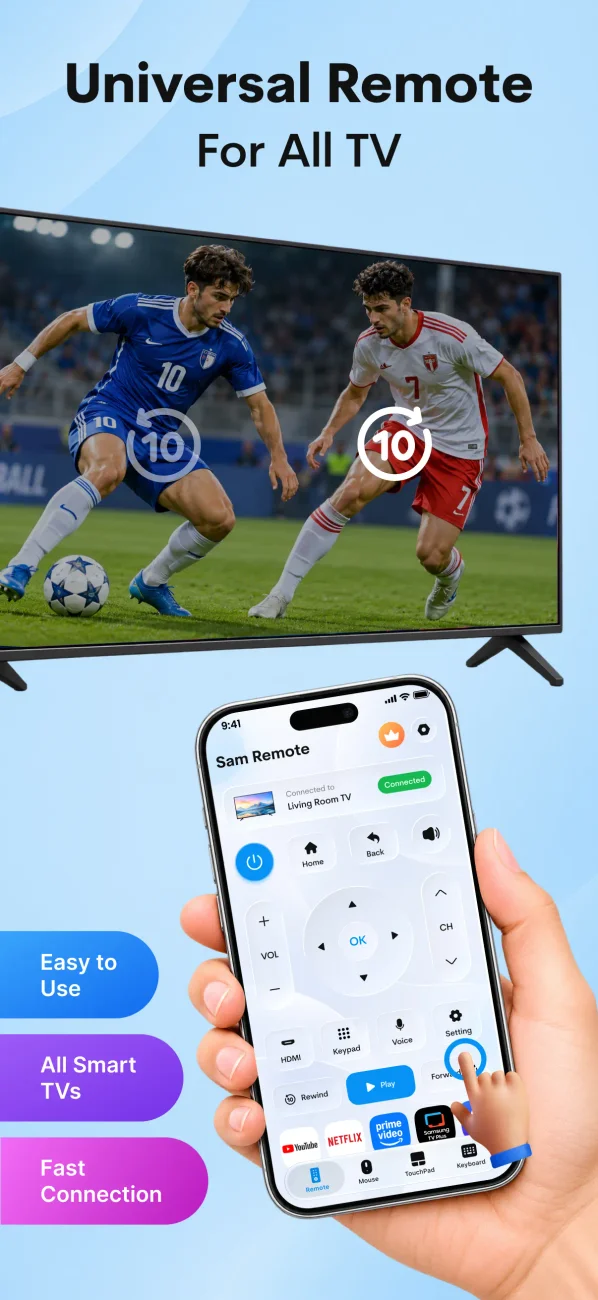
Control your Smart TV with ease using a convenient and feature-rich TV Remote application. Enjoy a smarter way to interact with your television directly from your iPhone with intuitive controls, smart navigation, and wireless connectivity.
Whether you want to change channels, adjust the volume, navigate your TV screen, or access different TV functions, this app brings essential remote control features together in one place.
TV Remote Features
Smart TV Remote Control
Control your compatible Smart TV directly from your iPhone. Access essential remote functions with a simple and intuitive interface.
TV Power Status
Check the available TV power status directly from the app. Turn your TV ON or OFF using supported remote control functionality.
Input Source Selection
Quickly access and switch between supported TV input sources. Navigate available input ports to select the connected device you want to use.
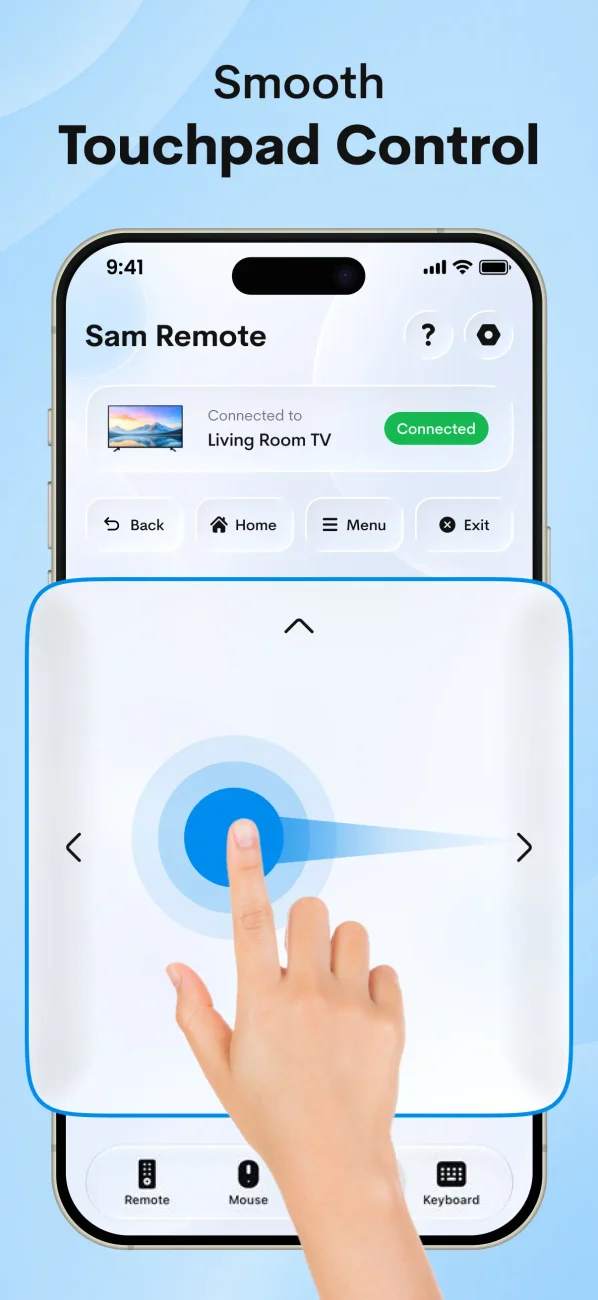
Mouse Pad
Use your iPhone as a convenient mouse controller. Move the pointer on your TV screen and navigate supported TV interfaces with ease.
Air Motion Control
Enjoy intuitive navigation with Air Motion functionality. Use supported motion-based controls to interact with your compatible Smart TV.
Touch Pad
Navigate your TV screen using a responsive touchpad. Swipe, tap, and control supported TV interfaces directly from your iPhone.
Easy Navigation
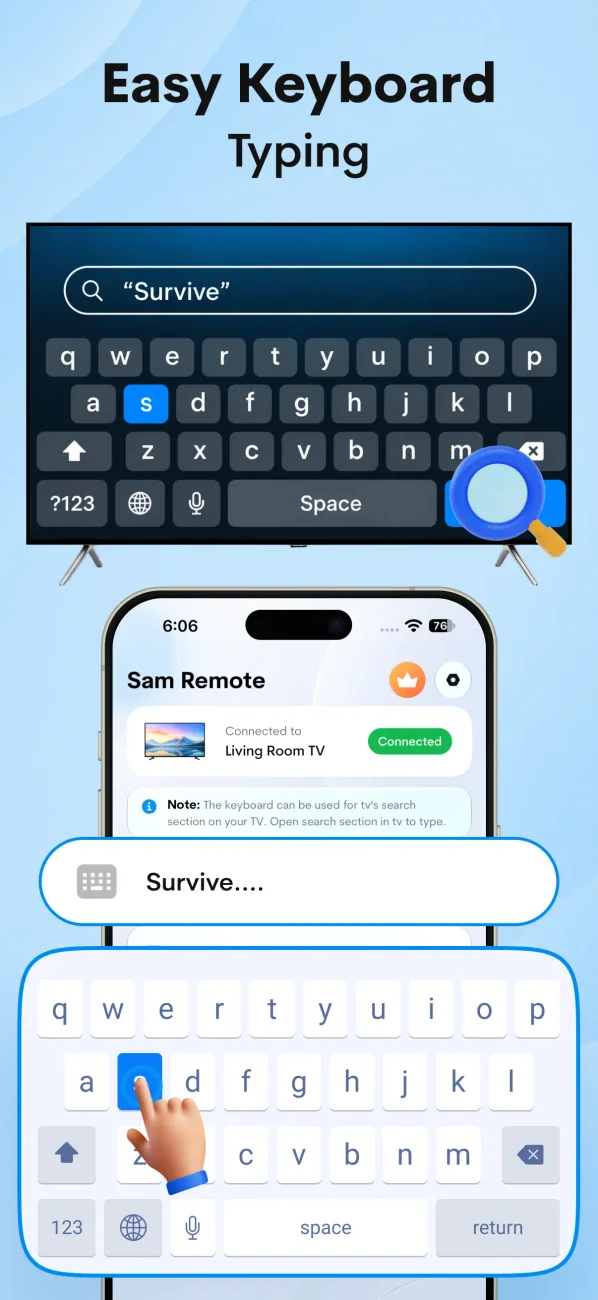
Access essential remote functions, navigate menus, and manage supported TV controls from one convenient application.
Additional TV Features
Explore available TV applications and supported TV functions through an easy-to-use interface.
Designed for Convenience
Simple and user-friendly interface
Quick access to essential remote controls
Convenient touch and motion-based navigation
Easy input source selection
Multiple control options in one application
Compatibility and Requirements
This application requires a compatible Smart TV and supported wireless network connectivity. Your iPhone and TV may need to be connected to the same Wi-Fi network for certain remote control features. Available functionality depends on your TV model and manufacturer.
Disclaimer
This application is an independent third-party remote control application and is not affiliated with, endorsed by, or officially associated with any TV manufacturer or brand. TV compatibility and available features may vary depending on the device.
Privacy policy : https://sumitzalavadiya.blogspot.com/2026/10/privacy-policy.html
Terms & Condition : https://sumitzalavadiya.blogspot.com/2026/10/terms-conditions.html
Eula : https://sumitzalavadiya.blogspot.com/2026/10/eula.html
What’s new
Version 3.0 · Nov 16, 2026
Bug Fixes
App privacy
What Sumit Zalavadiya declares on the App Store about how this app handles data.
-
Data used to track you
May be used to track you across apps and websites owned by other companies.
- Usage data
-
Data not linked to you
May be collected but is not linked to your identity.
- Usage data
Privacy practices may vary, for example with the features you use or your age.
Information
- Seller
- Sumit Zalavadiya
- Category
- Utilities
- Version
- 3.0
- Updated
- Nov 16, 2026
- Released
- Nov 2, 2026
- Size
- 31.7 MB
- Requires
- iOS 17.6 or later
- Age rating
- 4+
- Price
- Free
- In-app purchases
- Yes
- Languages
- English, Danish, Dutch, French, German, Hindi, Italian, Japanese, Korean, Portuguese, Russian, Simplified Chinese + 2 more
- Copyright
- © Sumit Zalavdiya
You might also like
-
 ZorvexaEnjoy All Tool In One Place
-
 UtilityBox+Every Day Tools
-
 SpeakozaText to speech
-
 Smart Remote: Uni TV RemoteSmart TV Remote & Casting
-
 Sharelix : Air File ShareFile Sharing & Data Transfer
-
 Cast Screen - TV MirrorScreen Mirror, Strea & Cast
-
 SmartView Pro: Cast TVScreen Mirroring & TV Casting
-
 WaitQQueues & reservations
-
 Tviro: Remote for Samsung TVControl TV Volume & Channels
-
 CalcNovaUtilities