
- Age rating4+
- CategoryProductivity
- DeveloperDolair Alali
- LanguagesEnglish
- Size76.4 MB
Links to the official App Store page
Download.org hosts no file of Saved Posts. The button opens its official App Store page, published by Dolair Alali. Listing last checked on Nov 20, 2026.
Screenshots
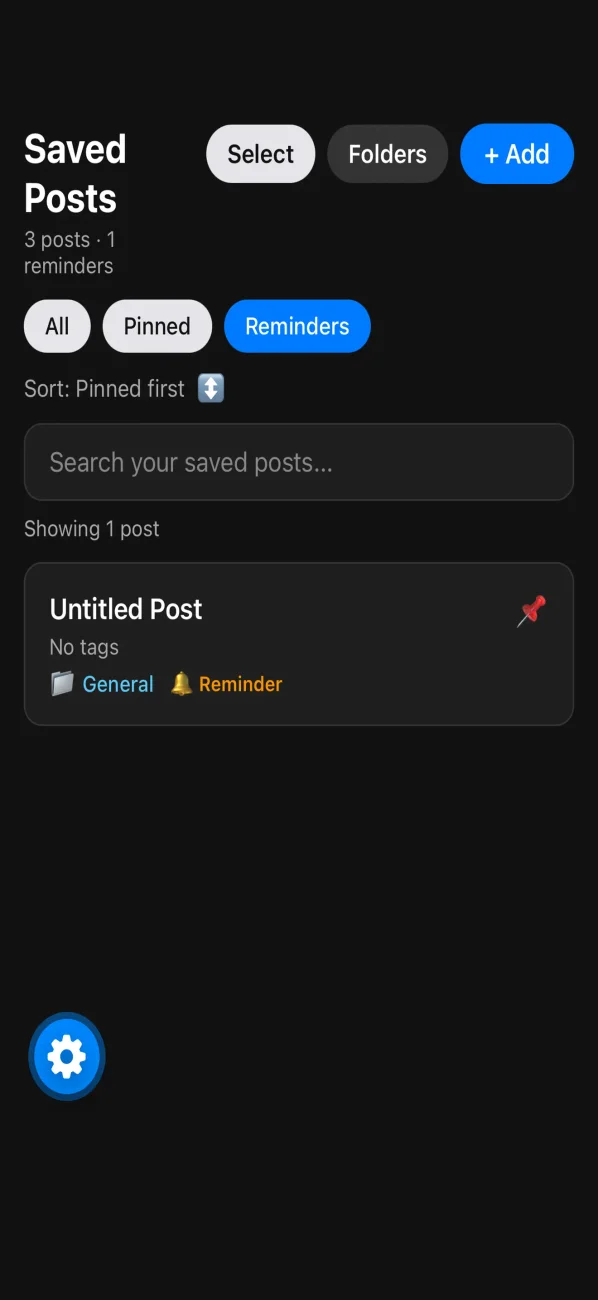
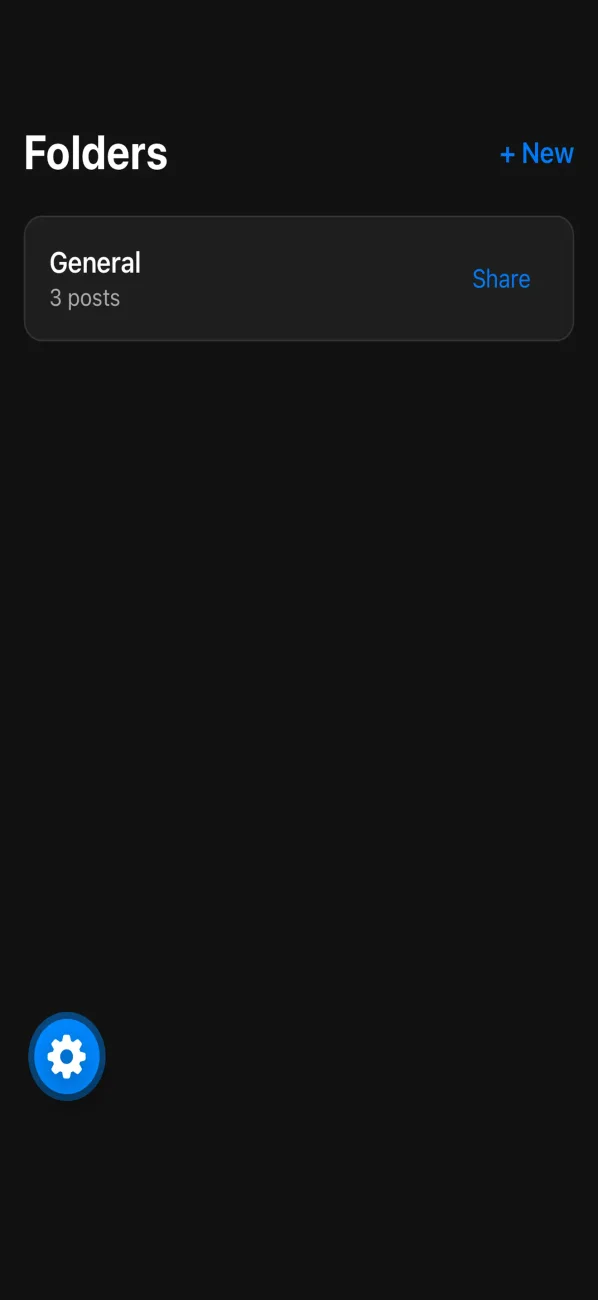
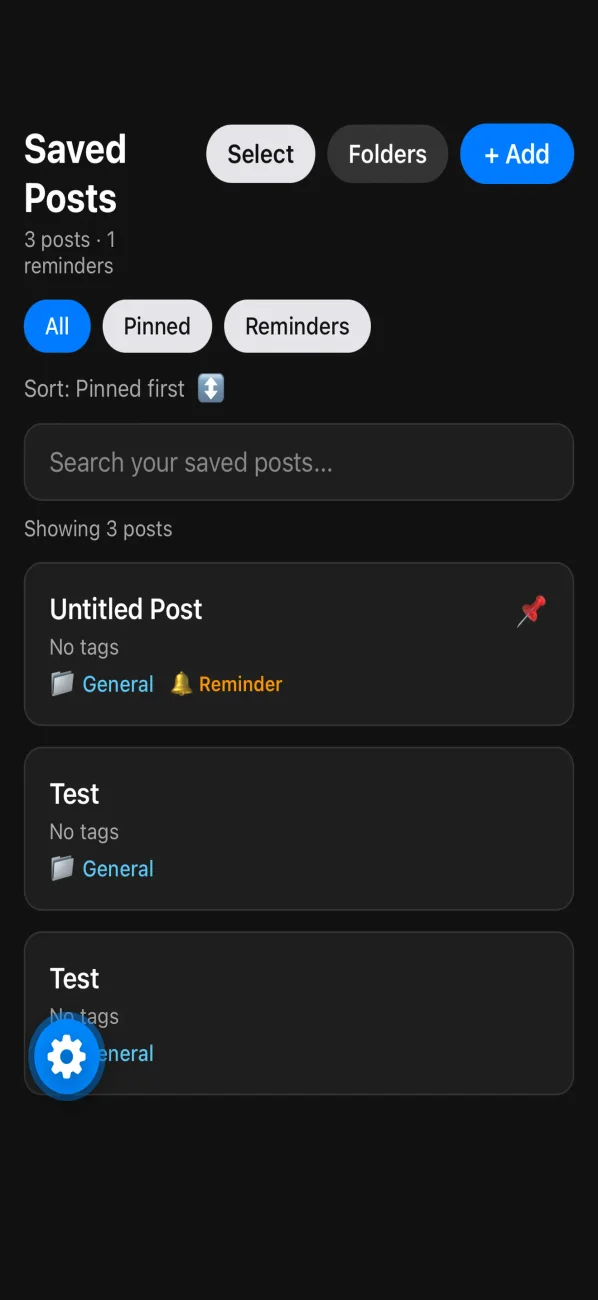
About
Saved Posts helps you finally organize the social media posts you save.
Tired of losing important posts on Instagram, Twitter/X, TikTok, or other platforms? Saved Posts lets you save links, add notes, organize them into folders, and set reminders so you never lose valuable content again.
Features:
• Save posts by pasting links
• Add personal notes and tags
• Organize posts into custom folders
• Pin important posts to the top
• Set reminders to revisit posts later
• Search and filter your saved content
• Share posts or entire folders
• Dark mode support
• Works offline – your data stays on your device
Perfect for recipes, design inspiration, workout ideas, research, or anything worth saving.
What’s new
Version 1.1 · Oct 15, 2026
Dear App Review Team,
This update (Version 1.1, Build 4) introduces a personalized first-launch onboarding questionnaire, post pinning, performance enhancements, and updated in-app subscription options.
Key Changes in This Build:
1. Onboarding Questionnaire: Users can now personalize their workspace on first launch by selecting preferred social platforms, content categories (e.g., Recipes, Fitness, Tech, Design), and reminder habits.
2. Pin to Top Feature: Users can now pin high-priority posts to remain permanently at the top of their feed.
3. Subscription Tiers (StoreKit 2):
- Weekly Plan ($3.99/week with 3-day free trial): com.dolair.savedposts.weekly
- Monthly Plan ($9.99/month with 3-day free trial): com.dolair.savedposts.monthly
- Annual Plan ($99.99/year with 3-day free trial): com.dolair.savedposts.yearly
All subscription options clearly display duration, pricing, 3-day trial terms, and provide one-tap access to Restore Purchases, Terms of Service, Apple Standard EULA, and Privacy Policy in compliance with Guideline 3.1.2.
Testing Instructions:
- First Launch: The onboarding questionnaire appears automatically. Selecting preferences configures the local starter folders and displays the 3-tier trial paywall. Reviewers may start a free trial or tap "Continue with Limited Free Version" / "Skip" to proceed directly to the app.
- Save & Pin: Tap "+" or "Save Post", paste any web/social URL, save it, and tap the "Pin" icon to verify pinning to the top of the feed.
- Offline Capability: The app functions fully offline using local device storage; no login is required to test core saving and organizing features.
- In-App Purchases: Can be tested via the StoreKit Sandbox environment. Tap the crown icon or "View In-App Purchases" in the sidebar at any time to open the paywall.
If you have any questions or require additional details, please let us know. Thank you for your review!
App privacy
What Dolair Alali declares on the App Store about how this app handles data.
-
Data not collected
The developer does not collect any data from this app.
Privacy practices may vary, for example with the features you use or your age.
Information
- Seller
- Dolair Alali
- Category
- Productivity
- Version
- 1.1
- Updated
- Oct 15, 2026
- Released
- Sep 4, 2026
- Size
- 76.4 MB
- Requires
- iOS 17.0 or later
- Age rating
- 4+
- Price
- Free
- Languages
- English
- Copyright
- © 2026 Dolair Alali
You might also like
-
 SavedIt: Save Social PostsBookmarks, links and recipes
-
 AI Code - Vibe Coding BuilderVibe Code with AI
-
 Task List Widget, Sticky NotesPhotos Handwritten Notes Tasks
-
 Caddy: Your Personal AICarry Less with Caddy
-
 Life Planner : OrganizerTasks Finance Habits & Journal
-
 Thinkspan: AI Life VaultVault for Notes, Files & More
-
 Extra - your life's inboxYour inbox, handled.
-
 Tips & Tricks - for iPhoneNews, Guides & Shortcuts
-
 Shortwave - AI EmailAI-native email for business
-
 PocketLife CalendarCalendar Organizer & Reminders