
SavedIt: Save Social Posts
Bookmarks, links and recipes
Designed for iPhone, iPad, iPod touch
Free · In-app purchases
- Age rating4+
- CategoryProductivity
- DeveloperTanmay Gupta
- LanguagesEnglish
- Size76.4 MB
Links to the official App Store page
Download.org hosts no file of SavedIt: Save Social Posts. The button opens its official App Store page, published by Tanmay Gupta. Listing last checked on Nov 22, 2026.
Screenshots
About
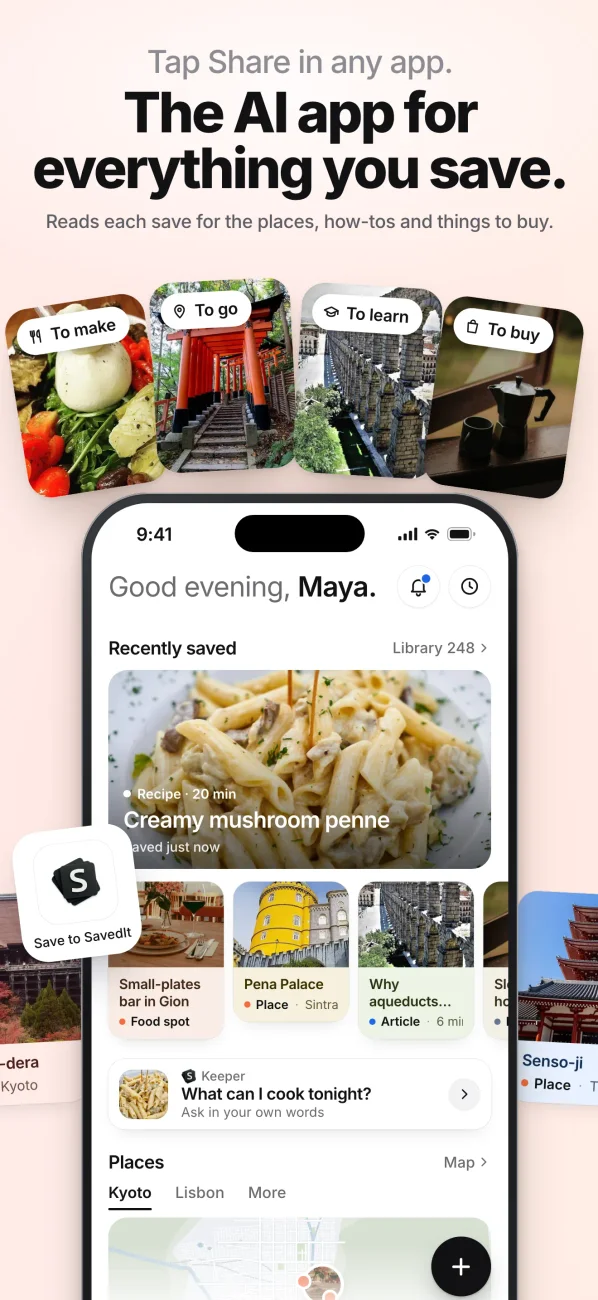
Your social companion for everything you save. Save posts, recipes, links and places from any app, then find them in your own words.
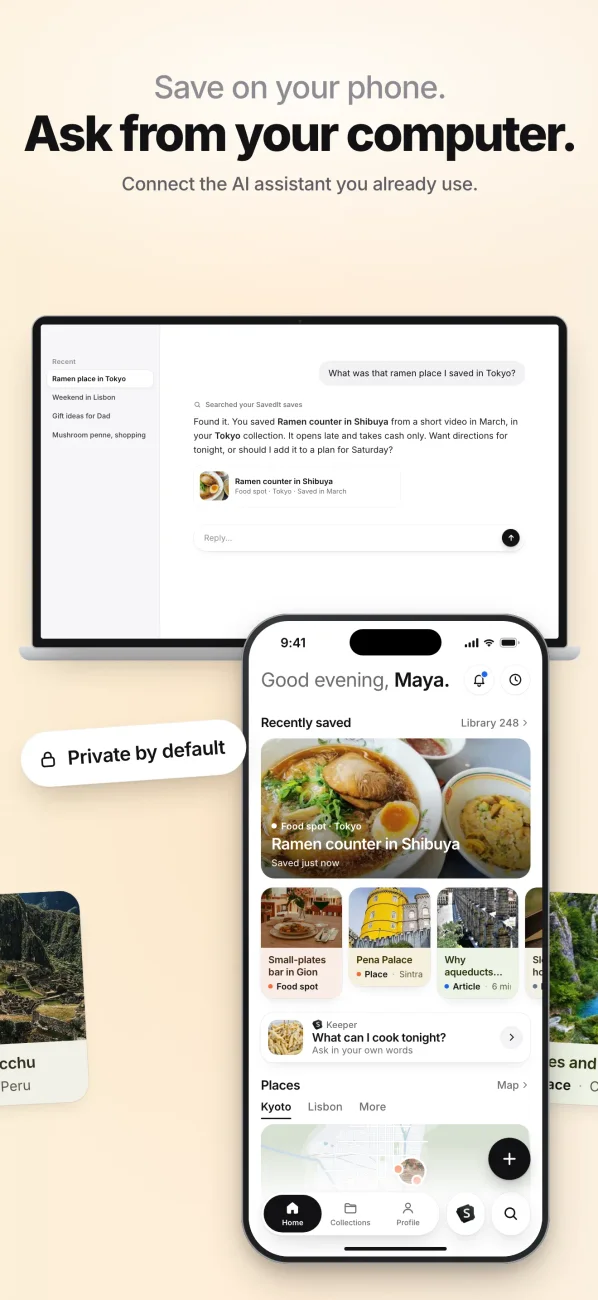
Tap Share in any app. AI reads your saves and gives you the places, how-tos and things to buy.
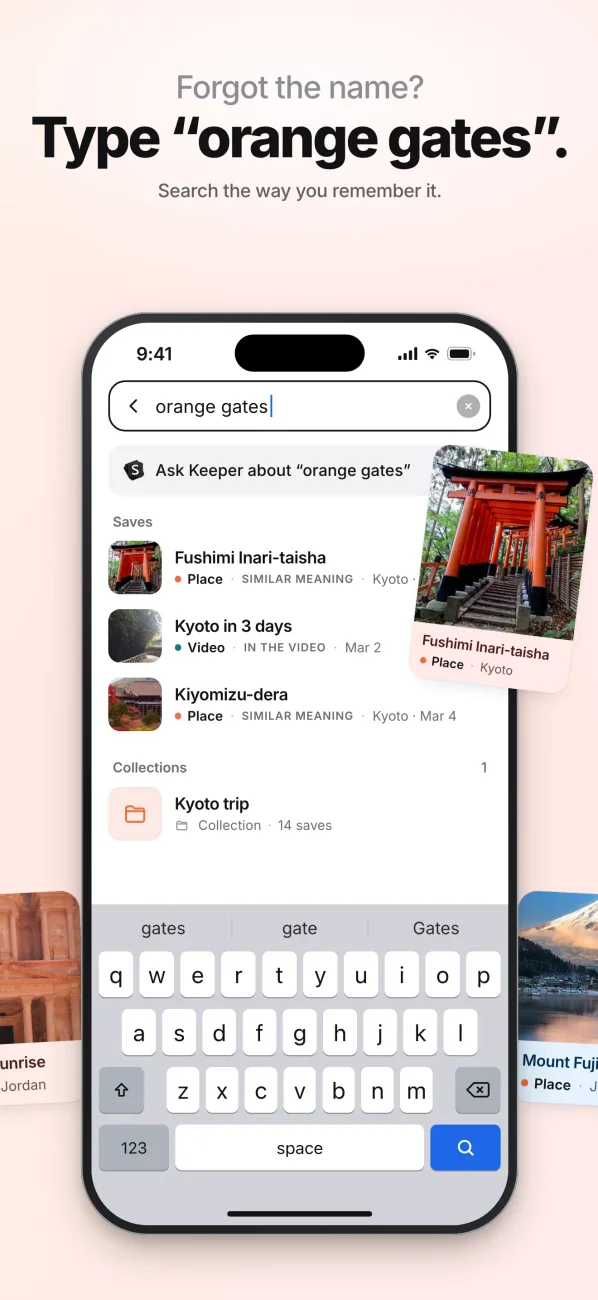
When you need something, describe it and SavedIt finds it.
What you get from a save
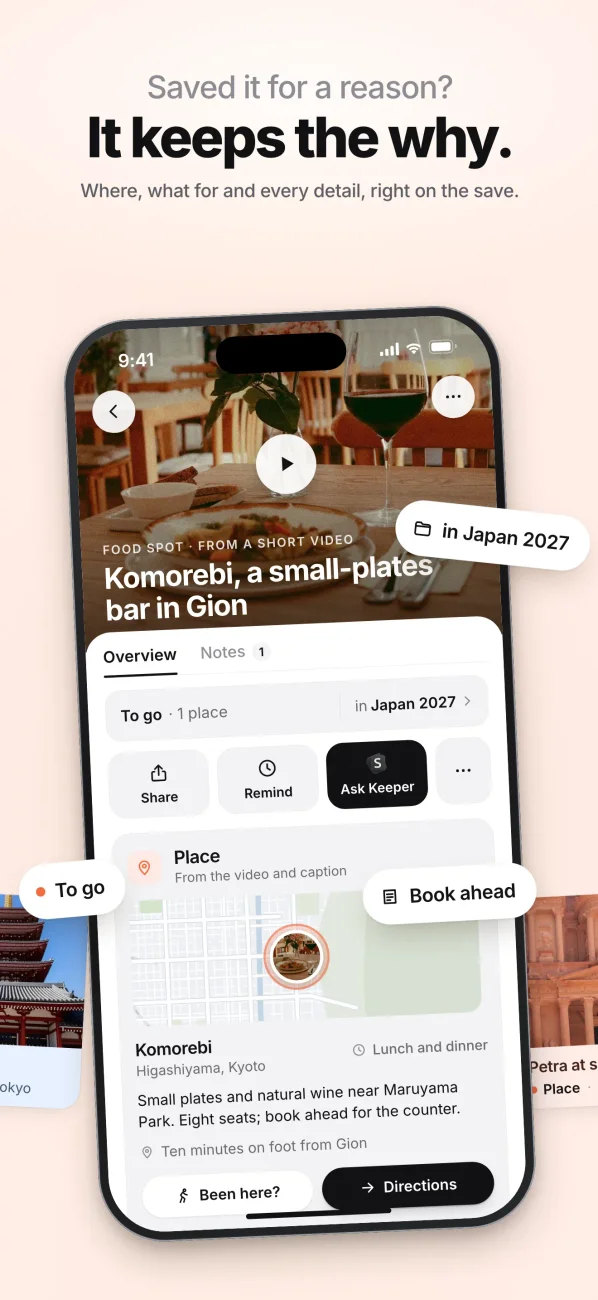
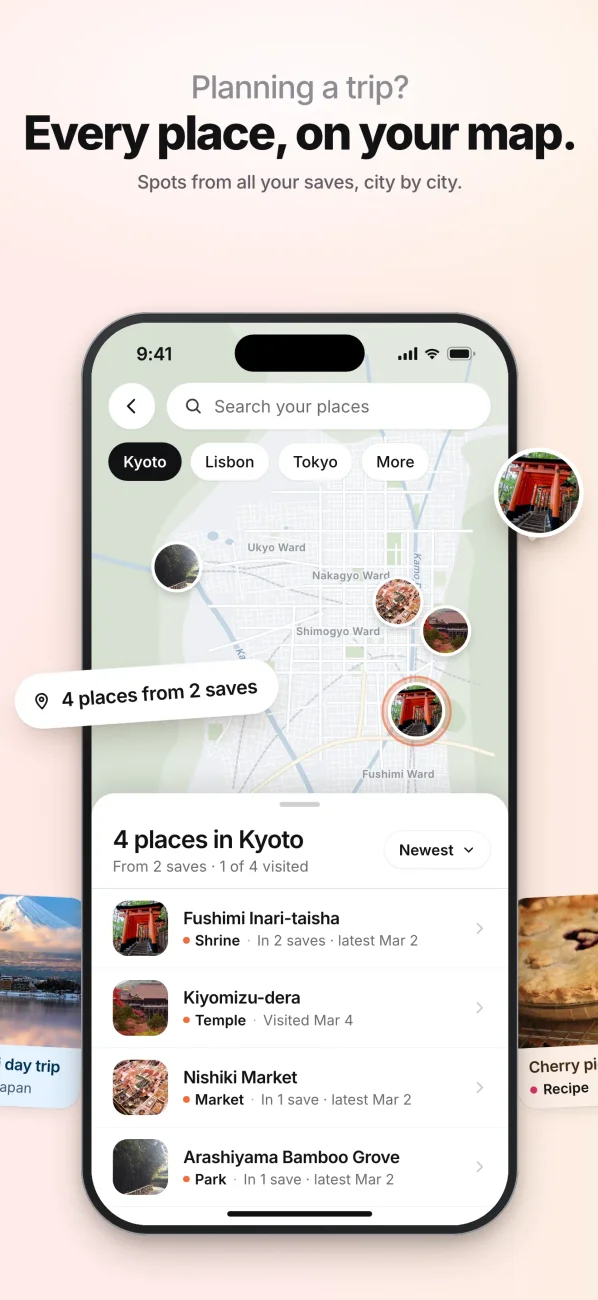
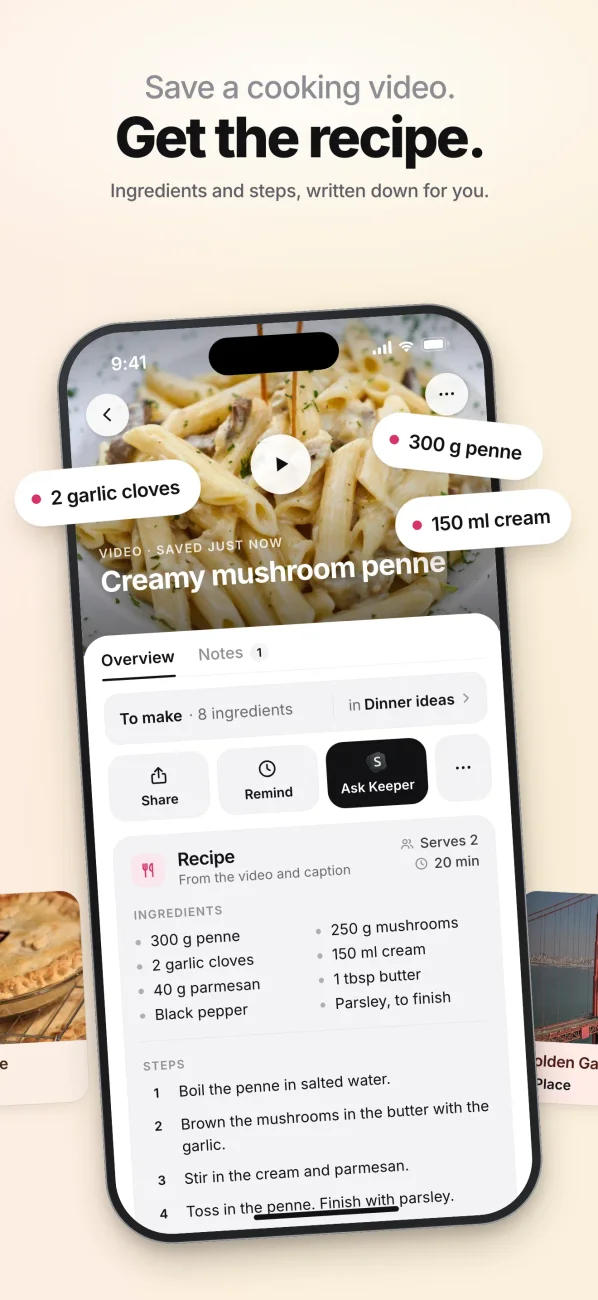
Save a travel video or photo post and get the places in it. Save a cooking video and get the recipe, with the ingredients and steps written down for you.
Describe it in your own words.
Search the way you remember, not the way you filed. "That pasta with the lemon" or "the rooftop place from last summer" is enough. If nothing matches, SavedIt tells you plainly.
It saves by itself
After you tap Share and pick SavedIt, your save is done in 3 seconds. You don't need to open the app to save.
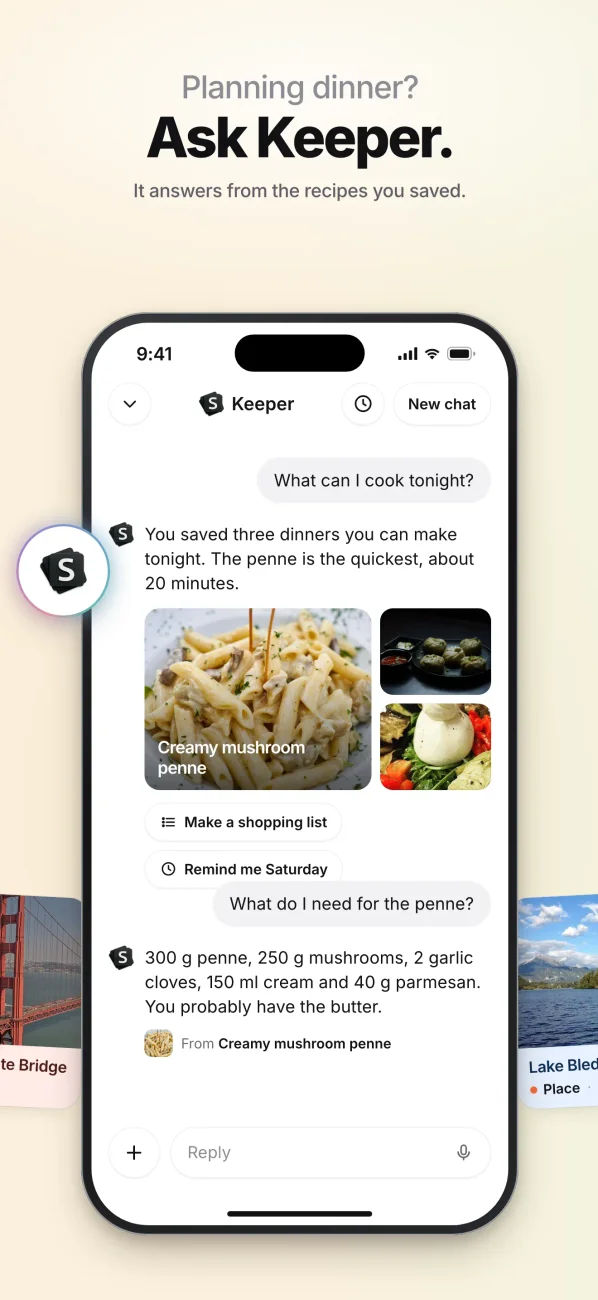
Ask Keeper
Keeper is the helper inside SavedIt. Ask it about your own saves: "what was that ramen place?" or "which recipes did I keep for this week?"
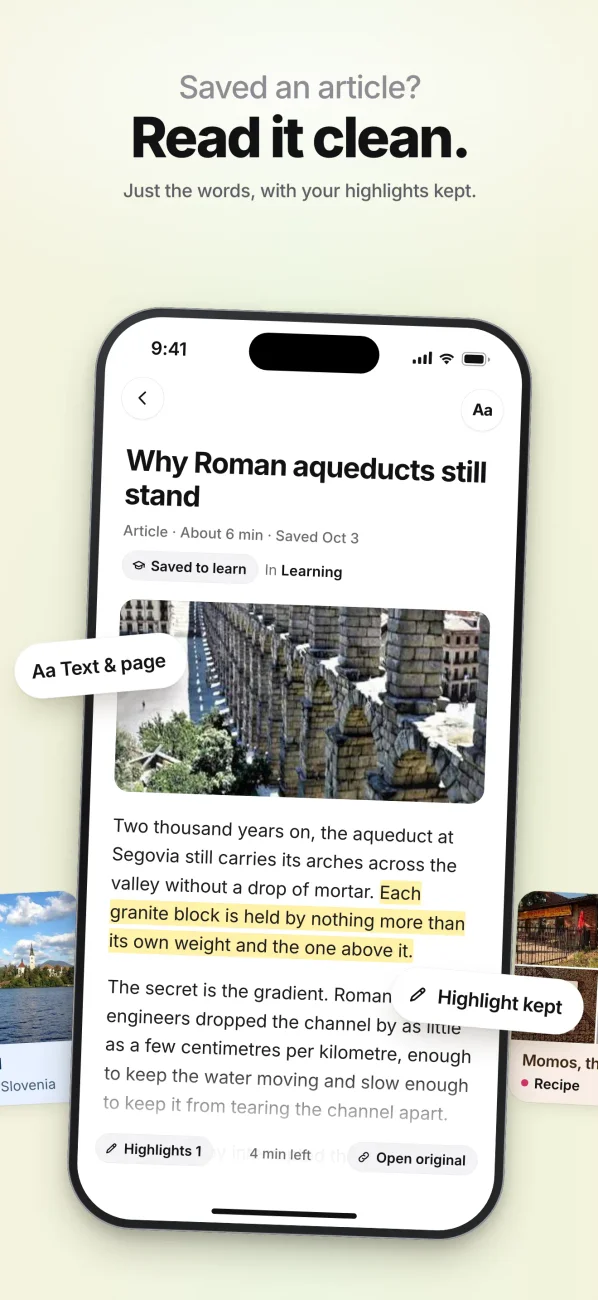
Read it properly
Open a saved article or PDF in a clean reader, without the clutter of the page it came from.
Notes and reminders
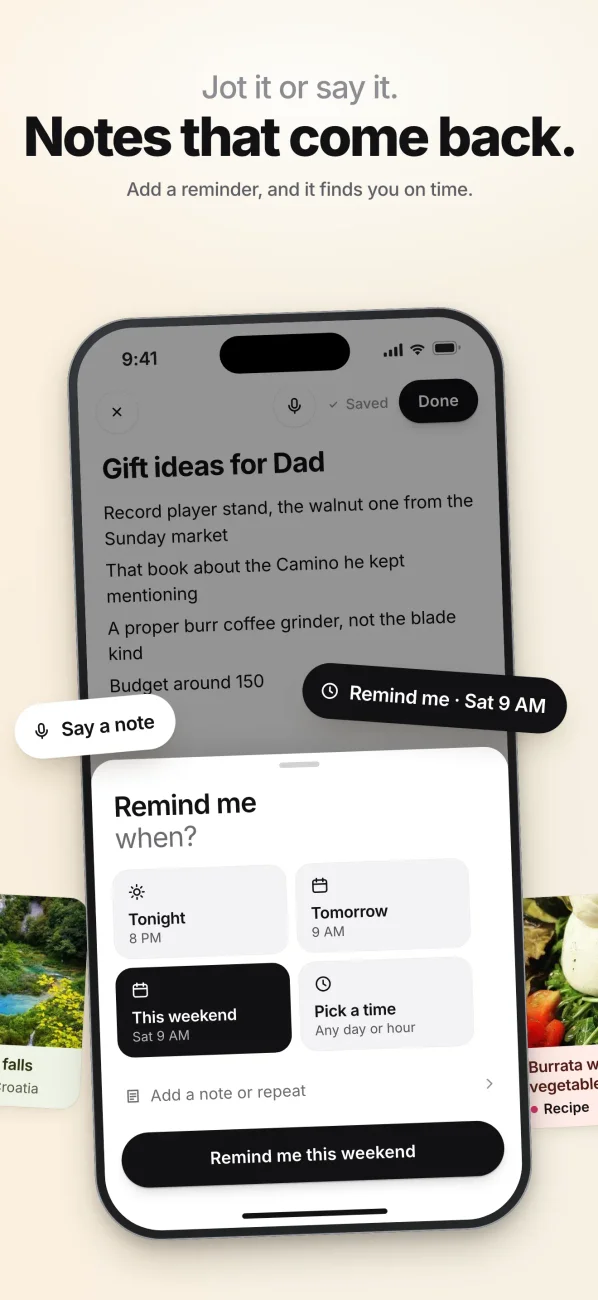
Add a note and a reminder so a save comes back at the right moment, not buried under next month's saves.
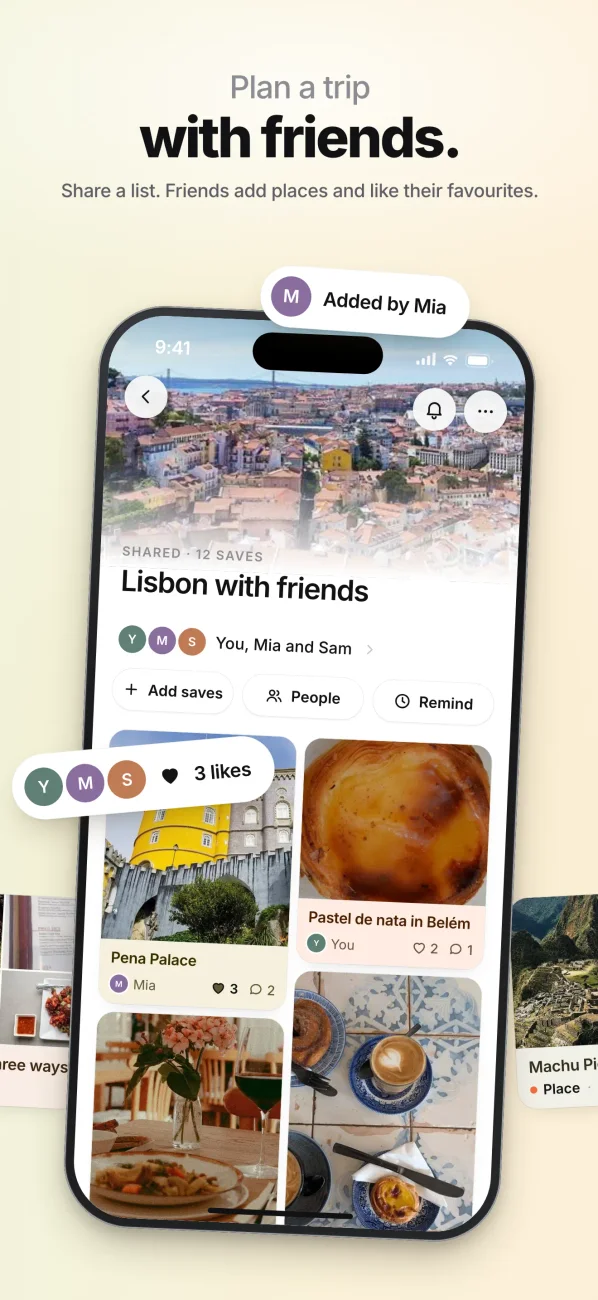
Collections you can share
Group saves into collections for a trip, a dinner party or a room you are planning. Invite friends to add saves and like the ones they want most.
Free, with Plus when you want more
Saving is free and has no limit, and so are Magic search (search by describing, with no monthly limit, fair use), bringing your saves from other apps, knowing why you saved it, auto tags, word search, notes and shared collections. Plus is an optional subscription that gives you more of the smart features:
• Keeper: 300 questions a month about your saves, with longer, more careful answers for big questions
• Summaries: up to 1,000 saves a month, up to 500 of them videos and photo posts
• All your places on one map
• Magic sort: each new save sorts itself into the right collection
• File storage: 10 GB for screenshots, photos and files
It renews automatically until you cancel it in your App Store account settings.
Yours
Your saves are private by default. Export them any time. Delete your account for good if you ever want to. Use SavedIt on your iPhone and on the web.
Questions or ideas? We read every message: contact@saveditapp.com
Terms of Use: https://saveditapp.com/legal/terms
Privacy Policy: https://saveditapp.com/legal/privacy
What’s new
Version 1.3.127 · Nov 16, 2026
Bug fixes
App privacy
What Tanmay Gupta declares on the App Store about how this app handles data.
-
Data linked to you
May be collected and linked to your identity.
- Purchases
- Contact info
- Contacts
- User content
- Search history
- Identifiers
- Usage data
- Diagnostics
Privacy practices may vary, for example with the features you use or your age.
Information
- Seller
- Tanmay Gupta
- Category
- Productivity
- Version
- 1.3.127
- Updated
- Nov 16, 2026
- Released
- Dec 7, 2025
- Size
- 76.4 MB
- Requires
- iOS 15.1 or later
- Age rating
- 4+
- Price
- Free
- In-app purchases
- Yes
- Languages
- English
- Copyright
- © Tanmay Gupta
You might also like
-
 saved – the smartest bookmarkRecipes, location, everything
-
 Trott: Turn Saves into NotesRecipes, workouts, travel tips
-
 SaveIt - Save Links & NotesRead Later & Bookmark Manager
-
 OrmemNote it fast. Find it later.
-
 MongeeScreenshot organiser
-
 MymoreeAI-Powered Bookmark Manager
-
 Weft: Mind MapsProductivity
-
 Nize OrganizerSave anything, find it later
-
 Saved PostsOrganize your saved social
-
 LinknProductivity