Scan & Sign: Document Scanner
eSign PDF, OCR & Translator
Designed for iPhone
Free · In-app purchases
- Age rating4+
- CategoryProductivity
- DeveloperDaniil Kabachuk
- LanguagesEnglish+ 14 more
- Size33.4 MB
Links to the official App Store page
Download.org hosts no file of Scan & Sign: Document Scanner. The button opens its official App Store page, published by Daniil Kabachuk. Listing last checked on Nov 12, 2026.
Screenshots

About
Scan paper with your camera, sign it and send it back as a PDF.
No account, no sign-up. Your documents stay on your device.
Scanner, signature, text recognition and translation in one app.
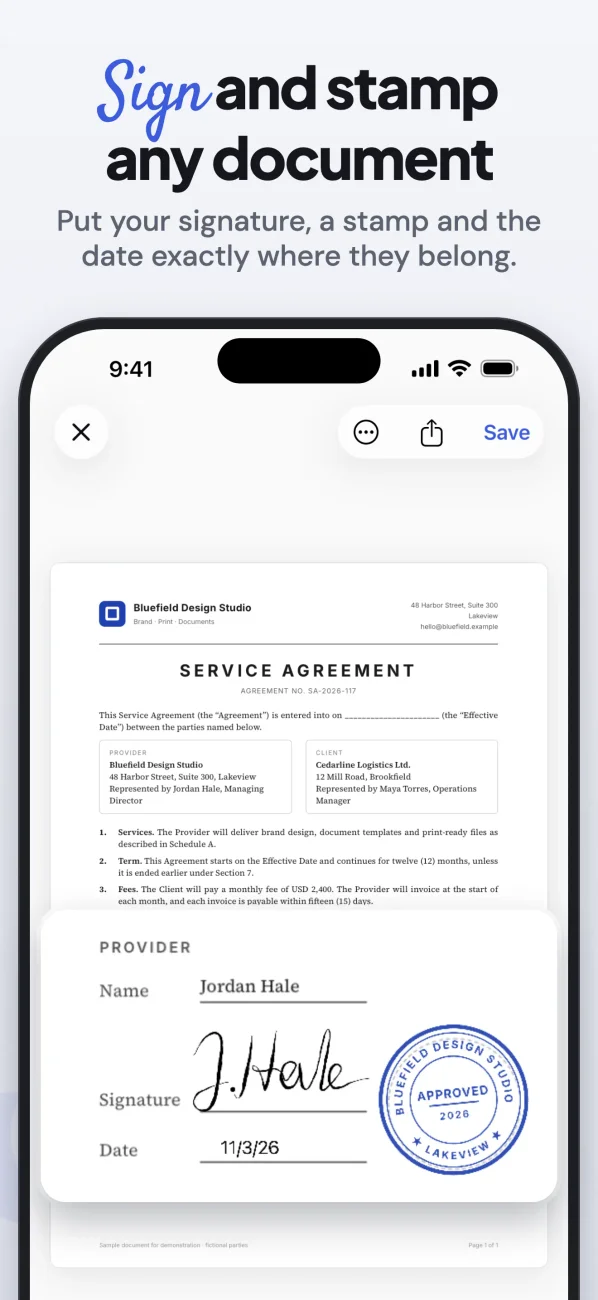
Scan & Sign is a document scanner and a signing tool in one. Point the camera at a page, or open a PDF or a photo, put your signature exactly where it belongs and share the finished file.
SCAN WITH YOUR CAMERA
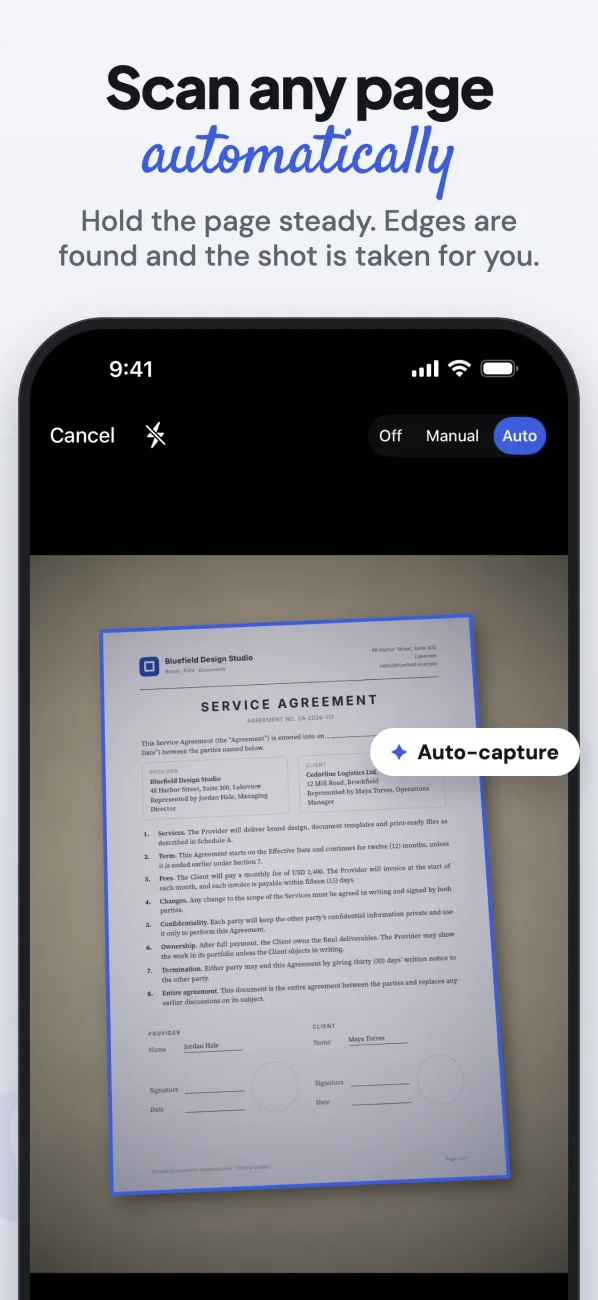
- Auto-capture: hold the page steady and it is captured for you
- Edges are found automatically — drag the corners to adjust them
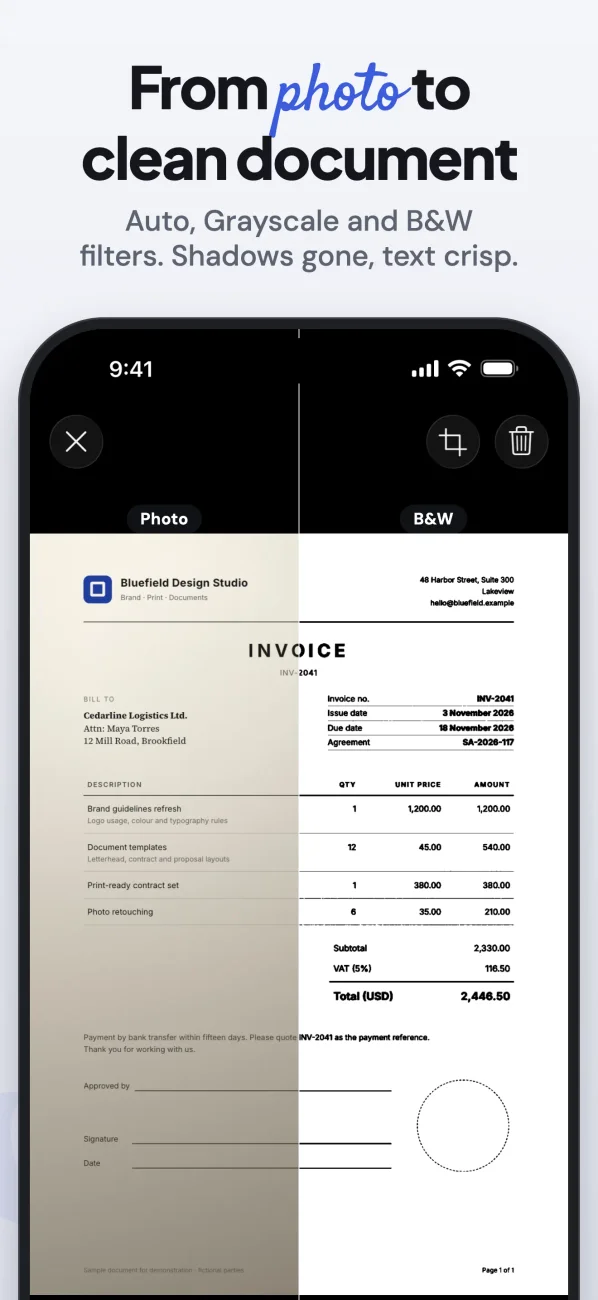
- Clean filters: Auto, Grayscale, B&W or Original
- Scan page after page into one PDF, up to 100 pages
- Give a single page its own filter
EDIT PAGES
- Reorder, rotate, crop or delete pages after a document is saved
- Change a page’s filter, or add pages from the camera, Photos or Files
SIGN YOUR WAY
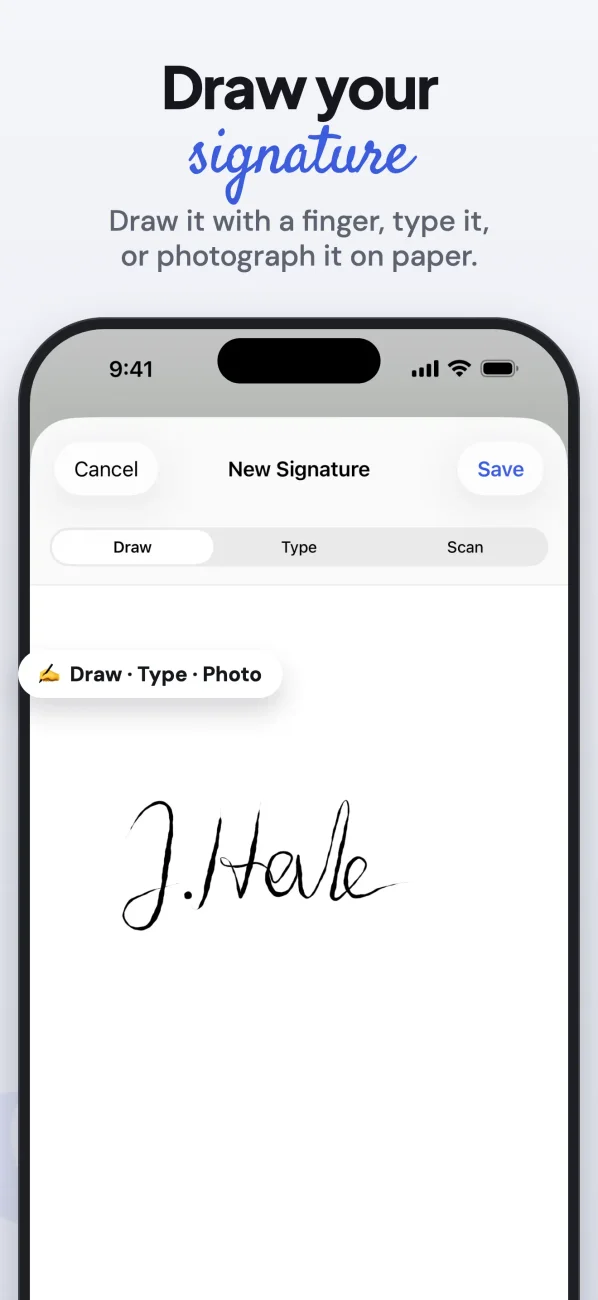
- Draw your signature with your finger, like a pen on paper
- Type your name and pick a handwriting-style font
- Photograph your signature on paper — the background is removed automatically
- Keep signatures in your library and reuse them on every document
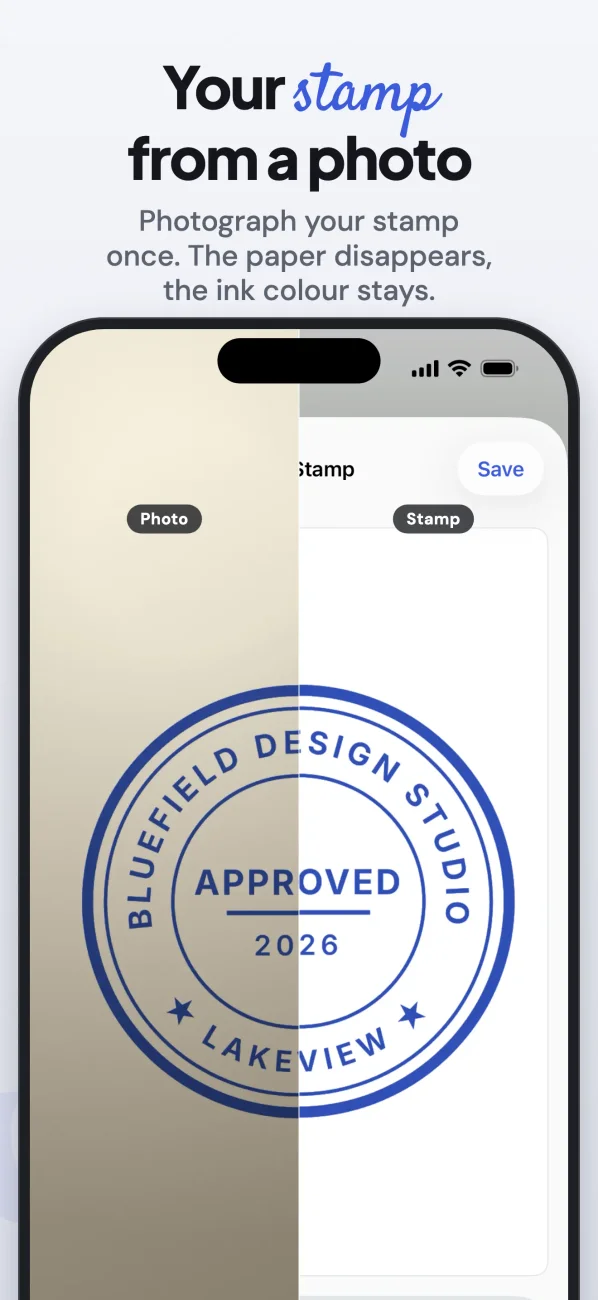
- Photograph your company stamp or seal — the paper disappears, the ink colour stays
- Rename, search and delete documents in your library
- Signing keeps your original — the signed copy is saved next to it
DATE, TEXT, INITIALS, CHECKMARKS
- Add the date, text, your initials and checkmarks next to your signature
- Drag anything into place and pinch to resize it
- Put your initials or the date on every page in one tap
EXTRACT TEXT
- Turn a scan or a PDF into text you can copy or share
- Text recognition runs on your device
TRANSLATE
- Translate the extracted text into another language
- The language pack downloads once; after that, translation works offline
SHARE FROM ANY APP
- In Mail, Files, Safari or Photos, tap Share and choose “Sign with Scan & Sign”
- The PDF or image opens in the app, ready to sign
- Export a clean PDF and send it with Mail, Messages, AirDrop or any other app
EXPORT YOUR WAY
- Share the signed PDF with any app
- Send a smaller file when you’re messaging
- Print straight from the app
- Save pages to Photos
- Protect a PDF with a password
- Export selected pages as a new PDF
NO ACCOUNT
- Start the moment you open the app — nothing to sign up for
- Scanning, signing and text recognition happen on your device
- Lock the app with Face ID
- Scan or sign straight from Control Center and Shortcuts
FREE AND PREMIUM
Scanning, page editing and text extraction are free. Your first 3 signed documents are free. Premium unlocks unlimited signing, translation and password protection.
Premium is $4.99 per week or $39.99 per year, both with a 3-day free trial. Prices may vary by region.
Subscriptions renew automatically unless cancelled at least 24 hours before the end of the current period. Manage or cancel anytime in your App Store account settings.
Privacy Policy: https://scansign.web.app/privacy
Terms of Use: https://scansign.web.app/terms
What’s new
Version 2.0.0 · Nov 3, 2026
Scan with your camera: auto-capture, clean filters and multi-page PDFs.
Extract the text of any document, and translate it.
Add dates, text, initials and checkmarks alongside your signature.
Reorder, rotate, crop or delete pages after a document is saved.
Add a stamp or company seal next to your signature.
Protect a PDF with a password before you share it.
Lock the app with Face ID, Touch ID or your passcode.
Signing keeps your original: the signed copy is saved next to it.
Print, or save pages to Photos, from the export menu.
Scan or sign straight from Control Center and Shortcuts.
App privacy
What Daniil Kabachuk declares on the App Store about how this app handles data.
-
Data used to track you
May be used to track you across apps and websites owned by other companies.
- Purchases
- Identifiers
- Usage data
-
Data linked to you
May be collected and linked to your identity.
- Purchases
- Identifiers
- Usage data
-
Data not linked to you
May be collected but is not linked to your identity.
- Diagnostics
Privacy practices may vary, for example with the features you use or your age.
Information
- Seller
- Daniil Kabachuk
- Category
- Productivity
- Version
- 2.0.0
- Updated
- Nov 3, 2026
- Released
- Jun 17, 2026
- Size
- 33.4 MB
- Requires
- iOS 18.0 or later
- Age rating
- 4+
- Price
- Free
- In-app purchases
- Yes
- Languages
- English, Arabic, French, German, Indonesian, Japanese, Korean, Malay, Portuguese, Russian, Simplified Chinese, Spanish + 3 more
- Copyright
- © 2026 Daniil Kabachuk
You might also like
-
 Sign PDF Documents: PDF SignerElectronic Signature Maker
-
 ScanNest: PDF Scanner & OCRSmart PDF Scanner & OCR Tool
-
 منصة عقوديProductivity
-
 Easy PDF Signer: Fill & SignWrite on Documents & Form App
-
 e Signature Scanner & CreatorSign PDF Documents & Maker
-
 Signature Maker - eSign CreateDraw & Sign PDF Documents
-
 Deutschtec AI: Chat & Images200+ AI models in one app
-
 Reduct - Task ParalysisADHD To-Do List, Tiny Steps
-
 PDF to Word Converter - Mr PDFSignature Creator, Fill Forms
-
 PromptShelf: AI Prompt LibraryPrompts ideas for images texts