scandango: Document Scanner
Scan, sort and track paperwork
Designed for iPhone, iPad
Free
- Age rating4+
- CategoryProductivity
- DeveloperNeil Johnson
- LanguagesEnglish
- Size72.6 MB
Links to the official App Store page
Download.org hosts no file of scandango: Document Scanner. The button opens its official App Store page, published by Neil Johnson. Listing last checked on Nov 23, 2026.
Screenshots
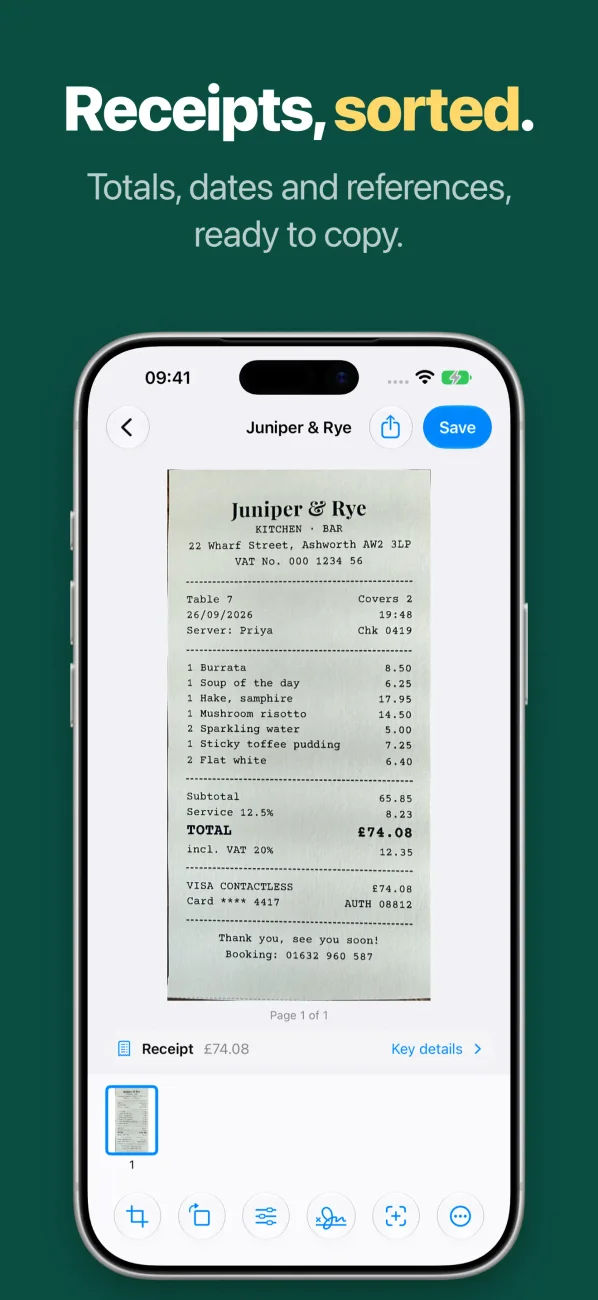


About
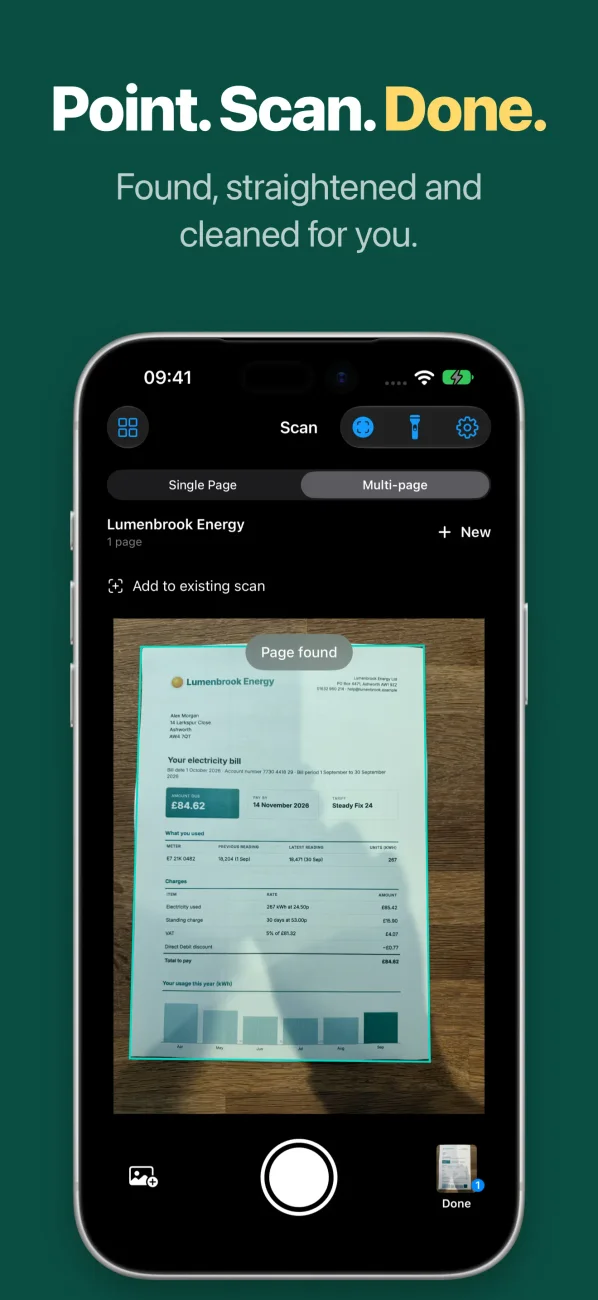
Turn paper into clean, searchable PDFs, and let scandango keep track of it for you. Point the camera at a page and scandango finds the edges, straightens it, cleans it up and reads it, so your bills, letters and receipts tell you what they mean and when things are due.
FREE, FOR GOOD
• Scan single pages or whole documents, from the camera, Photos or Files.
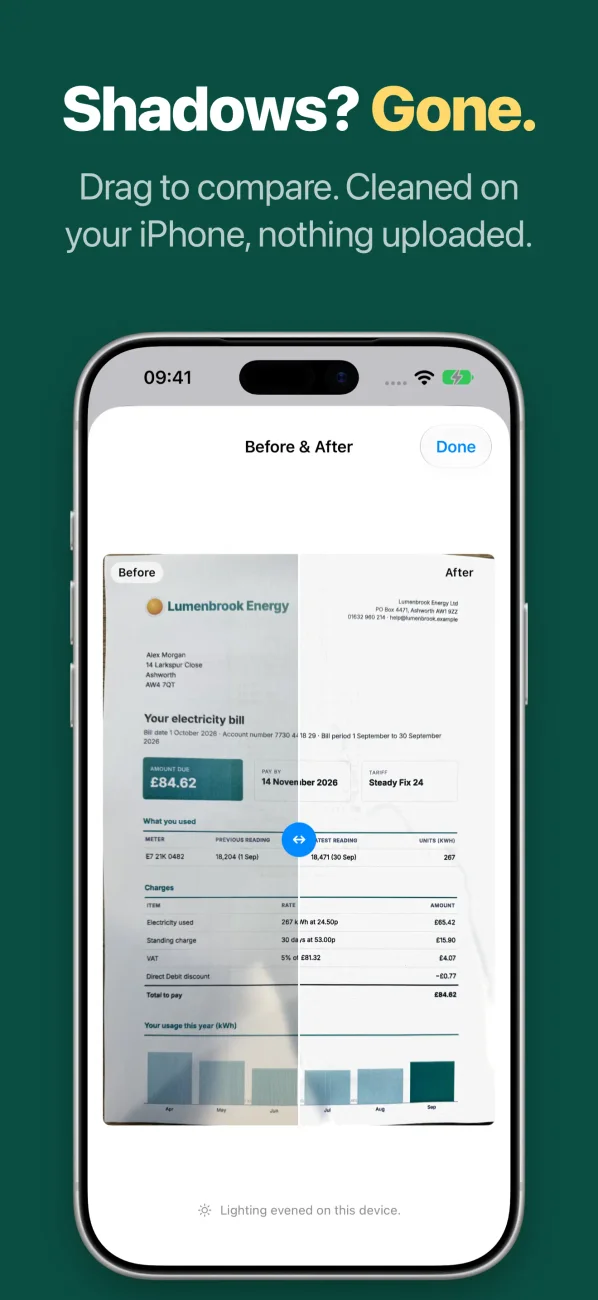
• Clean, straight pages: shadows evened out, text sharpened, and curved book pages flattened on iOS 27.
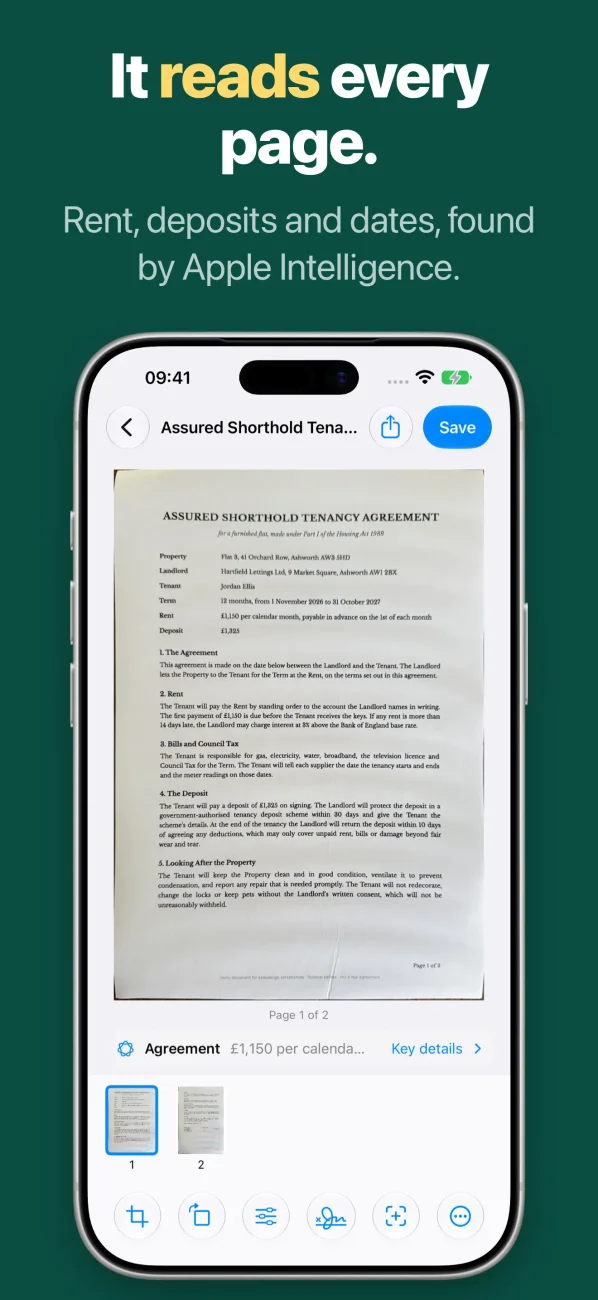
• Smart names and key details from Apple Intelligence: "Electricity Bill, October 2026", with its dates and amounts.
• Recipes ready to cook from: ingredients and method in large text, with ticks, and the screen kept on.
• Search every word in every scan, from scandango or Spotlight. Make folders of your own, or Smart Folders that fill themselves.
• Sign & Mark Up, Bill Reminders, and Expenses with totals and a spreadsheet.
• Searchable PDFs, PNGs and text, PDF passwords, batch export, and Export Everything whenever you like.
• iCloud Sync: your library on iPhone, iPad and Mac, through your own iCloud. And lock scandango with Face ID.
SCANDANGO PRO: PAY ONCE, OR YEARLY
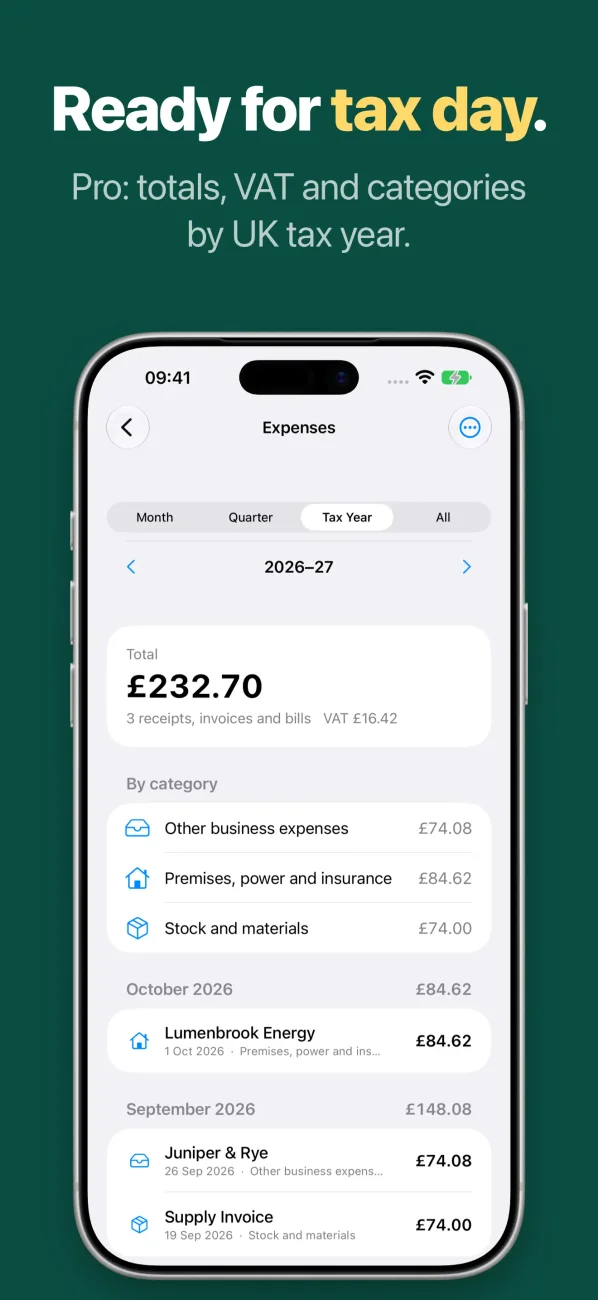
• Tax tools: expenses by UK tax year and quarter, VAT and categories, bank-statement files to import into Xero, QuickBooks and FreeAgent, and a pack for your accountant.
• Projects and expense claims: tag receipts to a client, job or trip, then send a claim with every receipt attached.
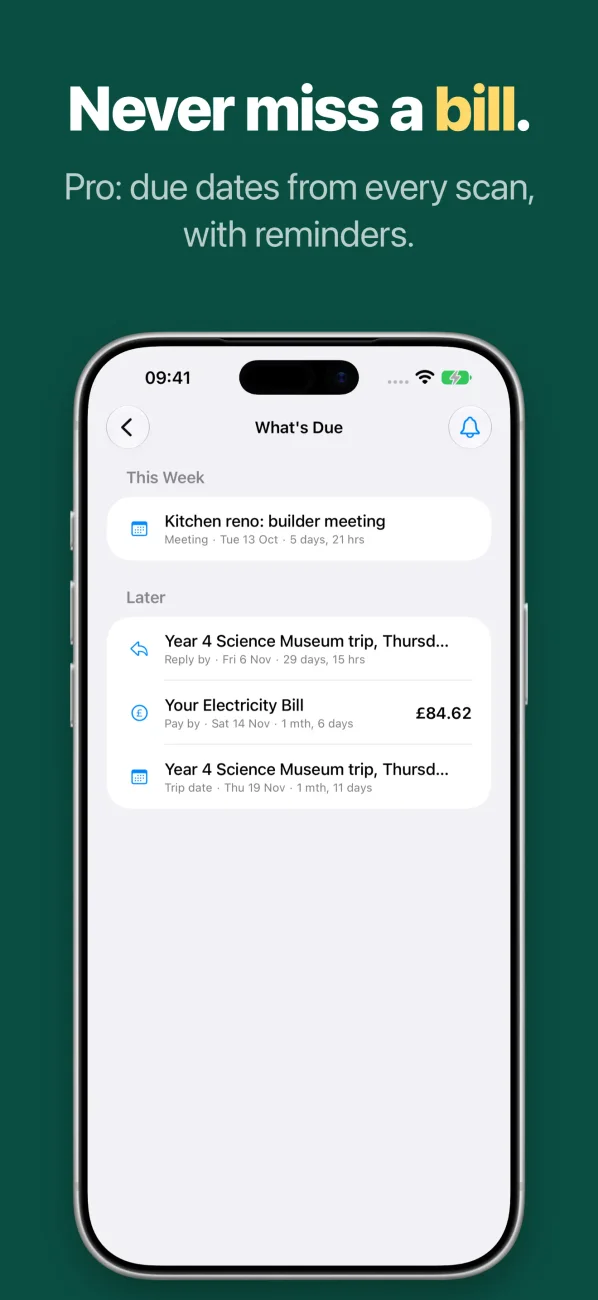
• What's Due: bills to pay, replies, renewals, warranties and expiry dates from all your scans, with optional reminders and a widget.
• Letters, explained: what a letter means in plain words, what to do and by when, and who to call.
• Agreements, explained: the dates, costs and catches in a tenancy, contract or policy, and a reminder before you need to give notice, when notifications are on.
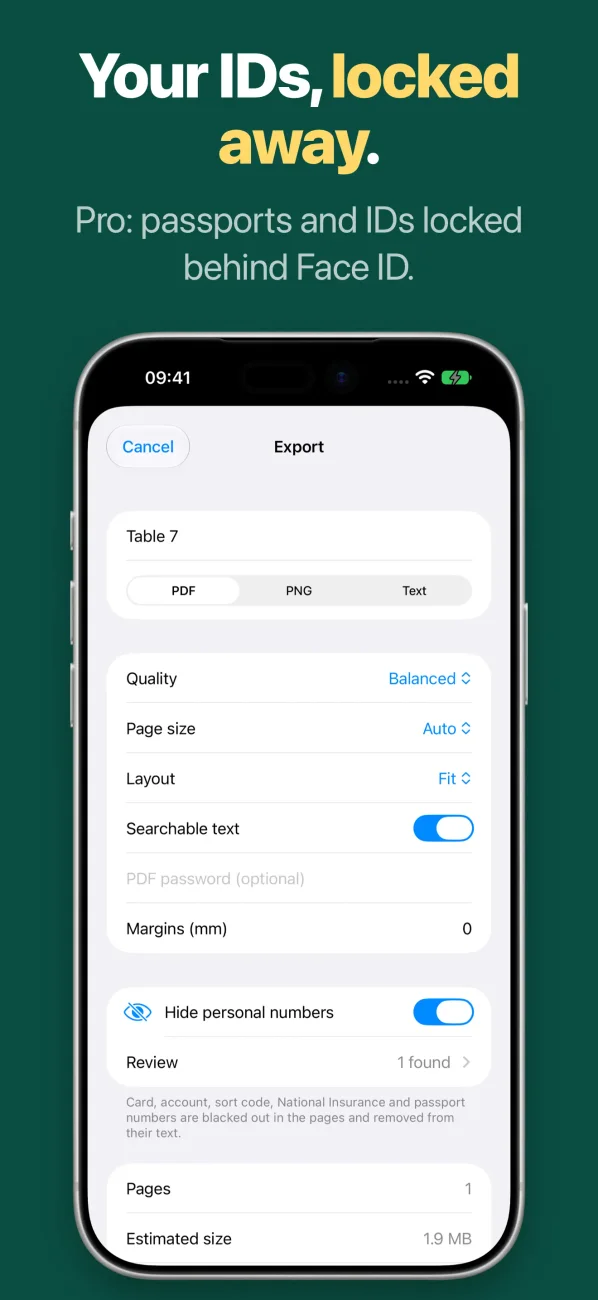
• Private Vault: passports, licenses and ID cards locked away as they're read, behind Face ID or your passcode, and read on your device only, with every detail a tap to copy. Account numbers hidden in the copies you export.
• Shared Folders: share a folder of bills and letters with the people you live with, through iCloud.
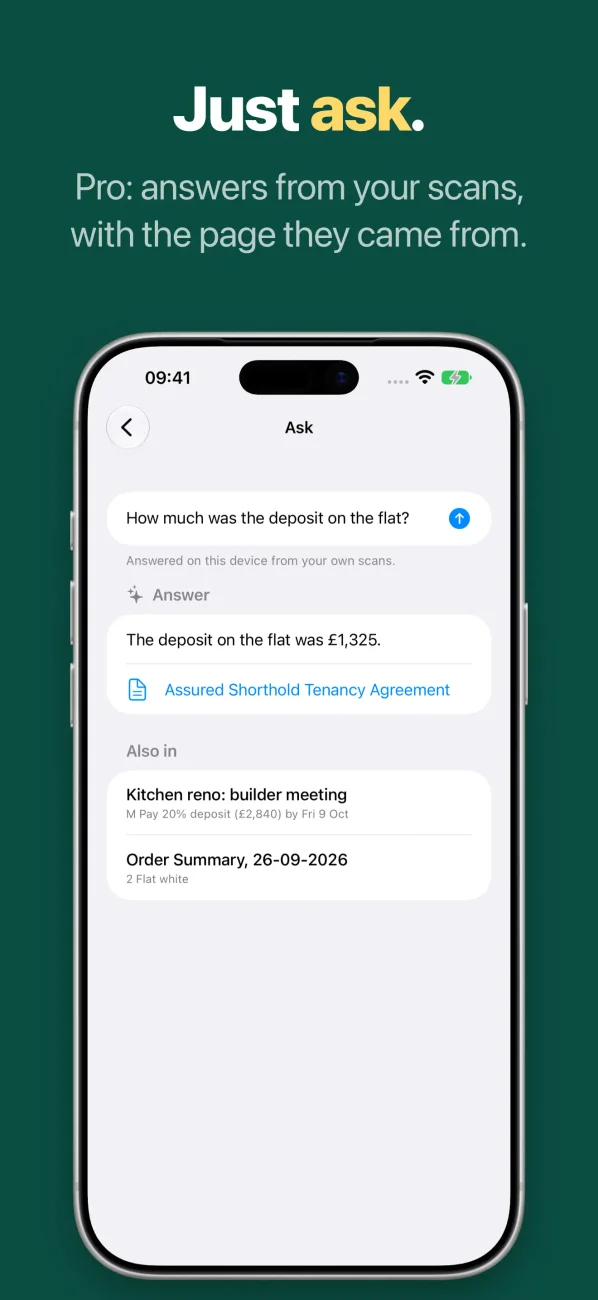
• Ask your paperwork: "When is the car insurance due?", answered from your own scans, with the page it came from.
• Providers: bills grouped by who sent them, with a note when one goes up by a tenth or more.
• Filing rules that save copies and line up emails for you, a scanned pile split into documents in one tap, statement matching, and paper forms filled in with your details.
BUILT FOR IPHONE DUO, IPAD AND MAC
Open iPhone Duo and scan on one side while your pages build up on the other. On iPad and Mac, your library sits in a sidebar beside the scan, with keyboard shortcuts, multiple selection and drag and drop.
PRIVATE BY DESIGN
No account, no ads, no tracking, and nothing on our servers. Apple Intelligence can use Apple's Private Cloud Compute for better readings: a scan's text goes to Apple servers that keep nothing, images never leave your device, and you can turn it off. iCloud Sync uses your own iCloud, which we never see.
scandango prepares records for your accounting software or accountant; it isn't tax advice or MTD software.
Requires iOS 26 or later. Smart names, key details, recipes, letters, agreements and Ask need a device with Apple Intelligence.
scandango Pro is optional: £9.99 a year, renewing automatically until you cancel in Settings › Apple Account › Subscriptions, or a one-time purchase. Prices vary by country.
Terms of Use: https://www.apple.com/legal/internet-services/itunes/dev/stdeula/
Privacy Policy: https://scandango.bzwrd.co.uk/privacy/
What’s new
Version 2.2 · Nov 20, 2026
scandango Pro can now be paid for yearly as well as once. Both unlock the same tools.
Filing is simpler: every scan has a folder button that opens one screen for its folders, project and type. What's Due has its own button on the Library, with a count of what's overdue or due this week.
Scans are read more carefully: bills show the right sender and total, and pages with little or no text are no longer given a made-up name or type.
The vault is tighter: locked scans stay out of Export History and other lists, and personal numbers are hidden in the copies you export unless you turn that off.
Statement matching reads statements with a balance column. Ask reads more of each scan and opens the page its answer came from. Reminders are set as soon as a scan is read, and tapping one opens the scan. Fill Form covers every page and can save the filled copy.
Plus fixes to exports, providers and splitting a scanned pile.
App privacy
What Neil Johnson declares on the App Store about how this app handles data.
-
Data not collected
The developer does not collect any data from this app.
Privacy practices may vary, for example with the features you use or your age.
Information
- Seller
- Neil Johnson
- Category
- Productivity
- Version
- 2.2
- Updated
- Nov 20, 2026
- Released
- Sep 23, 2026
- Size
- 72.6 MB
- Requires
- iOS 26.0 or later
- Age rating
- 4+
- Price
- Free
- Languages
- English
- Copyright
- © 2026 Neil Johnson
You might also like
-
 Doc Scanner To PDFScan, sign and share documents
-
 FleetlyYour devices, anywhere!
-
 Privascan: PDF Scanner & OCRPrivate, Offline, No Watermark
-
 Simple Cal with HistoryProductivity
-
 Procivis One WalletManage digital credentials
-
 eGFR GFR Calculatorckd epi
-
 FireAngel ConnectedProductivity
-
 Iris: AI Assistant for WatchYour ChatGPT, everywhere
-
 Foreplay Ad Swipe FileProductivity
-
 AnyTranslator: AI TranslatorPhoto, Voice & Chat Keyboard