
ScanLedger: Physical Inventory
Barcode scanner, Excel reports
Designed for iPhone, iPad
Free · In-app purchases
- Age rating4+
- CategoryBusiness
- DeveloperBE A MAN PTY LTD
- LanguagesEnglish+ 8 more
- Size12.4 MB
Links to the official App Store page
Download.org hosts no file of ScanLedger: Physical Inventory. The button opens its official App Store page, published by BE A MAN PTY LTD. Listing last checked on Nov 23, 2026.
Screenshots


About
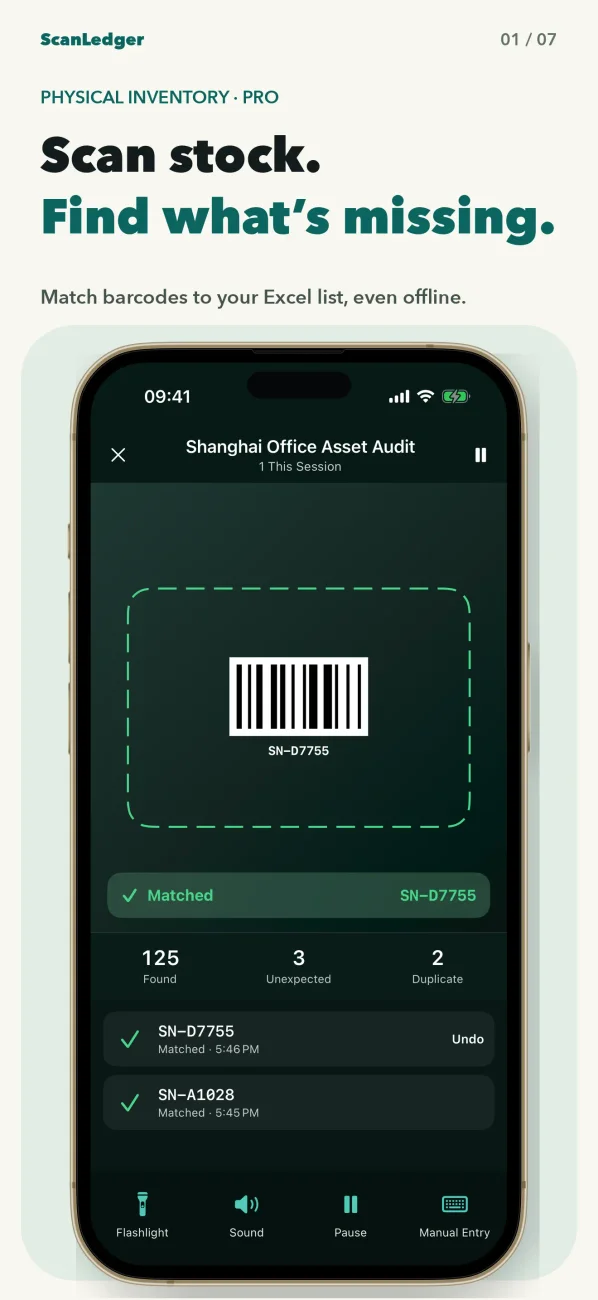
Scan barcodes for physical inventory and turn your count into a clear Excel or CSV report. With ScanLedger Pro, import the checklist you already use, match scans offline, and find missing items, unexpected codes and duplicates.
FROM YOUR SPREADSHEET TO A CHECKED REPORT
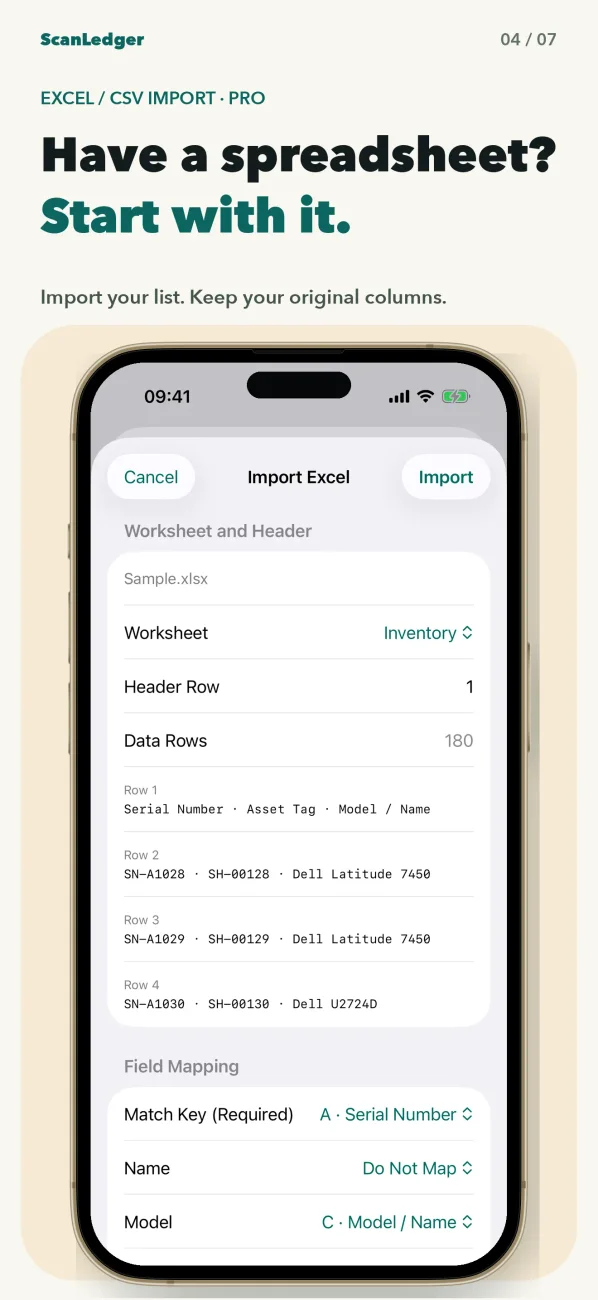
• Import your Excel (.xlsx) or CSV list with Pro and match scans to it as you work.
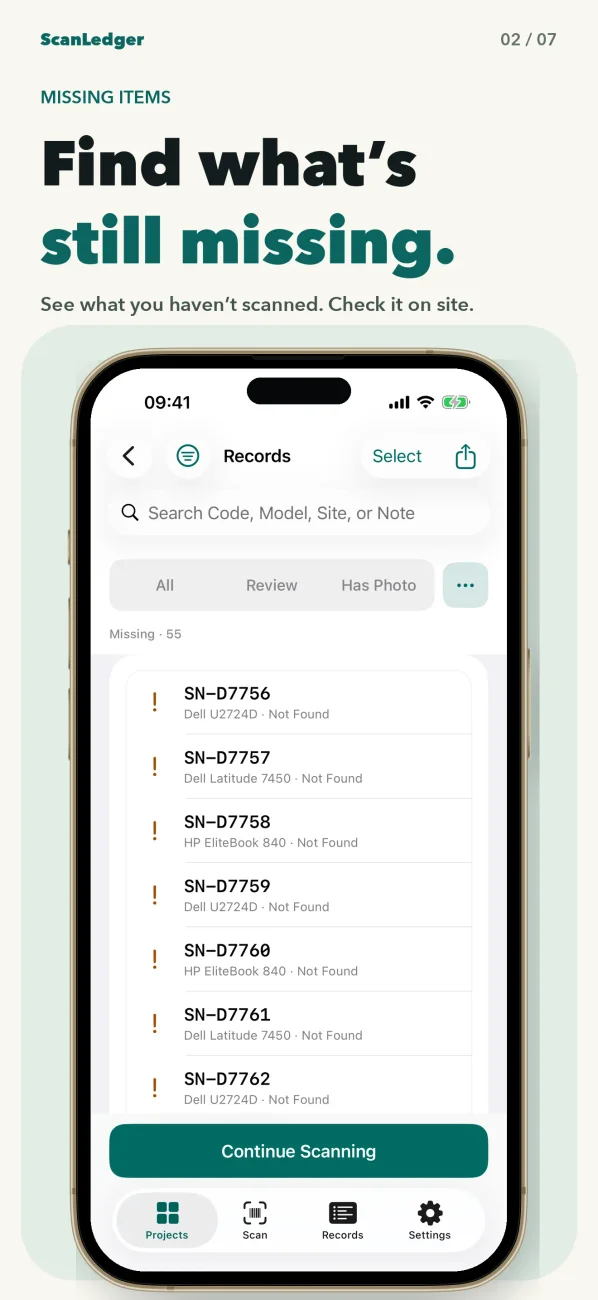
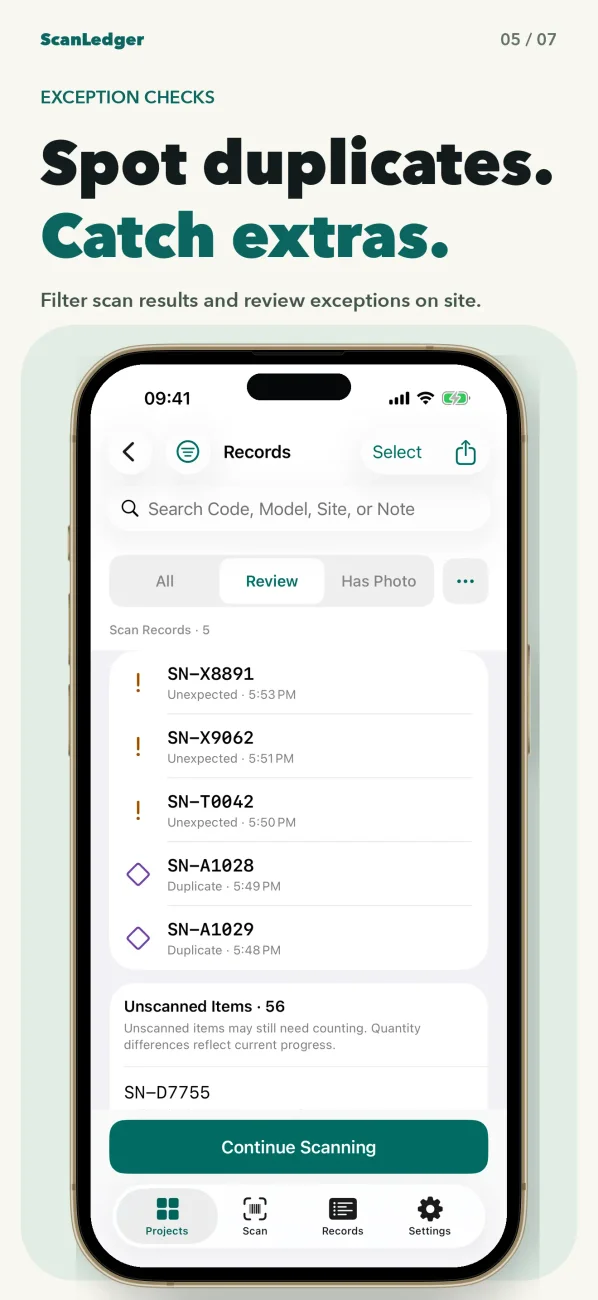
• Review missing items, unexpected codes, and duplicate scans before you finish.
• Count stock by SKU or check individual equipment by serial number.
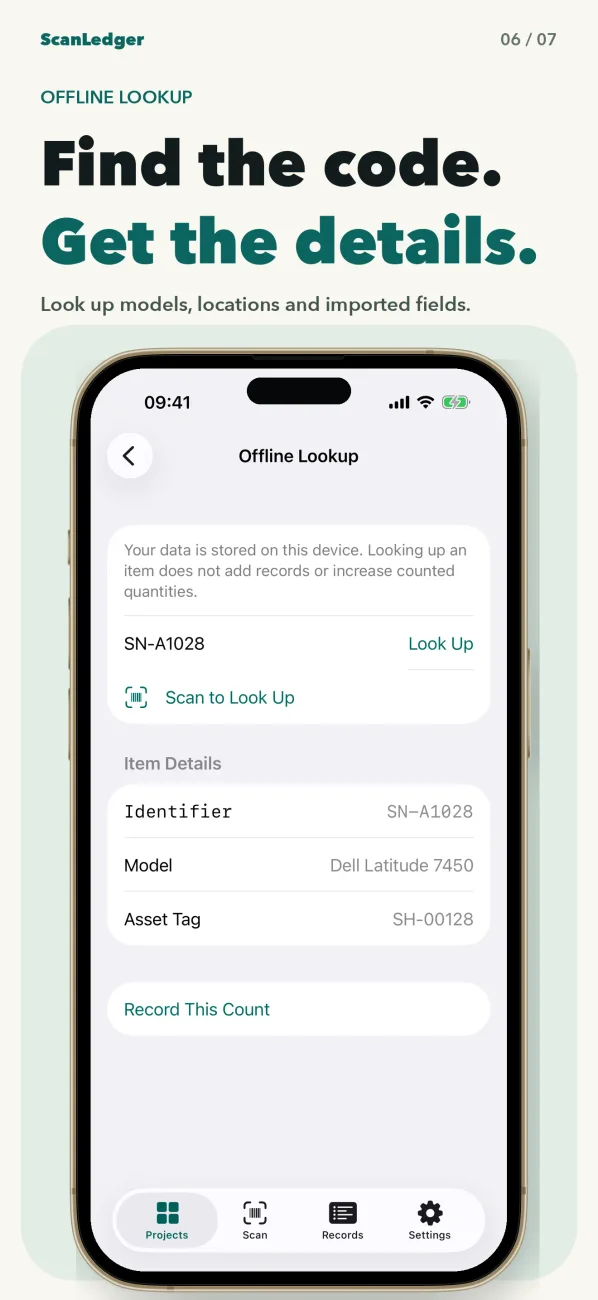
• Look up details from the imported list offline. A lookup does not change the count.
• Export scan records and reconciliation results as CSV or Excel (.xlsx).
Use the camera or a compatible external scanner. Choose the Excel worksheet, header row, and matching columns before importing. With Pro, add photos and custom templates, or share a ZIP evidence package.
The free version supports up to 3 active projects, 200 scans per project, and 3 CSV or Excel exports. Importing checklists for automatic reconciliation, custom templates, and photo capture require ScanLedger Pro. ScanLedger Pro is an optional lifetime purchase that unlocks unlimited projects, scans, templates, and exports. An optional one-time 14-day Pro preview uses Sign in with Apple to verify eligibility; it needs no payment method and never auto-renews. Purchasing and restoring Pro do not require the app’s optional Sign in with Apple. App Store authentication may still be required. Trial activation, purchases and restores need an internet connection; scanning and matching work offline.
Built for physical inventory checks, warehouse stocktakes, IT asset audits, equipment handovers, and field teams that need a clear result from an existing checklist.
What’s new
Version 1.9 · Nov 15, 2026
• Review shortages, surpluses and uncounted items separately, and confirm zero stock explicitly.
• Preview reports before exporting CSV or Excel files.
• Start the next count with the original checklist while keeping previous results.
• Try the five-item demo with clearer register and review buttons.
• Improved backup saving, filters and large-text layouts.
App privacy
What BE A MAN PTY LTD declares on the App Store about how this app handles data.
-
Data linked to you
May be collected and linked to your identity.
- Purchases
- Identifiers
Privacy practices may vary, for example with the features you use or your age.
Information
- Seller
- BE A MAN PTY LTD
- Category
- Business
- Version
- 1.9
- Updated
- Nov 15, 2026
- Released
- Aug 20, 2026
- Size
- 12.4 MB
- Requires
- iOS 17.0 or later
- Age rating
- 4+
- Price
- Free
- In-app purchases
- Yes
- Languages
- English, French, German, Italian, Japanese, Portuguese, Simplified Chinese, Spanish, Traditional Chinese
- Copyright
- © 2026 BE A MAN PTY LTD
You might also like
-
 Receipt Scanner: ScanLedgerTax & Business Expense Keeper
-
 InvoStockInventory Counting, Offline
-
 Inventur – einfachBusiness
-
 Pharma HubProductivity
-
 BeeQuietYour Focus Hive
-
 Staff Attendance: Time ClockShift clock-in & payroll
-
 Omniscan Batch Barcode scannerBatch QR code Barcode reader
-
 TiMO ScanBusiness
-
 Physical Inventory: AssetsFixed Asset Tracker & Scanner
-
 MiniVend WebEasyvend handheld add-on