
Scanner App: PDF Scanner App
Scan Documents,PDF scan, Scan
Designed for iPhone, iPad, iPod touch
Free · In-app purchases
- Age rating4+
- CategoryBusiness
- Developer宝锋 吴
- LanguagesEnglish+ 30 more
- Size30.1 MB
Links to the official App Store page
Download.org hosts no file of Scanner App: PDF Scanner App. The button opens its official App Store page, published by 宝锋 吴. Listing last checked on Nov 20, 2026.
Screenshots
About
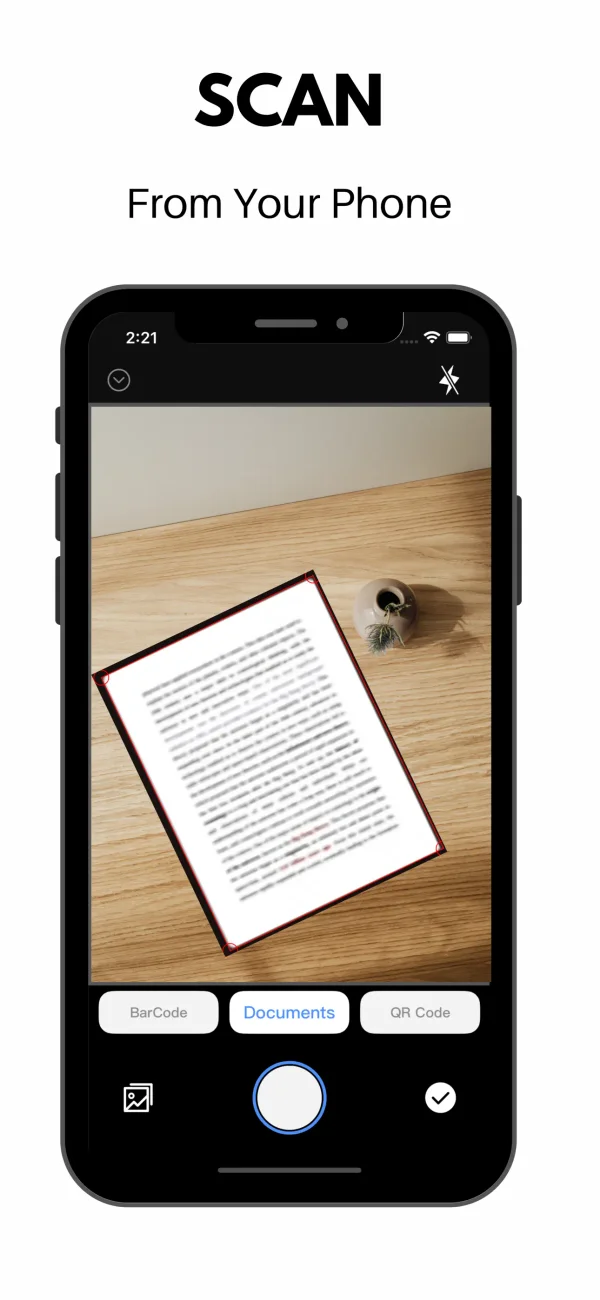
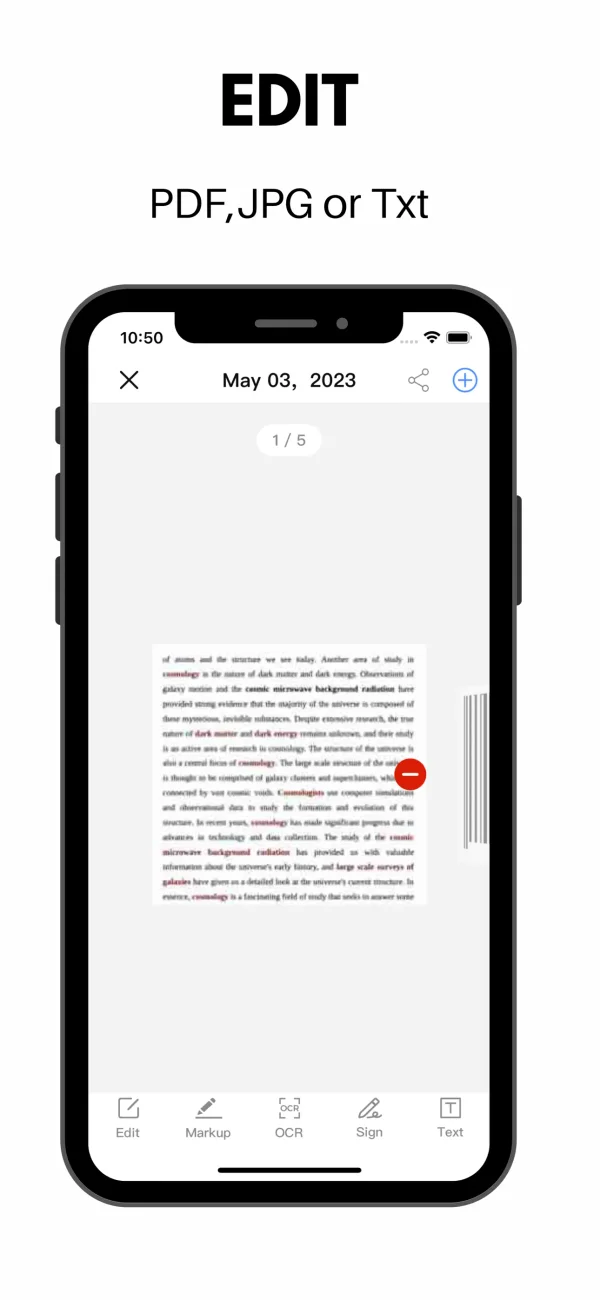
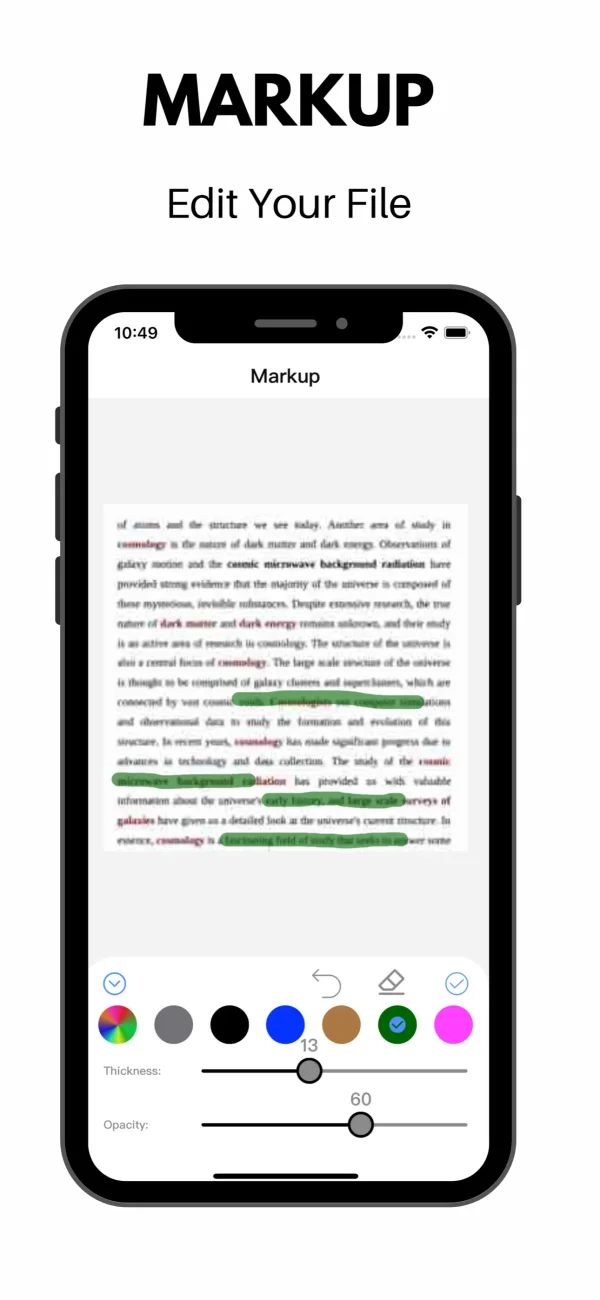
Scanner App built-in advanced scanning algorithm automatically detects borders of the page and supports image processing and can transform, rotate, sharpen your images, for best document quality,Extract Texts from Images Accurately (OCR)
Advanced scanner features:
- High resolution scans that preserve most of the original paper document details
- Automatic document edge detection and perspective correction
- Extract text from documents with OCR
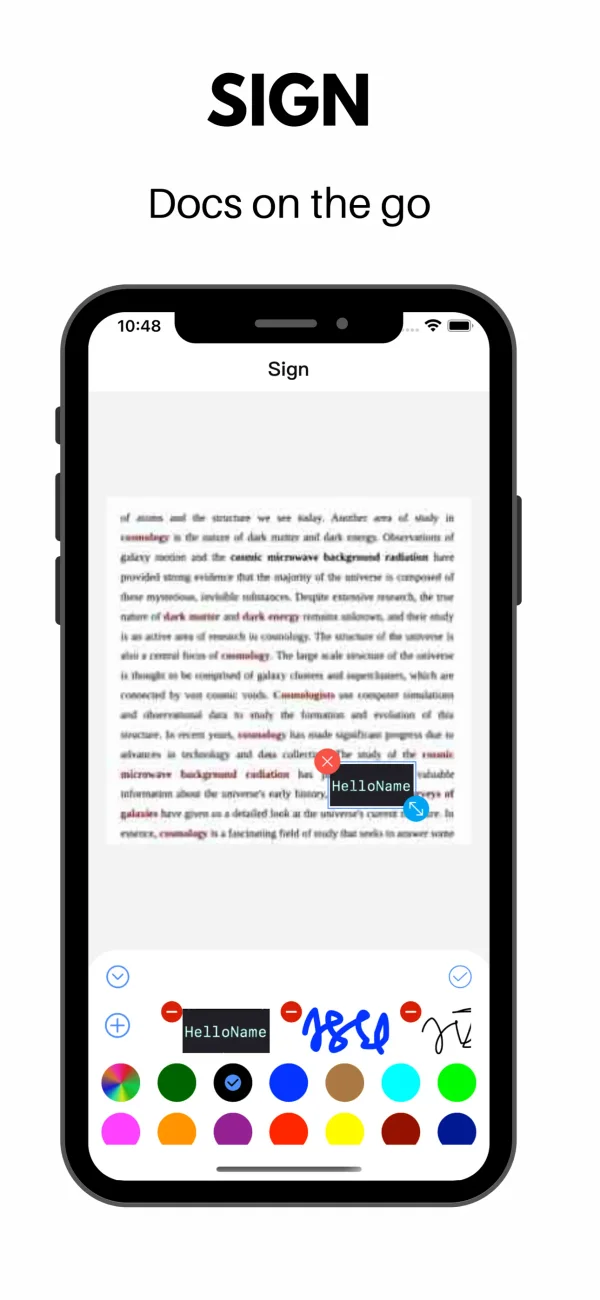
- Sign your scans manually or add a signature from an image
- Mark up documents, cover or blur text you don’t need to be seen
- Multipage scanning(Batch mode) and document managing
- Adding, modify, delete, or reordering pages in a document
- QR CODE – read any QR-code with your device camera
- Image processing engine that allows you to change contrast, enhance, sharpen for the perfect document quality!
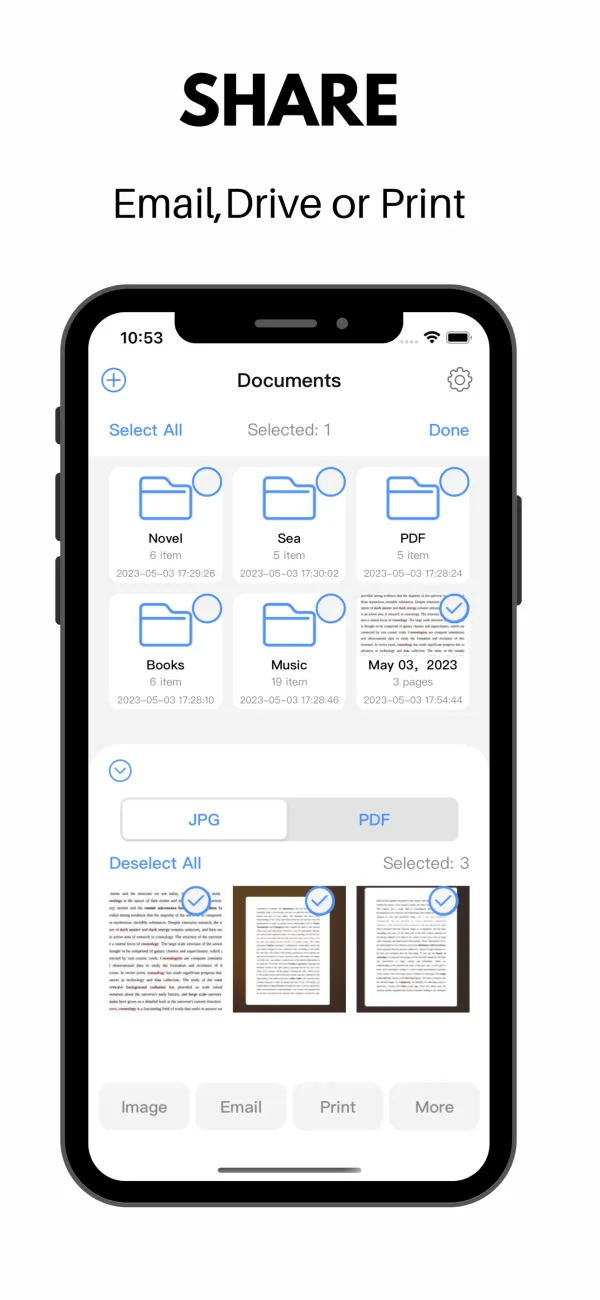
- Print your scans with any Wi-Fi printer
- Easily share documents in PDF or JPEG format with others via social media, email attachment or sending the doc link,Save and view the scanned files anytime, anywhere
This app contains subscription :
- You can subscribe for premium account with unlimited scans, premium features and no ads
- Subscription is from $5.99 USD monthly
- Subscription automatically renews for the same price and duration period as the original "one week"/"one month"/"one year" package unless auto-renew is turned off at least 24-hours before the end of the current period
- Payment will be charged to iTunes Account at confirmation of purchase
- Subscriptions may be managed by the user and auto-renewal may be turned off by going to the user's Account Settings after purchase
- Any unused portion of a free trial period, if offered, will be forfeited when the user purchases a subscription to that publication, where applicable
Term of Use: https://sites.google.com/view/appscanner/scanner/agreement
Privacy Policy: https://sites.google.com/view/appscanner/scanner/privacy
What’s new
Version 1.9.9 · May 28, 2024
Bugfixes and performance improvements
App privacy
What 宝锋 吴 declares on the App Store about how this app handles data.
-
Data used to track you
May be used to track you across apps and websites owned by other companies.
- Identifiers
-
Data not linked to you
May be collected but is not linked to your identity.
- Purchases
- Identifiers
- Usage data
- Diagnostics
Privacy practices may vary, for example with the features you use or your age.
Information
- Seller
- 宝锋 吴
- Category
- Business
- Version
- 1.9.9
- Updated
- May 28, 2024
- Released
- May 7, 2023
- Size
- 30.1 MB
- Requires
- iOS 13.0 or later
- Age rating
- 4+
- Price
- Free
- In-app purchases
- Yes
- Languages
- English, Arabic, Armenian, Catalan, Croatian, Czech, Danish, Dutch, Finnish, French, German, Greek + 19 more
- Copyright
- © Happy- Scanner 2023
You might also like
-
 Document & pdf scanner appCam, Fast, Text & Photo Scan
-
 Free PDF Scanner App For DocScan Documents & Photo to PDF
-
 Document Scanner, Scan to PDFPaper Scanning App with OCR
-
 Document Scanner · Scan to PDFFast Scan, Sign & OCR Docs
-
 PDFgear OCR PDF Scanner AppReceipts, Books & Photo to PDF
-
 vFlat Scan - PDF & OCR ScannerScan Books Flat — No Cutting
-
 My Scanner: Scan to PDF & EditPDF Converter, Document Editor
-
 Scan Now: PDF Document ScannerDigitize Your Documents Fast
-
 Scanner – Scan PDF, ID & DocsEdit, Sign, Convert Documents
-
 Scanner Pro - Scan to PDFSign, Convert & Send Documents