
Scanner: Document Scan App
PDF/OCR docs scan
Designed for iPhone, iPad, iPod touch
Free · In-app purchases
- Age rating4+
- CategoryProductivity
- Developer阳杰 刘
- LanguagesEnglish+ 4 more
- Size33.1 MB
Links to the official App Store page
Download.org hosts no file of Scanner: Document Scan App. The button opens its official App Store page, published by 阳杰 刘. Listing last checked on Nov 20, 2026.
Screenshots


About
Scanner is a powerful scanning software, provides document scanning, text recognition, document scanning, create PDF, photo translation and other practical functions. Software use of advanced image recognition technology, combined with automatic edge search, automatic cutting, perspective correction, can batch, fast, efficient processing of all kinds of documents, is your work, learning super good helper.
Main function
- Fast document scanning, automatic trimming, perspective correction, PDF editing kit available.
- High precision character recognition technology, super recognition engine, fast recognition.
- PDF file generation, automatic image batch conversion to PDF.
- ID scanning, 1:1 reduction to A4 paper.
- Batch export, copy and move
- Photo translation, multi-language support.
- Powerful file management.
- Free to capture text content or individual areas on the picture.
- Automatic segmentation, maximizing the restoration of original typesetting.
Document scan
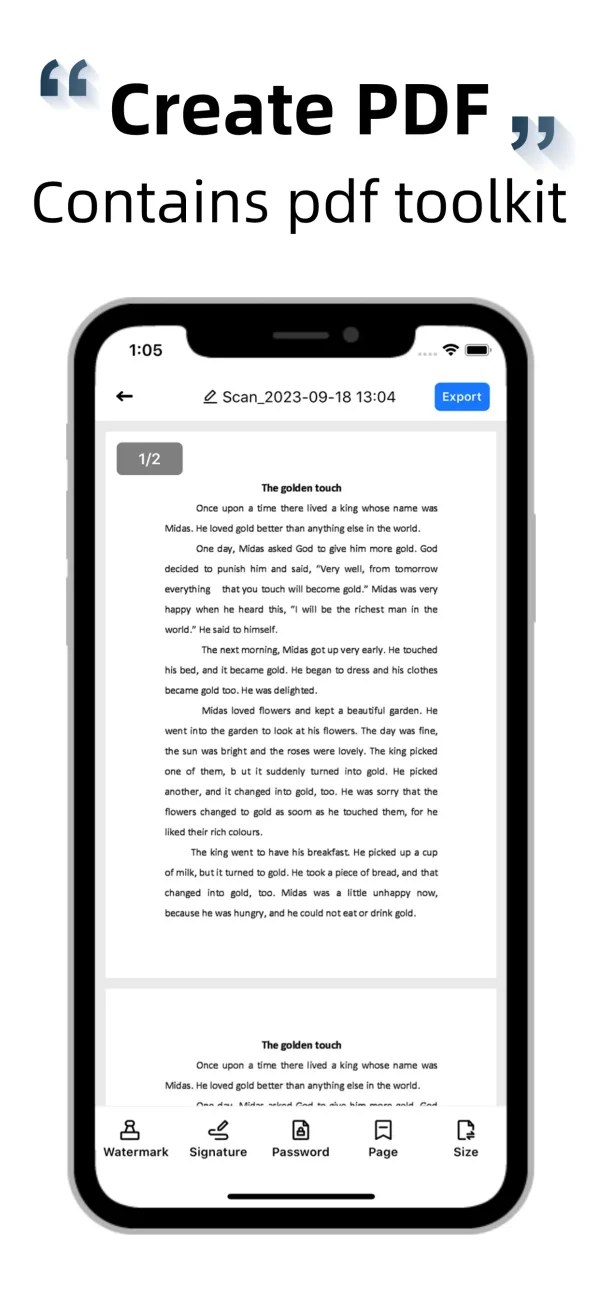
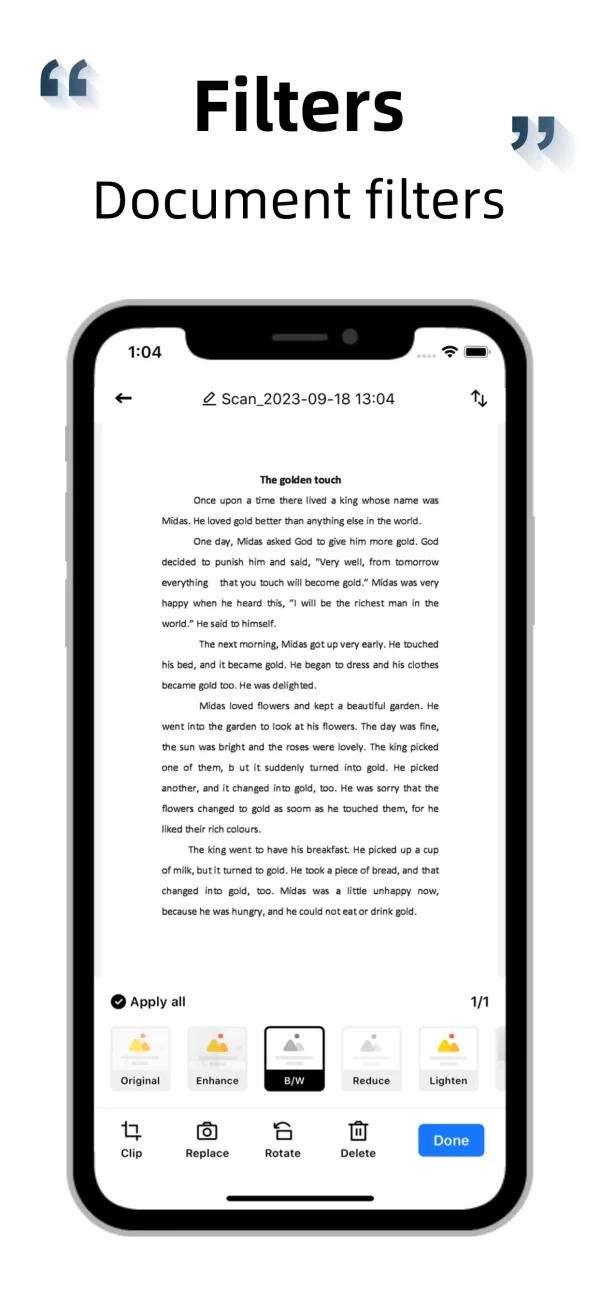
Fast scan documents, automatic edge recognition, automatic clipping, perspective correction, provide a variety of filters for you to choose, one button generation of PDF format, support to add/remove watermark, adjust page number, size, set PDF open password, etc.
OCR Recognition
Using advanced image recognition technology (OCR), the text in the image is turned into editable content, which you can modify, copy, export, and translate into many languages at will.
PDF generation
To convert pictures taken or photos in albums to PDF format, you only need to set the conversion area, you can complete the automatic conversion. You can also export the converted PDF documents to your email, mobile phone, or major sharing platforms.
ID scan
Automatic scanning of various documents, 1:1 reduction to A4 paper, out to handle affairs, work and study necessary.
Photo Translation
Direct translation of photos or photo albums in the text content, support multiple languages, you can edit, save, share.
Subscription specification
If you confirm the purchase of the subscription product, iTunes will directly deduct the relevant subscription fee. If the subscription is not cancelled within 24 hours before the end of the current subscription period, the premium account will be automatically renewed for the next period. During the current subscription period, you cannot cancel the use of the current subscription period. You can manage or cancel the purchase through the Settings of your iTunes account.
User Agreement: https://raw.githubusercontent.com/Buffalo-tech/Buffalo-tech.github.io/refs/heads/main/UserAgreement_en
Privacy Policy: https://raw.githubusercontent.com/Buffalo-tech/Buffalo-tech.github.io/refs/heads/main/PrivacyPolicy_en
Contact us
Email address: qnscanner2021@163.com
What’s new
Version 9.4 · Oct 13, 2026
Fixes and optimizes known issues
App privacy
What 阳杰 刘 declares on the App Store about how this app handles data.
-
Data not linked to you
May be collected but is not linked to your identity.
- Identifiers
- Diagnostics
Privacy practices may vary, for example with the features you use or your age.
Information
- Seller
- 阳杰 刘
- Category
- Productivity
- Version
- 9.4
- Updated
- Oct 13, 2026
- Released
- Jun 14, 2018
- Size
- 33.1 MB
- Requires
- iOS 13 or later
- Age rating
- 4+
- Price
- Free
- In-app purchases
- Yes
- Languages
- English, Japanese, Korean, Simplified Chinese, Traditional Chinese
- Copyright
- © 全能扫描王
You might also like
-
 PDF Scanner:File Scanner AppText Scan & Edit with OCR
-
 汉王扫描王-图片转Word与PDFProductivity
-
 全能扫描仪-拍文件相片照片扫描仪Productivity
-
 ScanScan(白描)-OCR Text ScannerDocument to pdf, Image to text
-
 PDF Scanner:Photo to PDFDocuments Scan,Photo Converter
-
 手机扫描王-文件全能助手&PDF图片转Word、一键计数测距Productivity
-
 ScannerHD:Scanner to scan PDFCam Documents PDF Converter
-
 图片转文字-拍照取字与PDF文字提取神器Productivity
-
 Text Scanner:Photo to PDFExtract Text with OCR
-
 CS Scanner-PDF Scanner AppPDF Converter,Document Scanner