
- Age rating4+
- CategoryProductivity
- Developer乐祥 胡
- LanguagesEnglish+ 4 more
- Size7.7 MB
Links to the official App Store page
Download.org hosts no file of Scanner365. The button opens its official App Store page, published by 乐祥 胡. Listing last checked on Nov 17, 2026.
Screenshots
About
Scanner365 is a powerful smart scanning tool that helps you quickly convert paper documents, photos, and images into digital formats. Whether for study, work, or daily life, Scanner365 provides convenient solutions for all your scanning needs.
Key Features
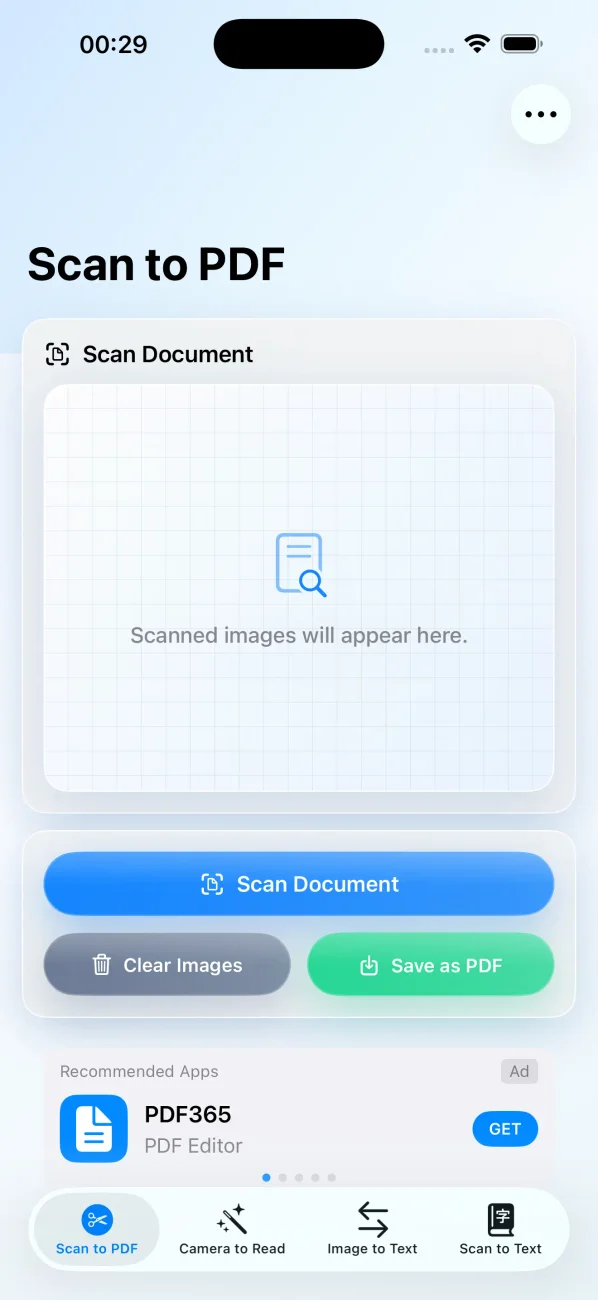
Scan to PDF – Scan documents with one tap and generate high-quality PDF files for easy storage and sharing.
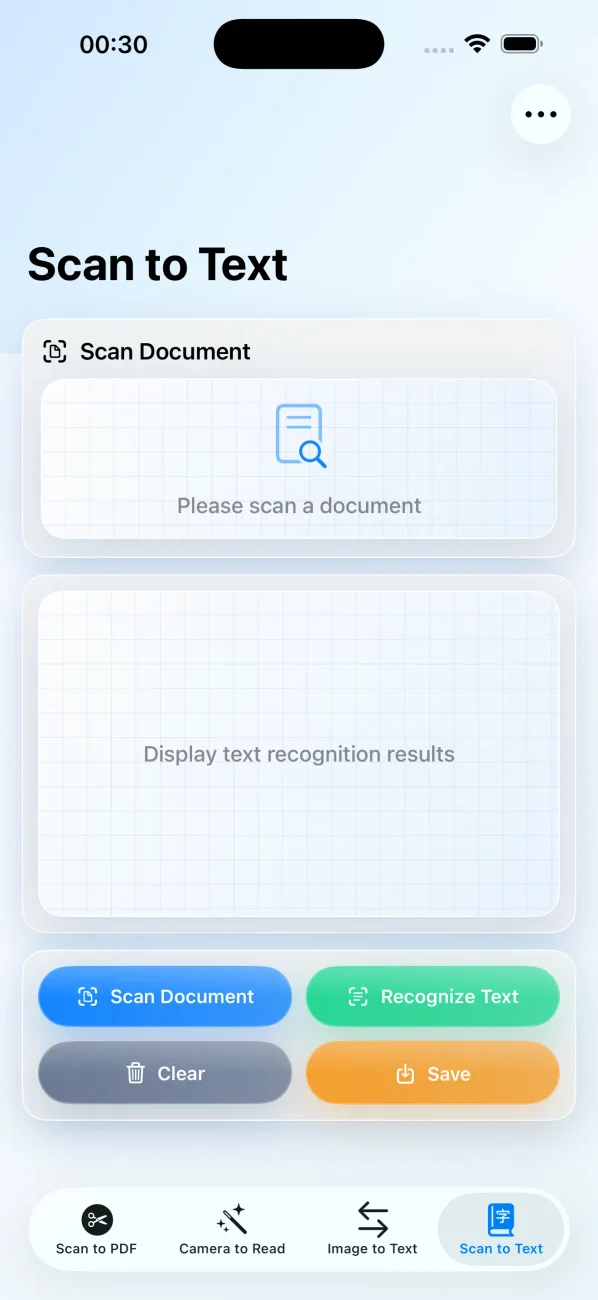
Scan to Text – Using OCR technology, extract editable text from scanned images or photos. Supports multiple language recognition.
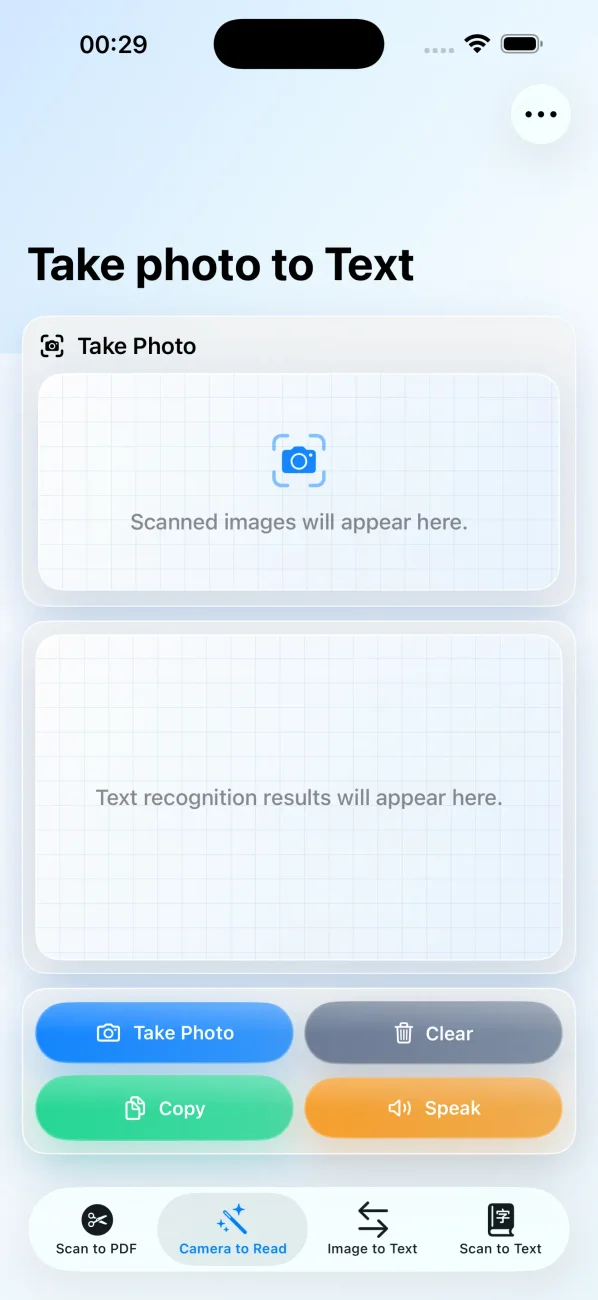
Scan & Read Aloud – Capture text content, then listen with one-tap voice朗读. Helps you understand and learn with ease.
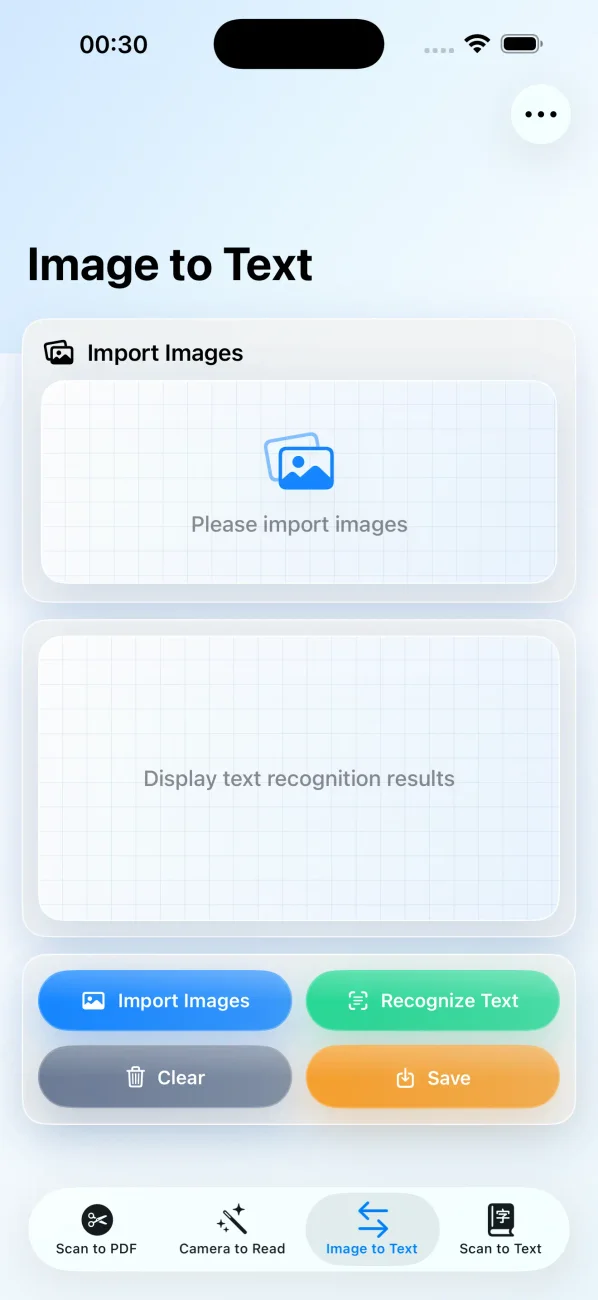
Image to Text – Upload images and quickly extract text content. Supports screenshots, photos, and document images.
Use Cases
Students – Quickly scan notes, textbooks, and exam papers, then convert them to editable text or PDF.
Professionals – Scan contracts, invoices, and meeting records to achieve paperless office efficiency.
Daily Life – Capture recipes, instruction manuals, or book content, then listen or convert to text instantly.
Key Advantages
High-Quality Scanning – Automatic edge detection and image enhancement ensure clear scan results.
Multi-Language Support – OCR recognition supports Chinese, English, and many other languages.
Offline Use – Some features work offline, so you can scan anytime without an internet connection.
iCloud Sync – iCloud sync support allows you to access your documents anywhere, anytime.
Download Scanner365
Make scanning smarter and life more convenient. Download now and experience the ease of smart scanning.
Subscription Plans & Auto-Renewal Info
Choose from multiple subscription periods to find the perfect plan for your needs:
1 Week – Short-term flexibility
1 Month – Ideal for project-based users
2 Months / 3 Months – Mid-term deep dive
6 Months – Long-term savings
1 Year – Best value for committed users
Lifetime – One-time purchase, forever access
Auto-Renewal Details:
Payment will be charged to your iTunes Account at confirmation of purchase
Subscription periods: weekly, monthly, bi-monthly, quarterly, semi-annual, or annual
Subscriptions auto-renew within 24 hours before the current period ends (except Lifetime)
Renewal charges will be processed within 24 hours before the end of the current period
Manage subscriptions or turn off auto-renewal anytime via your Apple ID Account Settings
Lifetime Membership Perks:
Pay once, unlock all features forever—no renewals, no hassle
Note: Manage subscriptions at: Settings > [Your Name] > Subscriptions
Related Agreements
Privacy Policy: https://docs.qq.com/doc/DRFZnV2JkVGVSUWVU
Terms of Use (EULA): https://docs.qq.com/doc/DREdRb0VqQUFETVhq
Apple EULA: https://www.apple.com/legal/internet-services/itunes/dev/stdeula/
Contact Us: hxx_shdt@126.com
What’s new
Version 1.1.8 · Jun 18, 2026
Bug fixes and performance improvements
App privacy
What 乐祥 胡 declares on the App Store about how this app handles data.
-
Data not collected
The developer does not collect any data from this app.
Privacy practices may vary, for example with the features you use or your age.
Information
- Seller
- 乐祥 胡
- Category
- Productivity
- Version
- 1.1.8
- Updated
- Jun 18, 2026
- Released
- Jan 11, 2025
- Size
- 7.7 MB
- Requires
- iOS 17.6 or later
- Age rating
- 4+
- Price
- $0.99
- In-app purchases
- Yes
- Languages
- English, Arabic, Japanese, Simplified Chinese, Traditional Chinese
- Copyright
- © lexianghu
You might also like
-
 PDF OCR: Scanner & EditorSign, Annotate, Convert, Merge
-
 Cardpack - secure scanning appsecure card/document scan app
-
 ScanBigGive storage a fresh start
-
 noteE: AI Notes & DocsSmart notes for work & study.
-
 Unique DaysTrack Important Days
-
 cal evteasy calendar
-
 Map a NoteCollaborative Notes on a Map
-
 Habit Tracker: HabitsyDaily Streaks, Goals & Widgets
-
 Momentumly: Habit TrackerStreaks Habit Tracker
-
 Offline AI Voice RecorderTranscription, Memos & Text