- 対象年齢4+
- カテゴリ仕事効率化
- 開発元乐祥 胡
- 言語英語ほか4言語
- サイズ7.7 MB
App Storeの公式ページにリンクしています
Download.orgはScanner365のファイルを一切ホストしていません。ボタンを押すと、乐祥 胡が公開しているApp Storeのアプリページが開きます。ページの最終確認:2026/11/17。
スクリーンショット
概要
開発元はこのテキストをお使いの言語で提供していません。
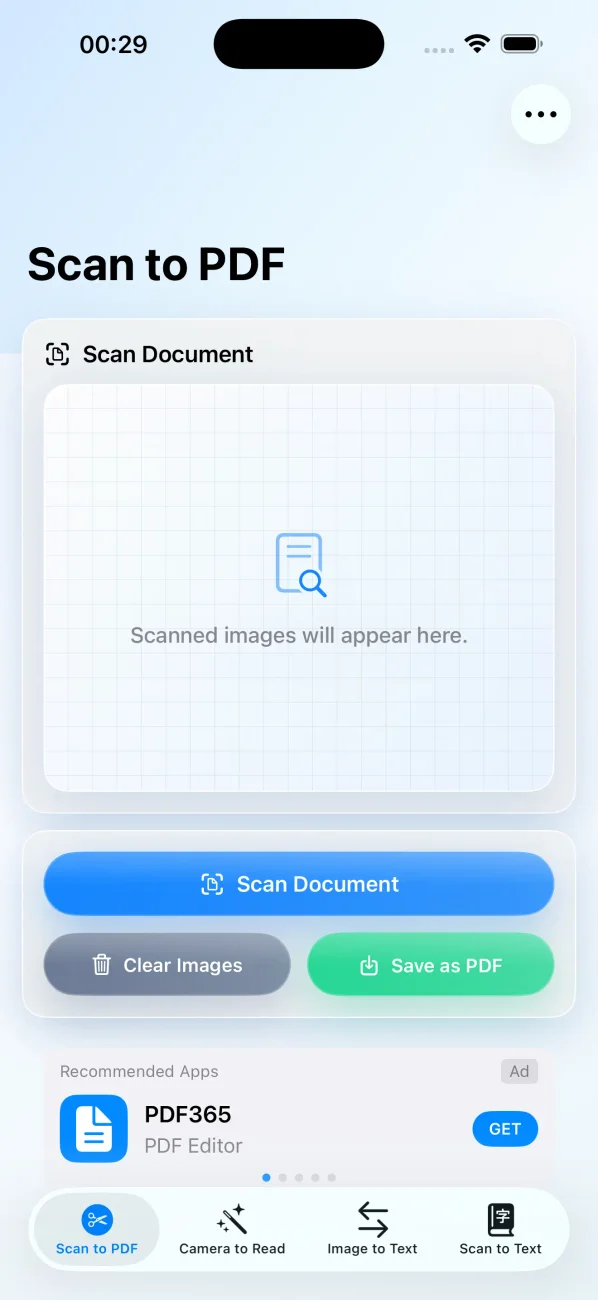
Scanner365 is a powerful smart scanning tool that helps you quickly convert paper documents, photos, and images into digital formats. Whether for study, work, or daily life, Scanner365 provides convenient solutions for all your scanning needs.
Key Features
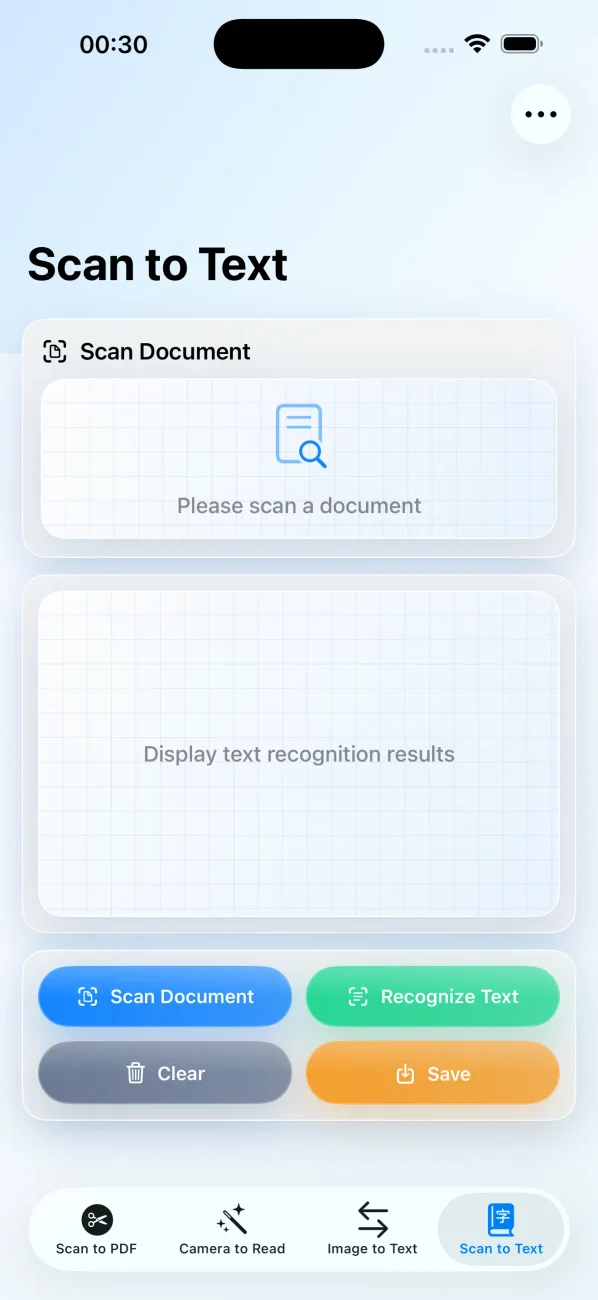
Scan to PDF – Scan documents with one tap and generate high-quality PDF files for easy storage and sharing.
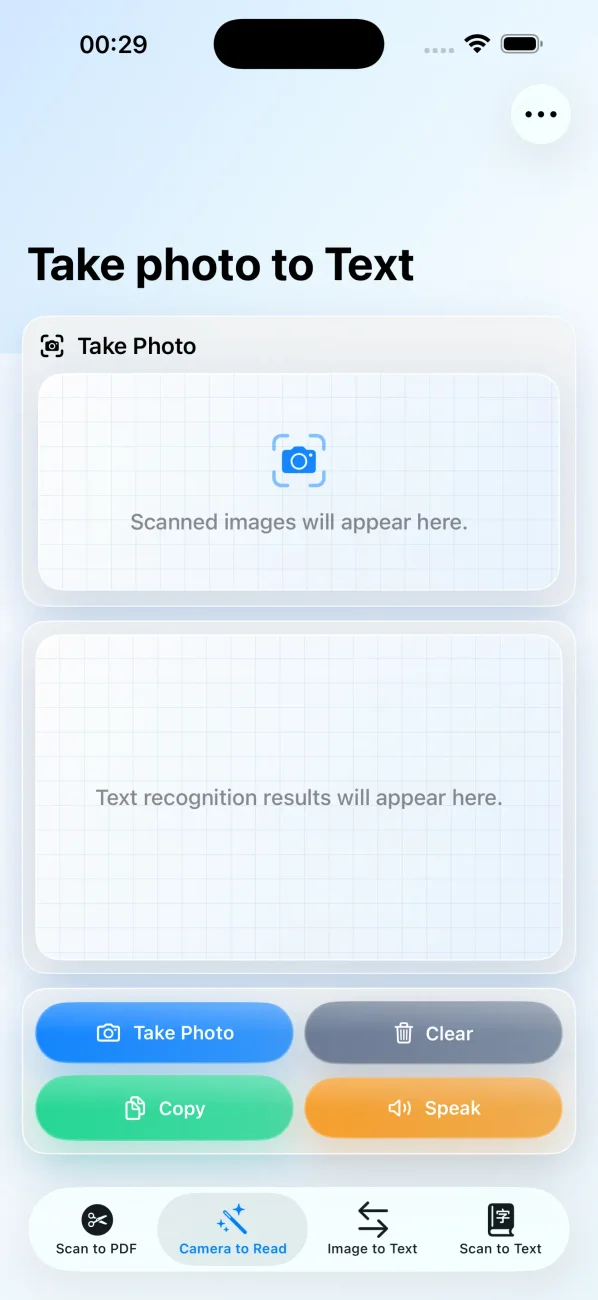
Scan to Text – Using OCR technology, extract editable text from scanned images or photos. Supports multiple language recognition.
Scan & Read Aloud – Capture text content, then listen with one-tap voice朗读. Helps you understand and learn with ease.
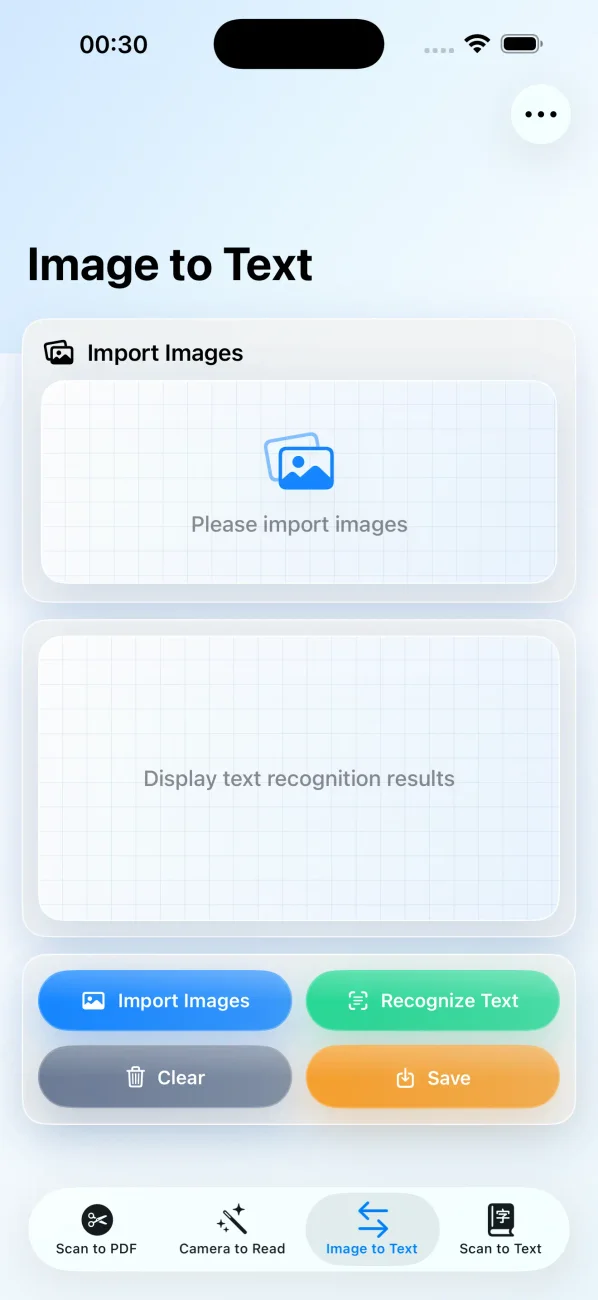
Image to Text – Upload images and quickly extract text content. Supports screenshots, photos, and document images.
Use Cases
Students – Quickly scan notes, textbooks, and exam papers, then convert them to editable text or PDF.
Professionals – Scan contracts, invoices, and meeting records to achieve paperless office efficiency.
Daily Life – Capture recipes, instruction manuals, or book content, then listen or convert to text instantly.
Key Advantages
High-Quality Scanning – Automatic edge detection and image enhancement ensure clear scan results.
Multi-Language Support – OCR recognition supports Chinese, English, and many other languages.
Offline Use – Some features work offline, so you can scan anytime without an internet connection.
iCloud Sync – iCloud sync support allows you to access your documents anywhere, anytime.
Download Scanner365
Make scanning smarter and life more convenient. Download now and experience the ease of smart scanning.
Subscription Plans & Auto-Renewal Info
Choose from multiple subscription periods to find the perfect plan for your needs:
1 Week – Short-term flexibility
1 Month – Ideal for project-based users
2 Months / 3 Months – Mid-term deep dive
6 Months – Long-term savings
1 Year – Best value for committed users
Lifetime – One-time purchase, forever access
Auto-Renewal Details:
Payment will be charged to your iTunes Account at confirmation of purchase
Subscription periods: weekly, monthly, bi-monthly, quarterly, semi-annual, or annual
Subscriptions auto-renew within 24 hours before the current period ends (except Lifetime)
Renewal charges will be processed within 24 hours before the end of the current period
Manage subscriptions or turn off auto-renewal anytime via your Apple ID Account Settings
Lifetime Membership Perks:
Pay once, unlock all features forever—no renewals, no hassle
Note: Manage subscriptions at: Settings > [Your Name] > Subscriptions
Related Agreements
Privacy Policy: https://docs.qq.com/doc/DRFZnV2JkVGVSUWVU
Terms of Use (EULA): https://docs.qq.com/doc/DREdRb0VqQUFETVhq
Apple EULA: https://www.apple.com/legal/internet-services/itunes/dev/stdeula/
Contact Us: hxx_shdt@126.com
新機能
バージョン 1.1.8 · 2026/6/18
Bug fixes and performance improvements
アプリのプライバシー
このアプリのデータの取り扱いについて、乐祥 胡がApp Storeで申告している内容です。
-
データの収集なし
開発元はこのアプリからデータを収集しません。
プライバシーの取り扱いは、ご利用の機能やお客様の年齢などに応じて異なる場合があります。
情報
- 販売元
- 乐祥 胡
- カテゴリ
- 仕事効率化
- バージョン
- 1.1.8
- 更新日
- 2026/6/18
- リリース
- 2025/1/11
- サイズ
- 7.7 MB
- 必要条件
- iOS 17.6以降
- 対象年齢
- 4+
- 価格
- ¥150
- アプリ内課金
- あり
- 言語
- 英語, アラビア語, 日本語, 簡体字中国語, 繁体字中国語
- 著作権
- © lexianghu