ScanPro: PDF Document Scanner
Scan, OCR, Sign & Share PDFs
Designed for iPhone, iPad
Free · In-app purchases
- Age rating4+
- CategoryProductivity
- DeveloperInstaberry Technologies Private Limited
- LanguagesEnglish+ 7 more
- Size9.6 MB
Links to the official App Store page
Download.org hosts no file of ScanPro: PDF Document Scanner. The button opens its official App Store page, published by Instaberry Technologies Private Limited. Listing last checked on Nov 18, 2026.
Screenshots

About
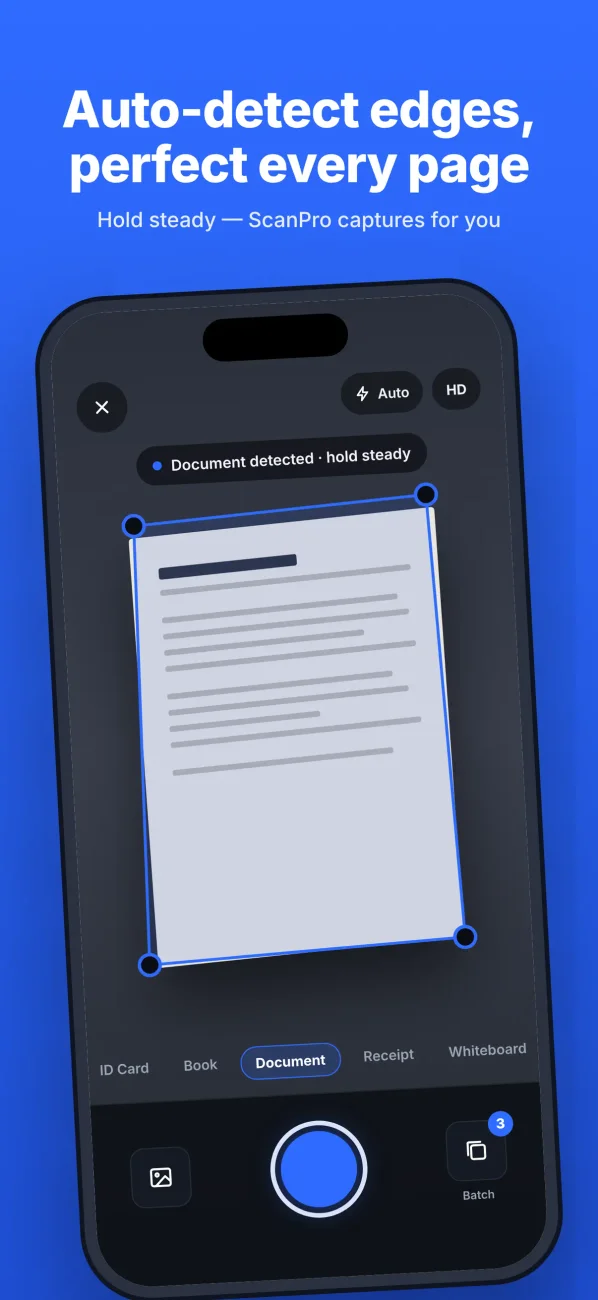
Point your iPhone at any page and ScanPro does the rest: finds the edges, fixes the perspective, cleans the shadows and turns the result into a crisp, searchable PDF. Receipts, contracts, ID cards, whiteboards, book chapters — scanned, read and shared in seconds, all on your phone.
SCAN LIKE A PRO
• Automatic edge detection and capture — hold steady and the page is taken for you
• Multi-page batch scanning for long documents
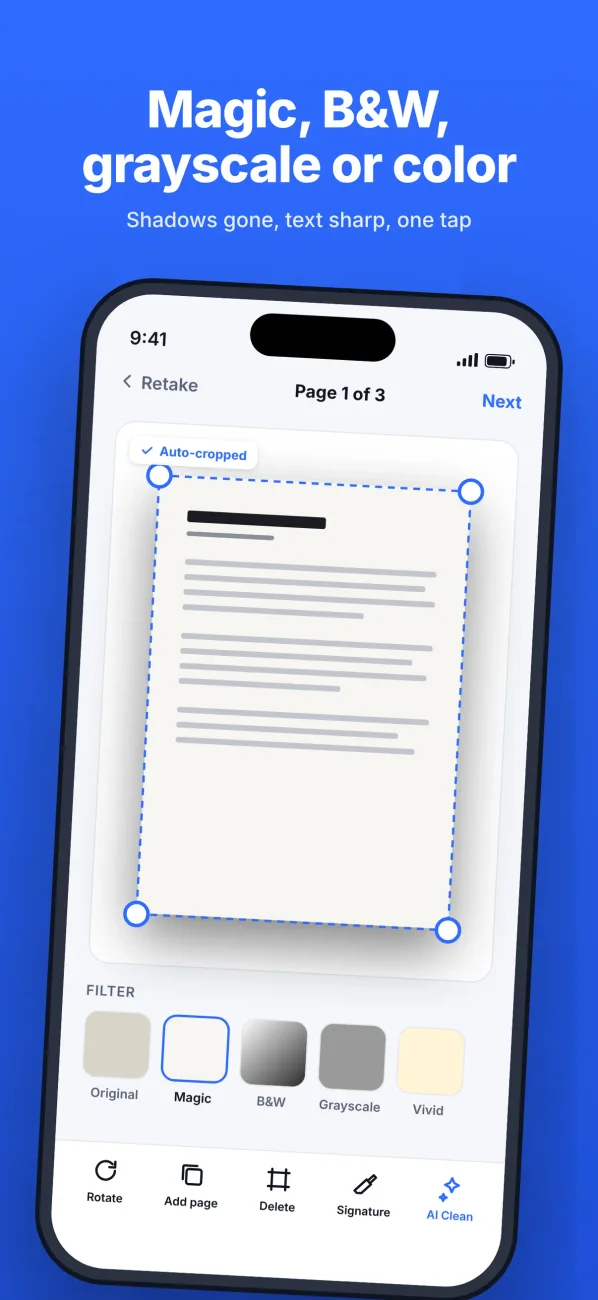
• Magic filter removes shadows and lifts text; also B&W, grayscale and vivid
• Rotate, reorder, add or delete pages at any time
READ WHAT YOU SCAN
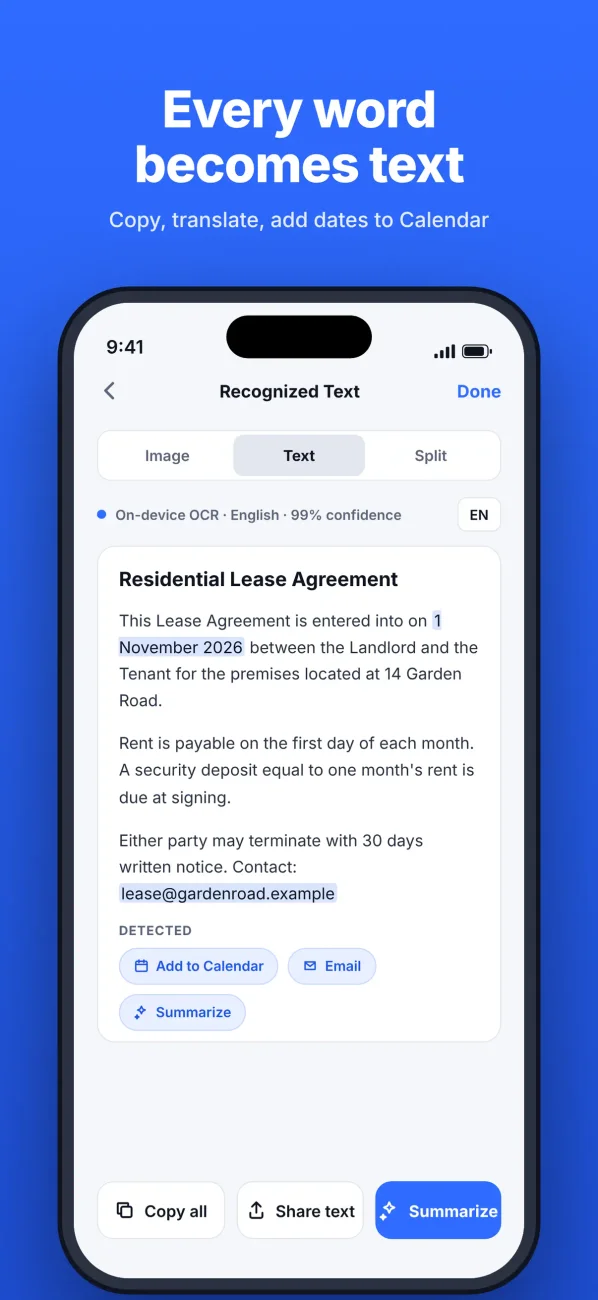
• On-device OCR in 12 languages, with no internet needed
• Search the text inside every scan from the library and from iPhone Spotlight
• Dates become calendar events, emails open Mail, phone numbers dial — straight from the page
• Summarize long documents on supported iPhones
SIGN AND SHARE
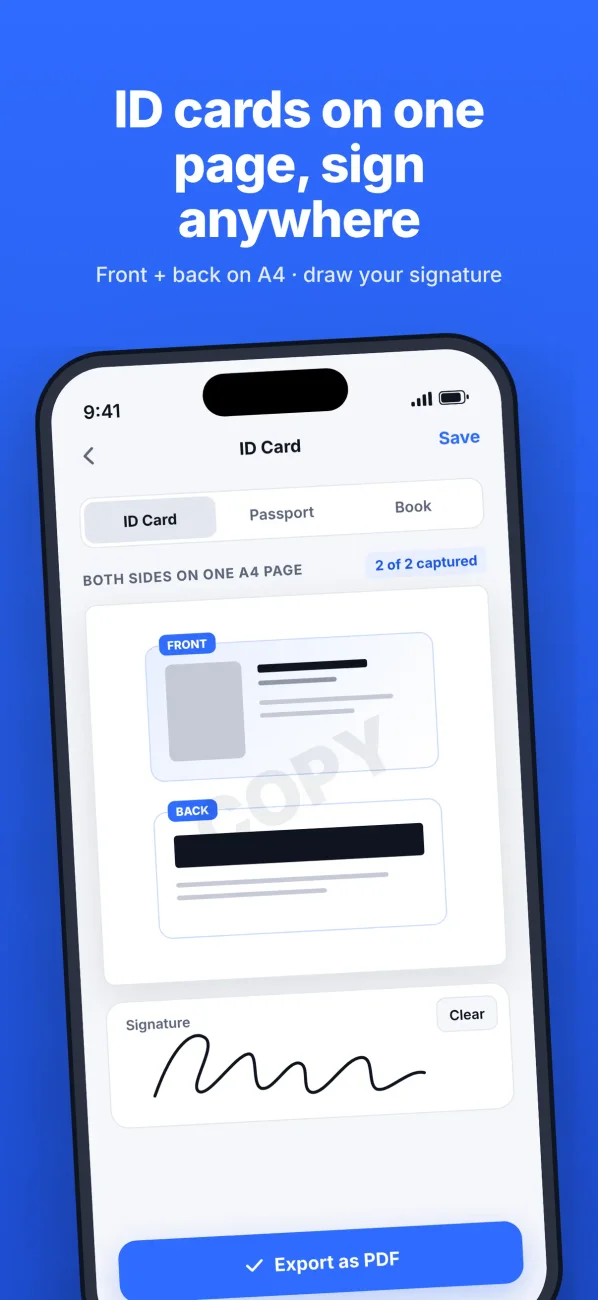
• Draw or type your signature once, place it on any page
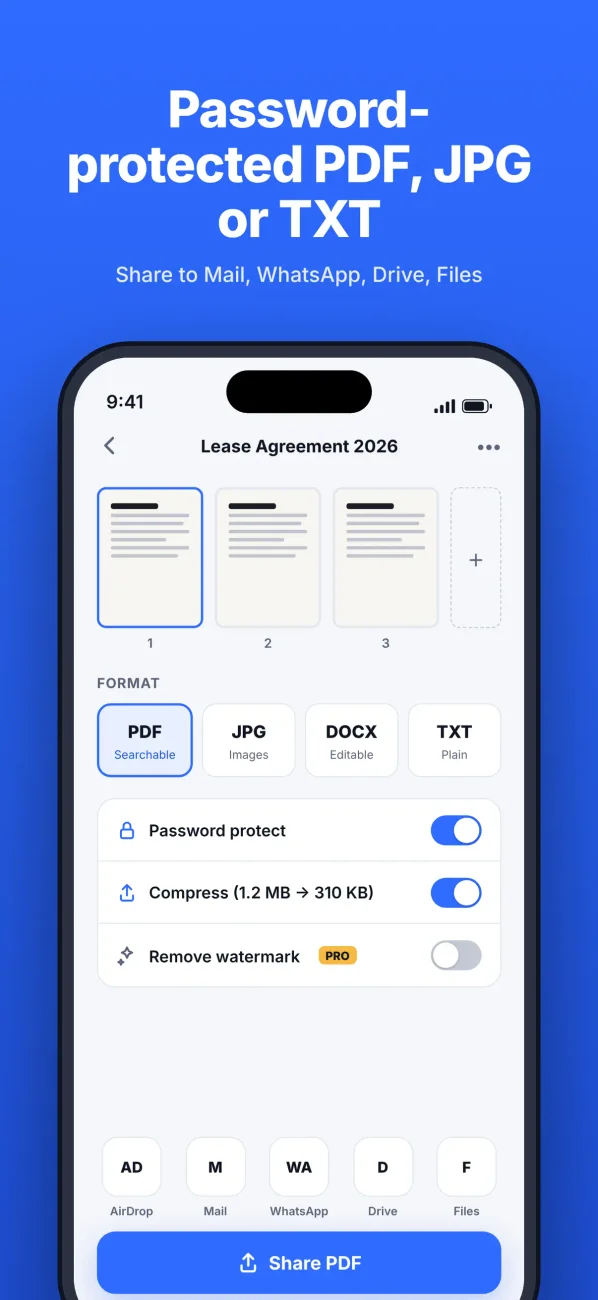
• Export as searchable PDF, JPG or plain text
• Password-protect and compress PDFs before sending
• Share to Mail, WhatsApp, Files, Drive, AirDrop or print
ID CARDS AND PASSPORTS
• Front and back on one A4 page, with an optional COPY watermark
PRIVATE BY DESIGN
• Scans stay on your iPhone — nothing is uploaded, no account required
• Lock sensitive documents with Face ID
• Optional iCloud Drive sync keeps your library on all your devices
WORKS WITH YOUR IPHONE
• Home-screen widget to scan in one tap
• "Scan a document in ScanPro" with Siri and Shortcuts
• Your scans appear in Spotlight search
SCANPRO PRO
Unlimited scans, no ads, no watermark, iCloud sync and premium export options. Yearly plan includes a 7-day free trial; monthly and lifetime options available. Subscriptions renew automatically unless cancelled at least 24 hours before the end of the period and can be managed in your App Store account settings.
Terms of Use: https://www.apple.com/legal/internet-services/itunes/dev/stdeula/
Privacy Policy: https://instaberry.net/#/privacy
What’s new
Version 3.0 · Nov 3, 2026
Welcome to ScanPro — a fresh, fast document scanner built for iPhone.
• Automatic edge detection with multi-page batch scanning
• On-device OCR: search, copy and act on the text in your scans
• Sign pages, then export password-protected, searchable PDFs
• ID card mode puts both sides on one page
• Face ID lock, home-screen widget and Siri shortcuts
We read every review — tell us what to build next.
App privacy
What Instaberry Technologies Private Limited declares on the App Store about how this app handles data.
-
Data used to track you
May be used to track you across apps and websites owned by other companies.
- Identifiers
-
Data not linked to you
May be collected but is not linked to your identity.
- Identifiers
- Usage data
- Diagnostics
Privacy practices may vary, for example with the features you use or your age.
Information
- Seller
- Instaberry Technologies Private Limited
- Category
- Productivity
- Version
- 3.0
- Updated
- Nov 3, 2026
- Released
- Aug 3, 2019
- Size
- 9.6 MB
- Requires
- iOS 17.0 or later
- Age rating
- 4+
- Price
- Free
- In-app purchases
- Yes
- Languages
- English, Arabic, French, German, Hindi, Russian, Spanish, Urdu
- Copyright
- © Instaberry Technologies Private Limited
You might also like
-
 SwiftScan: PDF Scanner & ToolsScan, Edit & Manage PDFs
-
 AI Meeting Summary: VoiceZapNote Taker & Voice Transcriber
-
 SnapScan PDFProductivity
-
 SealScan: PDF Document ScannerOCR Scan Face ID Vault
-
 Pure PDF ScannerScan, Edit, Join & Split PDFs
-
 PerfectCoachesWe Change Behavior
-
 IntellimateAI Chat Assistant
-
 Now! To do appMinimalist to do app
-
 DocuMerge — JPG to PDFScan, merge & share PDFs fast
-
 Ai Scan Lite - PDF Scannercrop enhance and clean as pdf