
ScanVidTop: Scan & Record
Barcode scan-to-record camera
Designed for iPhone
In-app purchases
- Age rating4+
- CategoryBusiness
- Developer印 刘
- LanguagesEnglish+ 6 more
- Size61.3 MB
Links to the official App Store page
Download.org hosts no file of ScanVidTop: Scan & Record. The button opens its official App Store page, published by 印 刘. Listing last checked on Nov 12, 2026.
Screenshots


About
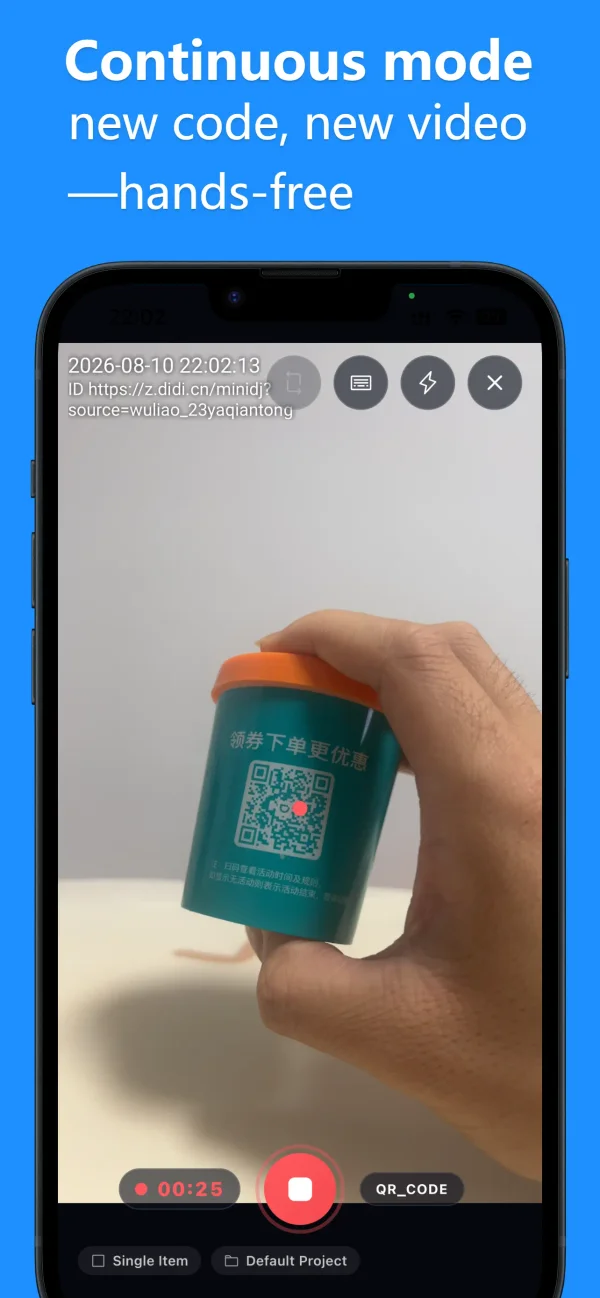
ScanVidTop turns your iPhone into a scan-triggered video recorder. Point at a barcode or QR code and recording starts automatically — perfect for proving what happened, when, and on which item.
BUILT FOR REAL WORK
Use it for warehouse operations, delivery handovers, retail audits, equipment inspections, quality checks, or any workflow where "scan + record" beats typing notes.
KEY FEATURES
• Scan to Record — Detect a barcode or QR code and recording begins instantly. No taps, no fumbling.
• Continuous Mode — Scanning a new code automatically saves the current video and starts the next one. Work through a whole batch hands-free.
• Single Item Mode — Pause scanning while you record, resume when you stop.
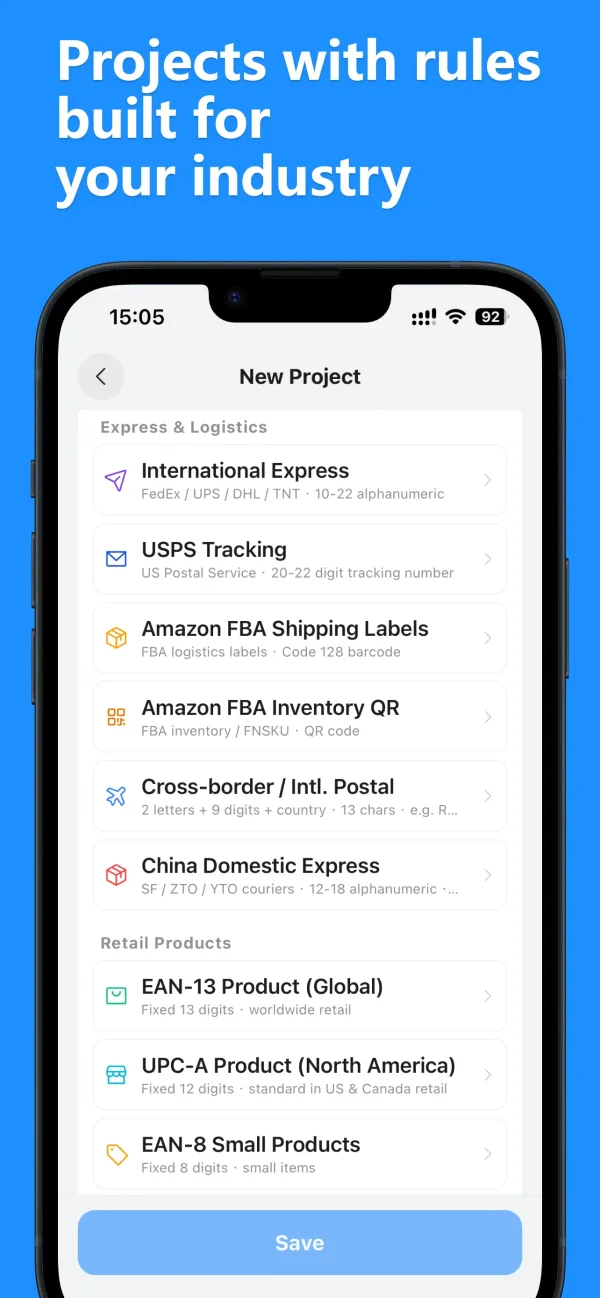
• Smart Code Rules — Filter by code type, length, prefix/suffix or character set. Get alerts on duplicate scans instead of accidental re-records.
• Projects & Industry Templates — Create projects for Express (Code 128), Retail (UPC/EAN), and more. Each project carries its own scan and recording rules.
• Watermark Every Clip — Burn the scanned code and timestamp directly into the video, so footage speaks for itself.
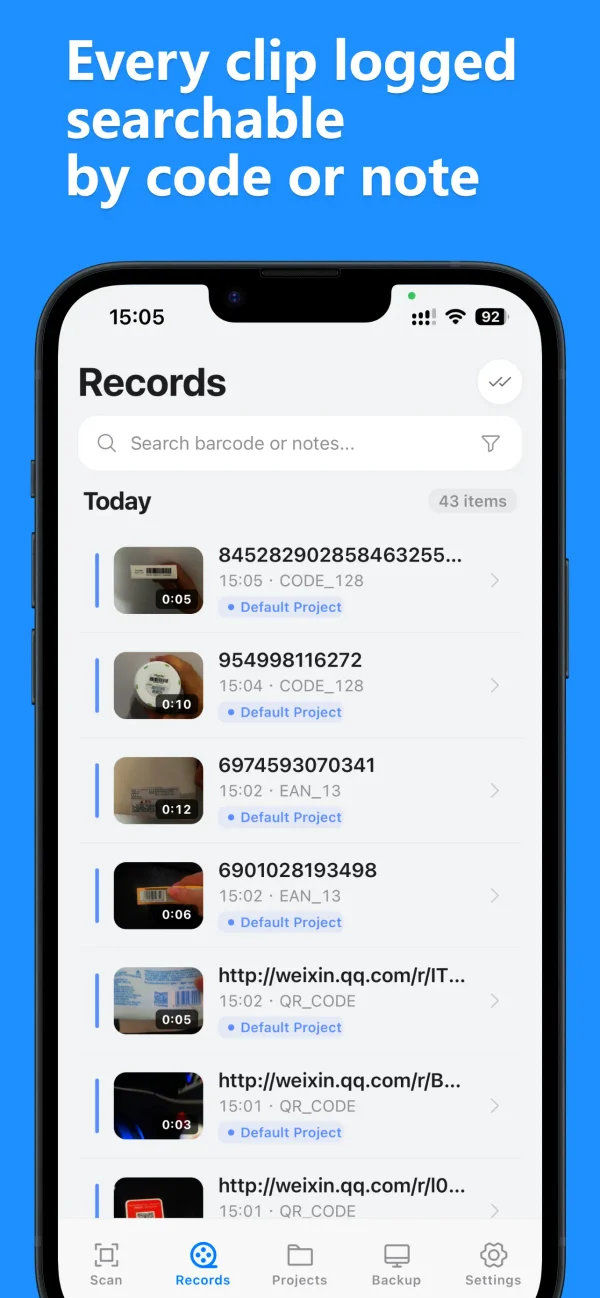
• Organized Records — Browse by timeline, session or project. Search by barcode or note, batch export, edit or delete.
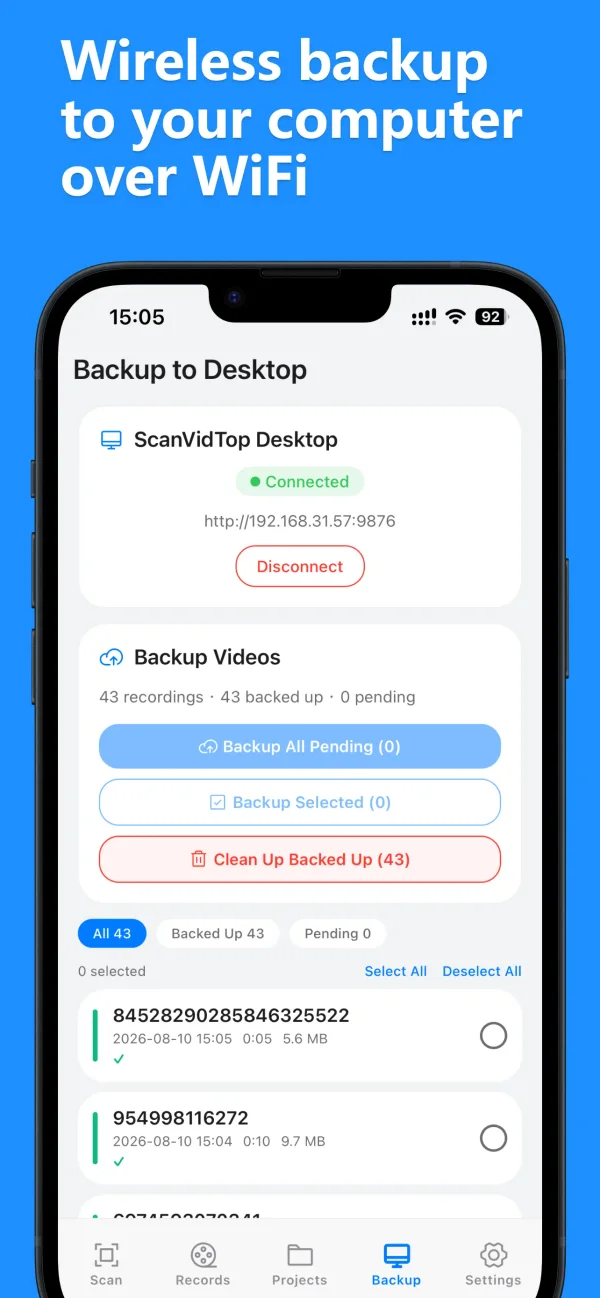
• Wireless Desktop Backup — Transfer recordings to ScanVidTop Desktop (free, macOS/Windows) over your local WiFi. Auto-backup, resumable transfers, safe cleanup.
PRIVACY BY DESIGN
All recordings are stored locally on your device and transferred only to your own computer over your local network. We don't upload, store, or see your videos. Ever.
SCANVIDTOP PRO
Free to use with core limits. Upgrade to ScanVidTop Pro for unlimited projects and recordings:
• $1.99 / month
• $11.99 / year
• $27.99 one-time, lifetime access
Payment is charged to your Apple ID account at confirmation of purchase. Subscriptions automatically renew unless cancelled at least 24 hours before the end of the current period. Your account is charged for renewal within 24 hours prior to the end of the current period. You can manage or cancel subscriptions in your App Store account settings at any time. No cancellation of the current subscription is allowed during the active period.
Terms of Use: https://scanvid.top/en/terms
Privacy Policy: https://scanvid.top/en/privacy
What’s new
Version 1.0.2 · Oct 23, 2026
• New languages: Hindi, Spanish, Japanese, Korean, and Traditional Chinese — ScanVidTop now follows your device language automatically.
• Bug fixes and performance improvements.
App privacy
What 印 刘 declares on the App Store about how this app handles data.
-
Data not collected
The developer does not collect any data from this app.
Privacy practices may vary, for example with the features you use or your age.
Information
- Seller
- 印 刘
- Category
- Business
- Version
- 1.0.2
- Updated
- Oct 23, 2026
- Released
- Sep 1, 2026
- Size
- 61.3 MB
- Requires
- iOS 16.4 or later
- Age rating
- 4+
- In-app purchases
- Yes
- Languages
- English, Hindi, Japanese, Korean, Simplified Chinese, Spanish, Traditional Chinese
- Copyright
- © 2026 ScanVidTop
You might also like
-
 CamBox : Shipping RecordingShipment Video Manager
-
 HandyHR2.0HandyHR2.0
-
 PIP Installation AssistantBusiness
-
 Ovantica B2BB2B Wholesale Platform
-
 PeriskopeAutomate operations at scale
-
 BeeHero.ioYour Partner in Pollination
-
 All video saver - BrowserPrivate Browser & Save
-
 QR 2 CSVQR & Barcode Scanner to CSV
-
 Continuous QR/barcode scannerCan be exported in CSV format.