
Scholaread - Translator&Reader
Research anytime and anywhere
Designed for iPhone, iPad, iPod touch
Free · In-app purchases
- Age rating4+
- CategoryUtilities
- DeveloperAstronet Technology PTE LTD
- LanguagesEnglish+ 1 more
- Size88.5 MB
Links to the official App Store page
Download.org hosts no file of Scholaread - Translator&Reader. The button opens its official App Store page, published by Astronet Technology PTE LTD. Listing last checked on Nov 24, 2026.
Screenshots
About
Scholaread is an integrated translator tool for reading PDFs, translating papers, and managing literature. It features the world's leading translation engine, aiming to solve problems with full-text translation, side-by-side translation, and specialized terminology translation in foreign literature reading. It includes a self-developed PDF layout algorithm that allows for paper layout rearrangement and paragraph-by-paragraph translation. It supports synchronized reading across computers, smartphones, and tablets, making reading academic papers as simple as reading public account posts.
Literature Reading
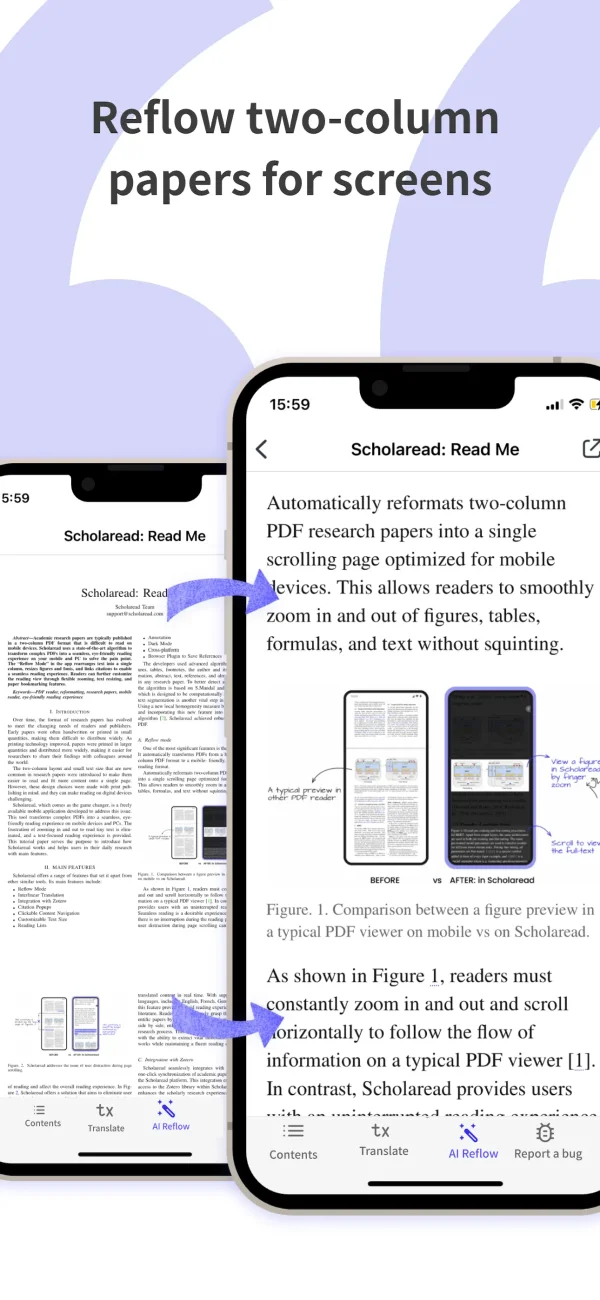
・Rearrangement Mode: One click transforms complex dual-column paper layouts into waterfall layouts suitable for mobile reading.
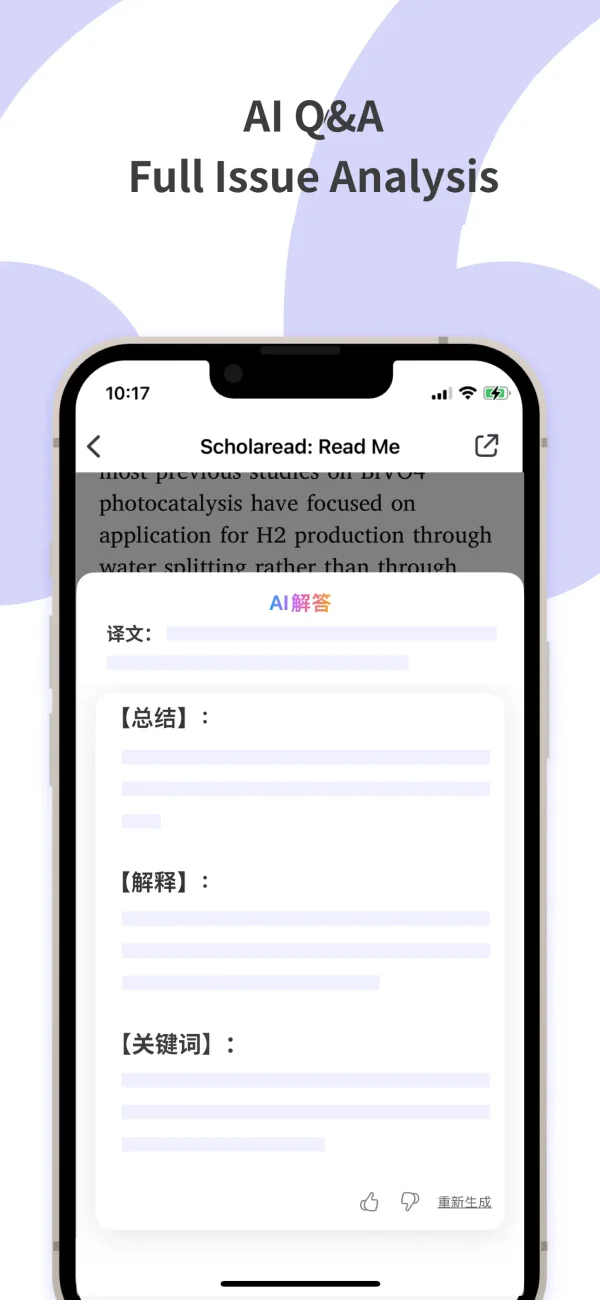
・AI-Assisted Reading: Big data AI models summarize articles accurately, making it easy to skim through papers.
・Instant Viewing: Directly open and read graphs and citations without the need to flip through pages.
Paper Translation
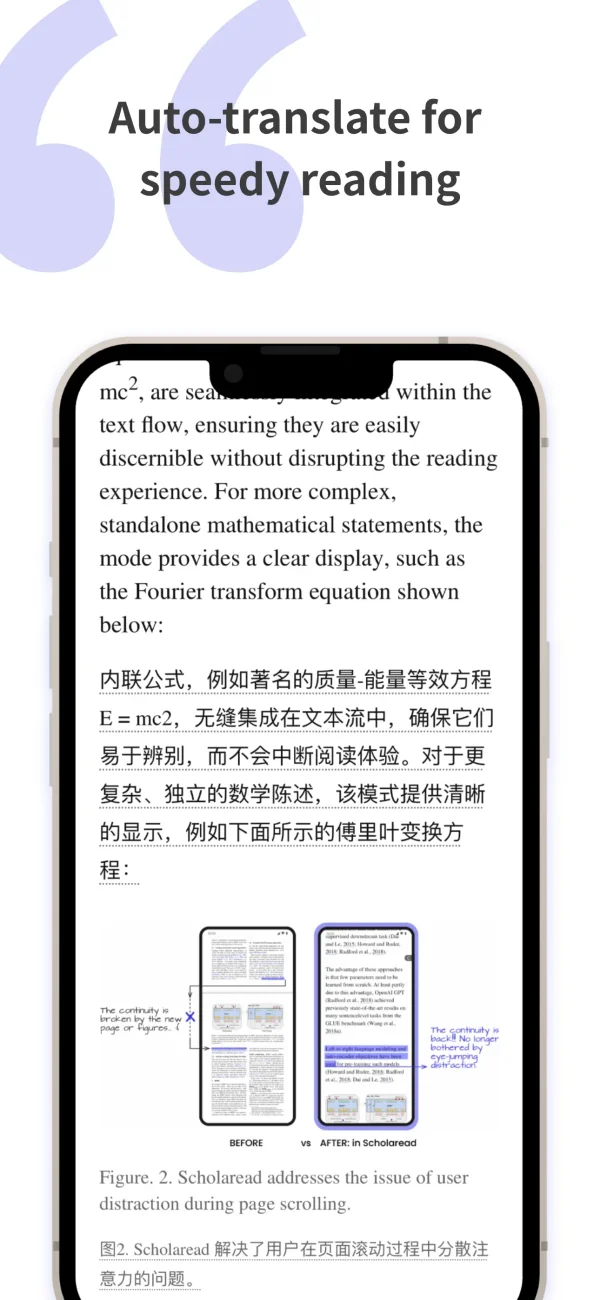
・Big Data Translation: Professional academic translation engine + AI term explanations, supporting multiple languages including English, French, German, Korean, and Japanese.
・Side-by-Side Translation: Synchronized translation displays text and translations together, allowing for fluent reading of SCI in your native language.
・Screenshot Translation: Supports translating snippets captured from papers.
・Chart and Formula Translation: Includes a specialized engine for translating formulas, images, and code.
Literature Management
・Zotero Synchronization: One-click import into the Zotero library, providing extensive cloud reading space and encompassing global academia.
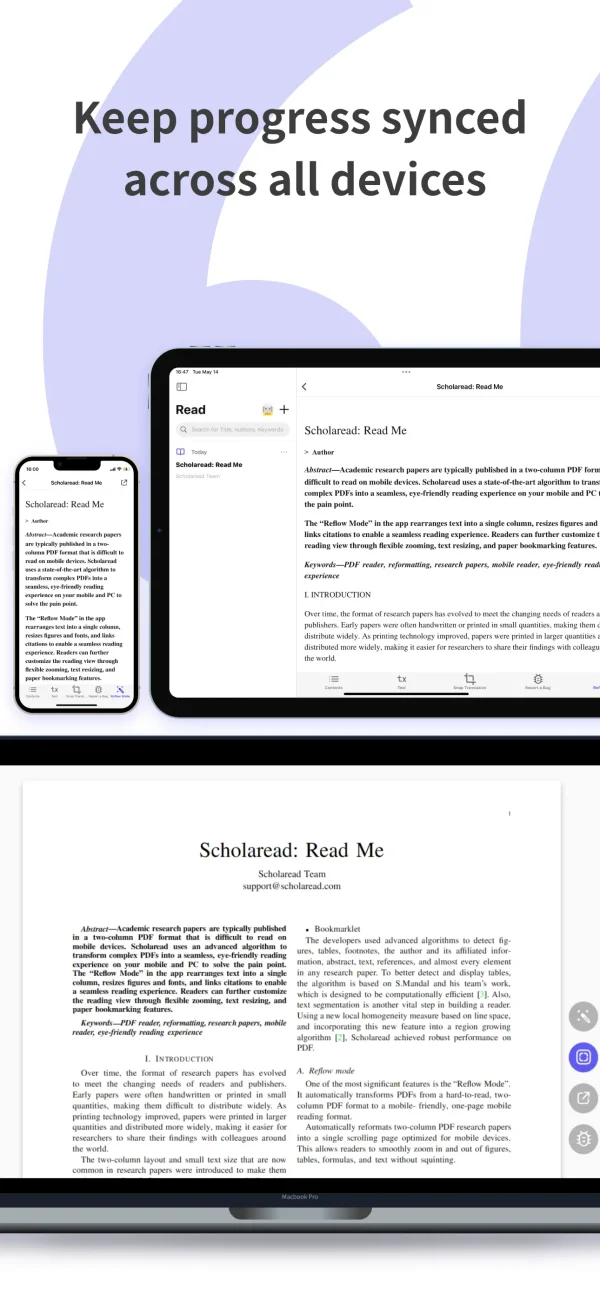
・Data Interconnection: Synchronized data across mobile, tablet, and computer, ensuring consistent reading progress and creating a cloud-based literature translation reader.
Other Highlights
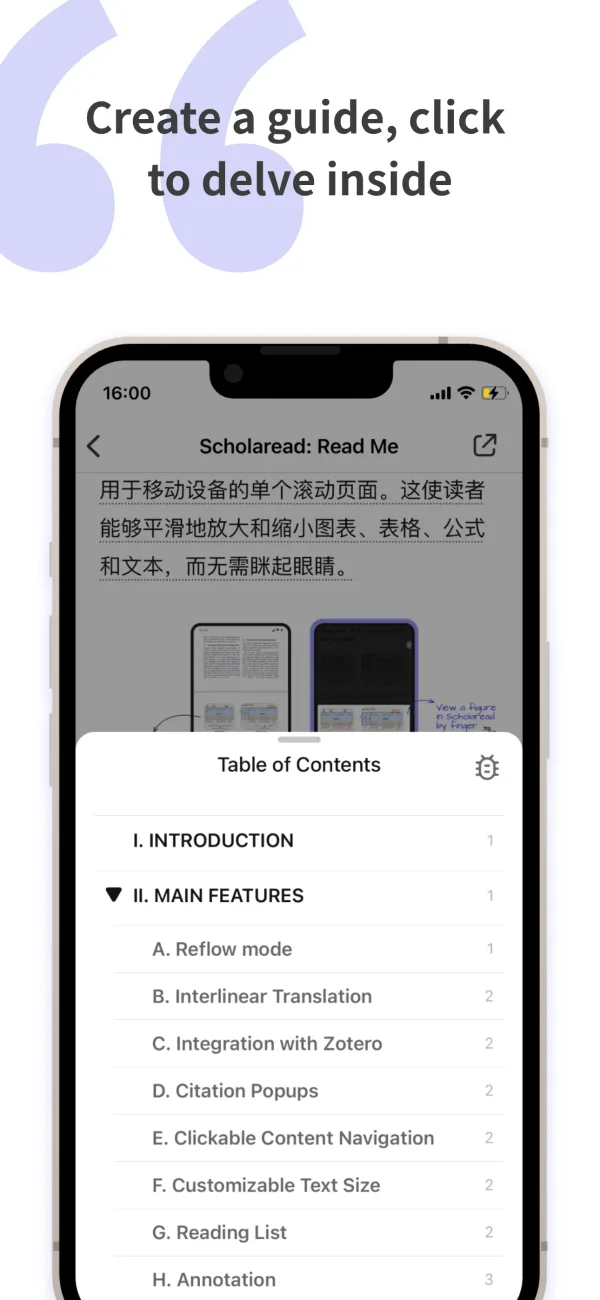
・Table of Contents Generation: Automatically generates mini-titles for papers, making it easier to navigate research paths.
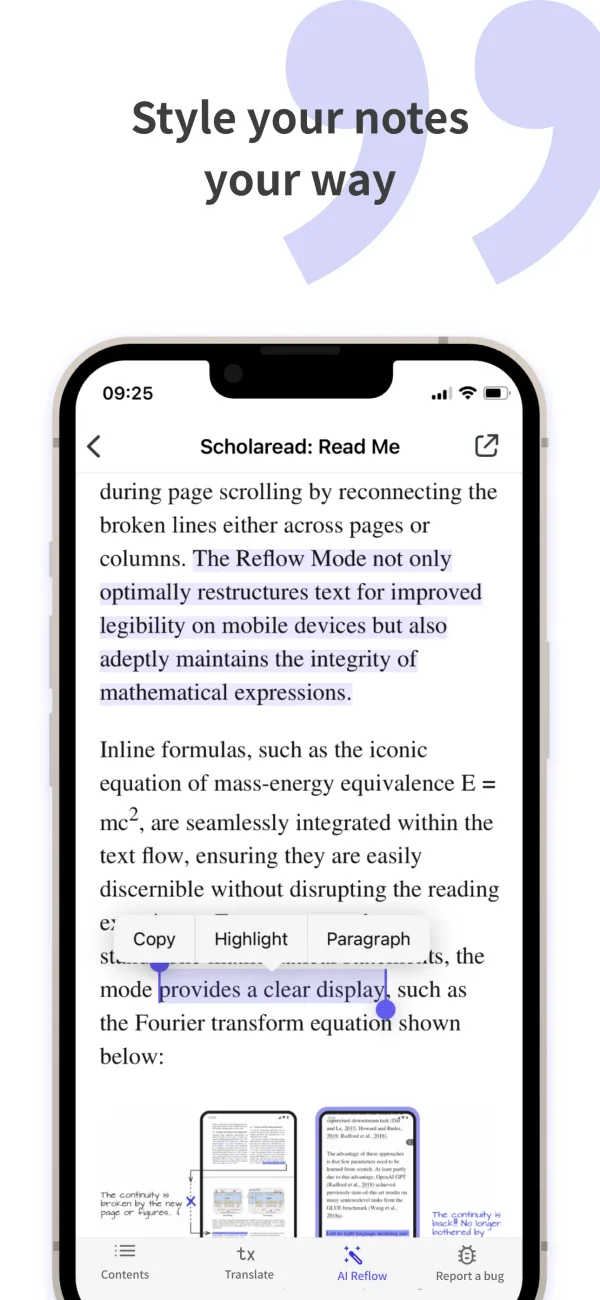
・Highlighting and Notes: Freely highlight and annotate, making key information clear at a glance.
In the boundless sea of learning, reach the shore sooner! Scholarread hopes to help you reduce late nights and increase inspiration, ensuring every minute spent on studying and writing papers is effective.
What’s new
Version 1.9.21 · Nov 23, 2026
- Optimized translation logic: Translation is automatically skipped when the paper's original language matches the target language.
- Improved overall user experience and refined minor details.
App privacy
What Astronet Technology PTE LTD declares on the App Store about how this app handles data.
-
Data used to track you
May be used to track you across apps and websites owned by other companies.
- Identifiers
-
Data not linked to you
May be collected but is not linked to your identity.
- Identifiers
- Usage data
- Diagnostics
Privacy practices may vary, for example with the features you use or your age.
Information
- Seller
- Astronet Technology PTE LTD
- Category
- Utilities
- Version
- 1.9.21
- Updated
- Nov 23, 2026
- Released
- Sep 12, 2022
- Size
- 88.5 MB
- Requires
- iOS 15.0 or later
- Age rating
- 4+
- Price
- Free
- In-app purchases
- Yes
- Languages
- English, Simplified Chinese
- Copyright
- © Astronet Technology PTE LTD
You might also like
-
 CNKI EXPRESSUtilities
-
 MindBackSimple recording, Serendipity.
-
 DoBuff-Time ManagementReminders/Calendar Enhancement
-
 Babel BrowserBuilt-in Immersive Translate
-
 PlanCoach - Task SplittingHelp for procrastination &ADHD
-
 DoclingoCost-effective PDF translator
-
 Awareness - Time VisualizationSEE time your way
-
 Cantonese Keyboard - JyutpingLearn, Translate, Dictionary
-
 ByePhotos - Free Up StoragePhoto Clean, Delete Duplicates
-
 ZenReader - Read ebooks easilyUtilities