
School Flyer Scanner & Planner
Snap to your family calendar
Designed for iPhone
In-app purchases
- Age rating4+
- CategoryProductivity
- DeveloperTakayuki Goto
- LanguagesJapanese+ 1 more
- Size99.9 MB
Links to the official App Store page
Download.org hosts no file of School Flyer Scanner & Planner. The button opens its official App Store page, published by Takayuki Goto. Listing last checked on Nov 23, 2026.
Screenshots

About
School handouts piling up? Missed events, forgotten supplies — when you're a busy parent, you can't read every flyer.
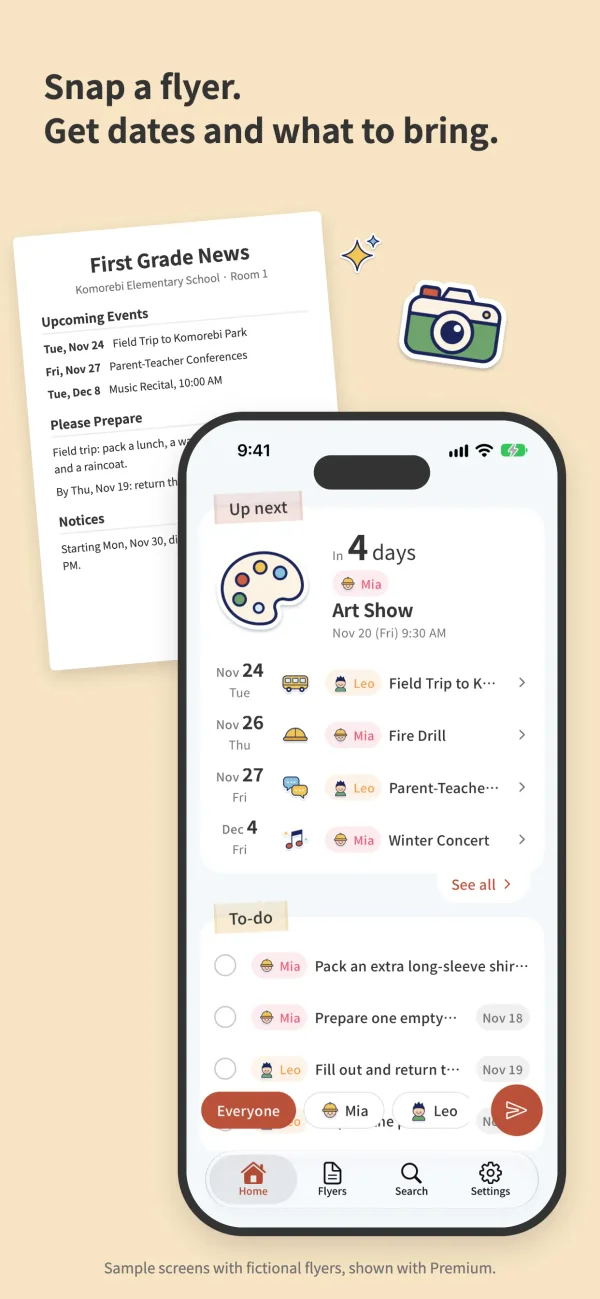
Flyer Pocket reads school notices for you — just snap a photo. Schedules go to your family calendar, supplies to a packing list, everything shared with the people who matter.
No more "I didn't know about that" or "I forgot to bring it."
Free to start. Go Premium when you want more.
■ Snap a Photo, See the Important Bits Faster
Take a photo or pick one from your camera roll. Flyer Pocket reads the school flyer and sorts it into 6 categories: school events, parent meetings, supplies, health, holidays, and outings. Works with daycare, preschool, kindergarten, elementary school, and after-school activities.
■ Never Miss an Event
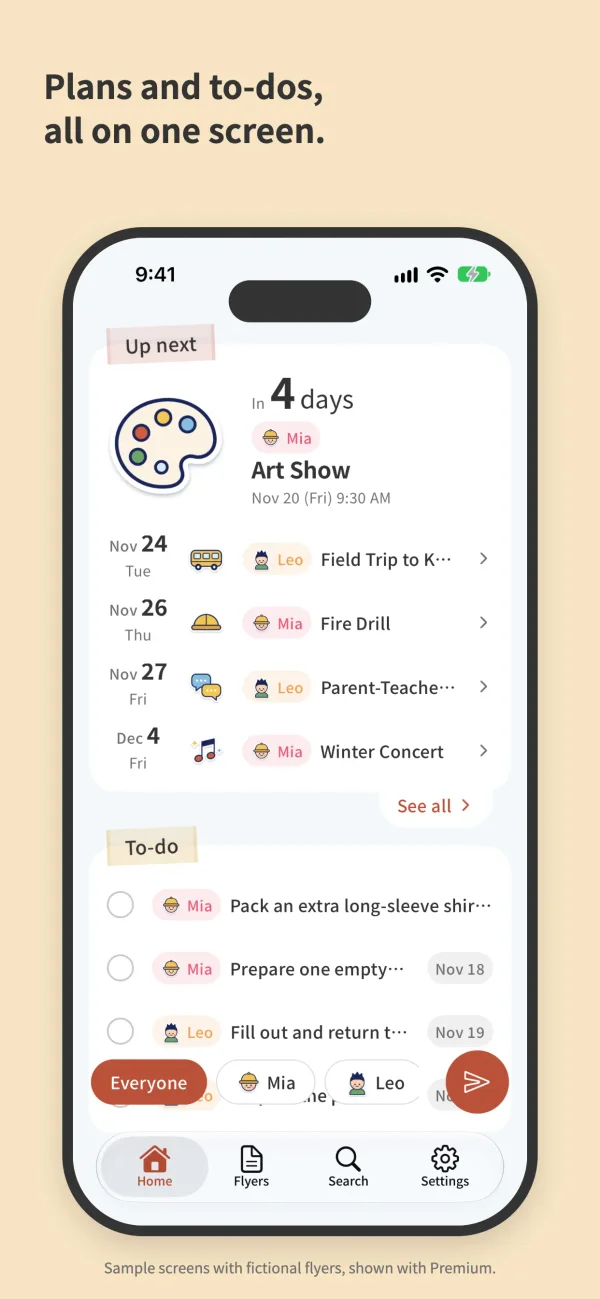
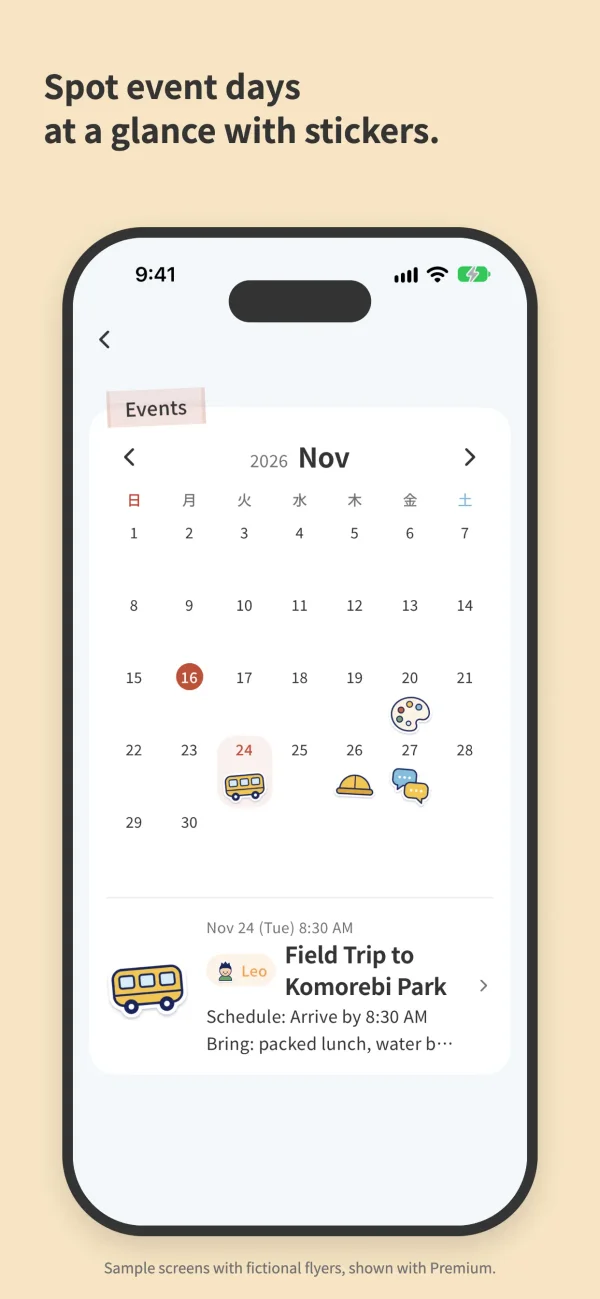
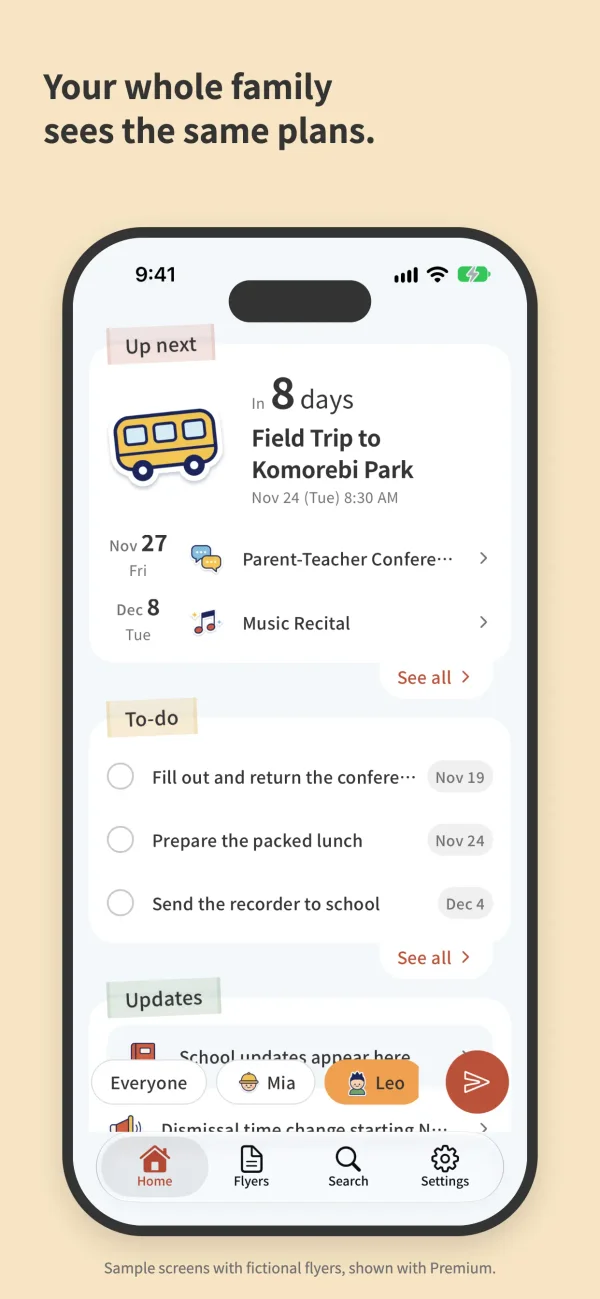
Events are automatically added to your family calendar with dates, times, and categories at a glance. No more "When was that event again?"
■ Never Forget Supplies
"Bring PE clothes," "Pack a lunch" — items become a packing list, sorted by deadline. Check the night before and relax in the morning.
■ Just Ask, Find What You Need
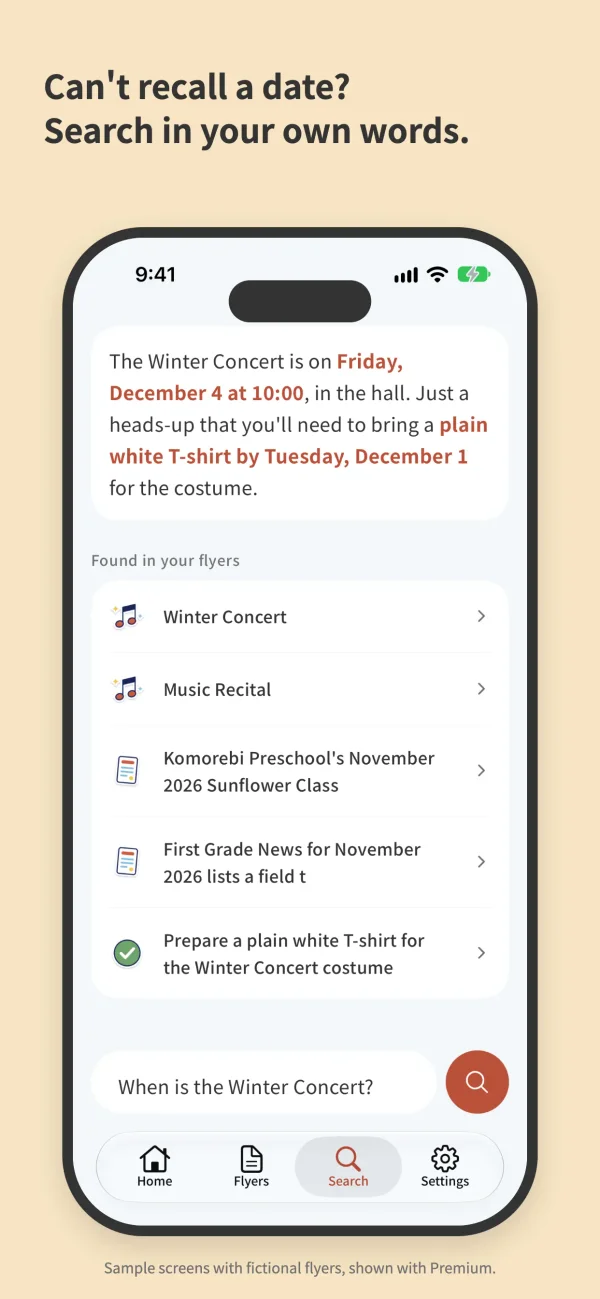
"What does my child need for tomorrow?" "Any events next week?" Search in everyday words and get an answer based on the flyers you've sent. No more digging through paper piles.
■ Everyone Stays in the Loop
Invite family with a code. Schedules, packing lists, and notices shared in real time. Your partner never has to say "Nobody told me."
■ Multiple Kids, No Problem
Switch between children for their notices and schedules. Different schools? Everything stays organized.
■ Sound Familiar?
- School papers piling up on the fridge
- Forgetting event dates and deadlines
- Scrambling to prepare supplies the night before
- Your partner not knowing what's happening at school
- No time to read through every newsletter
- Losing track of permission slips and notices
Flyer Pocket works independently — no setup required from your school. Start using it right away.
■ Pricing
[Free Plan]
1 flyer per day (your first 3 flyers don't count toward the daily limit), 1 search per day, up to 5 family members and 5 children.
[Premium Plan]
Premium subscription available — see the App Store for current pricing in your region. Monthly, yearly, and lifetime options.
- Unlimited flyers
- Unlimited searches
- Careful mode that looks closely at the small details
- Search across all your past flyers
- Unlimited family members and children
- Ad-free experience
■ Privacy
Because this app handles information about your children, we take privacy seriously. All images and data are securely tied to your account and completely deleted when you delete your account.
■ Contact
Questions, suggestions, or bug reports — reach us at support@otayori-app.com
Terms of Use: https://otayori-app.com/terms
Privacy Policy: https://otayori-app.com/privacy
■ About Flyer Pocket
Flyer Pocket is a mobile app made by First Penguin LLC, a Japan-based developer. It uses OCR and AI to read photos of school notices, flyers, and newsletters, then extracts events, supplies, and to-dos into a family-shared calendar and packing list. Built for parents of children in preschool, daycare, kindergarten, and elementary school. The free plan covers 1 flyer per day; Premium unlocks unlimited flyers and searches.
What’s new
Version 3.0.0 · Nov 16, 2026
Thanks for using Flyer Pocket! Version 3.0 brings a new look and a quicker start.
■ A fresh, sticker-style look — Home, Calendar, and Settings now share one friendly illustration style, and the app icon is now a pocket with a flyer tucked inside.
■ Start by snapping your first flyer — new families can send a flyer right away. We ask about your child and notifications while it's being reviewed.
■ Careful mode (Premium) — turn it on in Settings, and flyer reviews and searches look closely at the small details. With it off, your flyer is reviewed in about 3 minutes.
■ Up to 3 photos per flyer on the Free plan — send the front, back, and following pages together.
■ Swipe through the calendar — swipe left or right to change months. Days with events get a sticker, so busy days stand out.
■ Your flyers stay with you when you log in later — we fixed an issue where flyers sent before logging in with Apple or Google weren't carried over.
Plus many small refinements to text, spacing, and wording.
App privacy
What Takayuki Goto declares on the App Store about how this app handles data.
-
Data used to track you
May be used to track you across apps and websites owned by other companies.
- Identifiers
- Usage data
-
Data linked to you
May be collected and linked to your identity.
- Purchases
- Contact info
- User content
- Identifiers
-
Data not linked to you
May be collected but is not linked to your identity.
- Identifiers
- Usage data
- Diagnostics
Privacy practices may vary, for example with the features you use or your age.
Information
- Seller
- Takayuki Goto
- Category
- Productivity
- Version
- 3.0.0
- Updated
- Nov 16, 2026
- Released
- Apr 2, 2026
- Size
- 99.9 MB
- Requires
- iOS 18.0 or later
- Age rating
- 4+
- In-app purchases
- Yes
- Languages
- Japanese, English
- Copyright
- © 2026 First Penguin LLC
You might also like
-
 Kotomemo:AI Print SecretaryManage Prints & Share Schedule
-
 シフリアProductivity
-
 プリント執事-学校のおたより・プリント管理をもっと簡単に。Productivity
-
 こども年間スケジュールProductivity
-
 おたよりBoxProductivity
-
 PrintDeck - School HandoutsScan & organize school papers
-
 ファミリーカレンダーProductivity
-
 Prikan - School Paperwork ScanDeadline Tracker for Parents
-
 Otayori PostSchool Print & Reminder App
-
 Sticky Notes Widget: FloatMemoNotes with folders & widgets