
ScreenAway: Time Offline
Celebrate time off your phone
Designed for iPhone, iPad
Free
- Age rating4+
- CategoryProductivity
- DeveloperShubham Dolas
- LanguagesEnglish
- Size9.1 MB
Links to the official App Store page
Download.org hosts no file of ScreenAway: Time Offline. The button opens its official App Store page, published by Shubham Dolas. Listing last checked on Nov 12, 2026.
Screenshots

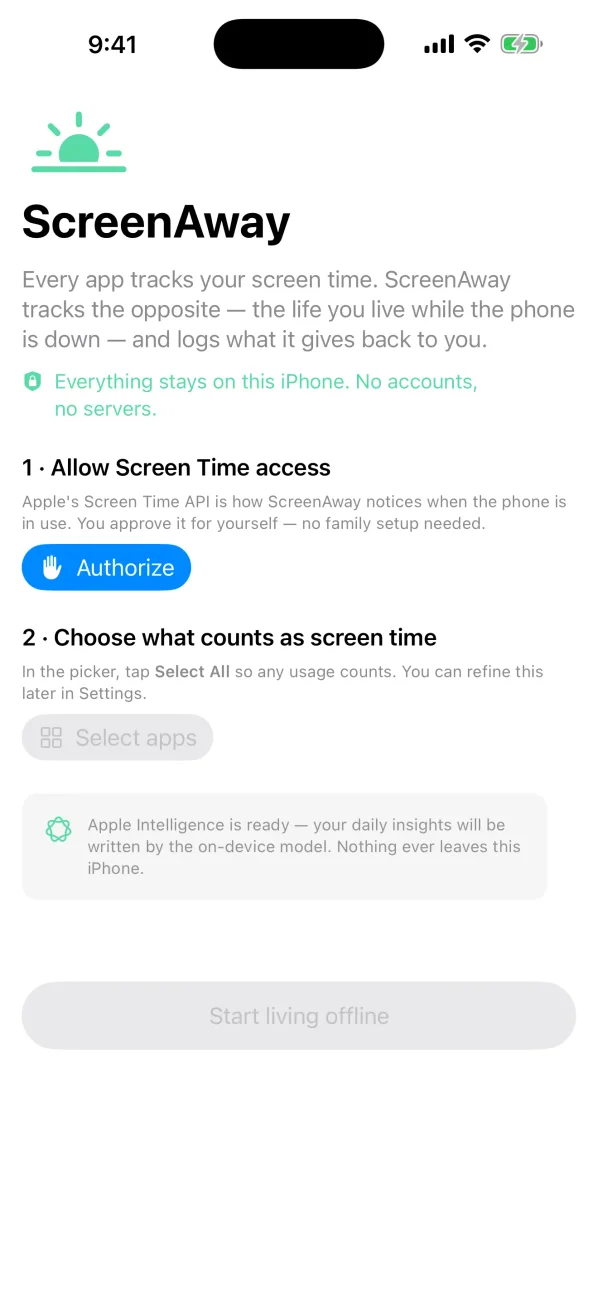
About
ScreenAway flips screen time on its head: instead of counting the hours you lose to your phone, it measures and celebrates the hours you win back.
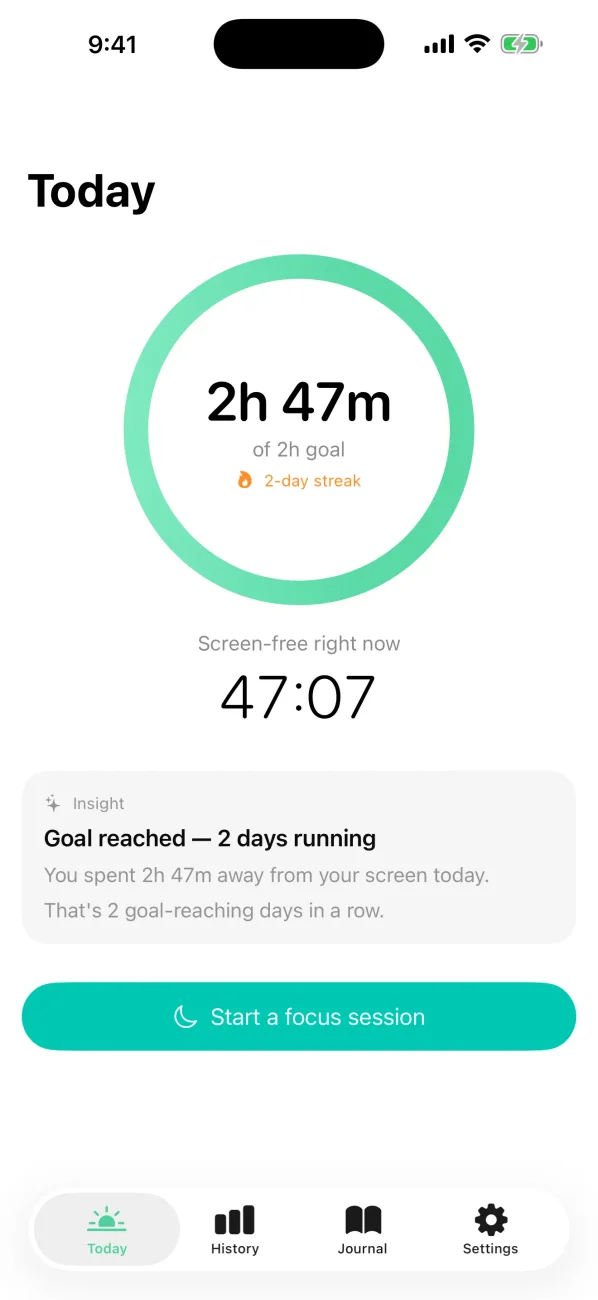
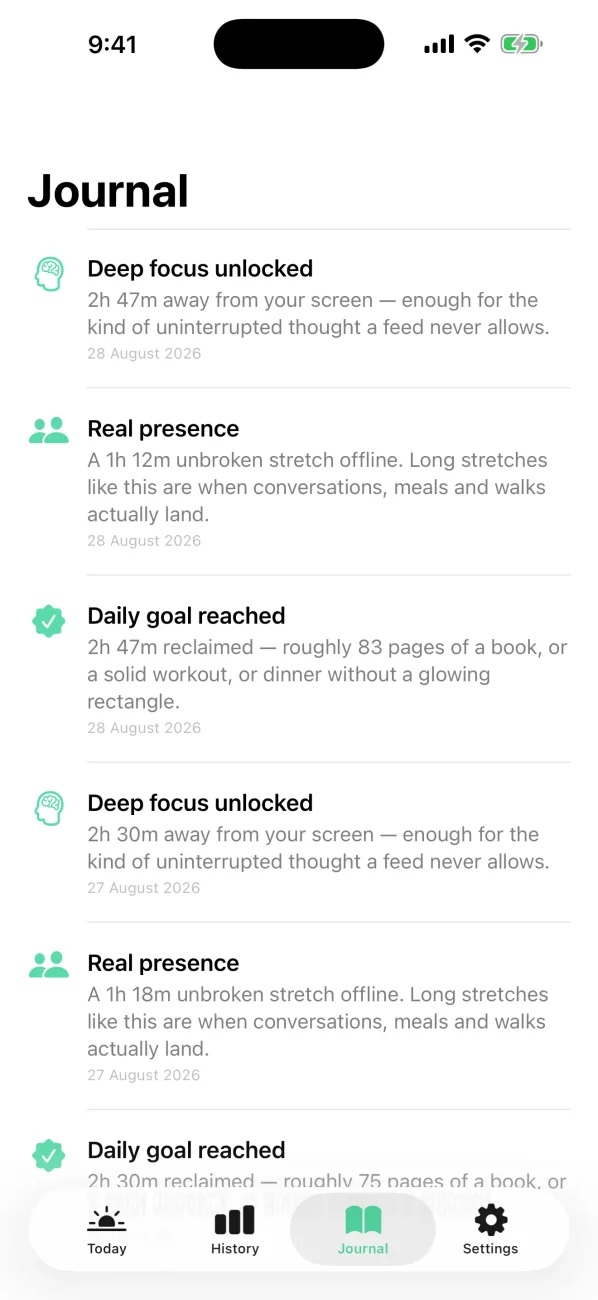
Put the phone down and a live timer starts counting your time away. Hit your daily goal to build a streak. Read the journal to see what your offline hours were actually worth.
HOW IT WORKS
ScreenAway uses Apple's Screen Time technology in reverse. Pick the apps to track (choose all of them for best results) and ScreenAway detects the gaps: every stretch of 30 minutes or more without your phone counts as away time. No manual timers, no check-ins. It just notices.
AWAY TIME, LIVE
• A ticking timer the moment you step away
• A daily progress ring toward your goal
• Day streaks that make consistency visible
FOCUS SESSIONS
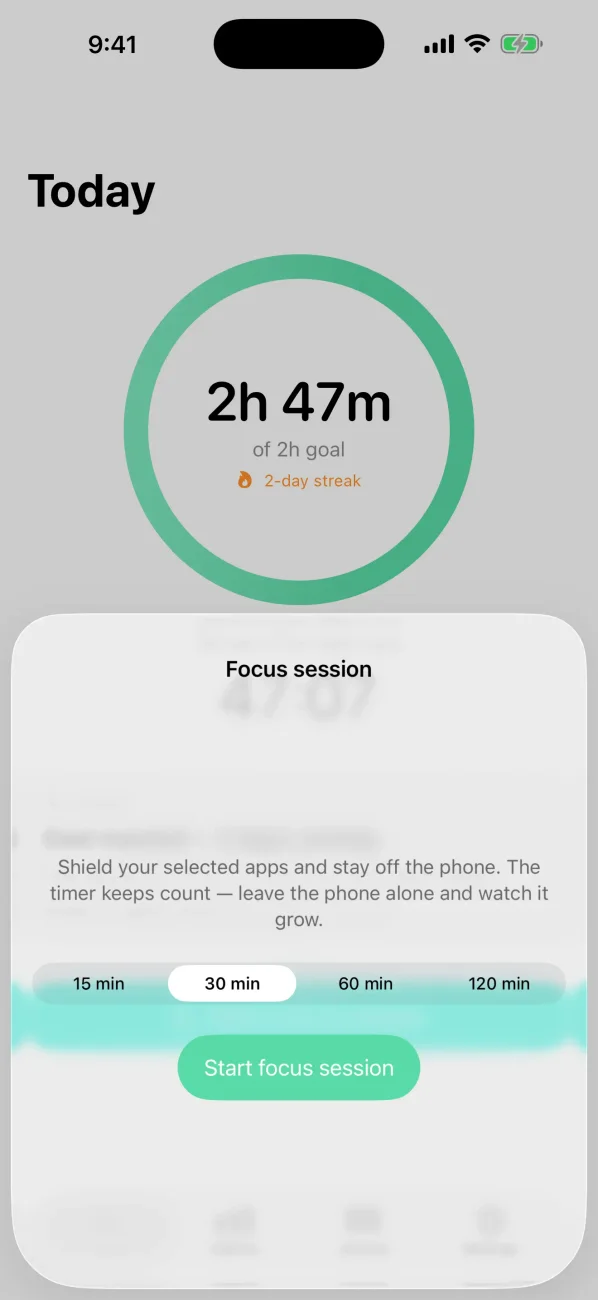
One tap shields your distracting apps and starts a Lock Screen Live Activity. End the session any time. The shield lifts immediately.
INSIGHTS, WRITTEN ON YOUR IPHONE
Apple Intelligence writes a short daily note about your progress, on your device, never in a cloud. No Apple Intelligence? ScreenAway's built-in insights take over seamlessly.
A JOURNAL OF WINS
Every stretch away becomes a concrete benefit: deep-focus time, real presence, room to move. See roughly how many book pages, steps, or unhurried dinners your offline hours were worth.
WIDGETS THAT DISAPPEAR
Home Screen widgets with an optional wallpaper-matched transparent background, plus a Lock Screen progress ring. Twelve accent themes with matching app icons.
PRIVACY IS THE ARCHITECTURE
• ScreenAway contains zero networking code, so nothing can leave your iPhone
• It never sees which apps you use: Apple's Screen Time system hands it opaque signals only
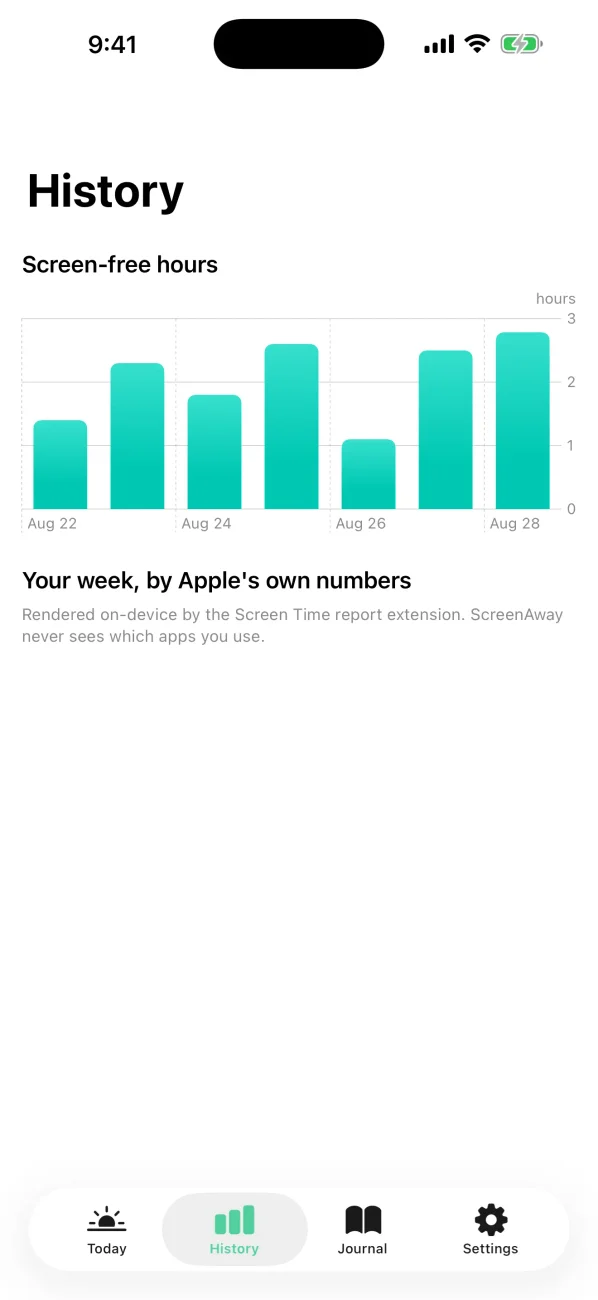
• The screen-time totals on the History tab are rendered by a sandboxed Apple extension the app can't read
• No account, no analytics, no ads, no tracking
• Delete the app and every trace is gone
REQUIREMENTS
• iPhone with iOS 26.0 or later
• Screen Time permission (asked on first launch)
• Apple Intelligence optional; insights fall back gracefully without it
Your phone already tells you what you lost. ScreenAway shows you what you gained.
App privacy
What Shubham Dolas declares on the App Store about how this app handles data.
-
Data not collected
The developer does not collect any data from this app.
Privacy practices may vary, for example with the features you use or your age.
Information
- Seller
- Shubham Dolas
- Category
- Productivity
- Version
- 1.0
- Updated
- Sep 3, 2026
- Released
- Sep 2, 2026
- Size
- 9.1 MB
- Requires
- iOS 26.0 or later
- Age rating
- 4+
- Price
- Free
- Languages
- English
- Copyright
- © 2026 Shubham Dolas
You might also like
-
 SaaloDigital Detox, Phone-Free Time
-
 Tempo: Screen Time GuardProductivity
-
 Qubit: Habit TrackerSimple Habit & Routine Tracker
-
 Muslim To-DoMuslim To-Do App.
-
 DayCast: Plan + ReflectPlan, Journal, Track, Private
-
 Pauza: screen time controlApp blocker, challenge friends
-
 Enough for Now: App BlockerFocus & Screen Time Control
-
 Paaz: Screen Time & FocusBlock Apps & Break Addiction
-
 DayLift - Habit TrackerBuild habits, track progress
-
 Dotty: Habit & Task PlannerYour day on a single line