
- Age rating4+
- CategoryUtilities
- DeveloperWuhan SharkOrb Tech Co., Ltd
- LanguagesEnglish
- Size1.0 MB
Links to the official App Store page
Download.org hosts no file of ScreenPick. The button opens its official App Store page, published by Wuhan SharkOrb Tech Co., Ltd. Listing last checked on Nov 23, 2026.
Screenshots
About
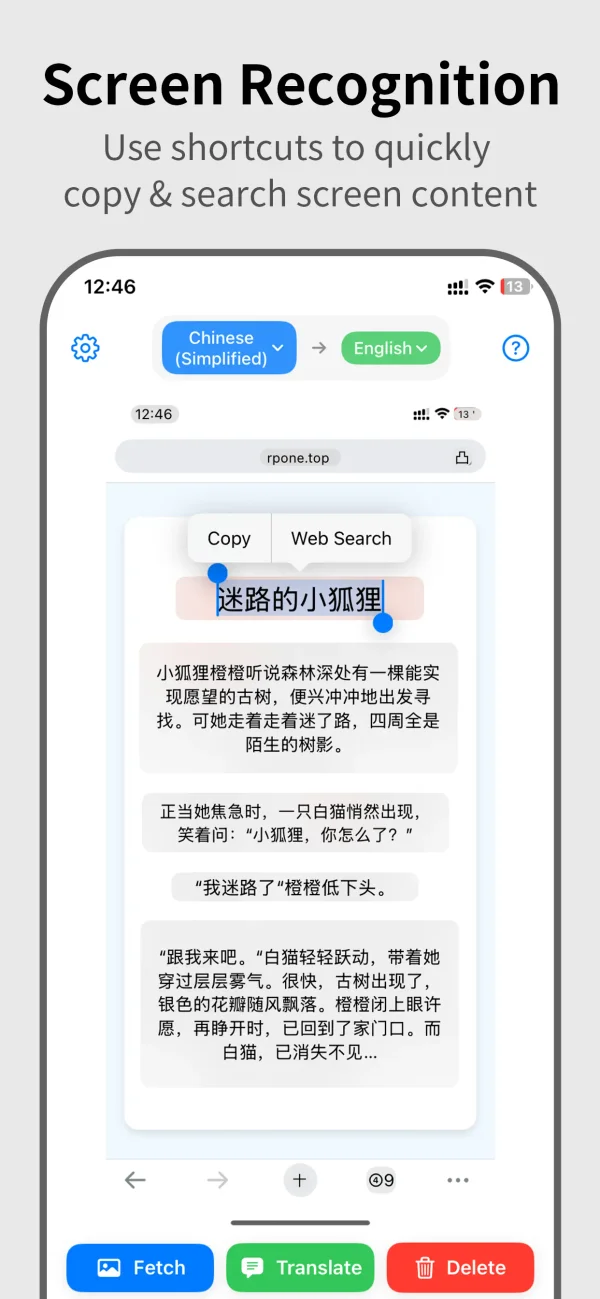
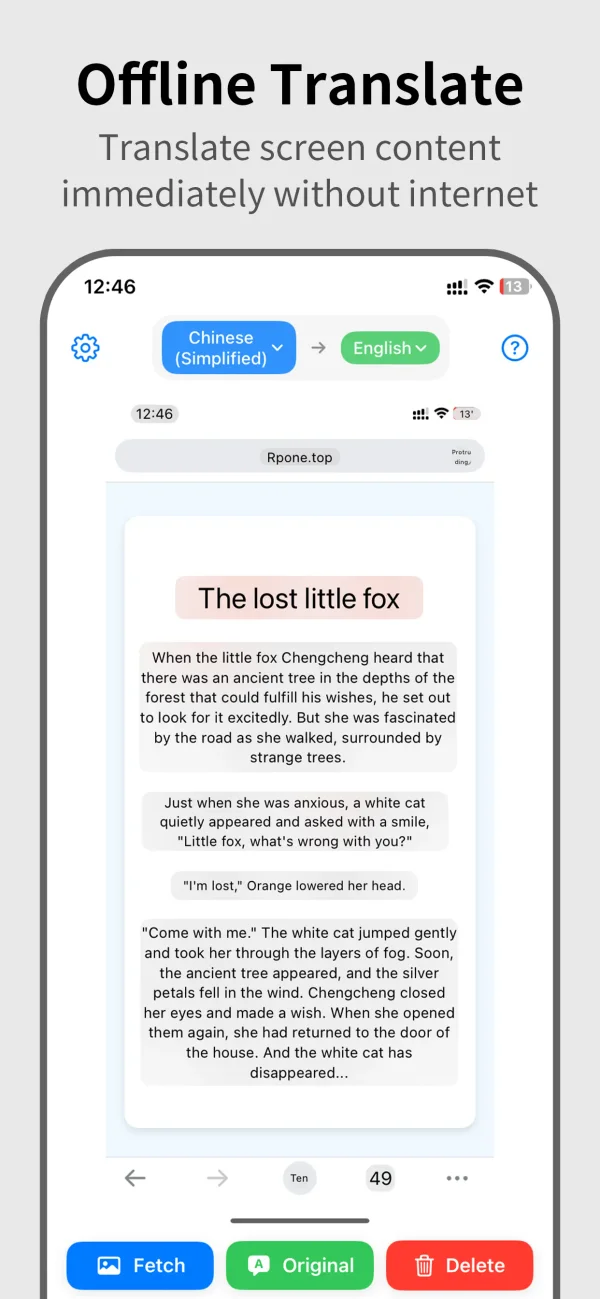
Can't copy text on a webpage? Need to translate foreign language content? ScreenPick makes everything simple!
With shortcuts, just tap a button, double-tap the back of your phone, or wake up Siri to quickly extract page content while retaining the original layout for a more intuitive reading experience.
Main features:
- Smart Recognition: Automatically extracts screenshot content, making it easy to copy and search.
- Convenient Translation: One-click translation of entire page text, supports offline use, fast and no data consumption.
- No Ads, No Subscriptions: One-time purchase for lifetime use, no additional fees.
What’s new
Version 3.9 · May 25, 2025
- New: control center shortcut
App privacy
What Wuhan SharkOrb Tech Co., Ltd declares on the App Store about how this app handles data.
-
Data not collected
The developer does not collect any data from this app.
Privacy practices may vary, for example with the features you use or your age.
Information
- Seller
- Wuhan SharkOrb Tech Co., Ltd
- Category
- Utilities
- Version
- 3.9
- Updated
- May 25, 2025
- Released
- Mar 20, 2025
- Size
- 1.0 MB
- Requires
- iOS 18.0 or later
- Age rating
- 4+
- Languages
- English
- Copyright
- © 2025 rpone
You might also like
-
 MarkFlow: AI Format EngineAI Markdown to IMG/PDF/DOCX
-
 facEmoji -fun photoAI face emoji blocker 4 INFJs!
-
 奇妙搜索 - 聚合全网资源搜索Utilities
-
 Fast - Search Clipboard PasteApp Results, Paste Text/Image
-
 RemSpark - One-tap CaptureAI todos, notes, Wallet passes
-
 MarkBuySmart subscription tracking
-
 NuboxAccount Subscription Manager
-
 SimpleLife - Save Money.Get Rich by Saving.
-
 PDF Snap: Photo ConverterCompress, Merge, Split Offline
-
 CantonAIspeak and learn Cantonese