
MarkFlow: AI Format Engine
AI Markdown to IMG/PDF/DOCX
Designed for iPhone, iPad
$0.99
- Age rating4+
- CategoryUtilities
- Developer友娥 尹
- LanguagesEnglish+ 2 more
- Size12.0 MB
Links to the official App Store page
Download.org hosts no file of MarkFlow: AI Format Engine. The button opens its official App Store page, published by 友娥 尹. Listing last checked on Nov 12, 2026.
Screenshots


About
Say Goodbye to Markdown Symbols, Create Beautiful Documents with One Click
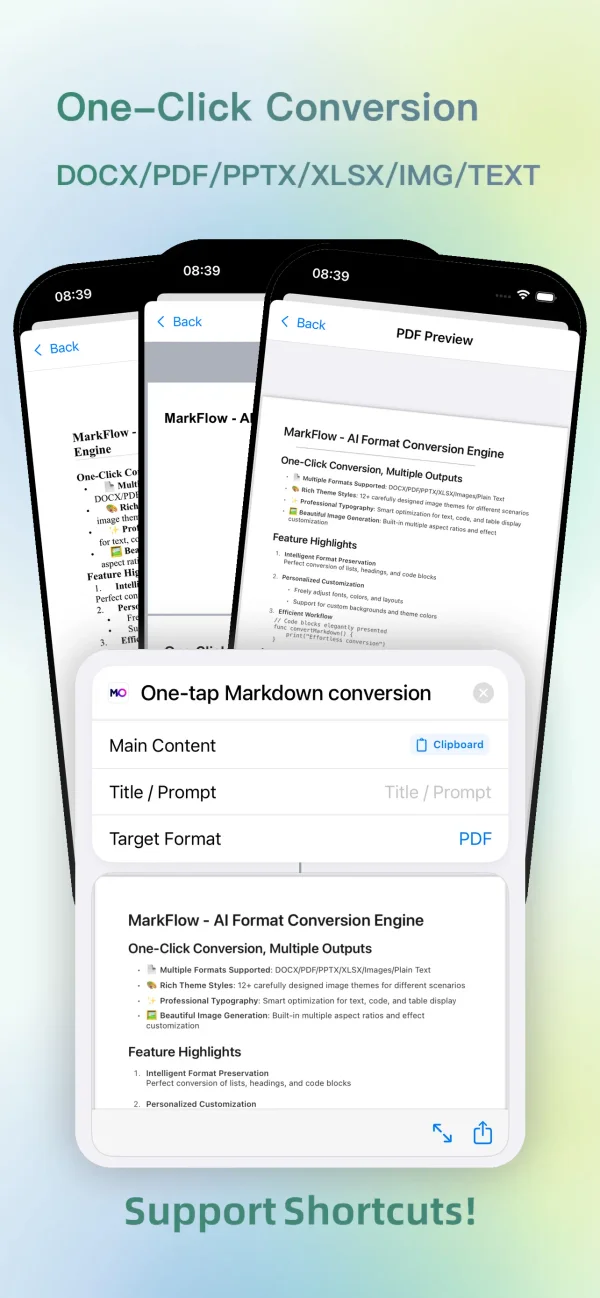
Convert Markdown from AI outputs to DOCX, PDF, PPTX, images, XLSX, TXT with one click. 12 beautiful image themes, offline processing, customizable image styles.
MarkFlow is a format conversion tool specially designed for processing AI output content, helping you easily convert Markdown text into various professional document formats. No internet required, local processing, protecting your privacy and security.
【Multiple Format Conversion】
• Convert to documents (.docx), PDF files, presentations (.pptx), spreadsheets (.xlsx), beautiful images, and plain text with one click
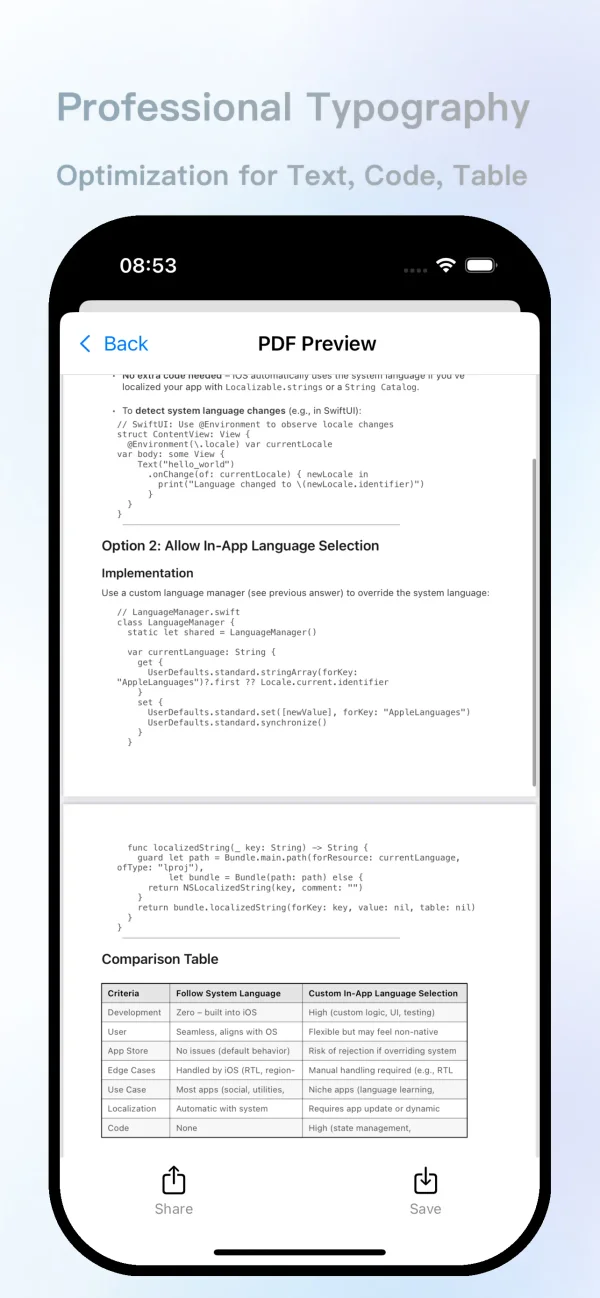
• Preserve original formatting and layout, making AI output content instantly professional and beautiful
• Quick conversion interface, start converting with a simple click, no complex operations needed
【Beautiful Image Themes】
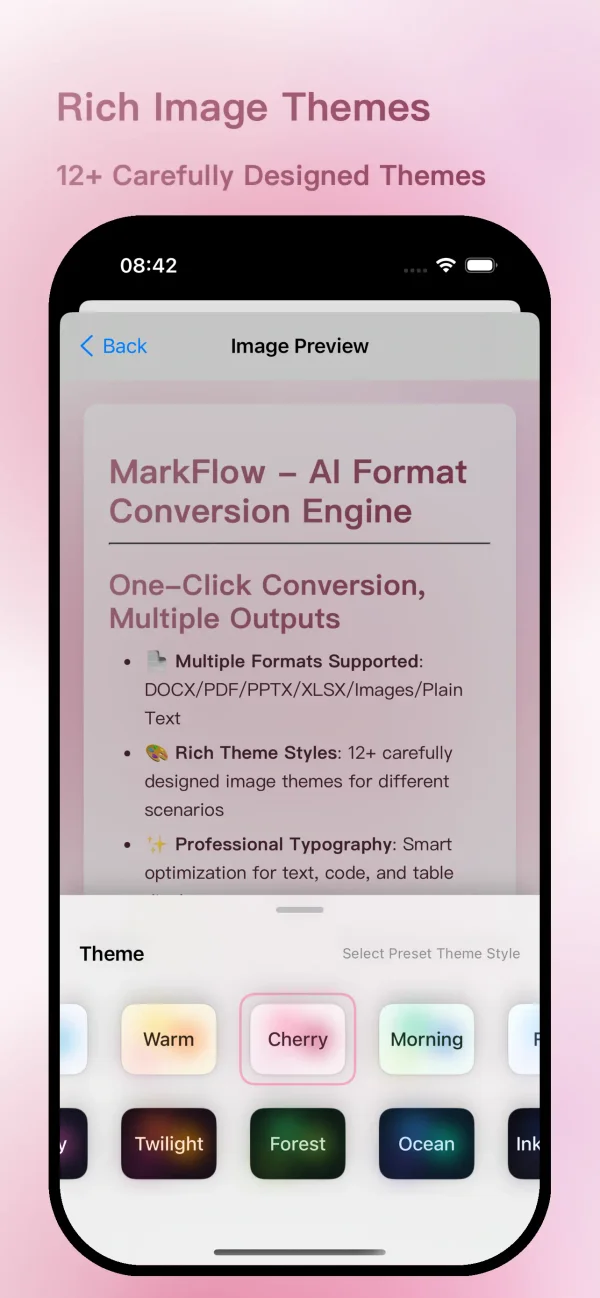
• 12 carefully designed image themes: Clear Sky, Starry Night, Warm Sun, Forest, Ocean, Dusk, Cherry Blossom, Morning Dew, Frost, Ink Night, Green Field, and Purple Glow
• Each theme has matching background, text, and accent colors, presenting a harmonious and beautiful visual effect
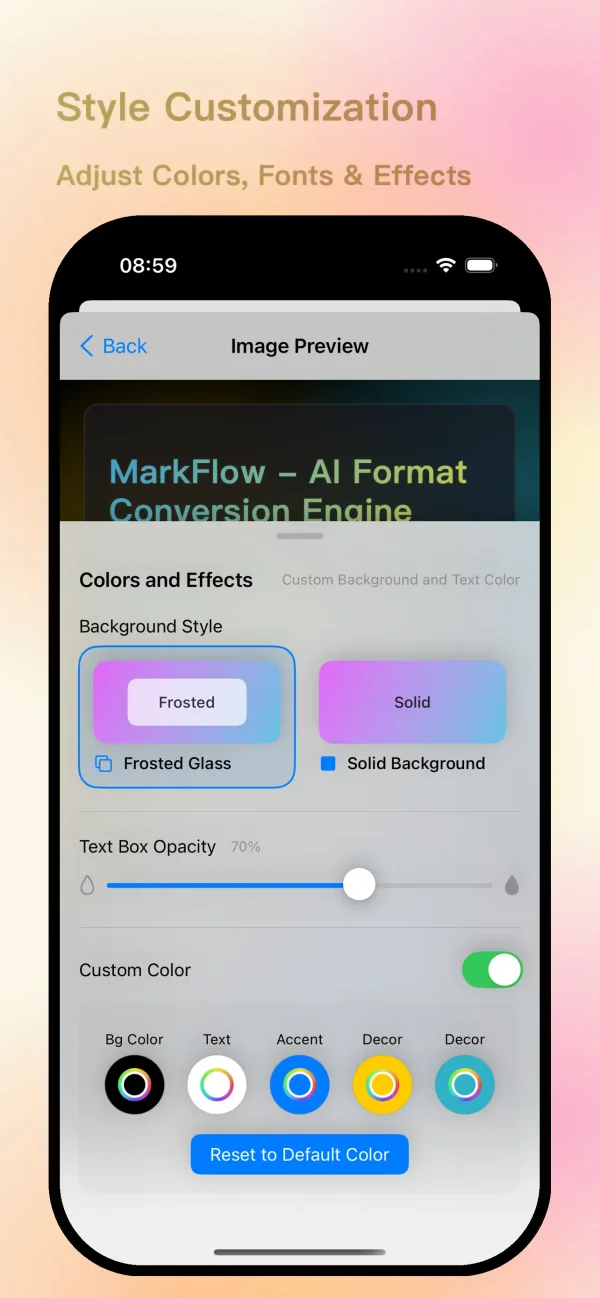
• Support for custom theme colors to meet personalized needs
【iOS Shortcuts Support】
• Convert Markdown to various document formats with a single tap via iOS Shortcuts
• Transform Markdown into beautiful images and preview them directly within Shortcuts
• Complete conversions without opening the app, enhancing your productivity
【Rich Style Options】
• Multiple image size presets: Square (1:1), Portrait (3:4), Standard (4:3), Vertical Screen (9:16), Horizontal Screen (16:9), and custom sizes
• Various font schemes: System Default, Medium Black, Light, Happy Black, Good Body, Sugar Round, and more
• Support for frosted glass and solid color background text box styles
• Adjustable content padding and container padding to optimize layout effects
【Convenient History Records】
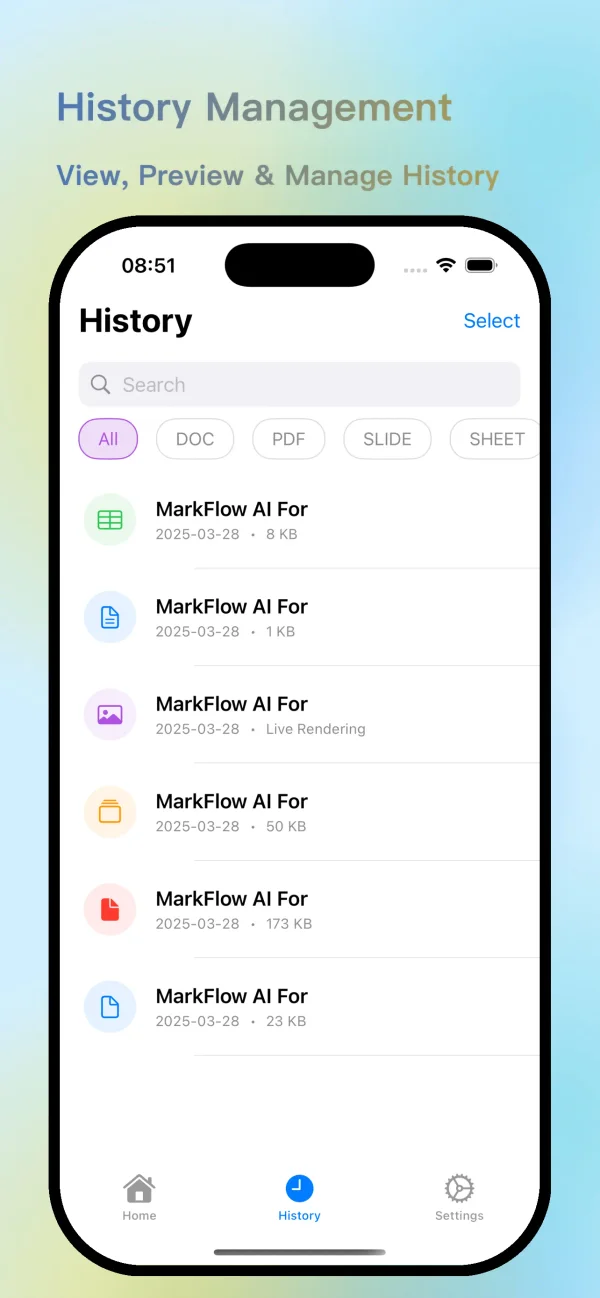
• Automatically save all conversion records for viewing and reuse anytime
• Filter history records by document type
• Batch selection and deletion functions for easy history management
【Simple and Efficient Operation】
• Intuitive user interface with clear function layout
• Support for one-click pasting of AI output content
• No internet required, local processing, protecting your privacy
MarkFlow is a powerful assistant for processing AI output content, helping you say goodbye to Markdown symbol troubles and easily create professional and beautiful documents. Whether for study notes, work reports, presentations, or data analysis, MarkFlow can help you quickly complete format conversions and improve work efficiency.
Download MarkFlow and turn AI output into beautiful documents instantly!
What’s new
Version 1.0.6 · Apr 9, 2025
- Minor bug fix
App privacy
What 友娥 尹 declares on the App Store about how this app handles data.
-
Data not collected
The developer does not collect any data from this app.
Privacy practices may vary, for example with the features you use or your age.
Information
- Seller
- 友娥 尹
- Category
- Utilities
- Version
- 1.0.6
- Updated
- Apr 9, 2025
- Released
- Mar 30, 2025
- Size
- 12.0 MB
- Requires
- iOS 16.6 or later
- Age rating
- 4+
- Price
- $0.99
- Languages
- English, Simplified Chinese, Traditional Chinese
- Copyright
- © Yin Youe
You might also like
-
 WiFi Guardian – Stop IntrudersProtect Wi-Fi & Monitor Usage
-
 MDconvert - to pdf/word/imageMarkdown to pdf/word/image
-
 ScreenPickReconize & Translate Screen
-
 LogViewer - App Log ViewerAdvanced Log Inspector
-
 奇妙搜索 - 聚合全网资源搜索Utilities
-
 DS随心转 - AI对话导出WordUtilities
-
 鲸鱼AI助手 - AI导出WordUtilities
-
 MarkFlow:Read Markdown filesRead Markdown documents easily
-
 Markdown to PDF Fast Converter1-Click Markdown to PDF Tool
-
 WordGlean - Kindle HighlightsBook Quotes Widget & Notes