ScreenRuler - Measure Length
Real cm & inch ruler on screen
Designed for iPhone, iPad, iPod touch
Free
- Age rating4+
- CategoryUtilities
- Developerpilyeong heo
- LanguagesEnglish+ 9 more
- Size30.8 MB
Links to the official App Store page
Download.org hosts no file of ScreenRuler - Measure Length. The button opens its official App Store page, published by pilyeong heo. Listing last checked on Nov 27, 2026.
Screenshots

About
Turn your iPhone into a precise ruler — no physical ruler needed.
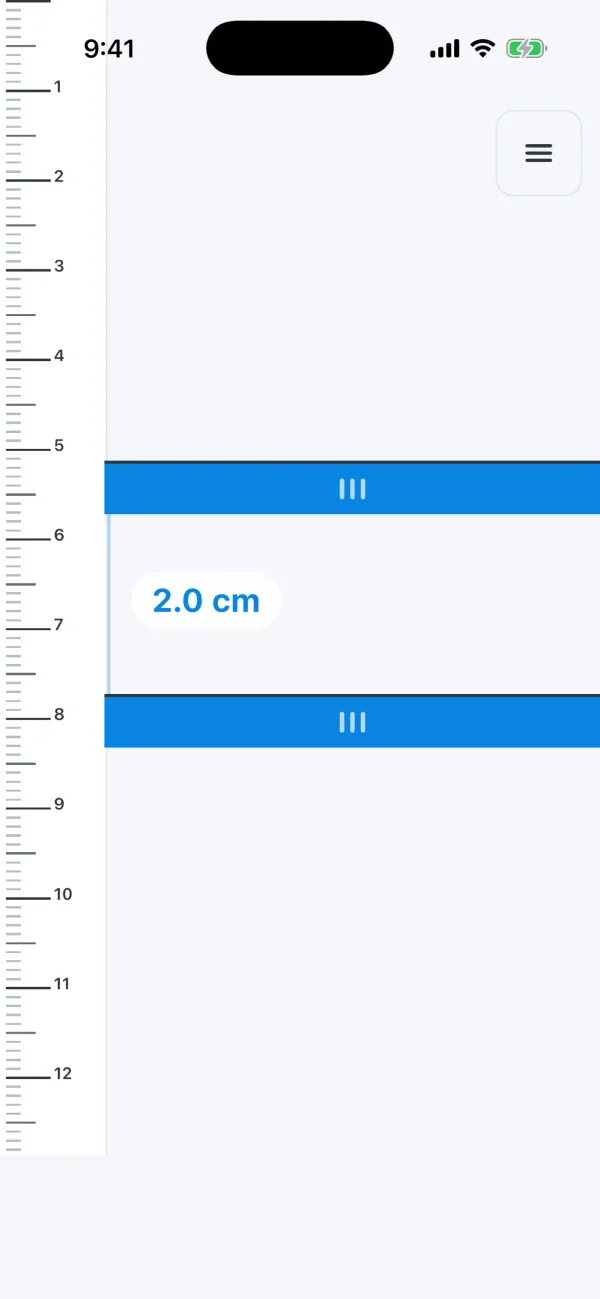
ScreenRuler uses your device's actual pixel density (PPI) to display accurate centimeter and inch graduations directly on screen. Place any object alongside the ruler and drag two handles to measure it instantly.
HOW TO MEASURE
1. Place the object next to the left edge of the screen
2. Drag the top and bottom handles to align with the object's edges
3. Read the live measurement displayed between the handles
FEATURES
• Accurate ruler based on your iPhone's true screen PPI
• cm mode: 1 mm graduations, labeled every 1 cm
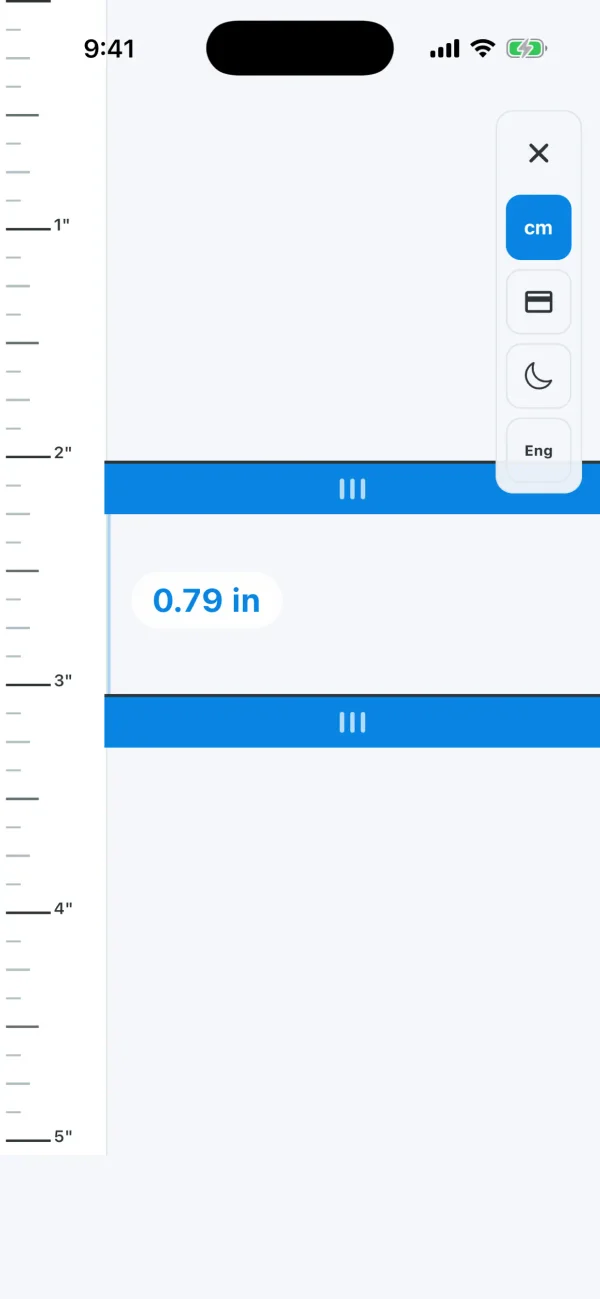
• inch mode: 1/8 inch subdivisions, labeled every 1 inch
• Two drag handles for precise range selection
• Live measurement display — updates as you drag
• Switch between cm and inch instantly
• DPI calibration using a standard credit card (short edge 5.4 cm) for extra precision
• Haptic feedback at every 1 cm / 1 inch boundary
• Dark and light theme
• Works offline — no internet required
• Collapsible control panel — stays out of the way
CALIBRATION
Every iPhone screen has a slightly different physical size. Use the built-in DPI calibration with a standard credit card to fine-tune accuracy to your exact device.
Perfect for quick measurements when you don't have a ruler on hand.
What’s new
Version 1.3.0 · Nov 26, 2026
Fixed the calibration guide: the card guide is no longer cut short on most iPhones, and it now grows and shrinks as you adjust. If you calibrated before, please check it once more. Calibration now has Cancel, the status bar follows the theme, and the tick vibration matches the length you measure.
App privacy
What pilyeong heo declares on the App Store about how this app handles data.
-
Data not linked to you
May be collected but is not linked to your identity.
- Location
- Identifiers
- Usage data
- Diagnostics
Privacy practices may vary, for example with the features you use or your age.
Information
- Seller
- pilyeong heo
- Category
- Utilities
- Version
- 1.3.0
- Updated
- Nov 26, 2026
- Released
- Apr 9, 2026
- Size
- 30.8 MB
- Requires
- iOS 15.1 or later
- Age rating
- 4+
- Price
- Free
- Languages
- English, French, German, Japanese, Korean, Portuguese, Simplified Chinese, Spanish, Thai, Traditional Chinese
- Copyright
- © pilyeooong
You might also like
-
 Unit Converter – Convert UnitsConvert Length,Weight,Area
-
 Car Noise MeterMeasure cabin noise precisely
-
 Audivo · Video to Audio ToolExtract Audio · Record · Edit
-
 PincrumbsSave places,Memories for later
-
 Calc, Convert & QR ScanCalculator, Converter, QR Scan
-
 Shelf Track-Inventory TrackingTrack anything.
-
 CtrlTV: Smart TV RemoteSamsung LG Sony Bravia Hisense
-
 PureWatermark: Photo ProtectBatch watermark, total privacy
-
 Ranita: Private Scam CheckOn-Device Scam Analysis
-
 OneCall: Private P2P VideoSecure calls via one-time code