
ScreenSunset Parent
Screen time & family safety
Designed for iPhone, iPad, iPod touch
In-app purchases
- Age rating4+
- CategoryUtilities
- Developerfly sky pty ltd
- LanguagesRussian+ 13 more
- Size10.1 MB
Links to the official App Store page
Download.org hosts no file of ScreenSunset Parent. The button opens its official App Store page, published by fly sky pty ltd. Listing last checked on Nov 12, 2026.
Screenshots


About
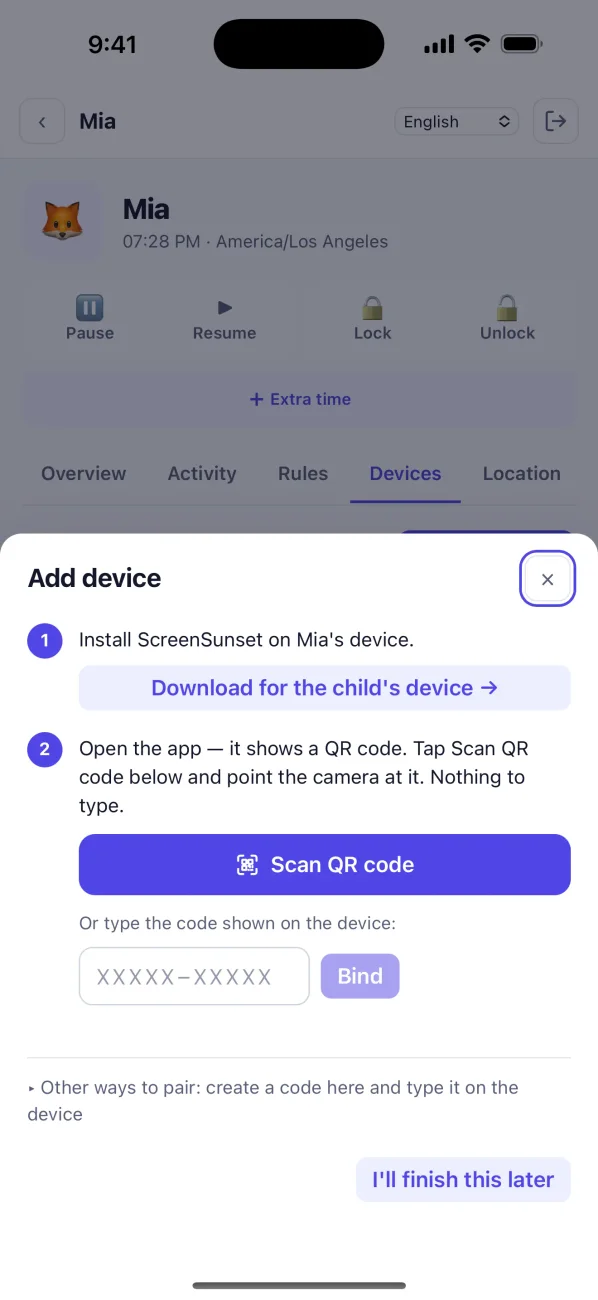
ScreenSunset is the parent app for the ScreenSunset parental-control service. Install the free companion app on your child's iPhone, iPad, Mac or Windows PC — or the phone or tablet they already use — pair it in a couple of minutes with a QR code, and manage everything from here.
SEE THE DAY AT A GLANCE
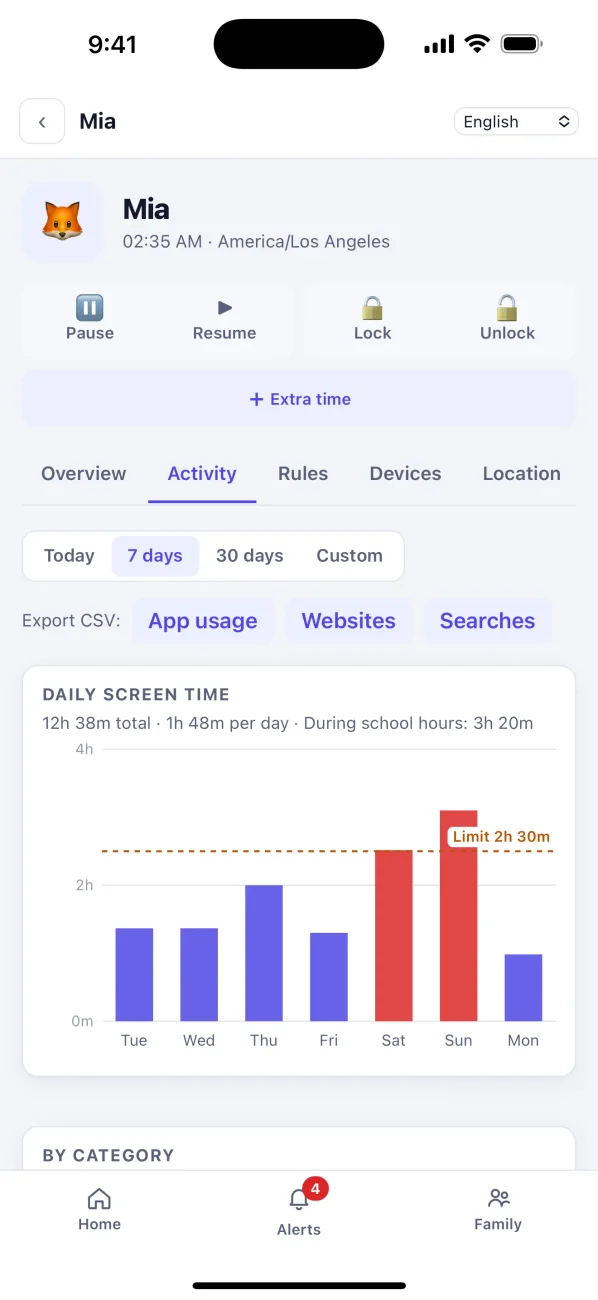
- Today's screen time for every child, against the limit you set
- Top apps, websites and searches, and which devices are online
- 7-day and 30-day trends, with school-hours time counted separately
- Alerts for blocked sites, risky searches and devices that stop reporting
- An optional AI daily summary in plain language, which you can turn off per child
SET THE RULES ONCE
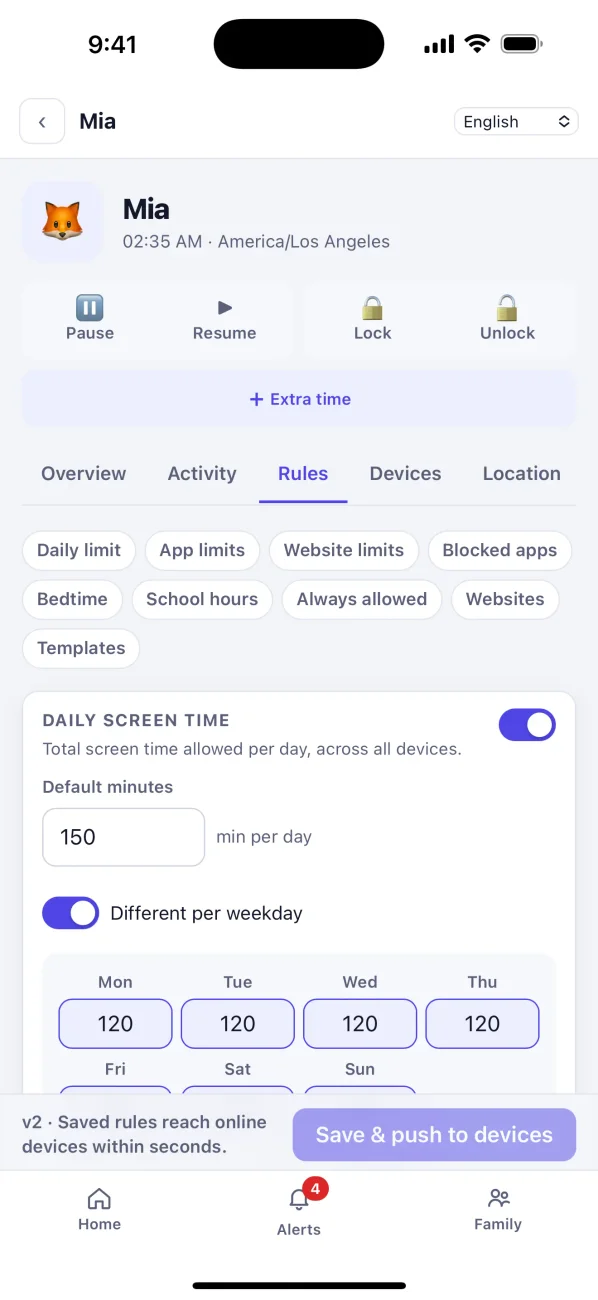
- A daily screen-time limit, with a different limit per weekday
- Per-app time limits and blocked apps
- Bedtime and school-hours windows
- Website filtering by category, plus always-allow and always-block lists
- Ready-made templates for preschool, primary, middle and high school
ACT IN THE MOMENT
- Pause or resume the internet, lock or unlock a device, or grant 15, 30 or 60 extra minutes
- Approve or deny your child's request for more time straight from the home screen
- Commands reach a device in seconds while it is online, and are queued while it is not
WHERE THEY ARE
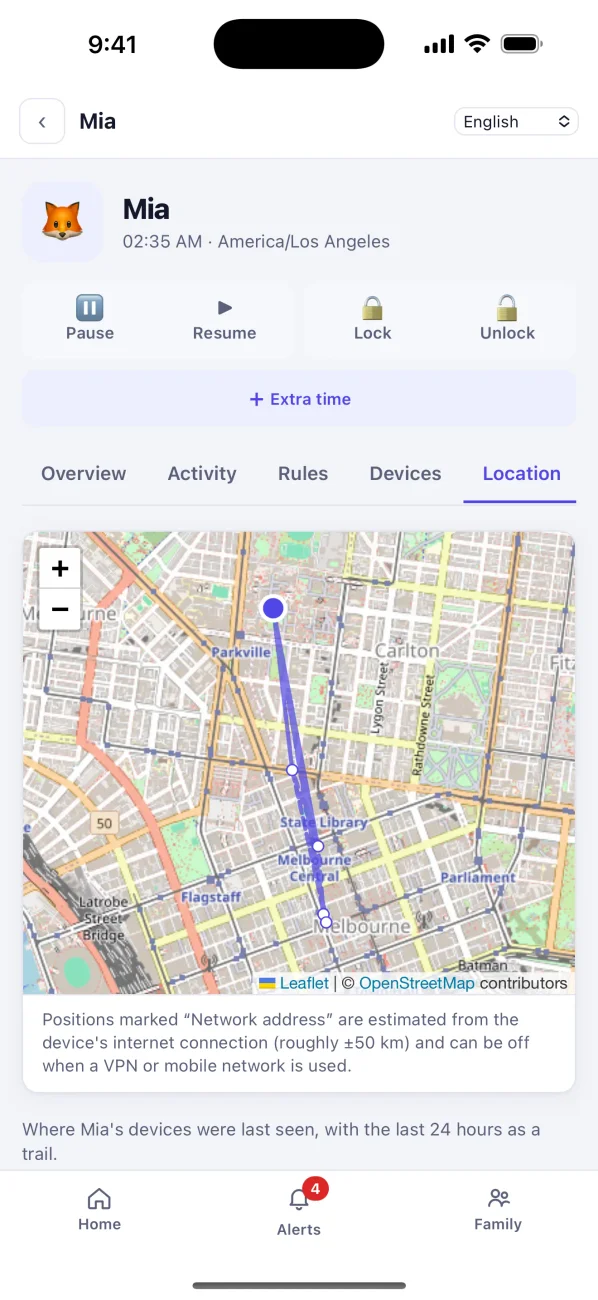
- The last known position of each child's devices, with the past 24 hours as a trail
- Precise fixes come from the device; when a device can only report its internet connection the position is approximate and is labelled as such
- Location can be switched off per child at any time
WHAT EACH PLATFORM CAN AND CANNOT DO
ScreenSunset works inside the limits Apple, Google and Microsoft place on parental-control software, and the app tells you which rules are actually active on which device.
- iPhone and iPad: the companion app uses Apple's Screen Time (Family Controls). App limits, bedtime, content restrictions and a Safari content filter are applied by iOS itself. iOS never hands an app the full list of installed apps, so usage is reported per rule in five-minute steps rather than to the second, and the apps to limit are chosen once on the child's device.
- Other phones and tablets: app usage, per-app limits, blocked apps and web filtering.
- Mac and Windows: screen time, website filtering, and pause or lock from your phone.
No parental-control app can see a device it is not installed on, and software can be removed by a determined teenager. ScreenSunset shows you when a device stops reporting so that you notice.
BUILT FOR FAMILIES
- Invite a co-parent into the same family with a code
- A parent PIN protects the settings on the child's device
- English and Simplified Chinese, light and dark
- Free. No ads, no third-party analytics, nothing to buy
ScreenSunset collects only the activity a parent has asked it to collect, and never sells it. Deleting your account in the app deletes your family's data.
Support: https://screensunset.com/support
Privacy Policy: https://screensunset.com/privacy
App privacy
What fly sky pty ltd declares on the App Store about how this app handles data.
-
Data linked to you
May be collected and linked to your identity.
- Contact info
- Identifiers
Privacy practices may vary, for example with the features you use or your age.
Information
- Seller
- FLY SKY PTY LTD
- Category
- Utilities
- Version
- 1.0
- Updated
- Sep 29, 2026
- Released
- Sep 28, 2026
- Size
- 10.1 MB
- Requires
- iOS 15.0 or later
- Age rating
- 4+
- In-app purchases
- Yes
- Languages
- Russian, English, Dutch, Spanish, Italian, Korean, German, Polish, Portuguese, Traditional Chinese, Turkish, Simplified Chinese + 2 more
- Copyright
- © 2026 FLY SKY PTY LTD
You might also like
-
 Weblock BrowserParental Control & Web Filter
-
 KaKeFit: Workout App BlockerFitness Goals & Weight Tracker
-
 MessagY - Hazır SMS MesajlarıUtilities
-
 InterraXControl your home with Interra
-
 InPeace ManagerUtilities
-
 OC Maker & Creator- PFP AvatarCreate Original Character
-
 i-Spy ToysUtilities
-
 Smart-VPNUtilities
-
 Thinger: 3D Printing ModelsSTL Files for Your 3D Printer
-
 Funny ThemeA Top Widgets