Weblock Browser
Parental Control & Web Filter
Designed for iPhone, iPad, iPod touch
Free · In-app purchases
- Age rating4+
- CategoryUtilities
- DeveloperApp Machine SIA
- LanguagesEnglish
- Size45.1 MB
Links to the official App Store page
Download.org hosts no file of Weblock Browser. The button opens its official App Store page, published by App Machine SIA. Listing last checked on Nov 16, 2026.
Screenshots

About
Replace Safari with a browser you control. Weblock is an AI-powered safe browser that blocks harmful content, limits screen time, and gives you full control — right from your phone.
*** How it works
Install Weblock on your child's iPhone or iPad. Set up browsing rules — and the safe browser is ready. You choose what's allowed, AI handles the rest.
*** AI-Powered Protection
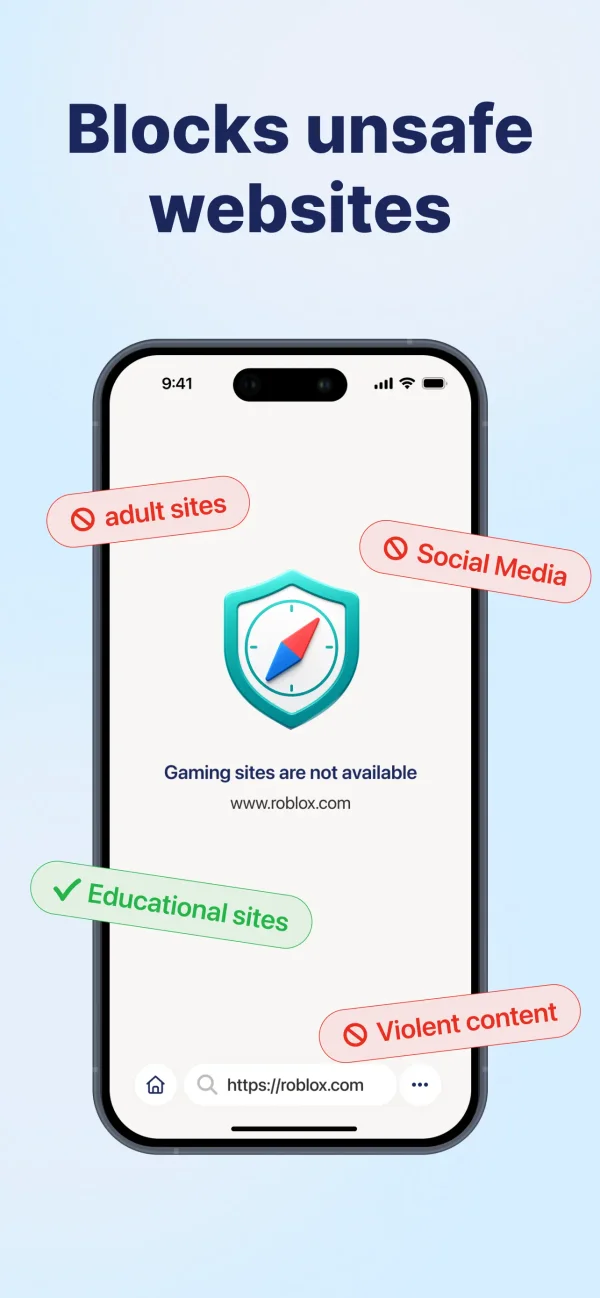
Weblock uses AI to evaluate every website your child visits in real time. Inappropriate content is blocked automatically — before your child sees it. You'll see why a site was blocked, so you can make informed decisions without visiting harmful sites yourself.
*** Screen Time Limits
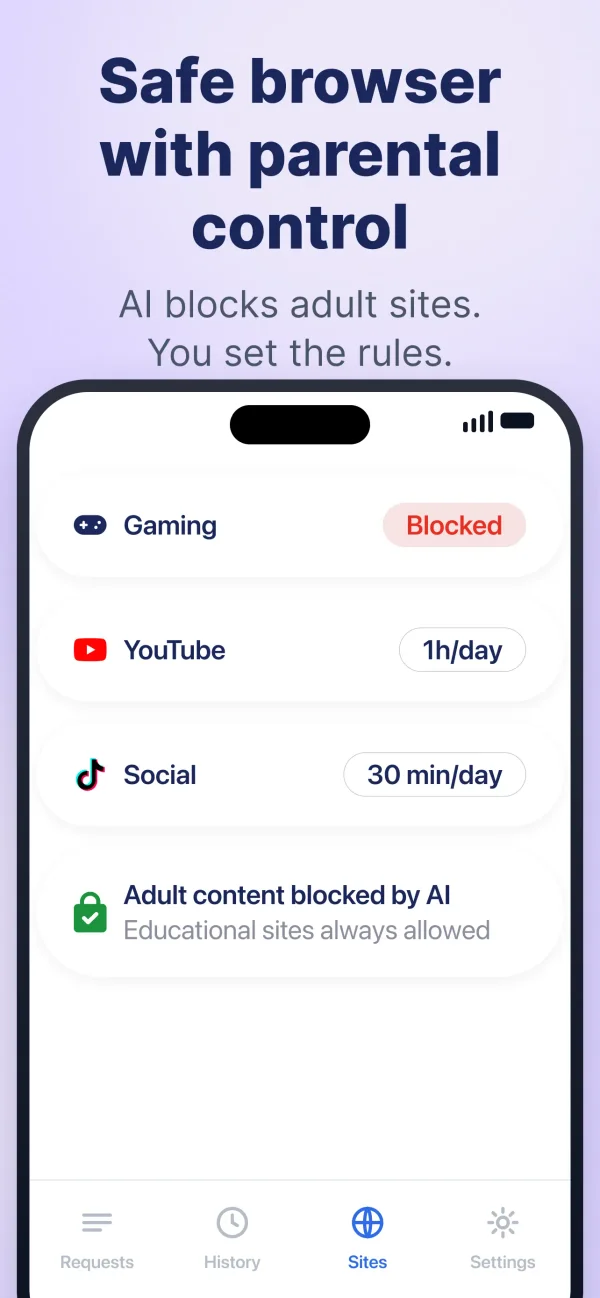
Set daily time limits for each category:
• YouTube — 1 hour per day
• Social Media — 30 minutes per day
• Gaming Sites — blocked entirely
Customize the limits to fit your family. When the time is up, the site is automatically blocked until the next day.
*** What's always on
• Google Search with safe search enforced
• Educational and school sites — always allowed
• Adult and dangerous content — always blocked by AI
*** Ad-Free Browsing
Built-in ad blocker removes ads, pop-ups, and trackers. Your child gets a clean, distraction-free browsing experience.
*** Approve & Deny in Real Time
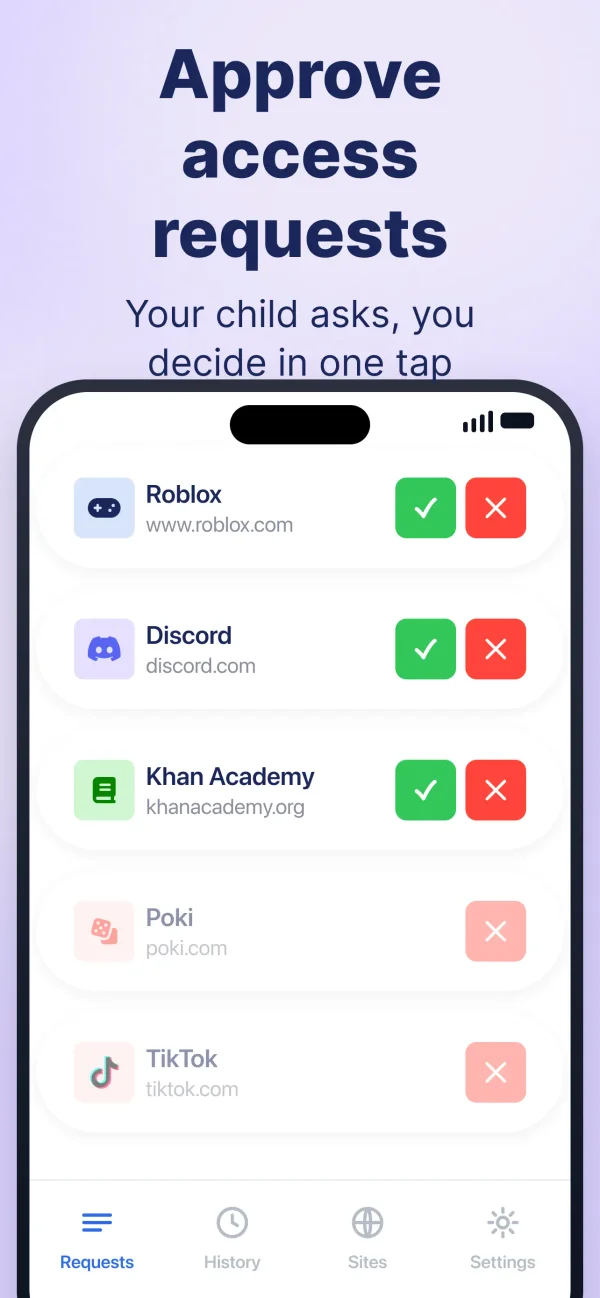
When your child tries to visit a new site, you get a notification. Approve or deny with one tap — right from your phone. You stay in control without hovering over their shoulder.
*** Full Browsing History
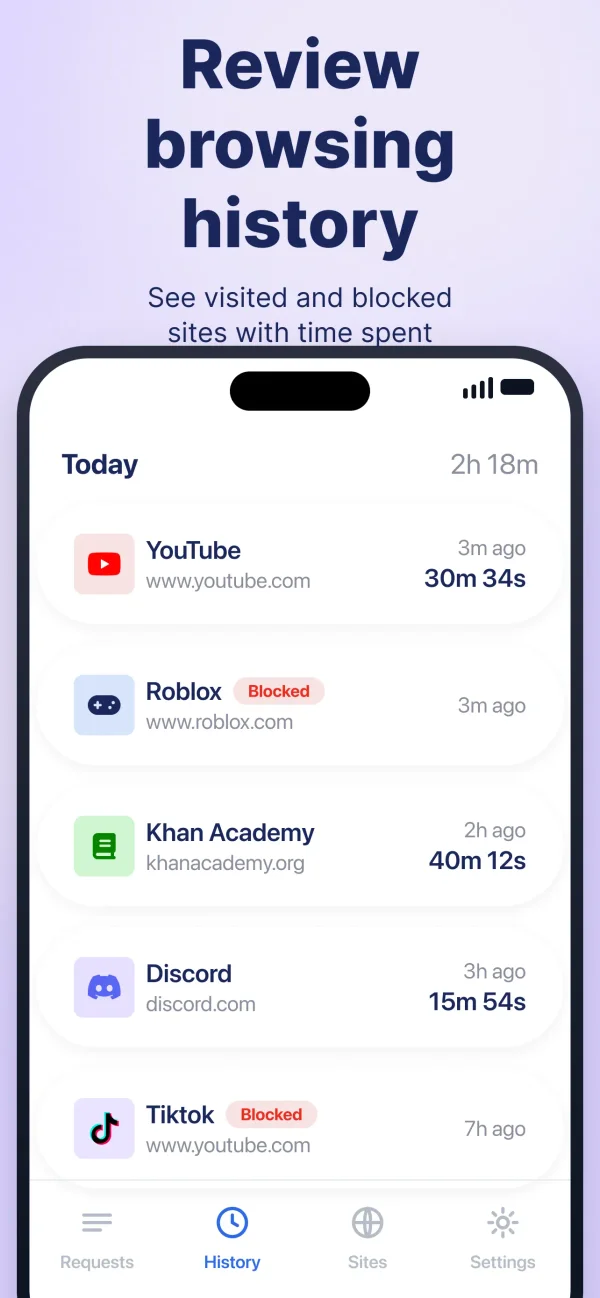
See every site your child visits, how long they spend on each, and which sites were blocked. Complete transparency, zero guesswork.
*** Manage Bookmarks Remotely
Add your child's favorite sites — school portal, Khan Academy, Wikipedia — so they're one tap away. Edit or remove bookmarks anytime from your device.
*** Easy to get started
1. Install Weblock on your child's device.
2. Set browsing rules.
3. Done — the safe browser is ready.
Optional: Install Weblock on your own phone and pair to approve sites and view history remotely.
*** Designed for families & schools
Weblock fits home learning, homework stations, and classroom iPads. Curated bookmarks and category rules keep attention on the task.
*** Subscription
Weblock requires a subscription to use parental control features. Start with a free trial. Subscriptions automatically renew unless canceled at least 24 hours before the end of the current period.
Terms of Use: https://weblock.online/terms_of_use
Privacy Policy: https://weblock.online/privacy_policy
What’s new
Version 1.21.2 · Oct 3, 2026
Bug fixes and stability improvements.
App privacy
What App Machine SIA declares on the App Store about how this app handles data.
-
Data linked to you
May be collected and linked to your identity.
- Search history
- Browsing history
- Identifiers
- Usage data
- Diagnostics
Privacy practices may vary, for example with the features you use or your age.
Information
- Seller
- App Machine SIA
- Category
- Utilities
- Version
- 1.21.2
- Updated
- Oct 3, 2026
- Released
- Dec 11, 2025
- Size
- 45.1 MB
- Requires
- iOS 15.1 or later
- Age rating
- 4+
- Price
- Free
- In-app purchases
- Yes
- Languages
- English
- Copyright
- © 2025 App Machine SIA
You might also like
-
 Perfect Browser - Dark ModeAI Summary & Auto Reload
-
 Universal AC ControllerSmart AC control made simple
-
 Sundial BrowserWeb Timer & Site Blocker
-
 Wincy: Safe Browser for KidsParental Controls for the Web
-
 Incognito Browser PrivateSecure safe & secret browsing
-
 eBrowser: Private Web & FilesFast, Private, Download Files
-
 SaveME - PornblockerBreak habits & stay focused
-
 Multi Tab Web BrowserBrowse More Sites at Once
-
 BrowsAI-Agent Web BrowserA mobile alternative to Manus
-
 Ad Block Browser: No AdsFast Private Web Browser