SeatCraft: Seating Chart
Seating plans for any group
Designed for iPhone, iPad, iPod touch
In-app purchases
- Age rating4+
- CategoryProductivity
- Developer合同会社シクミル
- LanguagesEnglish+ 6 more
- Size38.1 MB
Links to the official App Store page
Download.org hosts no file of SeatCraft: Seating Chart. The button opens its official App Store page, published by 合同会社シクミル. Listing last checked on Nov 27, 2026.
Screenshots


About
[Set the rules once. Generate seating charts in seconds.]
SeatCraft builds seating charts for mixers, workshops, training sessions and classrooms — and it respects the things you actually care about. Instead of shuffling names at random, you tell it the rules once, and the optimizer searches thousands of arrangements to find one that keeps them.
■ Three things SeatCraft does that a shuffle cannot
1. Tags that group together or spread apart
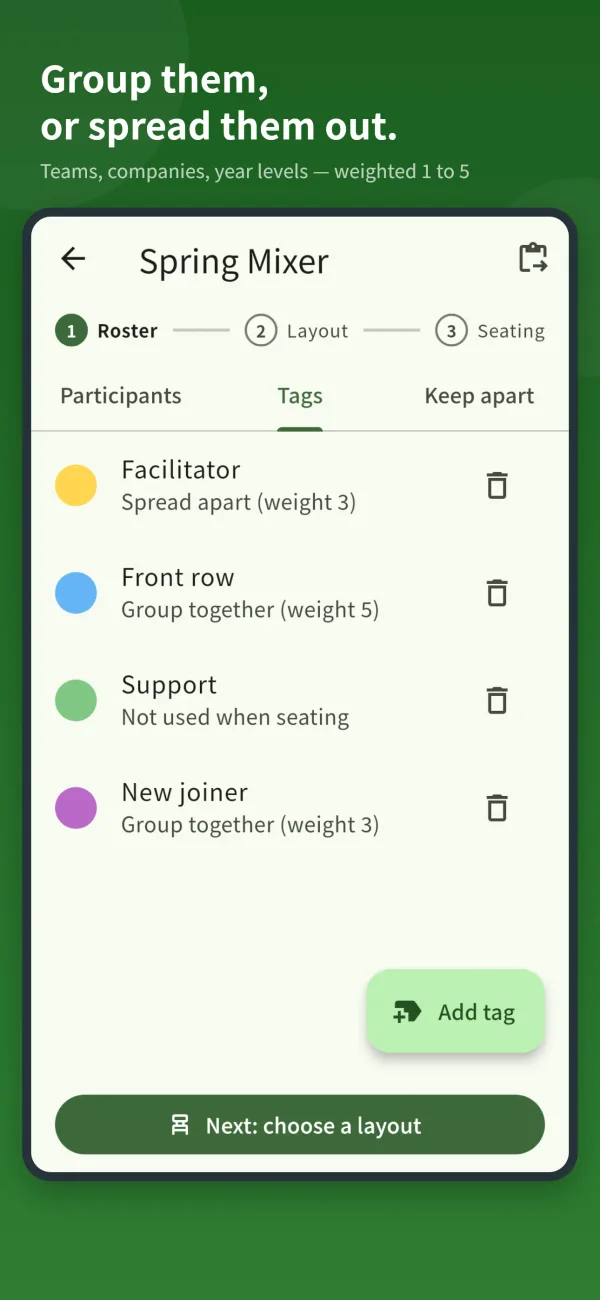
Tag people however you like — a department, a team, a company, "needs the front row" — and choose whether that tag should sit together or be spread across the room, with a strength from 1 to 5. Mix several tags at once: spread the sales team, keep the new joiners together.
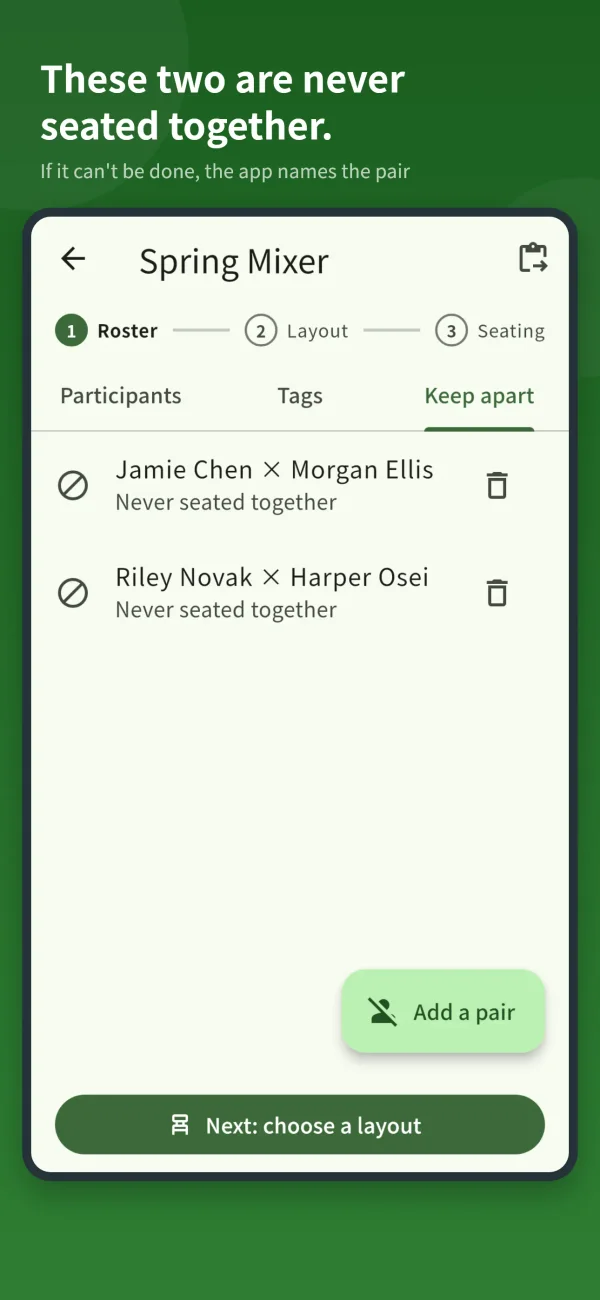
2. Pairs that are never seated together
Add two people who should not sit next to each other, and they never will. This is an absolute rule, not a preference: if it cannot be satisfied, the app stops and tells you exactly which pair or which pinned seat is in the way, instead of quietly breaking it.
3. Printing, end to end
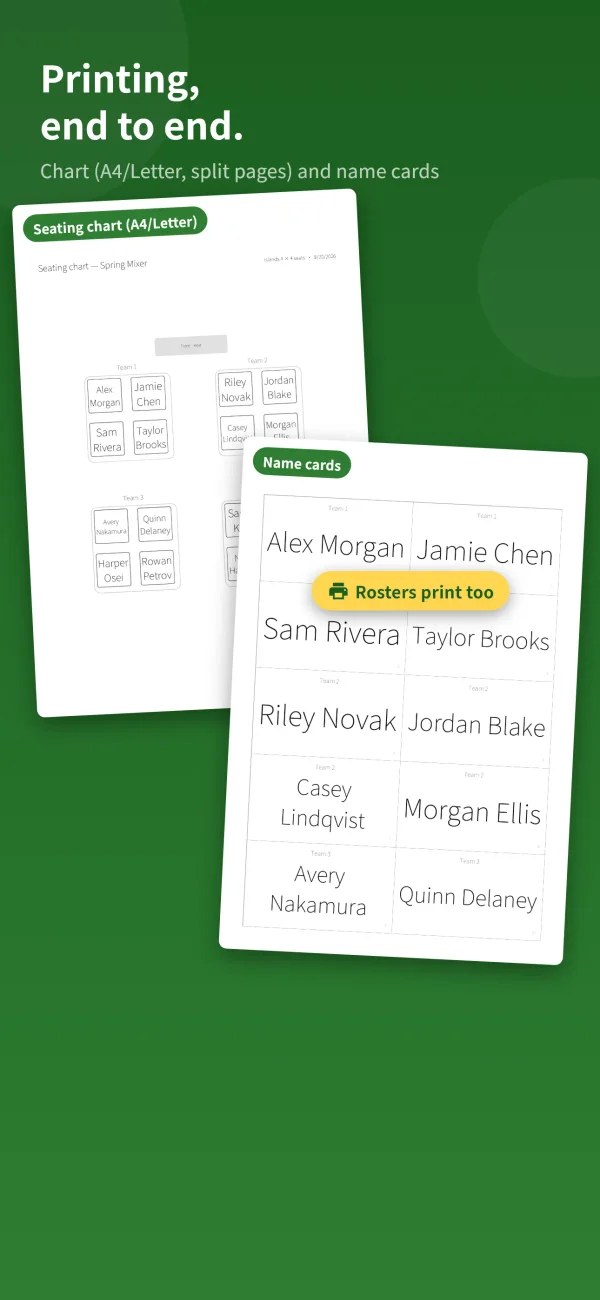
The chart prints as a PDF (A4/A3 or Letter/Tabloid, with 2- or 4-page splitting for big rooms), and name cards and rosters print from the same screen. Fold-to-stand name cards, a list by table, a list by seat — the paperwork for the day is done in one place.
■ Everything else you need on the day
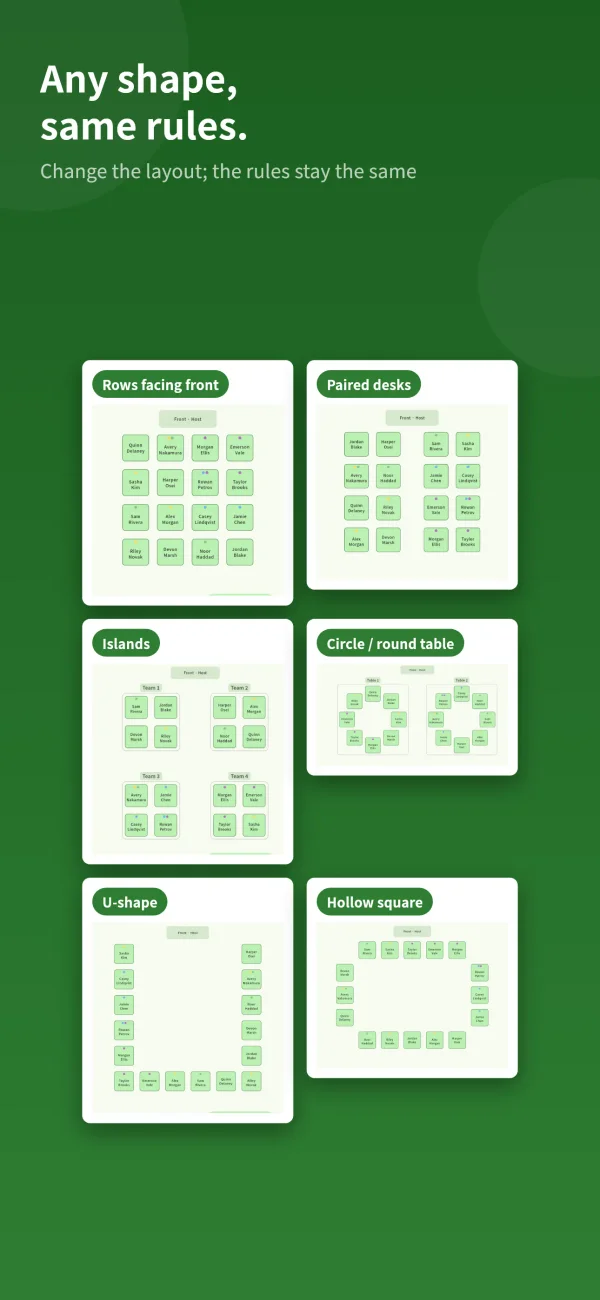
・Six layouts: rows facing the front, paired desks, islands, circles, U-shape, hollow square
・Round tables: choose whether "next to each other" means the two people beside you or the whole table
・Several rounds at once, so the people around you change between sessions
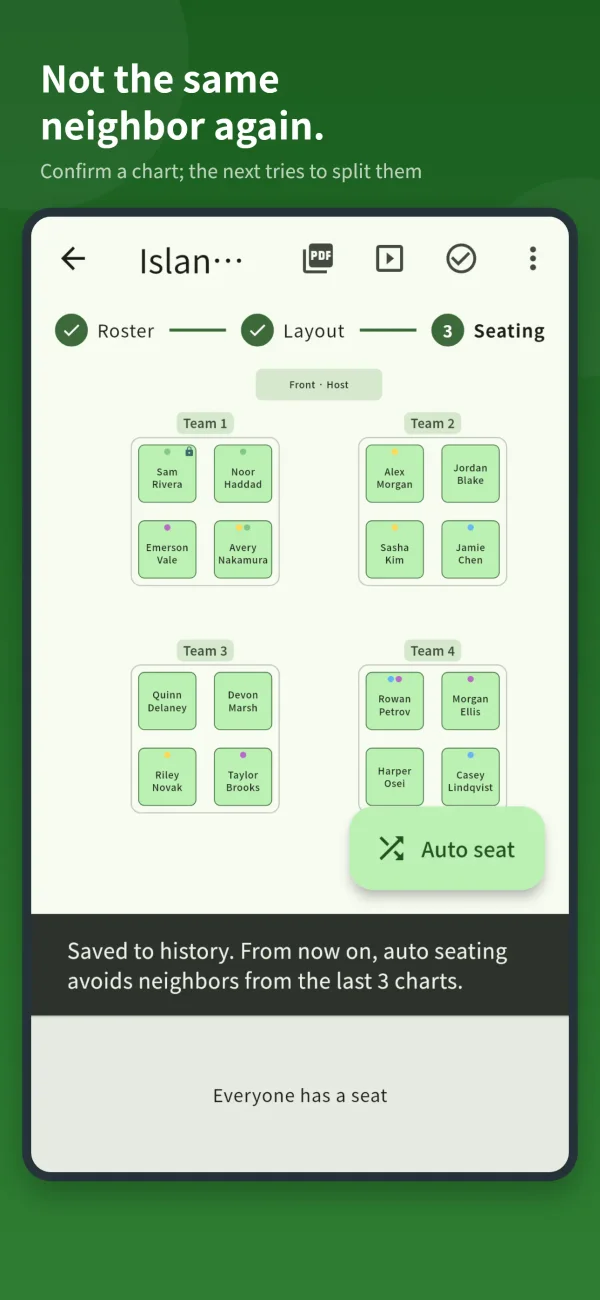
・Avoid recent neighbors: confirm a chart and the next one keeps those pairs apart where it can
・Pin a seat, lock a seat, or give someone an area of the room ("near the front")
・Drag and drop to adjust anything by hand
・Mark seats as empty for pillars, aisles or tables with fewer chairs
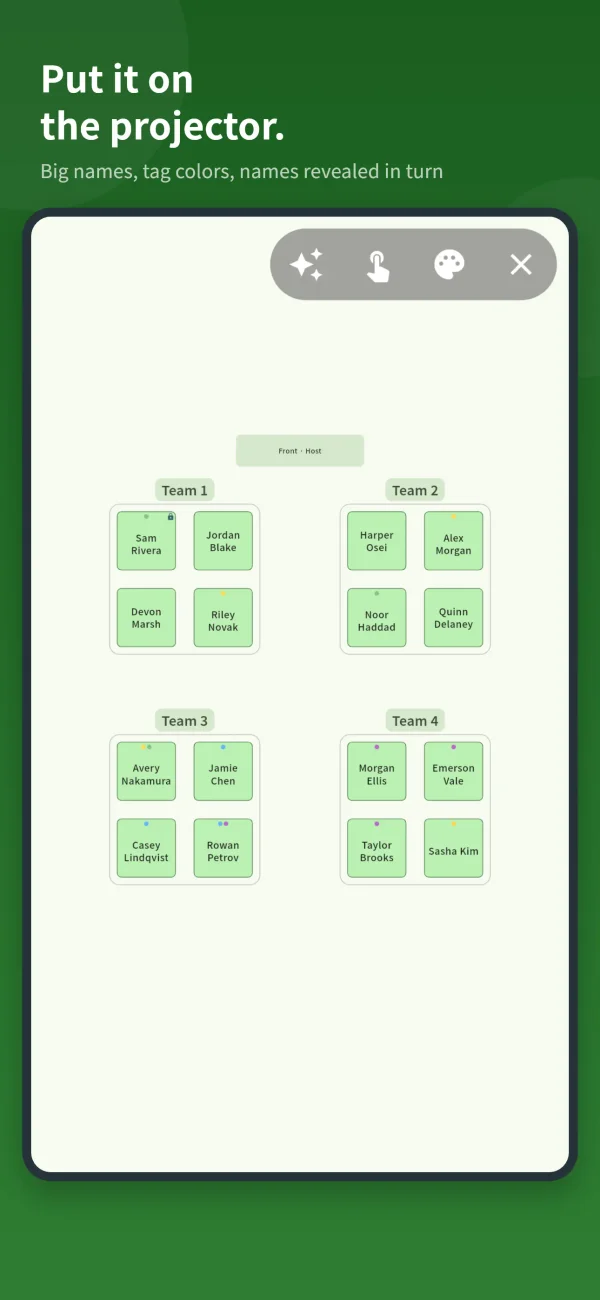
・Presentation mode for a projector, with names revealed table by table or seat by seat
・Paste a list from a spreadsheet to add everyone at once
■ Built for lists of real people
・Everything stays on your device. Nothing is ever sent to a server
・Works completely offline — a hall with no signal is fine
・No advertising, anywhere. Never on a screen full of people's names
・JSON backup for moving to a new phone or tablet
■ Price
Up to 20 participants, everything is free — PDF export and name card printing included, with no features held back.
For 21 or more, there is a single in-app purchase. No subscription, no further charges, no ads. Buy it once and it stays bought.
■ Where people use it
・Mixers and networking events: spread companies and departments across round tables, run several rounds so everyone meets someone new, print the name cards from the same screen
・Workshops and training: build the breakout groups, then let the app seat each group
・Classrooms: eyesight (a seat near the front), pairs to keep apart, balance by tag, and avoiding last month's neighbor — all at once
・After-school clubs: group or spread year levels
・Committee and board meetings: a hollow square so everyone can see everyone
If seating has been costing you an evening every time, give it a try.
What’s new
Version 1.4.14 · Nov 26, 2026
• The free version can now create rosters of 21 or more. You can seat people by hand and try Auto seat once per device.
• Confirming, printing, projecting and further auto seating need the full version. Rosters of up to 20 stay completely free, as before.
App privacy
What 合同会社シクミル declares on the App Store about how this app handles data.
-
Data not collected
The developer does not collect any data from this app.
Privacy practices may vary, for example with the features you use or your age.
Information
- Seller
- SHIKUMILL, LIMITED LIABILITY COMPANY
- Category
- Productivity
- Version
- 1.4.14
- Updated
- Nov 26, 2026
- Released
- Sep 16, 2026
- Size
- 38.1 MB
- Requires
- iOS 15.0 or later
- Age rating
- 4+
- In-app purchases
- Yes
- Languages
- English, French, German, Japanese, Korean, Portuguese, Spanish
- Copyright
- © 2026 合同会社シクミル
You might also like
-
 スマート席替えアプリProductivity
-
 Seatly: Seating Chart MakerWedding tables or classroom
-
 SnapSeat - Seating planSeating chart maker & planner
-
 Koyomi - Simple CalendarVertical Scrolling Calendar
-
 Wako TLC ViewerProductivity
-
 席替えGoProductivity
-
 Kakejiku縦型カレンダーアプリ
-
 months - Vertical CalendarScrolling month & day planner
-
 Vertical Calendar - ScheduleCalendar Widget Reminder Alarm