
SnapSeat - Seating plan
Seating chart maker & planner
Designed for iPhone, iPad
Free · In-app purchases
- Age rating4+
- CategoryProductivity
- DeveloperSnapTool
- LanguagesEnglish+ 7 more
- Size49.5 MB
Links to the official App Store page
Download.org hosts no file of SnapSeat - Seating plan. The button opens its official App Store page, published by SnapTool. Listing last checked on Nov 12, 2026.
Screenshots
About
SnapSeat is the easiest seating chart maker for classrooms, offices, and events.
Create beautiful seating plans in minutes with simple drag & drop.
PERFECT FOR
• Teachers — classroom seating charts and random seat shuffles made easy
• Office managers — plan desk and seat arrangements
• Event planners — organize seating for any venue
• Weddings — design table layouts and guest seating plans for your big day
KEY FEATURES
Seating Chart Creator
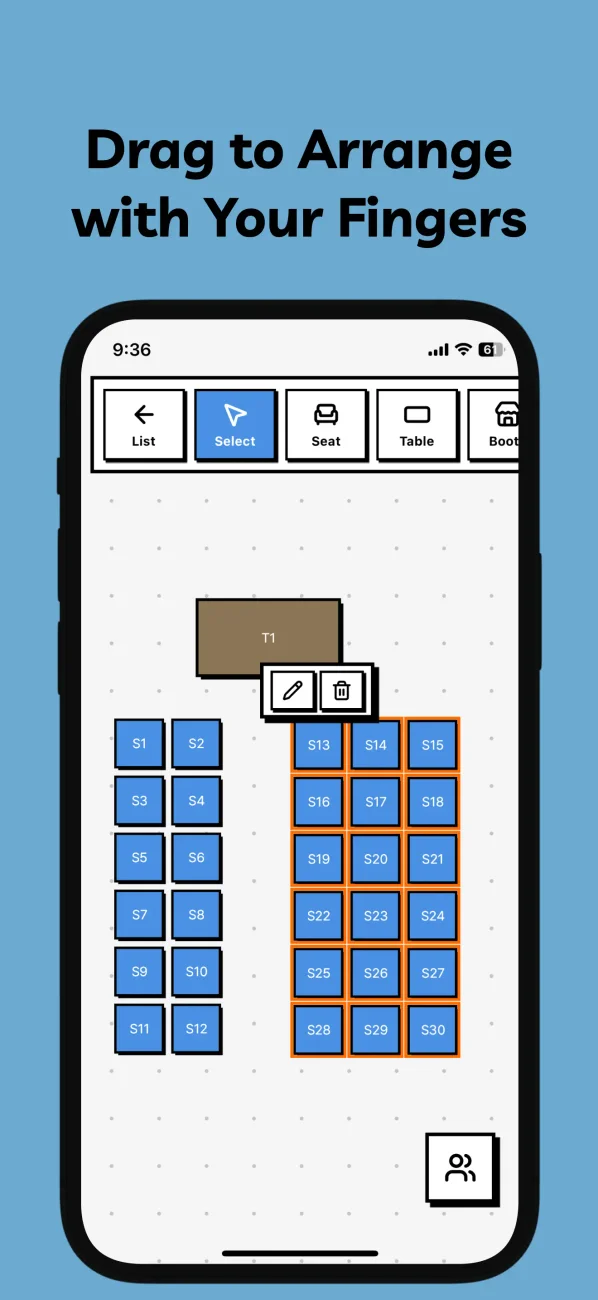
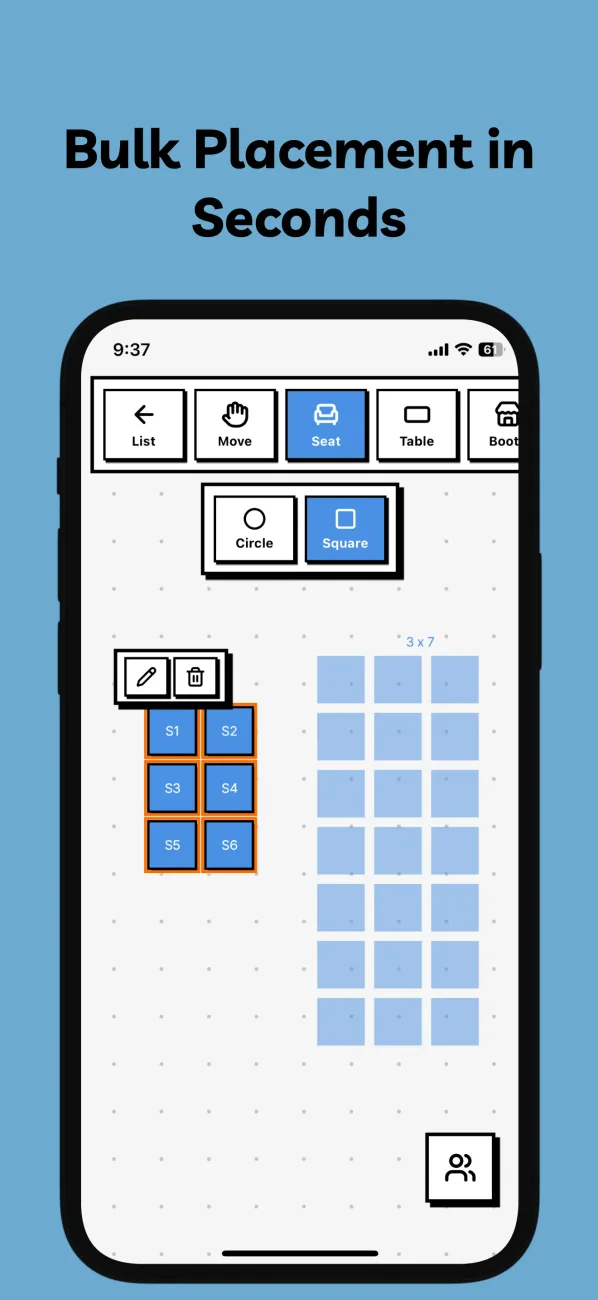
• Drag & drop to place seats anywhere on the canvas
• Choose from circle, square, and other seat shapes
• Add tables to recreate your real room layout
• Pinch to zoom, swipe to pan — smooth canvas controls
Seat Assignment & Shuffling
• Random seat generator — shuffle all seats with one tap
• Sequential assignment — fill seats in order automatically
• Group-based seating — assign seats by team or group
• Manual assignment — tap a participant, then tap a seat
Participant Management
• Add name lists quickly and easily
• Organize participants into groups (teams, classes, tables)
• See seat-to-participant mapping at a glance
Export & Share
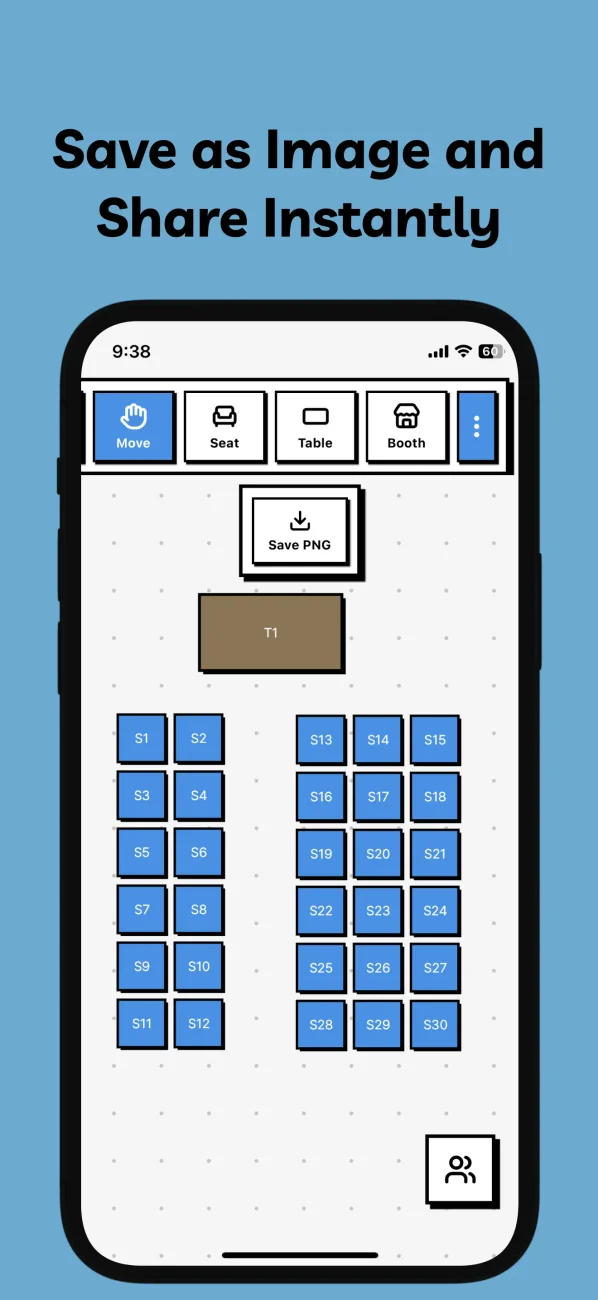
• Save your seating chart as a PNG image
• Share directly via email, messaging apps, or social media
• Clean, print-ready output for posting in classrooms or venues
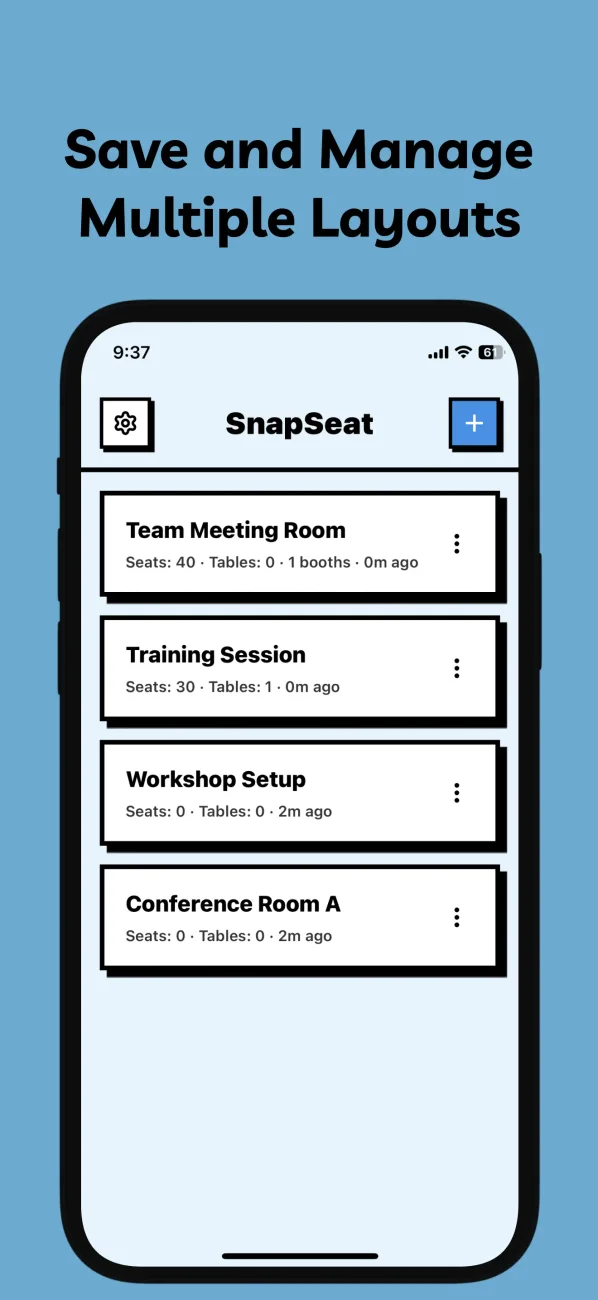
Multiple Layouts
• Save separate layouts for different rooms or events
• Duplicate and edit layouts anytime
• Access your past seating charts whenever you need them
WHY SNAPSEAT?
• Intuitive — no tutorials needed, start creating right away
• Works offline — no internet connection required
• Lightweight — won't slow down your phone
• Fast — create a seating plan in under a minute
HOW IT WORKS — 3 SIMPLE STEPS
1. Create a new layout
2. Drag seats and tables into place
3. Add participants, assign seats → save & share as image
Make seating charts effortless with SnapSeat.
Download free today!
Subscription Info
• SnapSeat Premium (Ad Removal) — auto-renewing monthly subscription
• Your subscription renews automatically unless canceled at least 24 hours
before the end of the current billing period.
• Payment is charged to your Apple Account upon purchase confirmation.
• Manage or cancel your subscription in device Settings > Apple Account >
Subscriptions.
Terms of Use (EULA): https://www.apple.com/legal/internet-services/itunes/dev/stdeula/
Privacy Policy: https://snap-seat.snap-tool.com/privacypolicy
What’s new
Version 0.0.19 · Sep 7, 2026
New: start instantly from classroom, round-table, auditorium, or booth templates, and paste a name list to fill every seat at once! Reshuffle everyone with one tap, and booths now appear in the PDF list.
App privacy
What SnapTool declares on the App Store about how this app handles data.
-
Data used to track you
May be used to track you across apps and websites owned by other companies.
- Identifiers
-
Data not linked to you
May be collected but is not linked to your identity.
- Identifiers
Privacy practices may vary, for example with the features you use or your age.
Information
- Seller
- SnapTool
- Category
- Productivity
- Version
- 0.0.19
- Updated
- Sep 7, 2026
- Released
- Oct 14, 2025
- Size
- 49.5 MB
- Requires
- iOS 16.0 or later
- Age rating
- 4+
- Price
- Free
- In-app purchases
- Yes
- Languages
- English, French, Japanese, Korean, Russian, Simplified Chinese, Spanish, Traditional Chinese
- Copyright
- © 2025 SnapTool
You might also like
-
 SeatFlow - Seating Chart MakerWedding & Event Floor Planner
-
 Seatsy: Seating Chart PlannerFloor Plans and Guest Lists
-
 teameyグループ分け・座席分け
-
 Seatly: Seating Chart MakerWedding tables or classroom
-
 SeatCraft: Seating ChartSeating plans for any group
-
 SeatOps: Wedding Seating ChartGuest Lists & Table Planner
-
 SekiLoomProductivity
-
 SEATOEffortless seat planning
-
 Event Hall Organiser Seat FlowWedding Seating Chart Planner