
Seeker: Arrow Compass & Map
GPS Navigation for Outdoors
Designed for iPhone
Free · In-app purchases
- Age rating17+
- CategoryNavigation
- DeveloperKeisuke Fukuda
- LanguagesEnglish+ 2 more
- Size84.1 MB
Links to the official App Store page
Download.org hosts no file of Seeker: Arrow Compass & Map. The button opens its official App Store page, published by Keisuke Fukuda. Listing last checked on Nov 22, 2026.
Screenshots






About
You step out of the subway in a new city, open your map, and still can't tell which way you're facing.
So you stand there turning in circles, or walk half a block before realizing you have to turn back.
With Seeker, you just start walking the way the arrow points.
The screen shows an arrow toward your destination and how far away it is.
Even if maps have never been your thing, you'll know which way to go.
START WALKING THE MOMENT YOU ARRIVE
No more standing at a station exit trying to make sense of the map.
Head to a meetup spot or a restaurant you've never been to without second-guessing every turn.
There are no street names or turn-by-turn instructions to remember.
KEEP YOUR EYES ON THE STREET, NOT YOUR PHONE
An arrow and a number take a quick glance, so you can look up and enjoy where you are.
You'll get a notification 100 m before your destination and another when you arrive.
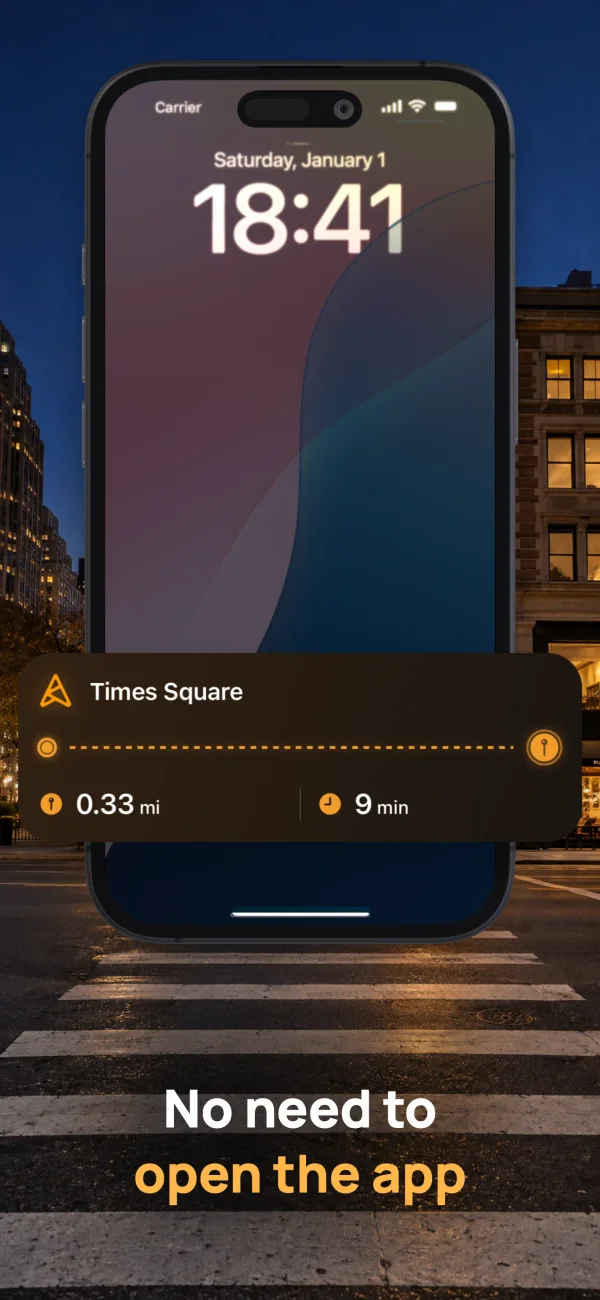
The remaining distance and time also show on your Lock Screen and in the Dynamic Island.
IN A CROWD, JUST CHECK YOUR WRIST
At a festival, in a packed station or at a red light on your bike, you can check your direction without pulling out your phone.
Set a destination on your iPhone and it's sent to your Apple Watch automatically.
A RELIABLE GUIDE OUTDOORS
When there's no road to follow, knowing "that way, 400 m" is often all you need.
• Campsites
• Fishing spots
• Trail junctions
• Beaches and ski slopes
NO MORE WANDERING AROUND LOOKING FOR YOUR CAR
Coming back to a huge parking lot, a trailhead or an event venue is a lot less stressful.
Save your spot when you park, then follow the arrow back.
EASY WITH ONE HAND
Carrying bags or holding a child's hand? You can still use Seeker with one hand.
The search bar sits at the bottom of the screen, within reach of your thumb.
Zoom the map by sliding along the edge of the screen. No pinching needed.
NEW PHONE, SAME PLACES
Your saved places come with you when you switch to a new iPhone.
Back up your favorites and history to iCloud and restore them by signing in with the same Apple Account.
Available on the free plan too.
MORE FEATURES
• A line on the map between you and your destination (can be turned off in Settings)
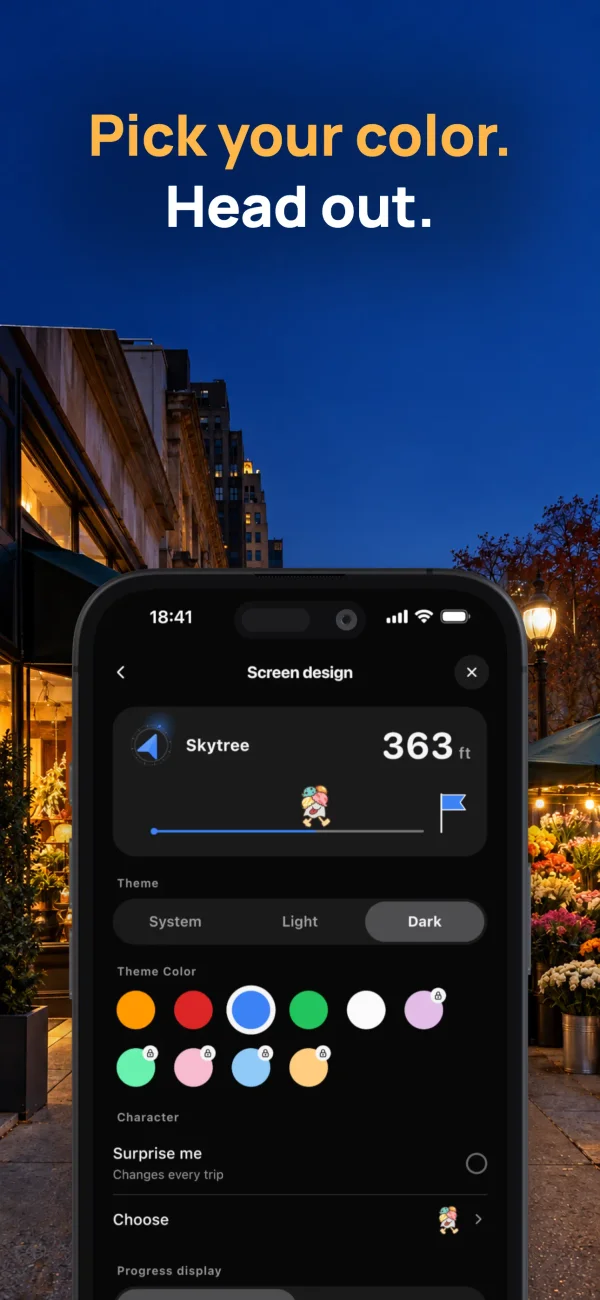
• A choice of theme colors and arrow designs
• Dark mode
SEEKER PREMIUM
All navigation features are free.
A Premium subscription adds:
• No ads
• Data saved on your Apple Watch so it works without your iPhone
• Favorites: 20 → 200
• History: 20 → 100
• Theme colors: 5 → 10
You can also hide ads for 6 hours (up to 48 hours) by watching a short video.
TERMS AND PRIVACY
Premium is an auto-renewing subscription.
You can cancel at any time in your Apple Account settings.
Terms of Use: https://seekerapp.net/en/terms/
Privacy Policy: https://seekerapp.net/en/privacy/
What’s new
Version 3.1.0 · Nov 15, 2026
A fresh look, and a calmer way to walk to your destination.
• Every screen has been redesigned. The arrow screen now shows just the arrow and the distance
• Seeker detects when you arrive and shows an arrival screen. If you stop near the goal, it asks once whether you've arrived
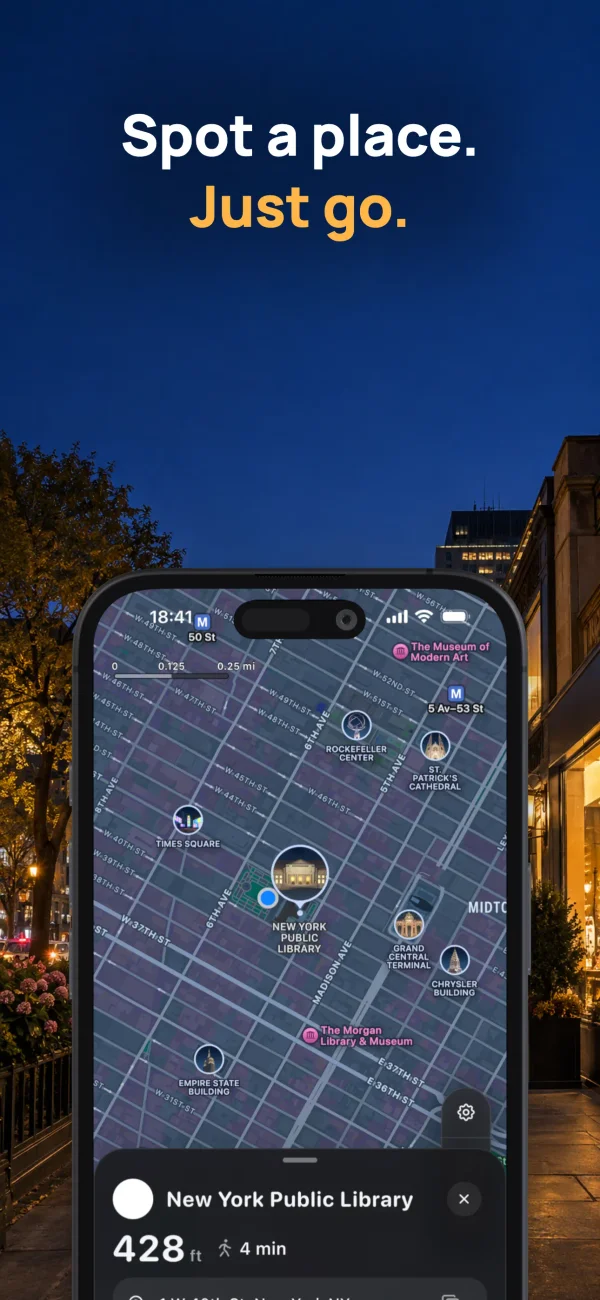
• Tap shops and landmarks on the map to head there
• Search by coordinates, in decimal degrees or degrees-minutes-seconds
• List rows are now two lines, so the place name reads first, with Go and Save on the right
• Save where you are in one tap
• Apple Watch: a larger arrow and refined haptics
• Apple Watch: fixed an issue where Seeker sometimes couldn't be added to a watch face. It now fits circular, corner and rectangular slots, and a tap opens the app
• Apple Watch: the rectangular complication shows your destination while navigating, and your last destination otherwise
• If you added Seeker to a watch face in an earlier version, please choose it again
App privacy
What Keisuke Fukuda declares on the App Store about how this app handles data.
-
Data used to track you
May be used to track you across apps and websites owned by other companies.
- Location
- Identifiers
- Usage data
-
Data not linked to you
May be collected but is not linked to your identity.
- Purchases
- Location
- Identifiers
- Usage data
- Diagnostics
Privacy practices may vary, for example with the features you use or your age.
Information
- Seller
- Keisuke Fukuda
- Category
- Navigation
- Version
- 3.1.0
- Updated
- Nov 15, 2026
- Released
- May 4, 2021
- Size
- 84.1 MB
- Requires
- iOS 17.0 or later
- Age rating
- 17+
- Price
- Free
- In-app purchases
- Yes
- Languages
- English, Arabic, Japanese
- Copyright
- © 2021 Keisuke Fukuda
You might also like
-
 السهم | ArrowOffline Desert GPS Guide
-
 Desert Maps: Navigator OfflineNavigate, Travel, Hike
-
 رحَّال | RahhalTravel with confidence
-
 Where2Go: GPS Photo CompassFind places & points by pic
-
 iPoint GPSFollow the arrow
-
 دليلة البرNavigation
-
 خرائط الصحراء - الدليلةNavigation
-
 ArrowToWaypointNavigation
-
 Direction: Offline NavigatorFollow the White Arrow
-
 Offline GPS NavigationMaps & Driving Directions