
- Age rating4+
- CategoryMusic
- DeveloperDolphin Computing
- LanguagesEnglish
- Size67.7 MB
Links to the official App Store page
Download.org hosts no file of SeeScore 2. The button opens its official App Store page, published by Dolphin Computing. Listing last checked on Nov 12, 2026.
Screenshots
About
** SeeScore 2 lets you view and play MusicXML files **
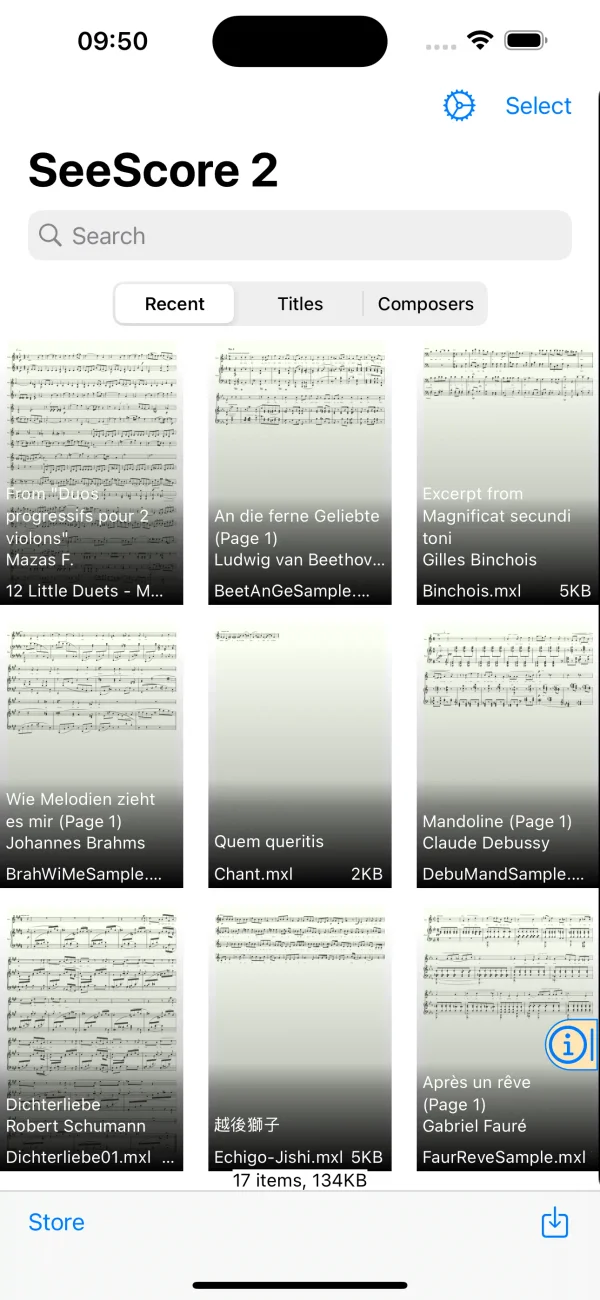
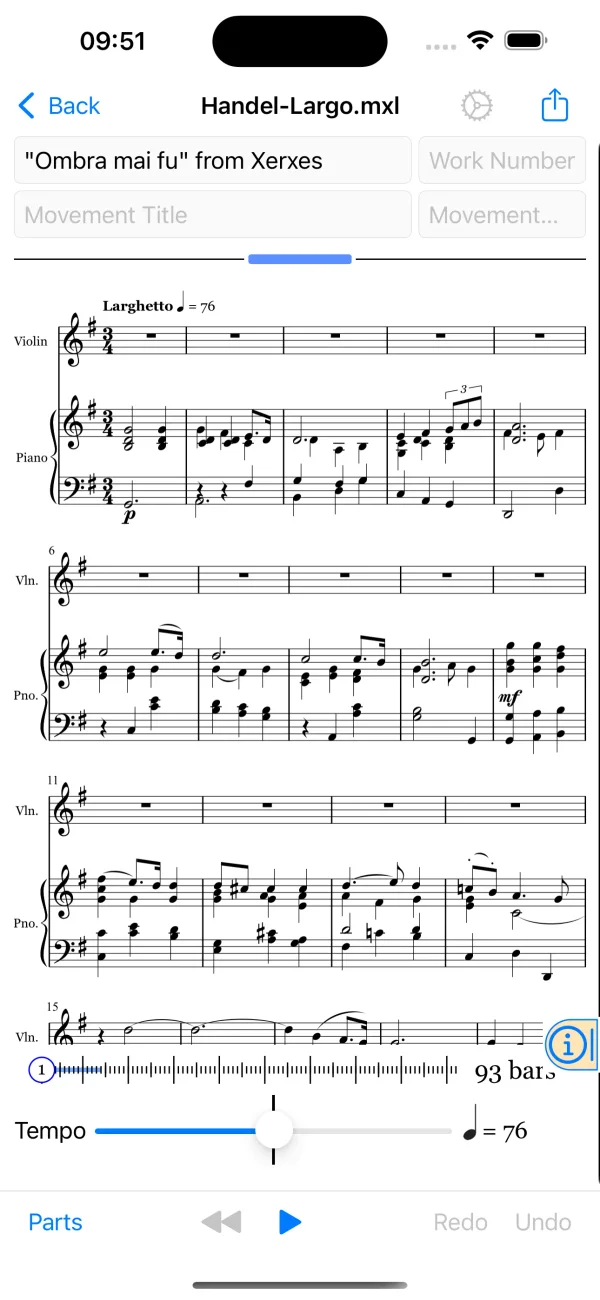
SeeScore 2 is a music score display app intended for musicians to practice or perform instrumental or vocal music from the iPad instead of using conventional paper scores. Unlike PDF score display apps which show a tiny score in the middle of the screen with large empty margins, SeeScore 2 uses flexible MusicXML layout so that when you pinch zoom the score reflows to the screen size, right up to the edge, making best use of your valuable screen pixels. Also you can choose any parts to view from multi-part music and change the size of the music to suit your distance from the iPad.
Play
SeeScore 2 will play with you. You can setup an instrument for each part in the score, and adjust the volumes. You can mute the part you play so it will accompany you, and it will turn the pages while it plays. You can hide all the parts except your own so you don't need to see the other parts while you play.
Any tempi and time signatures defined in the score are read while playing and the metronome and auto-scroll automatically follow.
Tranpose
You can instantaneously transpose the score. Notes and key signatures are all correctly updated and it will play at the new pitch.
Metronome
SeeScore 2 can play a metronome tick with a pattern which automatically adjusts to the current time signature.
Fast.
You will notice that SeeScore 2 is extremely fast and responsive. You will never have to wait for a progress bar. The screen will instantly fill with music when you scroll, pinch zoom or transpose.
PlayScore 2
You can convert your PDF files to MusicXML using PlayScore 2 (available in the App Store), then open them in SeeScore 2, or most score writing programs can output MusicXML directly.
Free SeeScore 2 can:
• Display any MusicXML score
• Pinch zoom to change the staff height
• Play any MusicXML score (auto selected instruments only)
• Search your library by title, composer, instruments
By upgrading you can:
• Display selected parts
• Set instruments
• Set individual part volumes
• Transpose
• Use the metronome tick
• Use count-in to start playing
• Export MIDI and PDF
• Add a metronome marking at the start of the score
• Count-in
• Play loop, for practising those few difficult bars
• Use your Airturn pedal
• Set title, composer etc.
If you have any problem with SeeScore 2 or encounter any files which cause problems please contact us at www.seescore.co.uk/contact/ . If something doesn't work for you please contact us before writing a review. It may be a misunderstanding or we can fix your problem.
What’s new
Version 1.66 · Nov 30, 2025
Can show hidden parts
App privacy
What Dolphin Computing declares on the App Store about how this app handles data.
-
Data not collected
The developer does not collect any data from this app.
Privacy practices may vary, for example with the features you use or your age.
Information
- Seller
- James Sutton
- Category
- Music
- Version
- 1.66
- Updated
- Nov 30, 2025
- Released
- Aug 24, 2020
- Size
- 67.7 MB
- Requires
- iOS 15.0 or later
- Age rating
- 4+
- Price
- Free
- In-app purchases
- Yes
- Languages
- English
- Copyright
- © Dolphin Computing Ltd
You might also like
-
 SuperScore MusicInteractive Sheet Music
-
 Power MusicSheet music and chord display
-
 StaffPad ReaderView and sync StaffPad scores
-
 iGigBook Sheet Music ManagerPro Tools For All Musicians
-
 Sheet Music Maker & ScannerNotes, Music Stand & Metronome
-
 StaffPadMusic Notation and Composition
-
 digitalScore: Sheet Music PDFMusic stand to read & annotate
-
 Dorico - Compose MusicMusic Notation & Composer App
-
 Pianoteq 9Play Realistic Pianos & More
-
 Enote - Sheet Music AppSmart Score Reader & Library