SenPlayer - Media Player
Media Library & NAS, Local
Designed for iPhone, iPad, Mac
Free · In-app purchases
- Age rating4+
- CategoryEntertainment
- Developer军 王
- LanguagesEnglish+ 18 more
- Size168.4 MB
Links to the official App Store page
Download.org hosts no file of SenPlayer - Media Player. The button opens its official App Store page, published by 军 王. Listing last checked on Nov 28, 2026.
Screenshots

About
SenPlayer — Your personal media player, wherever you are.
Enjoy videos from local storage, cloud drives, NAS, and your favorite media servers on iPhone, iPad, Mac, and Apple TV. From catching up on a series while traveling to movie night at home, make every title in your collection a pleasure to watch.
• Your Media, Connected
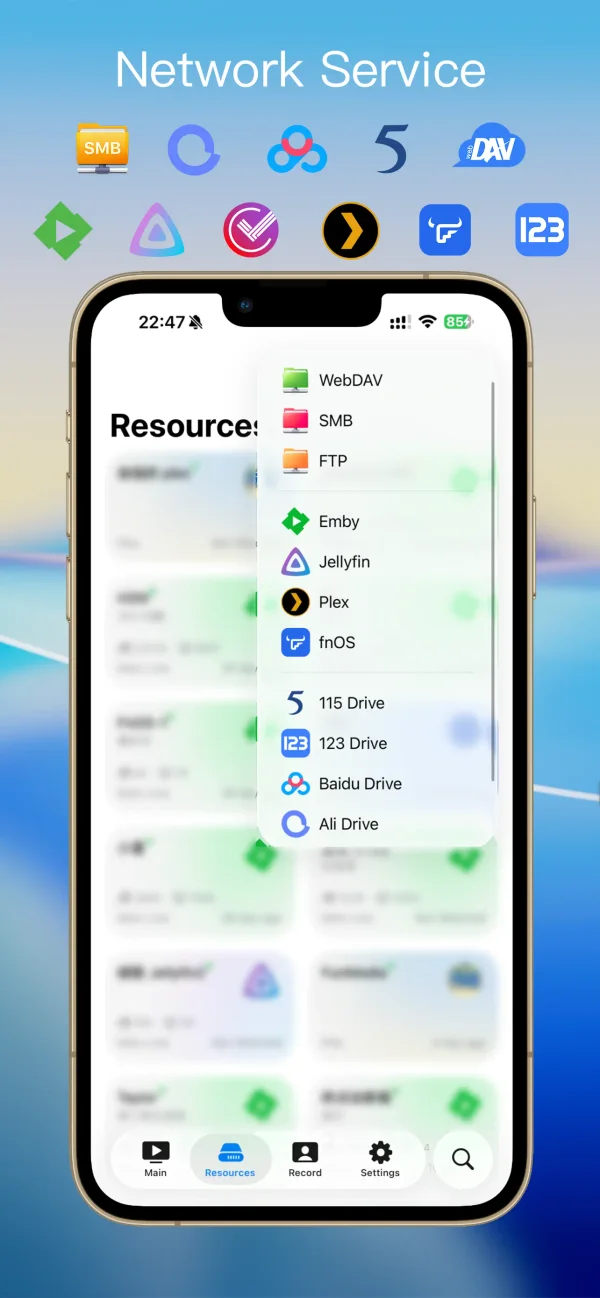
Connect to Emby, Jellyfin, Plex, and fnOS, or access your computer and NAS via SMB, WebDAV, and FTP. Stream from 115, 123 Cloud Drive, Aliyun Drive, and Baidu Netdisk, bringing your media sources together in one place.
• Stunning Picture, Immersive Sound
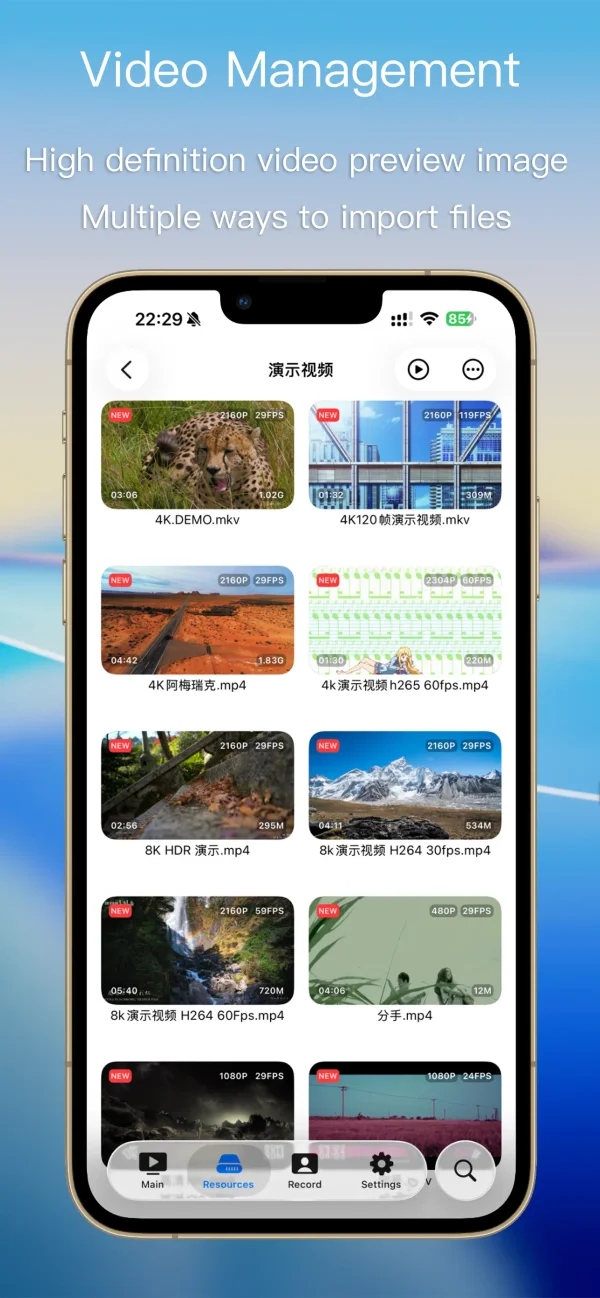
Enjoy popular formats including MKV, MP4, and MOV, with support for 4K, 8K, 120fps, hdr high resolution and high-frame-rate video.While Atmos and spatial audio deliver immersive sound with compatible media and devices.
• Explore Your Blu-ray Collection
Play Blu-ray ISO files, browse disc playlists, and navigate chapters. Switch between the main feature, bonus material, and other included content without extracting or converting files beforehand.
• Enhance Your Viewing Experience
On supported devices, use AI upscaling to improve clarity, frame interpolation for smoother motion, or SDR-to-HDR conversion to expand brightness range. Choose the ßenhancements that suit your videos and viewing preferences.
• Your Collection, Beautifully Organized
Browse posters, synopses, ratings, and cast details in your media libraries. Search across servers to find what you want, and bookmark favorite videos and folders for easy access. Keep everyday favorites close at hand as your collection grows.
• Subtitles and Danmaku, Your Way
Use embedded subtitles, load external files, or search for subtitles online. Display two subtitle tracks at once for movies or language learning. Adjust fonts, size, color, position, and timing during playback, with support for Simplified and Traditional Chinese subtitle conversion. Import danmaku files or connect custom sources, then personalize the style, speed, and display area of on-screen comments.
• Flexible Playback, Everyday Convenience
Adjust playback speed, switch audio tracks, navigate chapters, and skip intros and credits. Preview the timeline to find a scene, use Picture in Picture while multitasking, or casting and external display support bring your viewing experience to a bigger screen.
• Pick Up Across Devices
Sync server configurations, favorites, and playback history through iCloud. Add a media source on your iPhone and browse it on your iPad, Mac, or Apple TV. Continue Watching takes you back to where you left off, so it’s easy to move from one screen to another.
What’s new
Version 6.3.2 · Nov 27, 2026
【Now Supports Native Dolby Vision + Dolby Atmos】
**Added**
- Ability to remove files in scraped media libraries
- Sorting or hiding options for "Latest," "Rating," and "Year" on the scraping homepage
- Blocking of the Extras folder during scraping
- Long-press the play/pause button on the homepage to quickly open the search page (TV)
**Fixed**
- Crash when loading danmaku in certain scenarios
- UI abnormality on the AI translation screen
- Failure to download external subtitles for certain Plex content
- OneDrive login issue
- Certain videos buffering continuously without playing
- Incorrect timeline for some DVD ISO files
- Incomplete information after tapping "Update Episodes"
- Favorites from certain servers not displaying on the history page
- Image 302 redirect issue
- Selecting an external subtitle on the details page having no effect during playback
- External subtitles not carrying over to the next episode
**Optimized**
- Progress display in the file list
- Compatibility with certain subtitles
- Connection logic for media servers in the library
- Certain multilingual texts
App privacy
What 军 王 declares on the App Store about how this app handles data.
-
Data not linked to you
May be collected but is not linked to your identity.
- Diagnostics
Privacy practices may vary, for example with the features you use or your age.
Information
- Seller
- Hangzhou Yuesen Vision Technology Co., Ltd.
- Category
- Entertainment
- Version
- 6.3.2
- Updated
- Nov 27, 2026
- Released
- Jan 20, 2023
- Size
- 168.4 MB
- Requires
- iOS 17.0 or later
- Age rating
- 4+
- Price
- Free
- In-app purchases
- Yes
- Languages
- English, Arabic, French, German, Hindi, Indonesian, Italian, Japanese, Korean, Persian, Polish, Portuguese + 7 more
- Copyright
- © 2022 WangJun
You might also like
-
 VidHub -Video Library & PlayerManage and enjoy TV & Movies
-
 HamHub - Your Personal CinemaCloud, NAS & Media Player
-
 zFuse - Media PlayerTV Casting / IPTV / Emby
-
 网易爆米花-智能媒体库,全能云盘网盘播放器Entertainment
-
 Lenna - Video Library PlayerHDR Media Player
-
 SwiftfinA native Jellyfin client
-
 InfuseAn elegant video player
-
 EmbyEntertainment
-
 UnPlayDLNA Receiver/Clock/Weather
-
 BeeJoyNAS & Blu-ray Video Player