
Sentry Motion Detector Camera
Night Vision Security Monitor
Designed for iPhone, iPad
Free
- Age rating4+
- CategoryPhoto & Video
- DeveloperBigBalli Consulting llc
- LanguagesEnglish
- Size406.0 KB
Links to the official App Store page
Download.org hosts no file of Sentry Motion Detector Camera. The button opens its official App Store page, published by BigBalli Consulting llc. Listing last checked on Nov 17, 2026.
Screenshots

About
Sentry turns a phone you already own into a motion-triggered camera that works in the dark.
Set it down, arm it, and walk away. When something moves, it records. When the movement stops, it stops. The clips land in your photo library, ready to review whenever you want.
It records for you to watch later. It is not a live video feed — you are not watching a stream, you are collecting what happened while you were not there.
WHAT IT IS FOR
Find out what your dog does to the sofa while you are out. See which animal has been visiting the garden after dark. Watch how a sleeping cat actually gets from one end of the room to the other. Point a spare phone at the garage overnight and check the footage in the morning.
BUILT FOR THE DARK
Most cameras give up when the light does. Sentry changes how the sensor reads a dark scene: it picks a binned format that gathers far more light per pixel, extends the shutter ceiling, and lets the frame rate drop so the shutter has time to stay open. The result is usable footage in rooms where the standard camera returns noise.
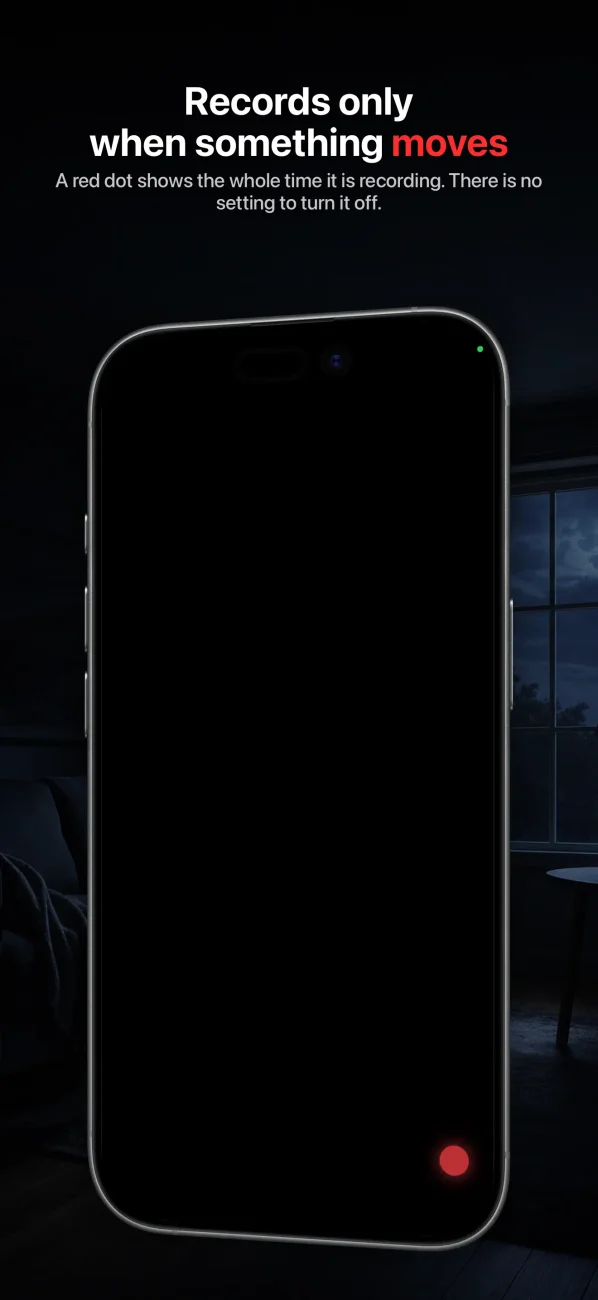
The screen stays dark while it runs. Monitoring goes on for hours, often overnight, and a bright display would waste battery and light the room you are trying to film.
RECORDING IS ALWAYS VISIBLE
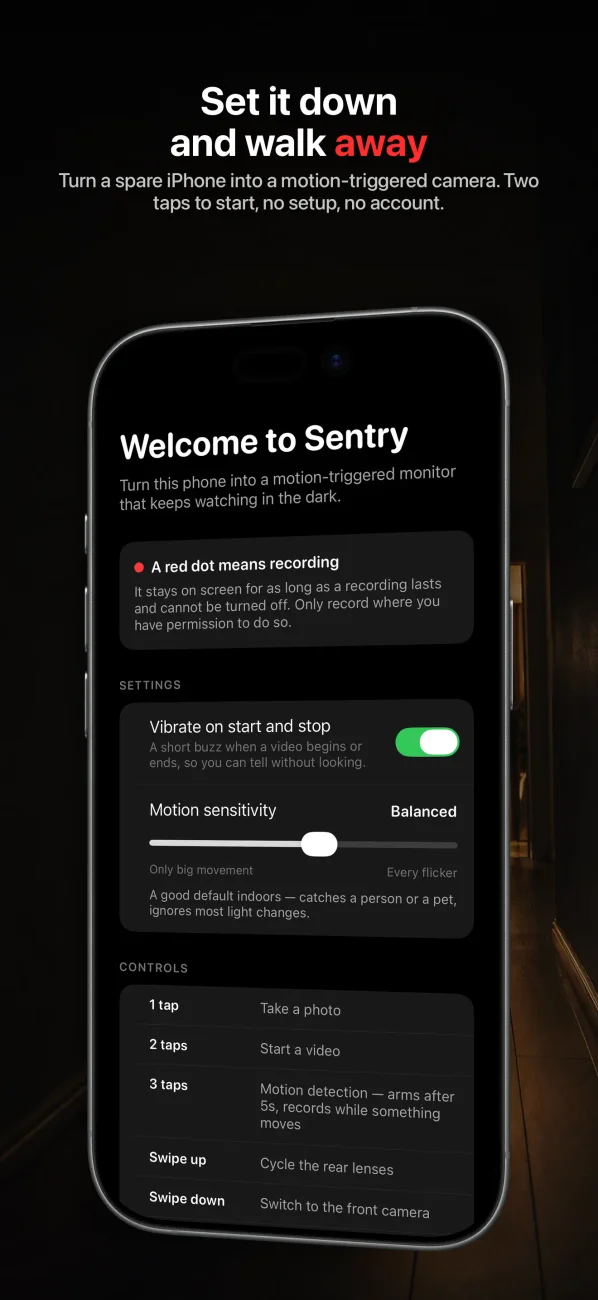
A red dot sits in the corner of the screen for as long as recording lasts. There is no setting to turn it off, because there should not be one. Photos play the standard iPhone shutter sound.
NOTHING LEAVES THE DEVICE
No account. No sign-up. No cloud. No subscription. Sentry contains no networking code at all — recordings are written straight to your photo library and stay there. It works with the phone in airplane mode.
HOW IT WORKS
1 tap — photo
2 taps — start recording
3 taps — arm motion detection, which begins after 5 seconds and stops 1 second after movement ceases
Swipe up — cycle the rear lenses
Swipe down — front camera
Two fingers, 3 seconds — stop
Shake — settings
Long sessions are saved in chunks as they record, so a flat battery costs you minutes rather than hours.
RESPONSIBLE USE
Record only where you have the right to. Laws on recording people vary by country and by state, and some places require the consent of everyone present. Sentry shows a recording indicator that cannot be disabled and plays the shutter sound on photos, so anyone who looks at the device can tell it is capturing.
REQUIREMENTS
iPhone and iPad running iOS 18 or later. Extended recording and motion detection use significant battery — keep the device on a charger for long sessions. Video files are large, so check free space before a long run.
What’s new
Version 1.1 · Sep 5, 2026
Improved & Fixed
- Stopping now takes a deliberate five second hold and asks before it ends a session, so a stray tap cannot cut a recording short.
- If that confirmation goes unanswered, recording carries on instead of stopping.
- Monitoring no longer ends when you switch away for a moment. It picks the mode back up when you return.
App privacy
What BigBalli Consulting llc declares on the App Store about how this app handles data.
-
Data not collected
The developer does not collect any data from this app.
Privacy practices may vary, for example with the features you use or your age.
Information
- Seller
- BigBalli Consulting llc
- Category
- Photo & Video
- Version
- 1.1
- Updated
- Sep 5, 2026
- Released
- Aug 22, 2026
- Size
- 406.0 KB
- Requires
- iOS 18.0 or later
- Age rating
- 4+
- Price
- Free
- Languages
- English
- Copyright
- © 2026, BigBalli Consulting
You might also like
-
 VigilCamPhoto & Video
-
 Homy: Security CameraSmart Home Monitor
-
 Night Vision Camera - LoomenLow Light Photo & Video Mode
-
 Thermal Camera: Heat Sensor FXNight Vision & Infrared Filter
-
 Night Vision & Thermal CameraInfrared · UV Light · X-Ray
-
 Night vision style cameraNight Mode Camera
-
 Night Vision - Thermal CameraLIDAR: Infrared Dark Cam
-
 Green Night - Night Vision AppNight Vision Device (NVD)
-
 Night Vision - LiDAR CameraThermal Camera,Infrared Camera
-
 Night Vision - Camera & VideoSuper thermal cam infrared IR