
- 対象年齢4+
- カテゴリ写真/ビデオ
- 開発元BigBalli Consulting llc
- 言語英語
- サイズ406.0 KB
App Storeの公式ページにリンクしています
Download.orgはSentry Motion Detector Cameraのファイルを一切ホストしていません。ボタンを押すと、BigBalli Consulting llcが公開しているApp Storeのアプリページが開きます。ページの最終確認:2026/11/17。
スクリーンショット
概要
開発元はこのテキストをお使いの言語で提供していません。
Sentry turns a phone you already own into a motion-triggered camera that works in the dark.
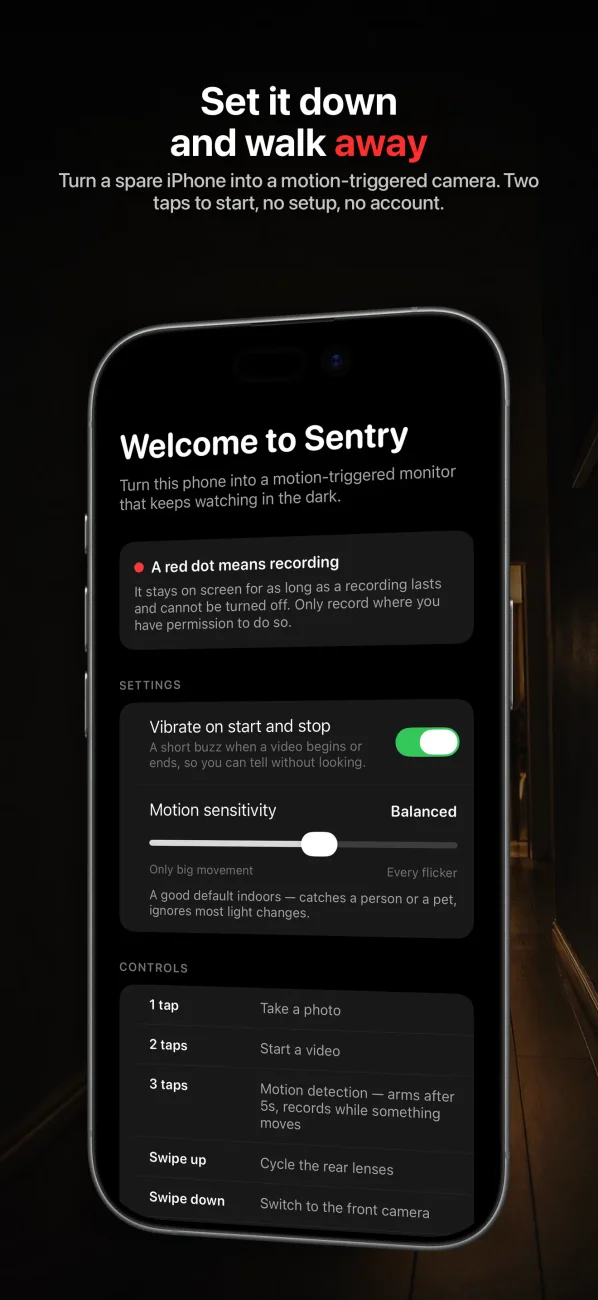
Set it down, arm it, and walk away. When something moves, it records. When the movement stops, it stops. The clips land in your photo library, ready to review whenever you want.
It records for you to watch later. It is not a live video feed — you are not watching a stream, you are collecting what happened while you were not there.
WHAT IT IS FOR
Find out what your dog does to the sofa while you are out. See which animal has been visiting the garden after dark. Watch how a sleeping cat actually gets from one end of the room to the other. Point a spare phone at the garage overnight and check the footage in the morning.
BUILT FOR THE DARK
Most cameras give up when the light does. Sentry changes how the sensor reads a dark scene: it picks a binned format that gathers far more light per pixel, extends the shutter ceiling, and lets the frame rate drop so the shutter has time to stay open. The result is usable footage in rooms where the standard camera returns noise.
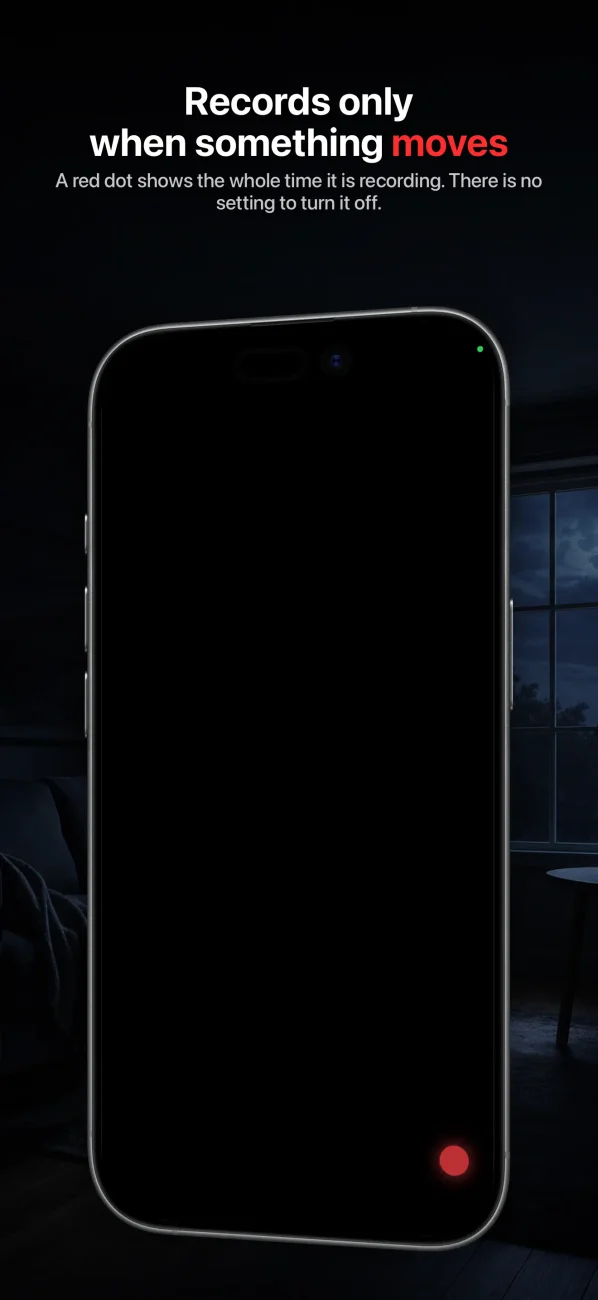
The screen stays dark while it runs. Monitoring goes on for hours, often overnight, and a bright display would waste battery and light the room you are trying to film.
RECORDING IS ALWAYS VISIBLE
A red dot sits in the corner of the screen for as long as recording lasts. There is no setting to turn it off, because there should not be one. Photos play the standard iPhone shutter sound.
NOTHING LEAVES THE DEVICE
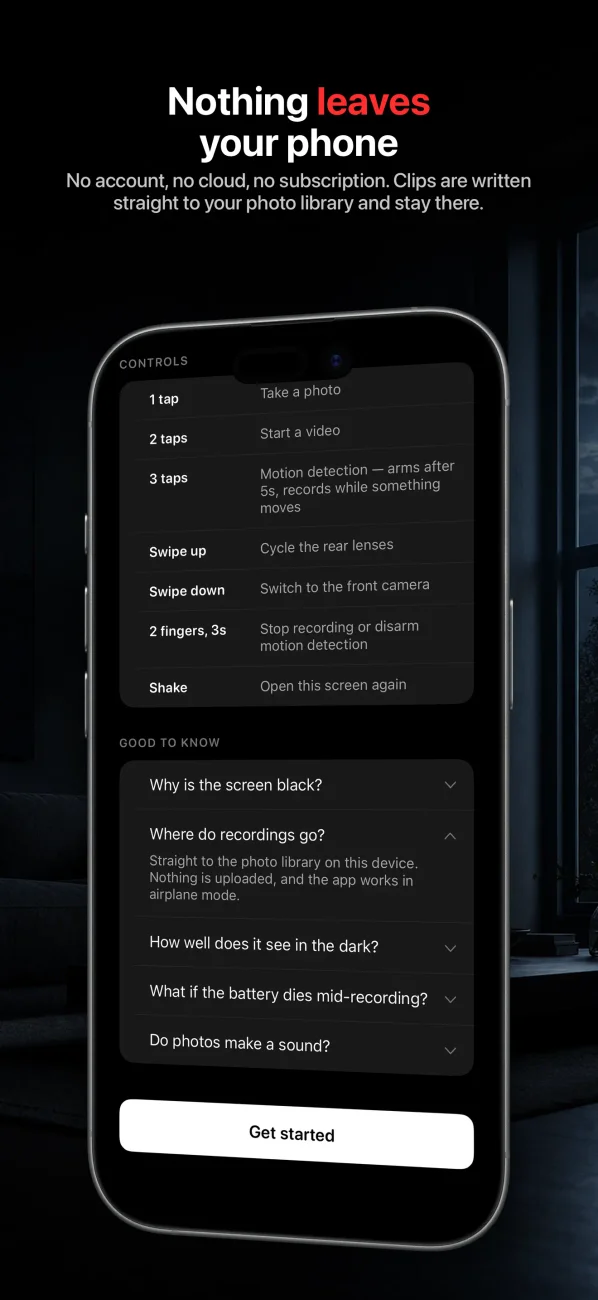
No account. No sign-up. No cloud. No subscription. Sentry contains no networking code at all — recordings are written straight to your photo library and stay there. It works with the phone in airplane mode.
HOW IT WORKS
1 tap — photo
2 taps — start recording
3 taps — arm motion detection, which begins after 5 seconds and stops 1 second after movement ceases
Swipe up — cycle the rear lenses
Swipe down — front camera
Two fingers, 3 seconds — stop
Shake — settings
Long sessions are saved in chunks as they record, so a flat battery costs you minutes rather than hours.
RESPONSIBLE USE
Record only where you have the right to. Laws on recording people vary by country and by state, and some places require the consent of everyone present. Sentry shows a recording indicator that cannot be disabled and plays the shutter sound on photos, so anyone who looks at the device can tell it is capturing.
REQUIREMENTS
iPhone and iPad running iOS 18 or later. Extended recording and motion detection use significant battery — keep the device on a charger for long sessions. Video files are large, so check free space before a long run.
新機能
バージョン 1.1 · 2026/9/5
Improved & Fixed
- Stopping now takes a deliberate five second hold and asks before it ends a session, so a stray tap cannot cut a recording short.
- If that confirmation goes unanswered, recording carries on instead of stopping.
- Monitoring no longer ends when you switch away for a moment. It picks the mode back up when you return.
アプリのプライバシー
このアプリのデータの取り扱いについて、BigBalli Consulting llcがApp Storeで申告している内容です。
-
データの収集なし
開発元はこのアプリからデータを収集しません。
プライバシーの取り扱いは、ご利用の機能やお客様の年齢などに応じて異なる場合があります。
情報
- 販売元
- BigBalli Consulting llc
- カテゴリ
- 写真/ビデオ
- バージョン
- 1.1
- 更新日
- 2026/9/5
- リリース
- 2026/8/22
- サイズ
- 406.0 KB
- 必要条件
- iOS 18.0以降
- 対象年齢
- 4+
- 価格
- 無料
- 言語
- 英語
- 著作権
- © 2026, BigBalli Consulting
こちらもおすすめ
-
 VigilCam写真/ビデオ
-
 Homy: 監視カメラスマートホーム見守り
-
 暗視カメラ Loomen ナイトモード暗い場所で明るく写真・動画を撮影
-
 サーモカメラ - サーモグラフィー暗視赤外線カメラ・ナイトビジョン・熱フィルター
-
 本物のナイトビジョンカメラサーモカメラ フィルター · LiDAR
-
 ナイトビジョン風カメラ - 暗視風カメラナイトモードカメラ
-
 ナイトビジョン:サーマルカメラ Thermal CameraLIDAR:赤外線&サーマルビュー Night Vision
-
 Green Night - 暗視装置スマホ用ナイトビジョン・低照度カメラ
-
 夜視カメラ - LiDARカメラスキャン撮影、無光環境で撮影魂や幽霊の探知,レーザー,レーダー,夜視
-
 夜景カメラー赤外線カメラ, 暗視カメラ と ナイトカメラナイトモード, サーモカメラ と 夜撮りカメラ, カメラ夜景