
- Age rating4+
- CategoryUtilities
- DeveloperGregory Manley
- Size5.9 MB
Links to the official App Store page
Download.org hosts no file of SentryPing. The button opens its official App Store page, published by Gregory Manley. Listing last checked on Nov 16, 2026.
Screenshots


About
SentryPing keeps an eye on your websites, APIs, and servers — and tells you the moment something goes down, right from your pocket.
Add an endpoint, and SentryPing checks it in the background and alerts you on outages and recoveries. Everything runs on-device: no account, no sign-up, no tracking.
MONITOR ANYTHING • Watch any URL or host — websites, REST APIs, health checks, home servers • Set expected status codes, a latency ceiling, check interval, and a failure threshold to avoid false alarms • See status at a glance: Up, Degraded, or Down
GLANCEABLE, EVERYWHERE • Home Screen widgets with your status summary and top monitors • Lock Screen widgets — circular, rectangular, and inline • Live Activity + Dynamic Island: watch an outage's downtime tick up in real time • A "Check Now" control for the Lock Screen and Control Center — also available in Shortcuts and Siri
SMART ALERTS • Get notified when a monitor goes down, and again when it recovers • Debounced so a single blip won't spam you
ON YOUR WRIST • A SentryPing app for Apple Watch — your status summary and every monitor at a glance • Kept up to date by your iPhone automatically
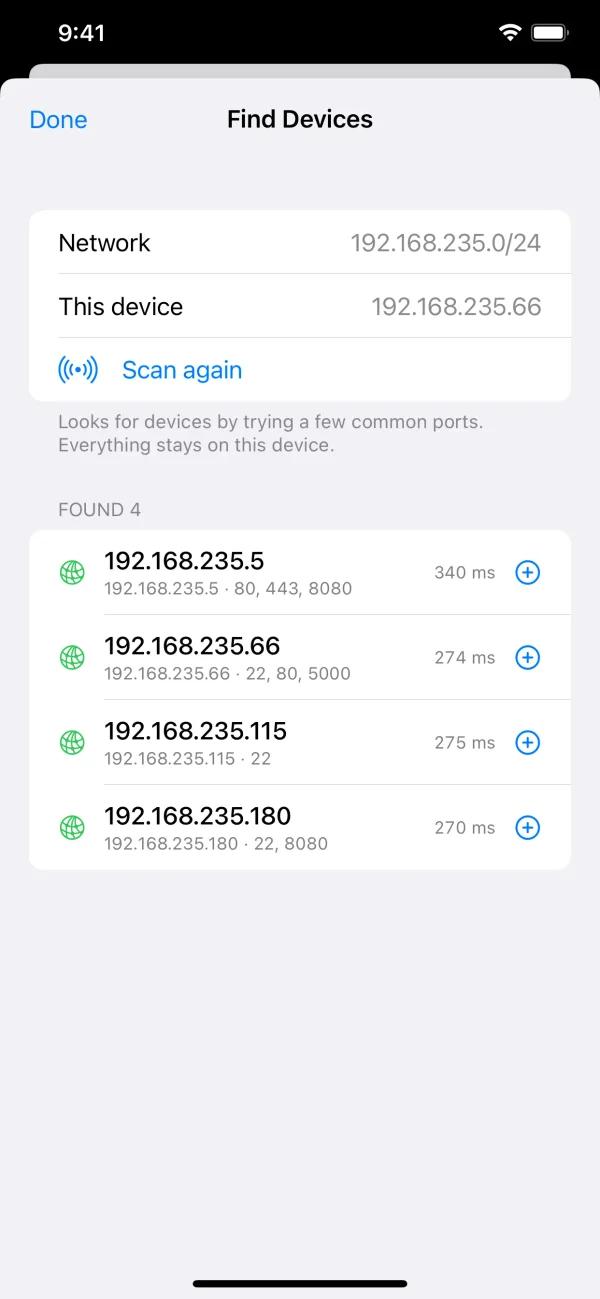
FIND DEVICES • Find the devices on the network you're connected to — router, NAS, printer, home server • See each device's address and which common ports answered, then add it as a monitor in a tap • Everything happens on your device; nothing about your network leaves it
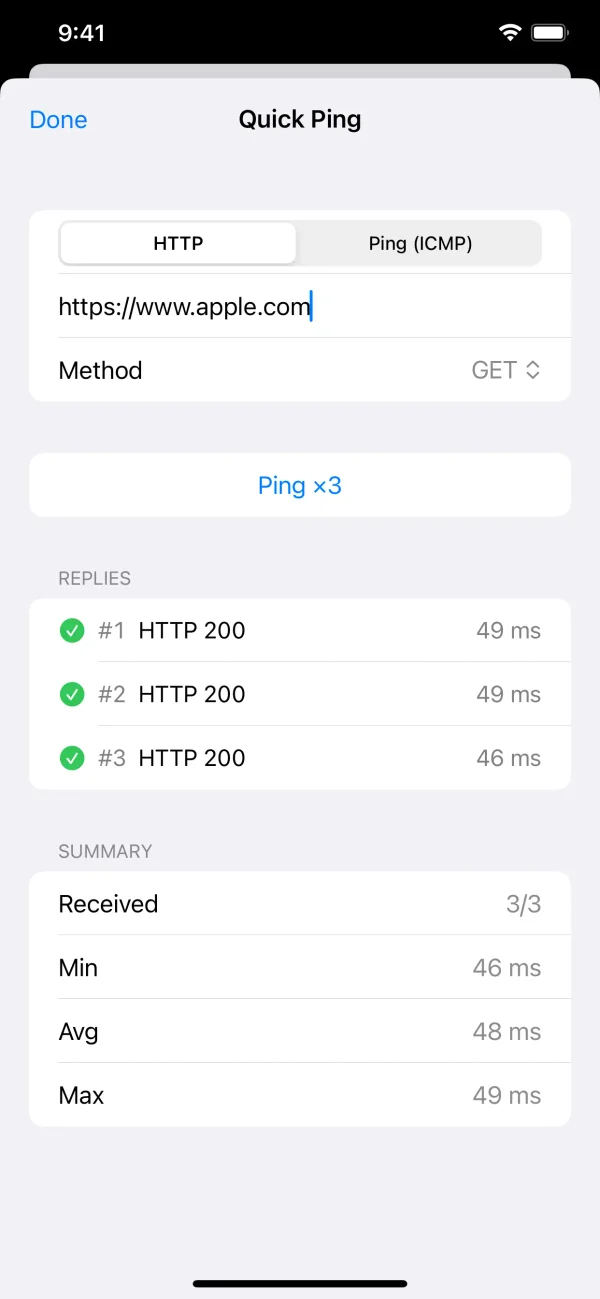
QUICK PING • One-tap "ping ×3" to any URL over HTTP, or any device on your network over ICMP — even a router, NAS, or printer with no web server • See per-request latency plus a min / avg / max summary — like ping, in your pocket
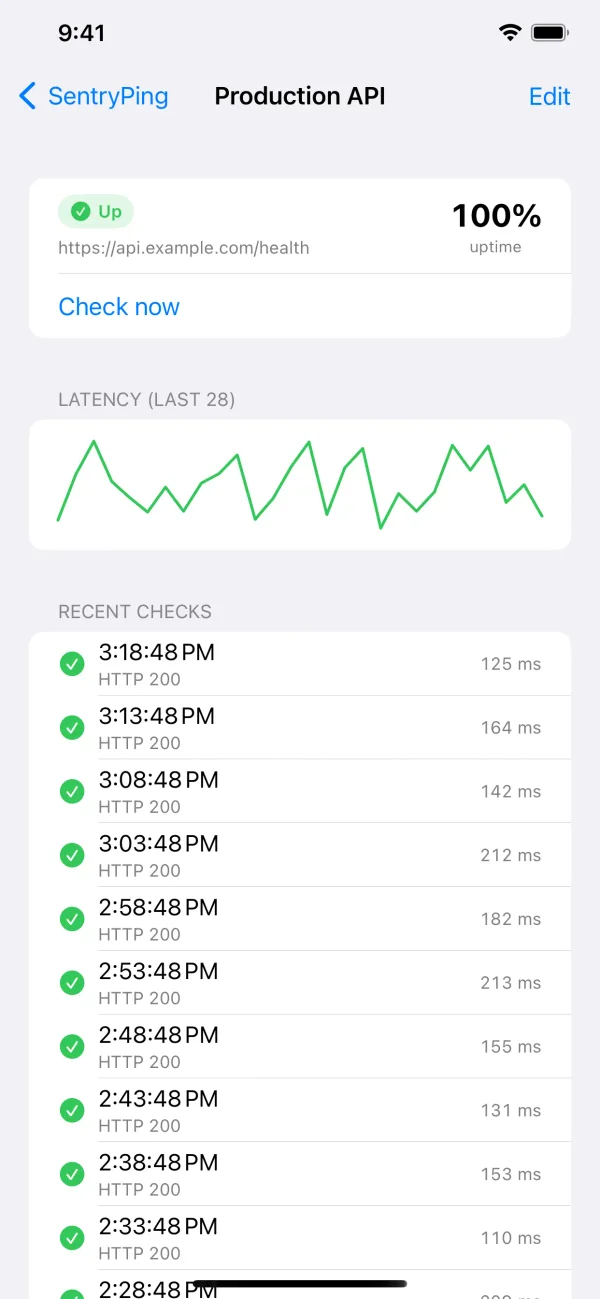
HISTORY & INSIGHT • Latency sparkline, uptime %, recent checks, and an incident log for every monitor
PRIVATE BY DESIGN • Fully on-device. Your endpoints and tokens never leave your iPhone.
Note: background checks are best-effort — iOS decides when apps may run in the background.
What’s new
Version 2.2 · Nov 9, 2026
Faster device discovery, a more useful watch app, and a round of accessibility work.
FIND DEVICES
• Scanning is about four times faster — roughly ten seconds for a typical home network instead of forty, and devices now start appearing within a couple of seconds.
APPLE WATCH
• The watch now tells you how old its data is, and says so clearly when it's gone stale rather than showing you yesterday's numbers as though they were current.
• Monitors that are down are listed first, so a problem can't hide below the fold.
• Latency is labelled, and rows read properly with VoiceOver.
ACCESSIBILITY
• Monitor status now uses a distinct symbol as well as a colour, so it's readable with VoiceOver and doesn't depend on telling red from green.
• Toolbar buttons, the check-interval slider and the status icons all announce themselves properly.
Thanks for using SentryPing — feedback is always welcome from the in-app Settings.
App privacy
What Gregory Manley declares on the App Store about how this app handles data.
-
Data not collected
The developer does not collect any data from this app.
Privacy practices may vary, for example with the features you use or your age.
Information
- Seller
- Gregory Manley
- Category
- Utilities
- Version
- 2.2
- Updated
- Nov 9, 2026
- Released
- Jul 8, 2026
- Size
- 5.9 MB
- Requires
- iOS 17.0 or later
- Age rating
- 4+
- Price
- Free
- Copyright
- © Gregory Manley 2026
You might also like
-
 Task Mike Declutter Your BrainGet things done. ADHD friendly
-
 Better Ping: Network MonitorFree up to 10 monitors
-
 PingGrid: Pro Web MonitorHTTP Request, Ping, API Verify
-
 Ping MonkeyLatency, Traceroute & Uptime
-
 PingyDingyOpen Source network tester
-
 Network WiFi ScanNetwork Scan – Network Tools
-
 IT ToolKitNetwork Tools for Admins
-
 Latency: Monitor, Ping & TraceDetect outages and issues fast
-
 NetBeatNetwork Diagnostics Toolkit
-
 404 NetworkUtilities