Serial Collector
BarCode|QRCode|OCR|TextManual
Designed for iPhone, iPad
Free · In-app purchases
- Age rating4+
- CategoryUtilities
- DeveloperTien Hoang
- LanguagesEnglish
- Size10.4 MB
Links to the official App Store page
Download.org hosts no file of Serial Collector. The button opens its official App Store page, published by Tien Hoang. Listing last checked on Nov 16, 2026.
Screenshots


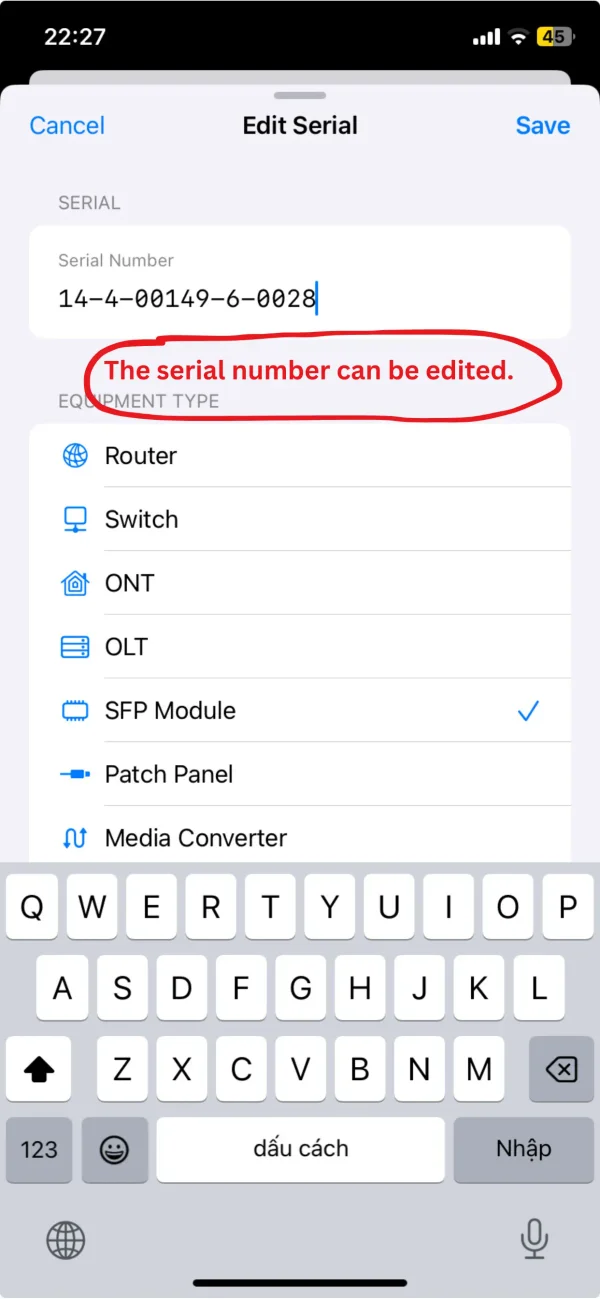
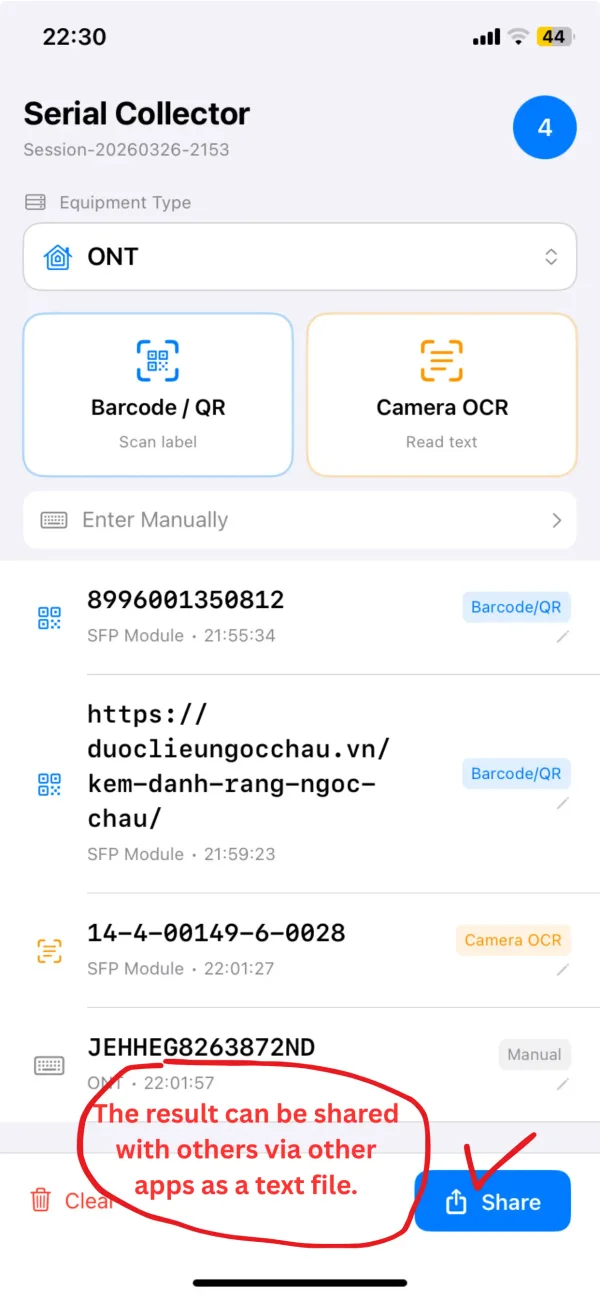
About
Serial Collector – Smart Serial Number Management Made Easy
Collect equipment serial numbers fast. Export to Excel in one tap.
SerialCollector is the fastest way to capture, organize, and share equipment serial numbers on-site — whether you're doing an install, audit, or inventory check.
Three ways to capture serials:
Barcode & QR scanner — point and scan any label instantly
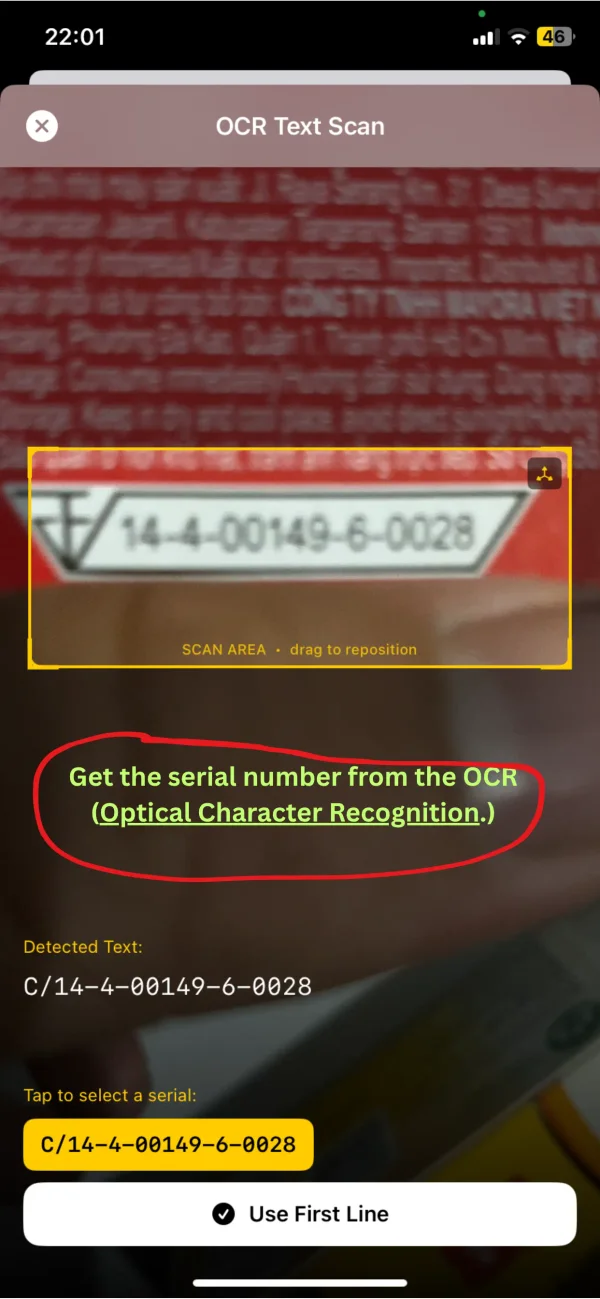
Live camera OCR — read printed text directly from the label with a draggable scan region
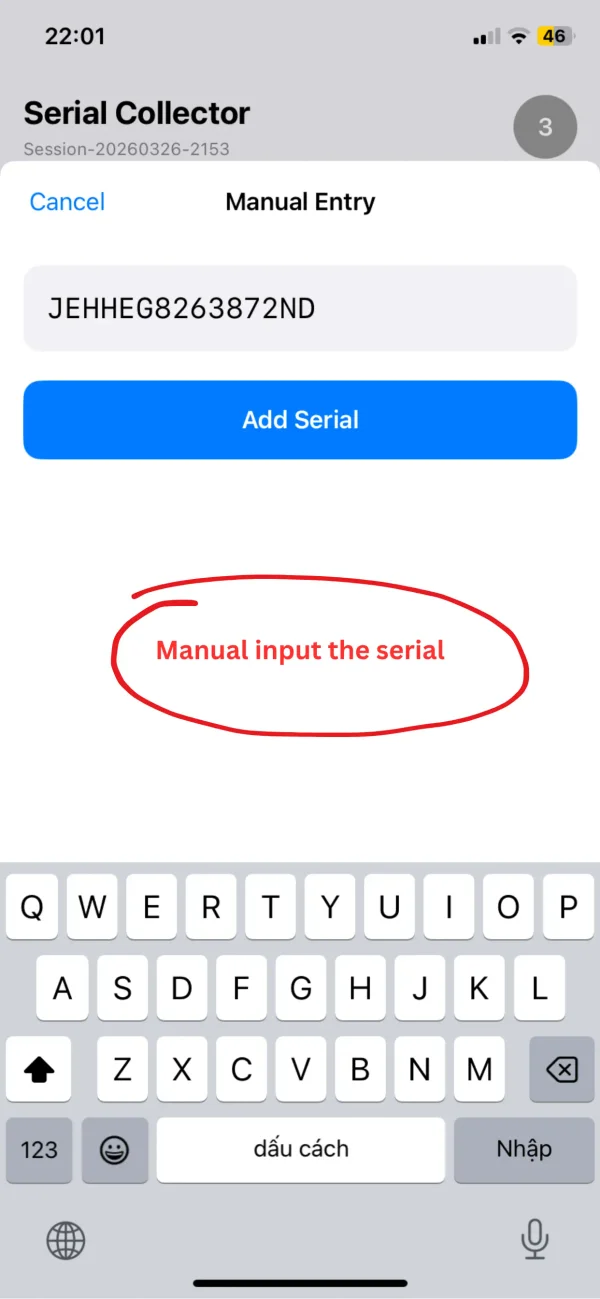
Manual entry — type it in when labels are worn or inaccessible
Stay organized on the job:
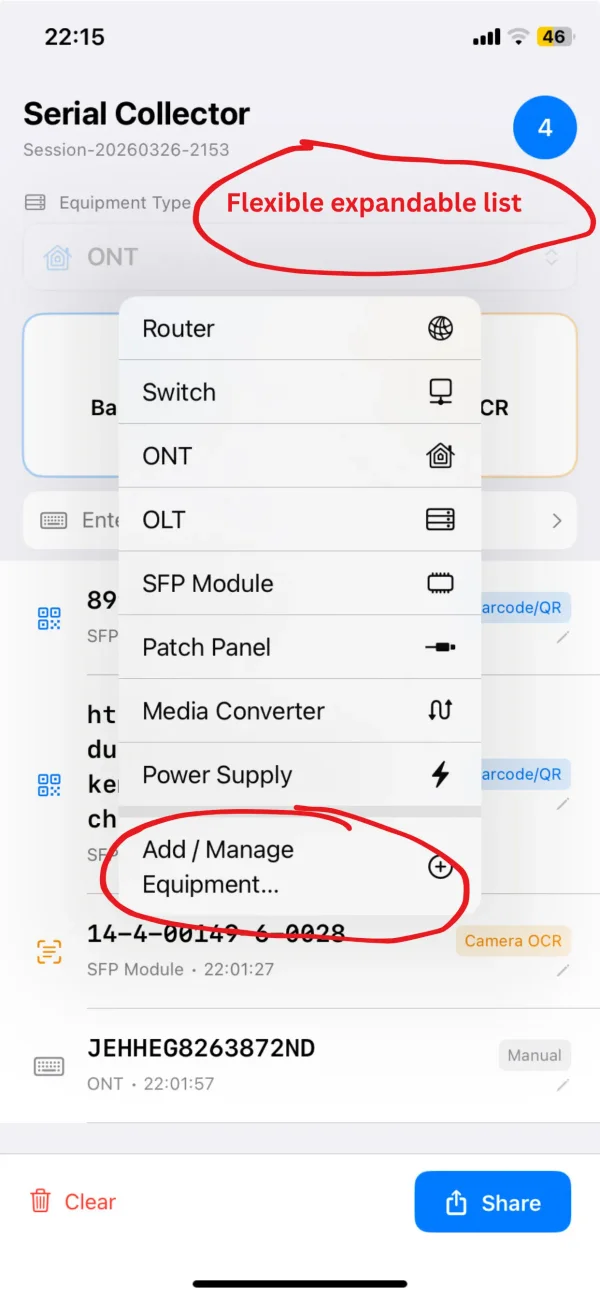
Select the equipment type from a customizable dropdown — add your own types anytime
Tag each serial with a status: Good, Faulty, Needs Check, Retired, or Unknown
Add a note to any entry for extra context
All data saves automatically and survives app restarts
Export and share your way:
Excel (.xlsx) — export your full session as a real Excel file with columns for serial number, equipment type, status, capture method, notes, and timestamp. Open it in Excel, Numbers, or Google Sheets for easy filtering and reporting
Text file (.txt) — clean plain-text report you can paste anywhere
Share via Viber, Messenger, Email, AirDrop, or any app on your device
Built for field work:
No account, no cloud, no internet required — everything stays on your device
All data is stored locally and never shared with third parties
You focus on your work — Serial Collector handles the boring part.
Stop typing. Start scanning. Stay organized.
Your Privacy Matters:
• View our Privacy Policy: https://sites.google.com/view/serial-collector/home/policy
• And Terms of Use:https://www.apple.com/legal/internet-services/itunes/dev/stdeula/
What’s new
Version 1.3 · Oct 13, 2026
Multiple sessions: one per site or job, with create, rename, search, delete and switch.
Your own equipment list: add, edit (rename or change icon, with old serials updated), delete, import from text, A–Z sorting, duplicate removal and search.
Smart duplicate check: an “Add Anyway / Dismiss” choice that works for barcode, OCR and manual entry.
Faster editing: the shorter Edit Serial screen.
App privacy
What Tien Hoang declares on the App Store about how this app handles data.
-
Data not collected
The developer does not collect any data from this app.
Privacy practices may vary, for example with the features you use or your age.
Information
- Seller
- Tien Hoang
- Category
- Utilities
- Version
- 1.3
- Updated
- Oct 13, 2026
- Released
- Mar 26, 2026
- Size
- 10.4 MB
- Requires
- iOS 16.6 or later
- Age rating
- 4+
- Price
- Free
- In-app purchases
- Yes
- Languages
- English
- Copyright
- © Bom App @ 2026
You might also like
-
 S/N Scanner: OCR & BarcodeSmart Inventory & Photo Logs
-
 SwipeScan - Number ScannerPhone & invoice numbers OCR
-
 ScanAtlasAdvanced QR & Barcode Tool
-
 Set SerialNum to Sanwa BTUtilities
-
 SMV Barcode KeeperUtilities
-
 BatchScanBarcode, QR & NFC to Excel
-
 Scaflow - Barcode for PCiPhone as a PC barcode scanner
-
 AI IMEI Scan to SpreadsheetUtilities
-
 CaptisONEIL ONeSOURCE Capture App
-
 TableSnap AIScan paper tables into data