
SewGrader: Pattern Drafting
Sewing patterns, graded to fit
Designed for iPhone, iPad, Mac, iPod touch
Free · In-app purchases
- Age rating4+
- CategoryGraphics & Design
- DeveloperSew Grader by Virtalia
- LanguagesEnglish+ 17 more
- Size41.8 MB
Links to the official App Store page
Download.org hosts no file of SewGrader: Pattern Drafting. The button opens its official App Store page, published by Sew Grader by Virtalia. Listing last checked on Nov 26, 2026.
Screenshots
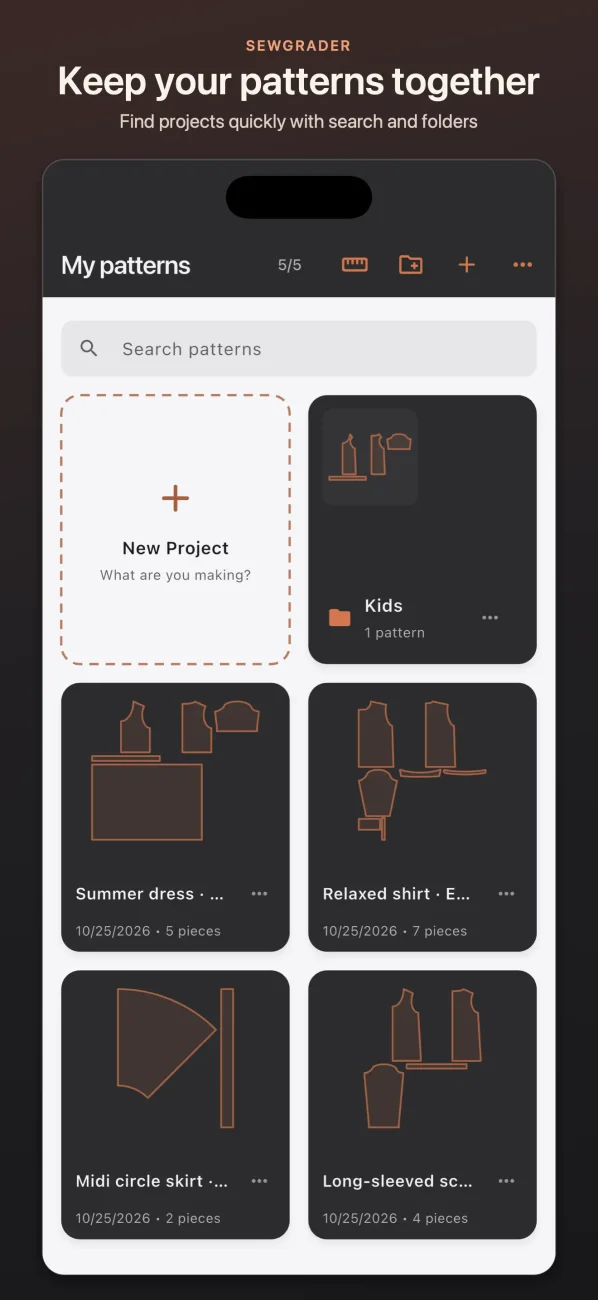
About
Draft a sewing pattern to your own measurements, grade it to every size you need, try it on in 3D, and print, plot or project it — on iPad and iPhone.
START FROM A GARMENT
A new project asks what you are making, not how big the paper should be. Pick a t-shirt, a shirt, a skirt, a dress or pants — a sweatshirt is on the way — and draft it to your own measurements or to a standard size from a chart. Every piece comes labeled with what to cut, laid out on a drawn length of the fabric you actually have, so you can see whether it fits the bolt before you buy it.
Before it draws anything, it tells you what it will make — the finished chest circumference, the sleeve length, how much fabric it needs. Or start on an empty canvas and draft it yourself.
TRY IT ON IN 3D
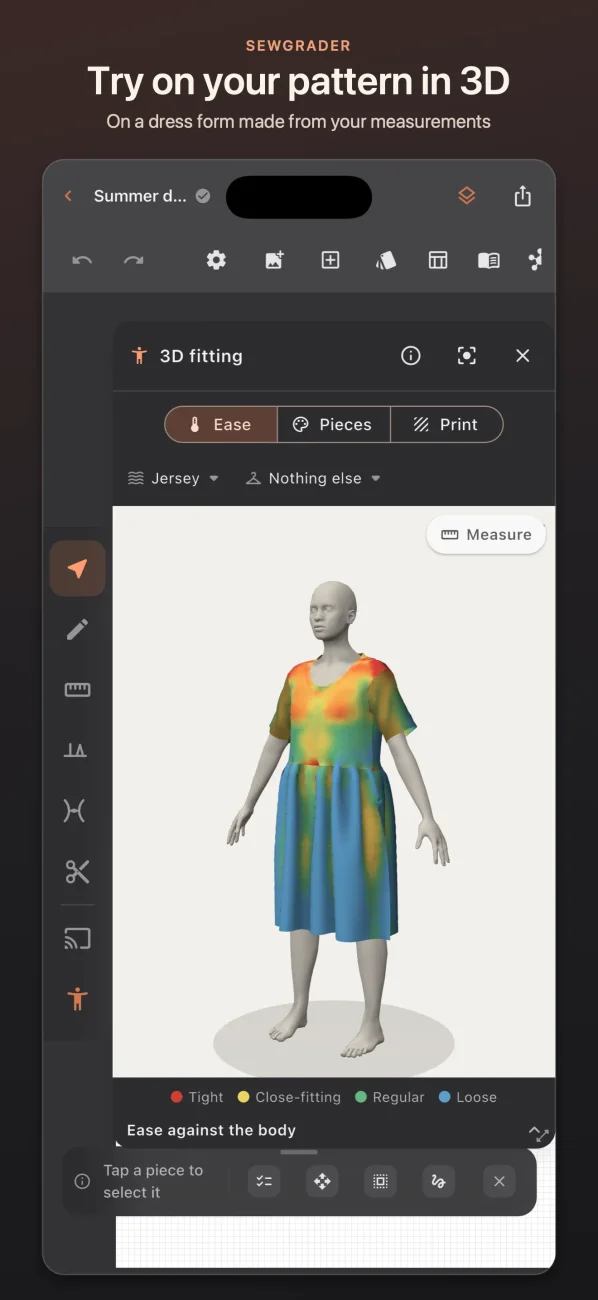
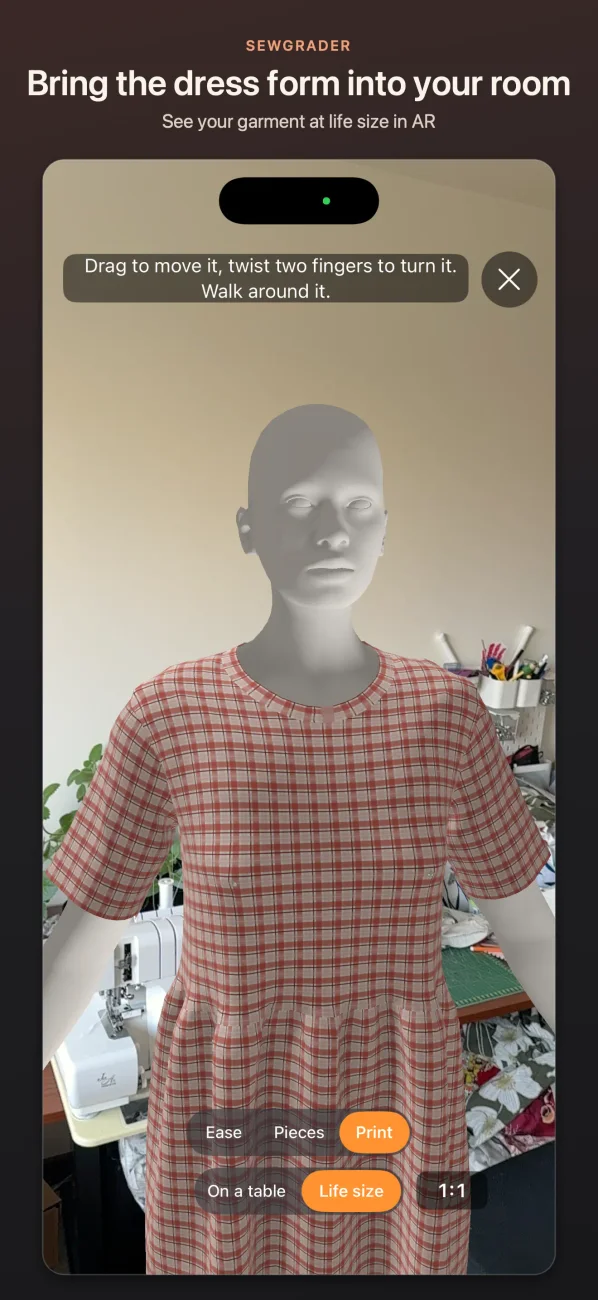
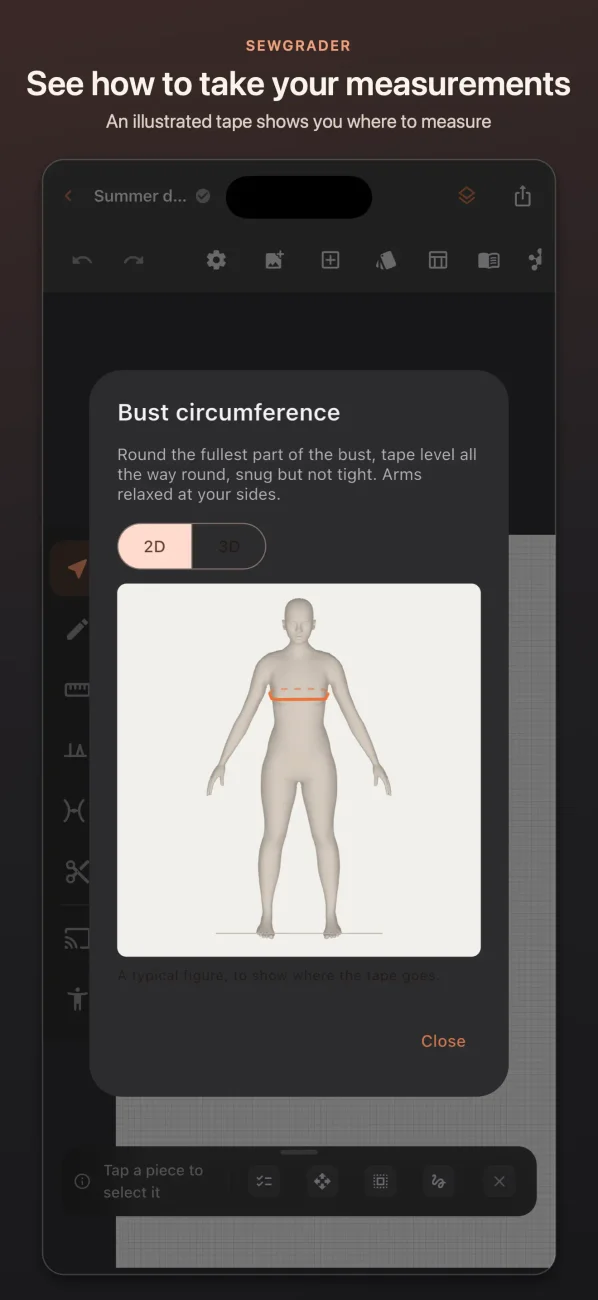
See a garment the app drafted hang on a form made to your measurements, with the ease shown zone by zone — even in your own fabric, from a photo. On an iPhone or iPad with LiDAR, scan the person and try it on a form shaped from the scan. The 3D fitting shows how a garment hangs, and does not replace a fitting sample.
DRAFTING
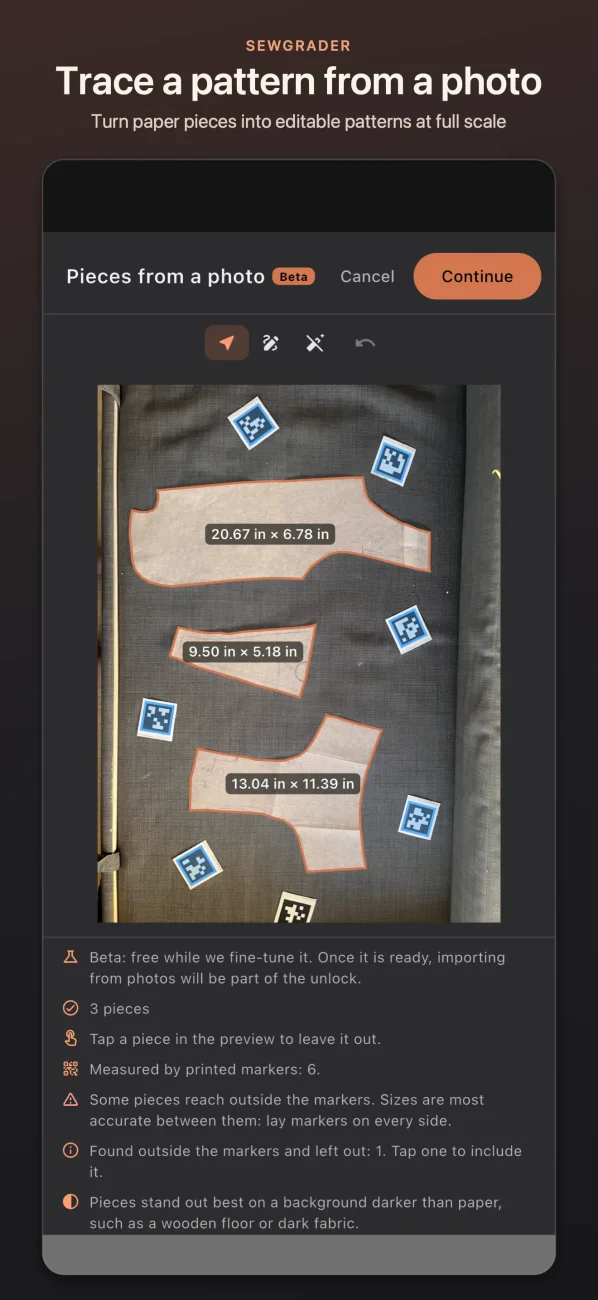
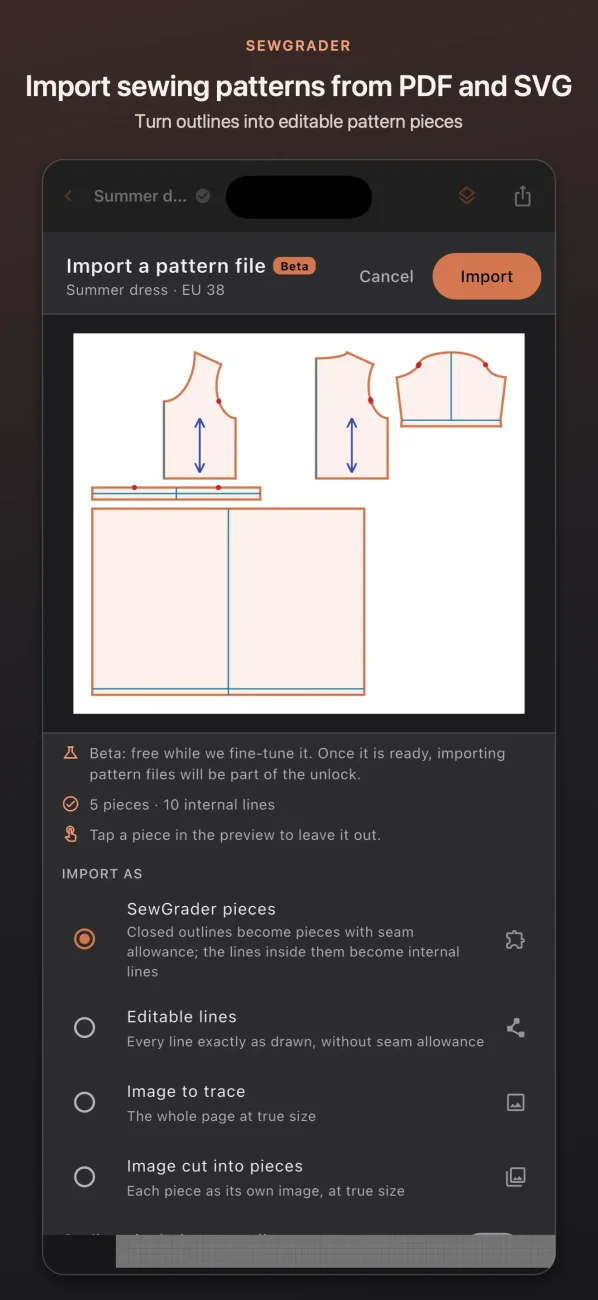
Freehand drawing with hold-to-perfect shape recognition. Precise CAD-style coordinate entry. Bézier edges, boolean merge, offset, and slash-and-spread. Import a photographed or scanned pattern and calibrate it to real-world scale. Pattern files bought as PDF or SVG come in too (beta), with their pieces, sizes and markings. Paper pieces photographed next to a sheet of A4 come in at their real size (beta).
GRADING
Per-node grade rules, measurement profiles and edge constraints. Built-in size charts for US, UK, EU, Japanese and children's sizing — add a whole size run in one tap, and sizes you have already adjusted by hand are left exactly as they are. Change a measurement and the graded nest updates. Show one size, or all of them nested on the canvas.
SEWING DETAIL
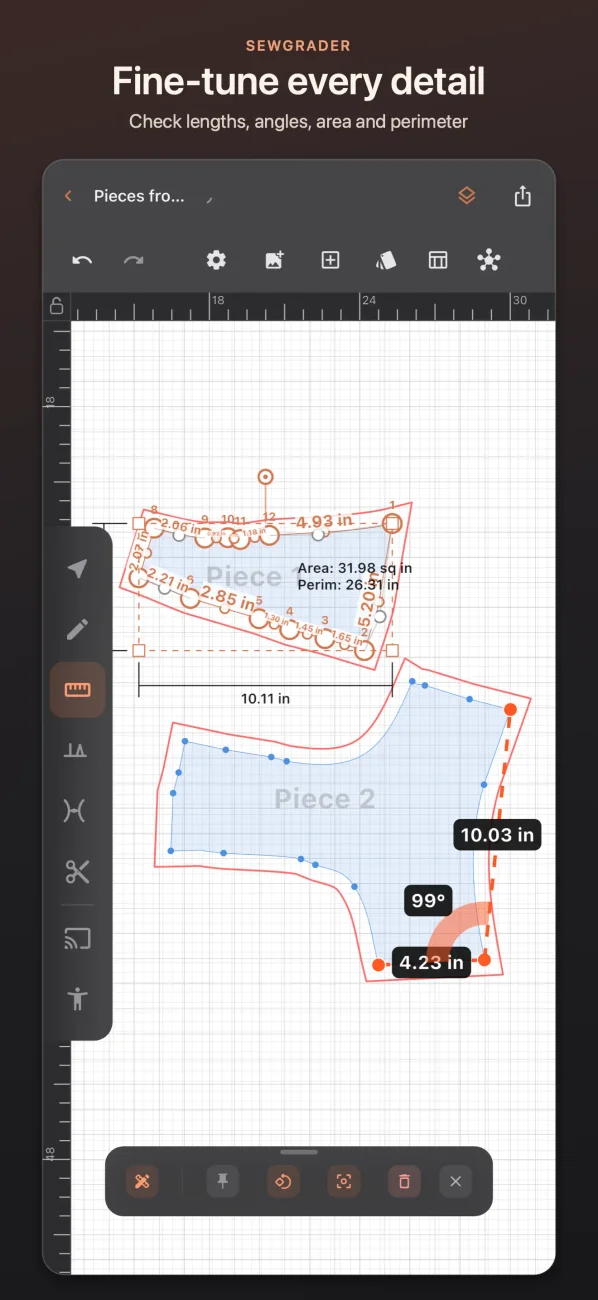
Seam allowances with per-edge overrides and corner treatments. Slit, V and T notches, darts, grainlines, drill holes, fold lines, internal construction lines, buttons, match points and dimension annotations. Link edges that must stay the same length, so a sleeve cap keeps matching its armhole.
OUTPUT
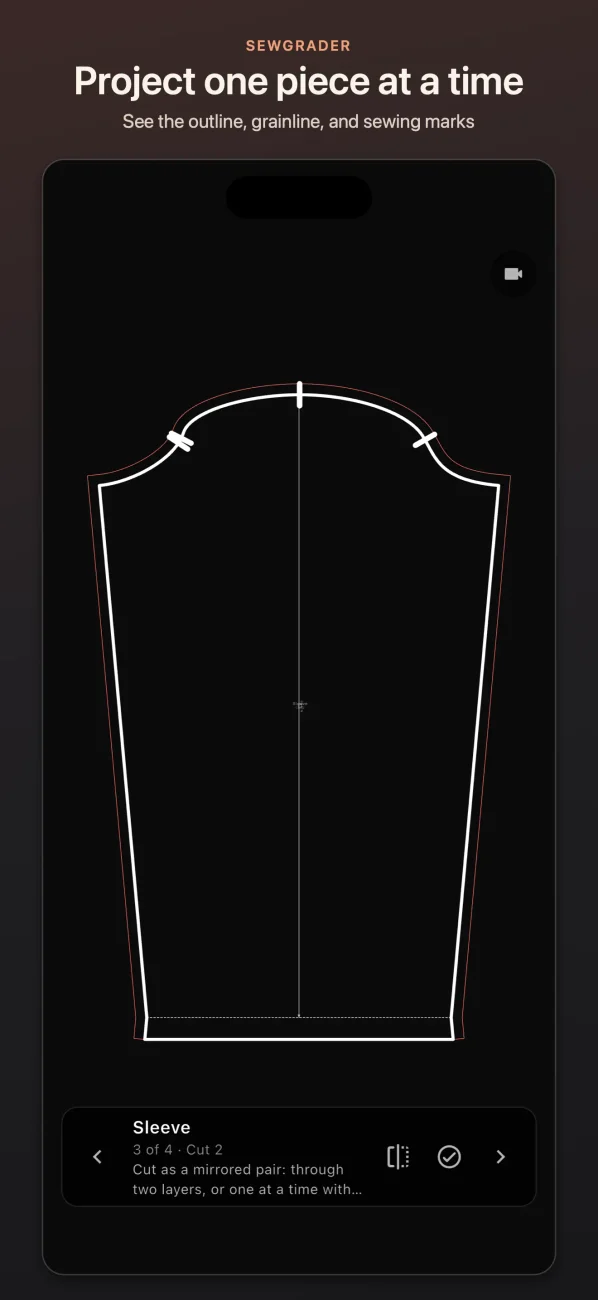
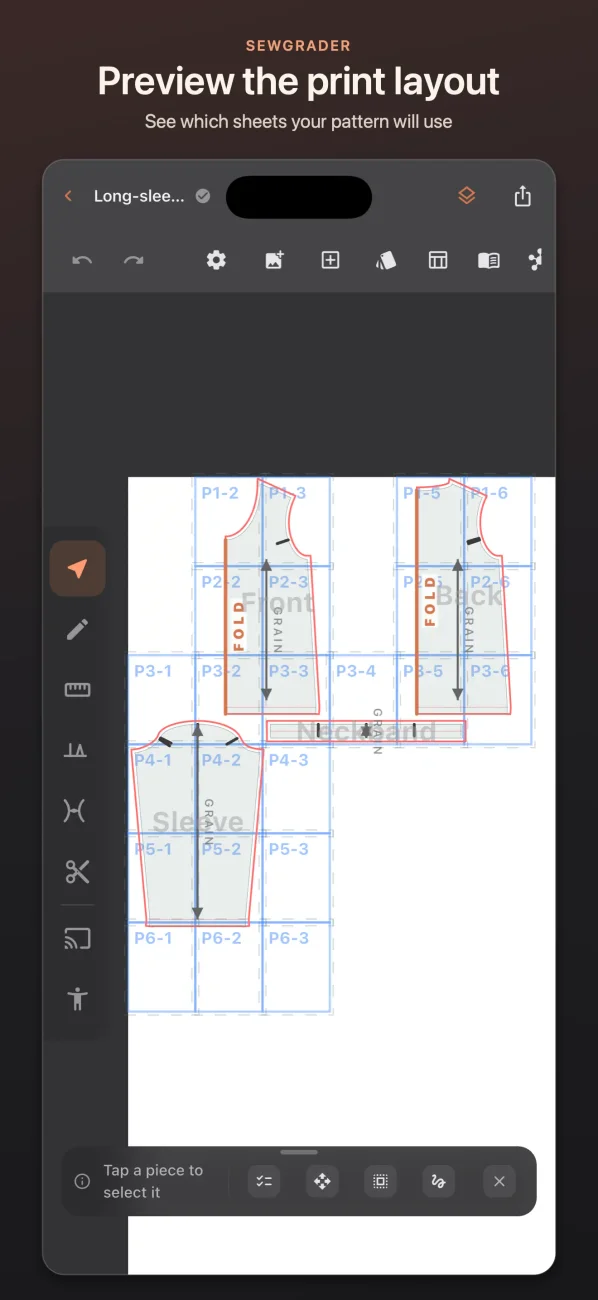
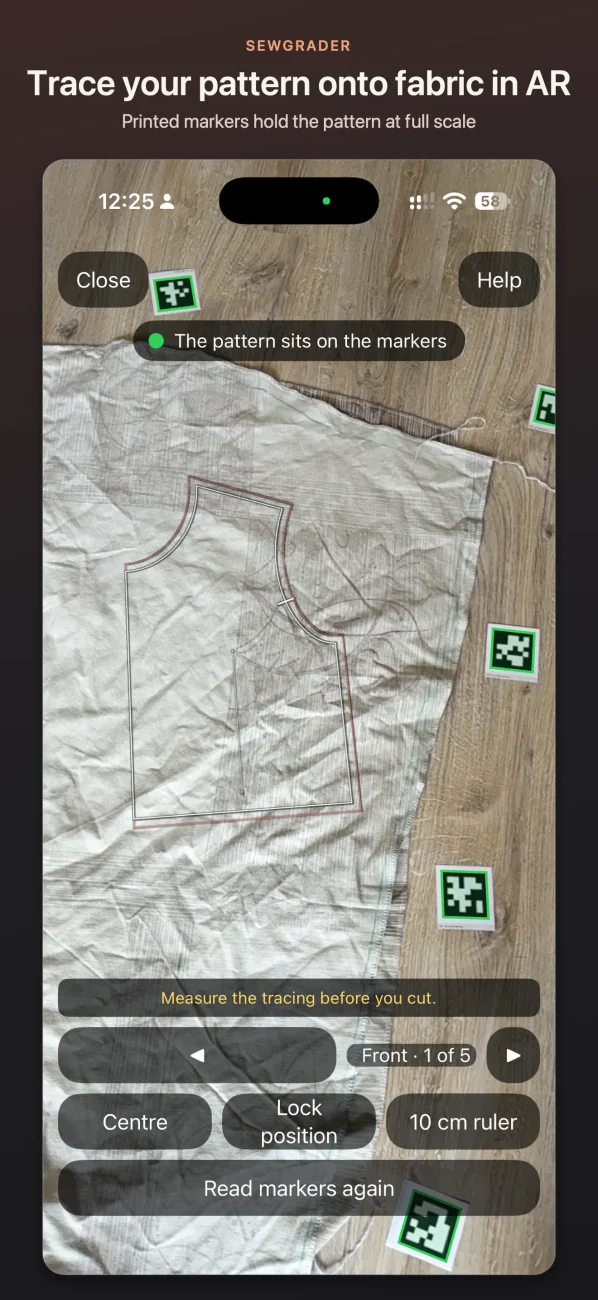
Tiled PDF for home printing, with corner registration marks, page numbers, and a first page mapping the whole pattern onto the sheet grid. SVG and DXF for plotters and digital cutters. A projector mode that calibrates the pattern to real size on a floor or table and then locks, so it cannot drift while you cut. When a piece is larger than the projection, one tap moves on by most of a screen and marks where the last screen ended. PNG pictures, free like the PDF. The projector can also show a fixed grid of screens; on iPhone and iPad, AR on fabric (beta) shows the pattern on the cloth through the camera.
And where paper is the wrong medium, it says so: for garments the app drafted itself, a cutting guide hands you the numbers to mark straight onto folded cloth.
WORKING COMFORTABLY
Magnetic snapping that stays constant as you zoom. Layers, each with its own visibility and locking. A reusable piece library. A gesture ladder — two fingers undo, three redo, four hide the interface. The tool panel mirrors for left-handers.
WHAT IT DELIBERATELY DOESN'T DO
No subscription. Keep up to five patterns and print tiled PDFs for free. One purchase lifts the limit and opens SVG, DXF and project files, for good. No ads and no upsells.
Work offline with patterns stored on your device. Optional iCloud Drive sync keeps a copy available on your other devices.
No generative AI patterns. A pattern is geometry, not a guess. A draft that looks plausible and doesn't fit costs you meters of fabric and a weekend. Every line comes from a rule you can inspect and change.
LANGUAGES
Fully localized into 18 languages — including the printed pattern and the CAD command bar.
Designed for iPad and iPhone. An Apple Pencil is supported but not required.
What’s new
Version 1.5.3 · Nov 25, 2026
Version 1.5.3
• Pieces from a photo (beta): lay printed markers around the pieces instead of a sheet of A4, and sizes come out a little more accurate. They are the markers AR on fabric uses; the app prints them and shows where to put them.
• The outlines of pieces from a photo can be smoothed a step at a time, and their corners stay sharp. You can name the new project, and keep the photo as a layer to fine-tune by.
• Trace an old pattern: a photo taken at an angle is straightened and brought to true size by a sheet of paper or printed markers in it.
• A new guide takes you through making your own pattern, step by step.
• Shirt: bust darts from the side seam for a shaped shirt. The sleeves of new shirts and t-shirts follow the fit you choose; saved patterns stay as they are.
• Paper in A1 or your own size, cropping of fabric photos, and a projector calibration sheet you can resize from any corner.
• Fixes from your feedback.
App privacy
What Sew Grader by Virtalia declares on the App Store about how this app handles data.
-
Data not collected
The developer does not collect any data from this app.
Privacy practices may vary, for example with the features you use or your age.
Information
- Seller
- Virtalia s.r.o.
- Category
- Graphics & Design
- Version
- 1.5.3
- Updated
- Nov 25, 2026
- Released
- Oct 23, 2026
- Size
- 41.8 MB
- Requires
- iOS 15.0 or later
- Age rating
- 4+
- Price
- Free
- In-app purchases
- Yes
- Languages
- English, Czech, Dutch, French, German, Indonesian, Italian, Japanese, Korean, Polish, Portuguese, Russian + 6 more
- Copyright
- © Virtalia s.r.o.
You might also like
-
 Garment Pattern MakerPattern Drafting Tool
-
 PatternPlot: Trace & GradeSewing pattern grading
-
 PatternataPattern & Scarf Design Studio
-
 Goblin Node - Texture LabCreate PBR textures anywhere
-
 GradientWallGorgeous Gradient Wallpapers
-
 PatternCam: Pattern ScannerSewing patterns to DXF & CAD
-
 Bag DesignGraphics & Design
-
 Tilework: Pattern MakerSurface design & print export
-
 PixelBean - Bead Pattern MakerPhoto to perler bead patterns
-
 patanQDraft & print true-size PDFs